Hey @AlexeyAB I've trained full yolov3 with pedestrian dataset from OpenImages. [Downloaded using OIDToolkitv4]
Train: 2400
Valid: 600
(Split from same dataset)
Trained for 6000 Iterations, used darknet53.conv.74 pretrained weights
batch = 64
subdivisions = 32
width & height = 416
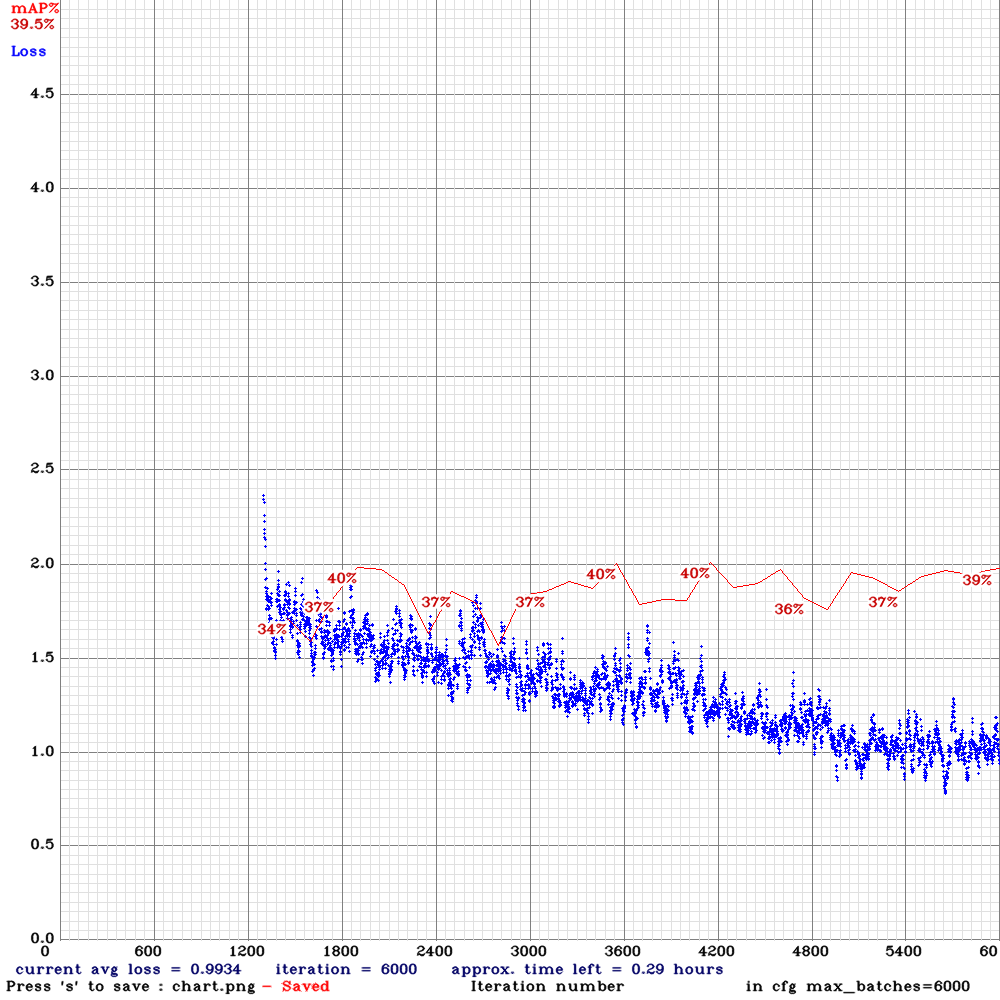
- What can I do to improve accuracy?
- Tried to perform detection on a 1 min video clip, average FPS was around 16-18. What can I do to improve FPS?
 Devin97
All 22 comments
What can I do to improve accuracy?
- Use more training images
- Train this cfg https://drive.google.com/open?id=15WhN7W8UZo7-4a0iLkx11Z7_sDVHU4l1 with this pre-trained weights file https://drive.google.com/open?id=1ULnPnamS5A6lOgidlBXD24IdxoDAFaaV and train with flag
-clearat the end of training command
Tried to perform detection on a 1 min video clip, average FPS was around 1618. What can I do to improve FPS?
Download the latest Darknet version, and recompile with
GPU=1 CUDNN=1 CUDNN_HALF=1 OPENCV=1What GPU do you use?
 AlexeyAB
on 18 Apr 2020
AlexeyAB
on 18 Apr 2020
Thanks for replying. I'll train again with that config.
Im using NVIDIA Tesla T4 (1 GPU) on google cloud.
But I actually need it to be fast enough for NVIDIA Gtx 1050ti
Devin97
on 18 Apr 2020
Also, is there any documentation for all the hyper parameters?
Devin97
on 18 Apr 2020
@Devin97
Read: https://github.com/AlexeyAB/darknet/wiki
Some will be added later.
AlexeyAB
on 18 Apr 2020

Hey @AlexeyAB
This time I have around 6000 images and training for 6000 iterations.
Recompiled darknet with these enabled:
GPU=1
CUDNN=1
CUDNN_HALF=1
OPENCV=1
After 1000 iterations, mAP is 0% and avg loss is -nan. Is this common?
Command:-
./darknet detector train data/obj.data cfg/cd53paspp-gamma-train.cfg cd53paspp-gamma_final.weights -map -dont_show -clear
Devin97
on 19 Apr 2020
Something goes wrong.
Did you change burn_in= or learninig_rate= in cfg-file? Don't do it.
Try to set before line
##########################in cfg-file:
stopbackward=2000
train_only_bn=1
and train again
AlexeyAB
on 19 Apr 2020
Did you change burn_in= or learninig_rate= in cfg-file? Don't do it.
No haven't changed these parameters. Just changed batch=64, subdivision=16 and classes=1
Also, is it ok to directly use the full pretrained weights? Do I have to get a portion of these weights using "darknet partial" command?
Devin97
on 19 Apr 2020
Better if you will use partial:
https://github.com/AlexeyAB/darknet/blob/4786d557f9ac7452ded74ce2f3df06fbe991924e/build/darknet/x64/partial.cmd#L12
AlexeyAB
on 19 Apr 2020
Better if you will use partial:
https://github.com/AlexeyAB/darknet/blob/4786d557f9ac7452ded74ce2f3df06fbe991924e/build/darknet/x64/partial.cmd#L12
Getting Segmentation Fault error.

Tried to train with final weights again and added these parameters as you suggested
stopbackward=2000
train_only_bn=1
Still facing the same issue

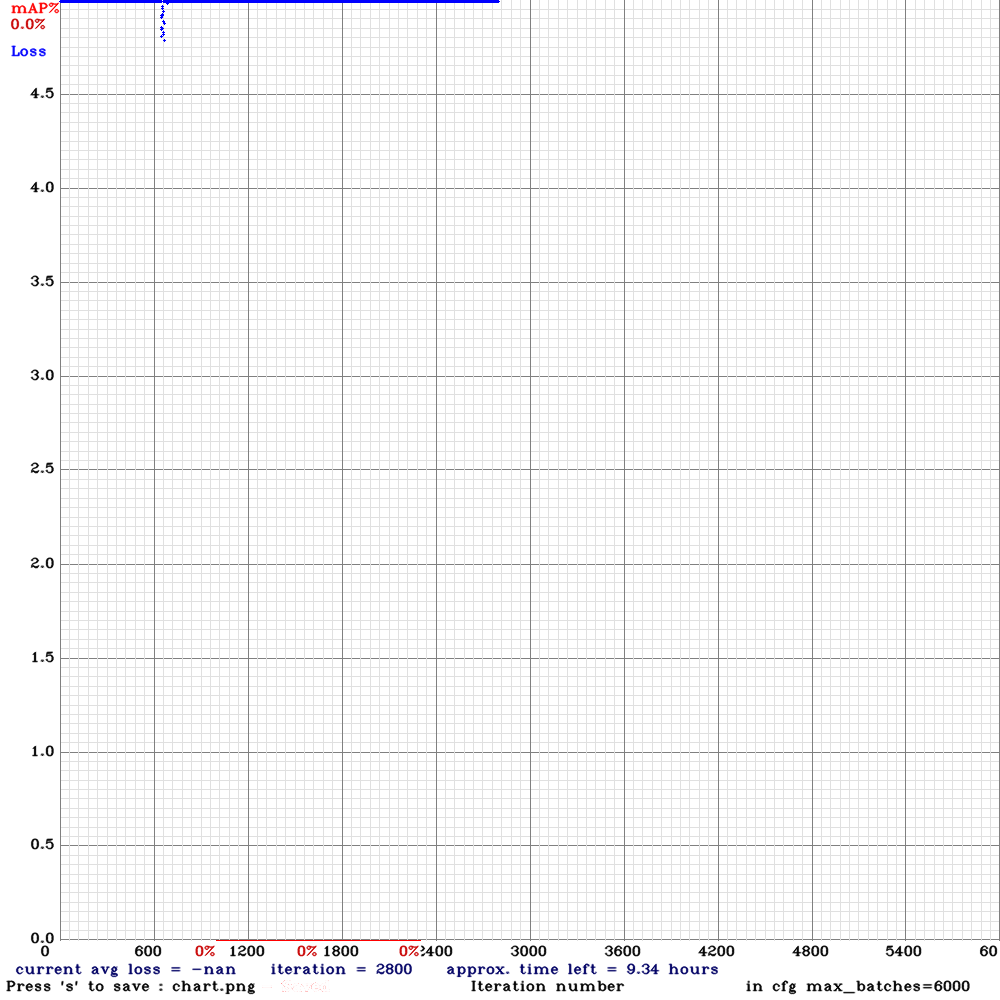
Here's my cfg file
Devin97
on 19 Apr 2020
Don' use
obj.datafile forpartialcommand.
./darknet partial cfg/cd53paspp-omega.cfg cd53paspp-omega_final.weights cd53paspp-omega.conv.137 137Use
stopbackward=2000
train_only_bn=1
- set
learning_rate=0.001
AlexeyAB
on 19 Apr 2020
I see, I'll train again with learning_rate=0.001
What is the reason for the avg loss to be nan? Does this mean that something's wrong with the dataset?
Devin97
on 19 Apr 2020
Exploding gradients(backward) / features(forward): https://machinelearningmastery.com/exploding-gradients-in-neural-networks/
To solve this:
- reduce learning_rate=
- reduce batch=
- increase burn_in=
- increase decay=
- use
max_delta=3in[yolo]layers - use
stopbackward=2000andtrain_only_bn=1at the last backbone layer - use less layers
- fix your dataset
- use another model
- use gradinent clipping
AlexeyAB
on 19 Apr 2020
Hey @AlexeyAB
It's been more than 2000 iterations and I didn't get any "nan" avg loss, so thats good news. However, there's another problem..
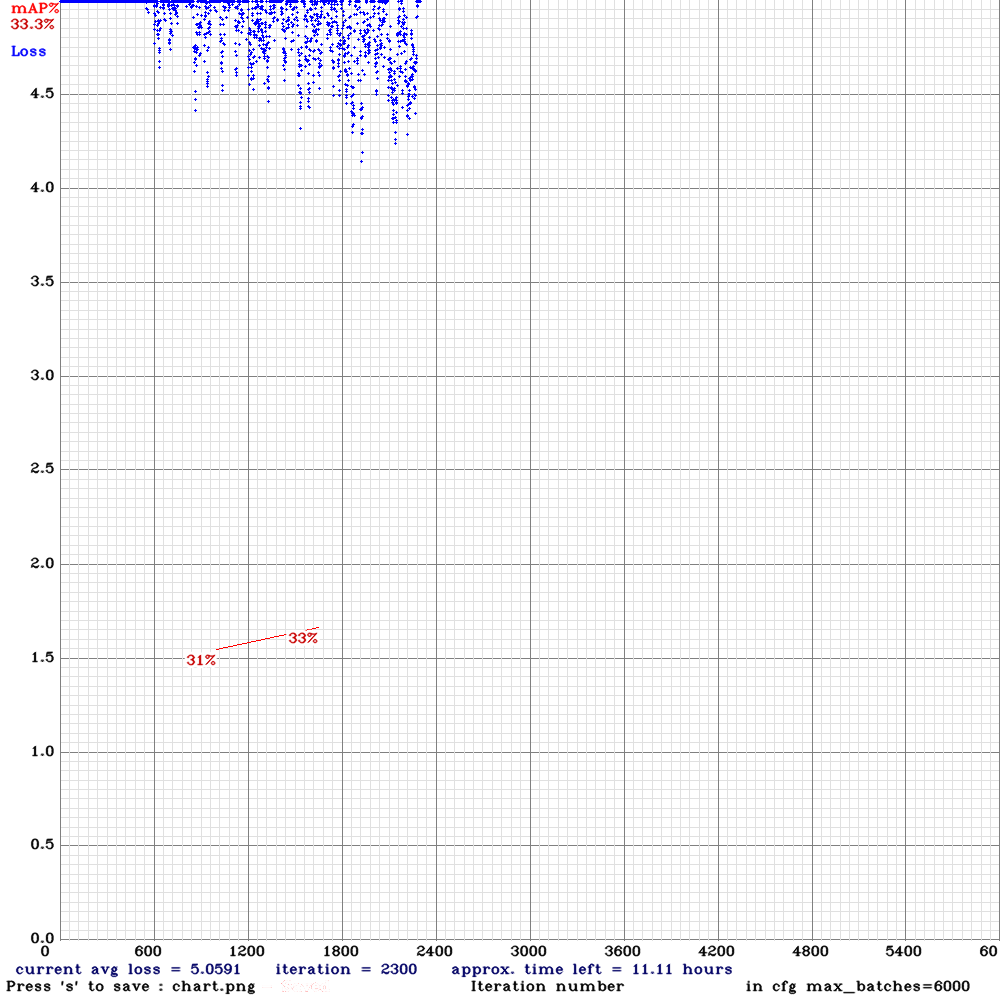
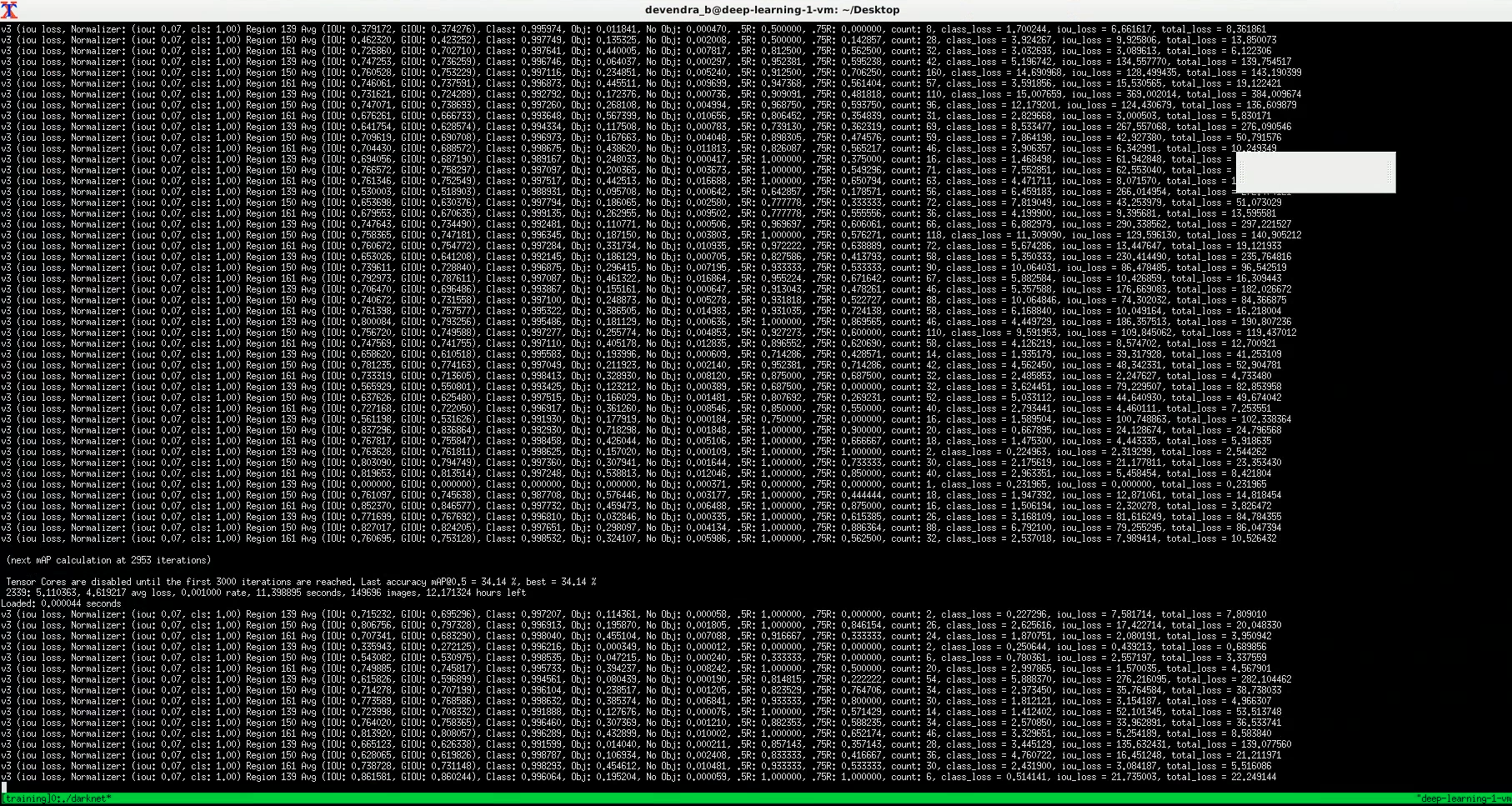
Avg loss seems to be not decreasing much. Is it normal for this to happen at the beginning of the training with this cd53paspp config? or something's wrong?
Devin97
on 19 Apr 2020
avg loss for cd53paspp is higher than for yolov3, but the mAP is also higher.
Also the lower learning_rate= - the more stable training - but training is slower. So you should find optimal learning rate.
- you can keep learninig_rate=0.001 and increase max_batches= and steps= to train longer
- or you can try to add max_delta=3 in each [yolo] layer, and use higher learninig_rate=0.00261
AlexeyAB
on 19 Apr 2020
My current configurations has
learning_rate = 0.001
and I've added max_delta = 3 in yolo layers.
you can keep learninig_rate=0.001 and increase max_batches= and steps= to train longer
I'll also try this out on next training session.
I'll post my results when the training is finished. Thanks for the help @AlexeyAB !
Devin97
on 19 Apr 2020
This is my training results
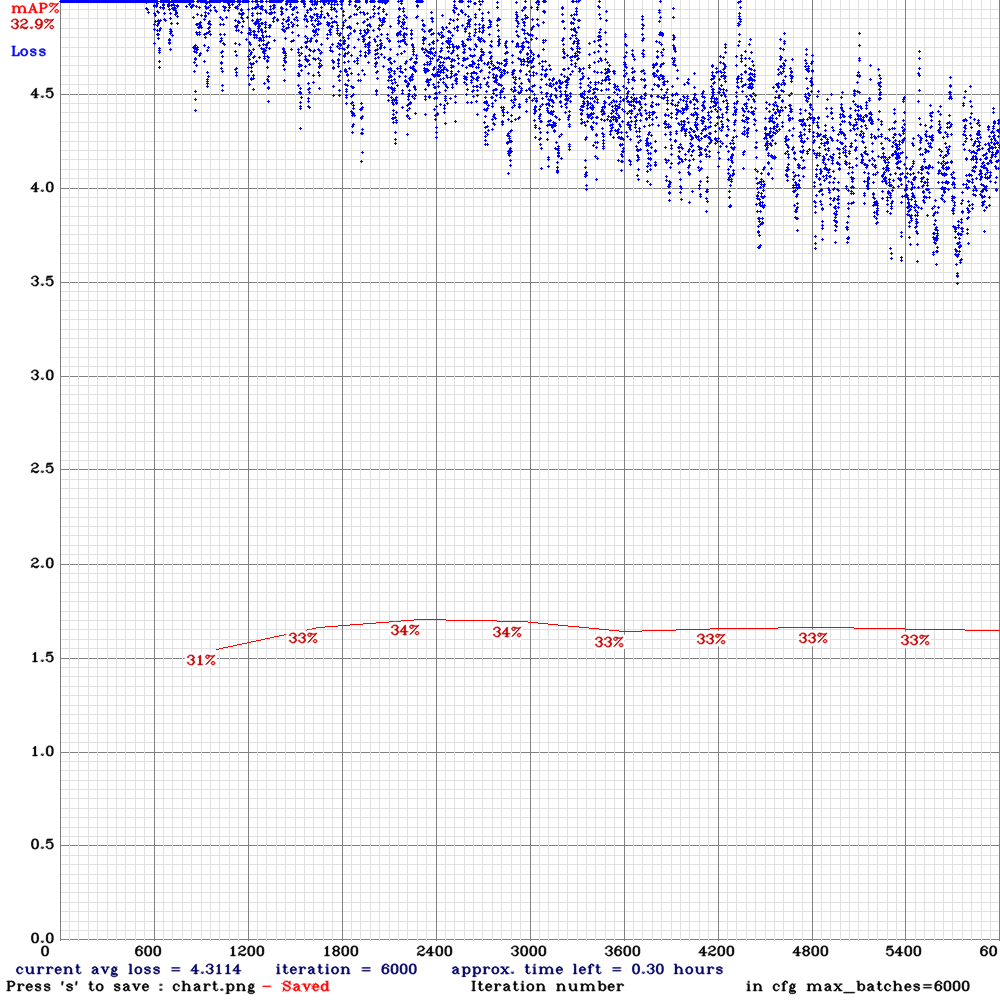
Accuracy didn't improve, its almost close to yolov3 config.
Performed detection on a 1min clip. The FPS is around 9, but detection is somewhat more stable as compared to yolov3.
Video: https://drive.google.com/open?id=1mMe-S2XL2InaTjhzEQAc3O50fpyPRxlF
It might be overfitting..
Devin97
on 20 Apr 2020
Try to train again:
with stopbackward=2000
but without train_only_bn=1
use max_delta=3 in [yolo] layers.
and use learning_rate=0.00261
And set 2x higher max_batches=12000 and steps=...
If the avg loss Nan will occur, then train with learning_rate=0.001
AlexeyAB
on 20 Apr 2020
Try to train again:
withstopbackward=2000
but withouttrain_only_bn=1use
max_delta=3in [yolo] layers.
and uselearning_rate=0.00261And set 2x higher max_batches=12000 and steps=...
If the avg loss Nan will occur, then train with
learning_rate=0.001
So Im training with the parameters above for 12000 iterations.
learning_rate = 0.00261 results in "nan" avg loss, so reduced it back to 0.001..
While its training, I wanted to ask, what is the expected FPS rate with cd53paspp-gamma cfg. On previous training I got around 9 FPS, which does makes sense, since it has more layers, detections are supposed to be slow? Is this correct?
Devin97
on 21 Apr 2020
0.9x speed, but 1.3x higher accuracy.
AlexeyAB
on 21 Apr 2020
How did you let mAP show on that chart?
for me, there's only loss.
 Jureong
on 18 Sep 2020
Jureong
on 18 Sep 2020
What can I do to improve accuracy?
- Use more training images
- Train this cfg https://drive.google.com/open?id=15WhN7W8UZo7-4a0iLkx11Z7_sDVHU4l1 with this pre-trained weights file https://drive.google.com/open?id=1ULnPnamS5A6lOgidlBXD24IdxoDAFaaV and train with flag
-clearat the end of training commandTried to perform detection on a 1 min video clip, average FPS was around 1618. What can I do to improve FPS?
- Download the latest Darknet version, and recompile with
GPU=1 CUDNN=1 CUDNN_HALF=1 OPENCV=1- What GPU do you use?
@AlexeyAB whats the -clear mean? and is this flag necessary ?ts
 nanhui69
on 18 Sep 2020
nanhui69
on 18 Sep 2020
@Jureong
How did you let mAP show on that chart?
for me, there's only loss.
Use -map flag
Devin97
on 18 Sep 2020
Related issues
 qianyunw
·
3Comments
qianyunw
·
3Comments
 yongcong1415
·
3Comments
yongcong1415
·
3Comments
 PROGRAMMINGENGINEER-NIKI
·
3Comments
PROGRAMMINGENGINEER-NIKI
·
3Comments
 bit-scientist
·
3Comments
bit-scientist
·
3Comments
 Yumin-Sun-00
·
3Comments
Yumin-Sun-00
·
3Comments