Darknet: Help on Object Detection using YOLOv3-tiny: bounding box is less accurate for bottom/right objects
Please I need help in understanding what is going on. Specifically, why the offset in the bounding boxes is more pronounced for objects that are to the right/bottom of the image/frame.
I retrained YOLOv3-tiny for detecting objects in images. My investigations include reducing the network’s input dimension in order to find a right balance for speed and accuracy of detections. Reducing network size should improve inference time, while having a negative impact on the network’s detection accuracy.
To do this:
- I trained the YOLOv3-tiny network for 10,000 iterations on dataset of images.
- I then performed inference on 3 network input dimensions: 416x416, 216x216 and 116x116
As expected, I noticed that the performance of the YOLOv3-tiny network had reduced inference time and poorer performance as the network’s input decreased (NOT SHOWN HERE).
However, what I DID NOT expect was an OFFSET in the bounding boxes, which seem to imply that:
Bounding boxes for detected objects on the left (and top) of images are more accurate than those on the right (and bottom).
To Illustrate this further, have a look at the following images:
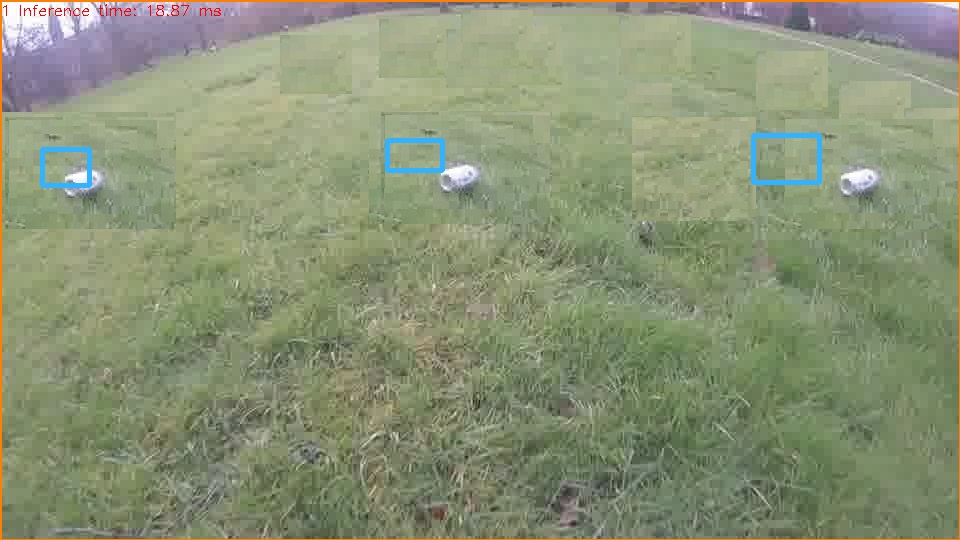
Ground Truth Image: Showing that the bounding boxes for the three cans in the image are accurate
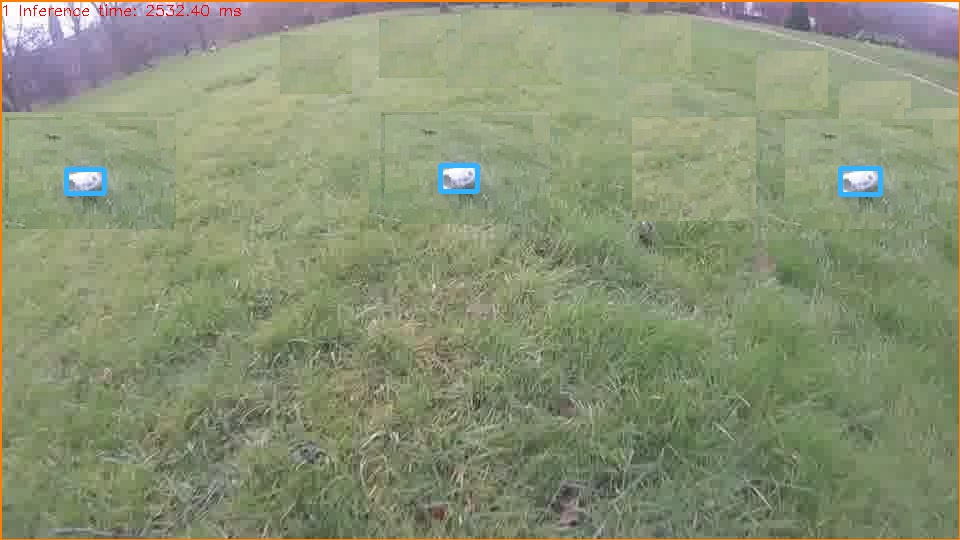
YOLOv3-tiny input dimension = 416x416: Showing that although boxes do not cover the can, they seem to accurately locate the object in the image
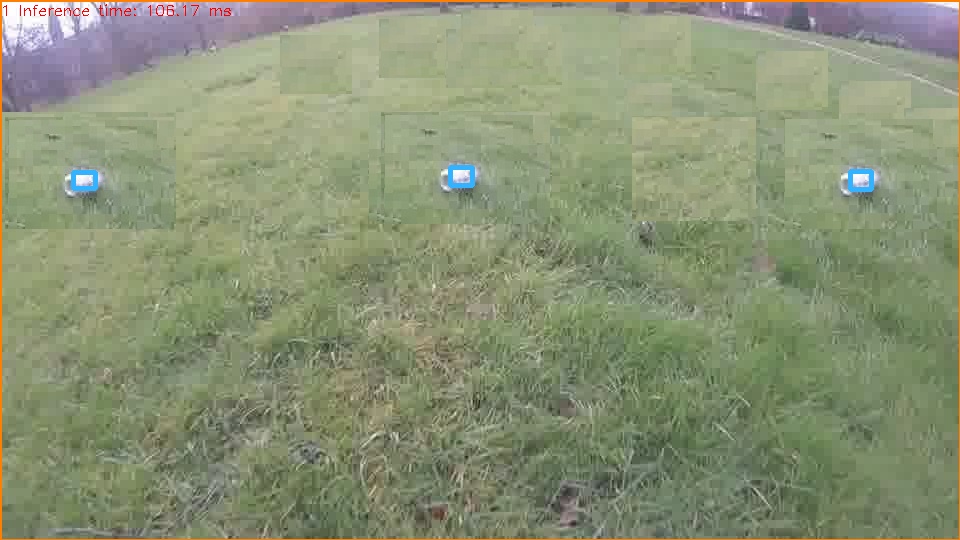
YOLOv3-tiny input dimension = 116x116: Showing that bounding box offset is now more pronounced for the can on the right.
To clarify that this offset is actually coming from the Network’s output and not from the script used for visualising the bounding boxes, I provide overlaid plots of detections from the three network sizes and ground truth.
NB: Only difference is that the Y-axis is flipped in the plots (i.e. in the images, (0,0) is the top-left corner, while for the plots below, (0,0) is the bottom left corner)
Overlaid bounding boxes for the images (Image size is 960x540).
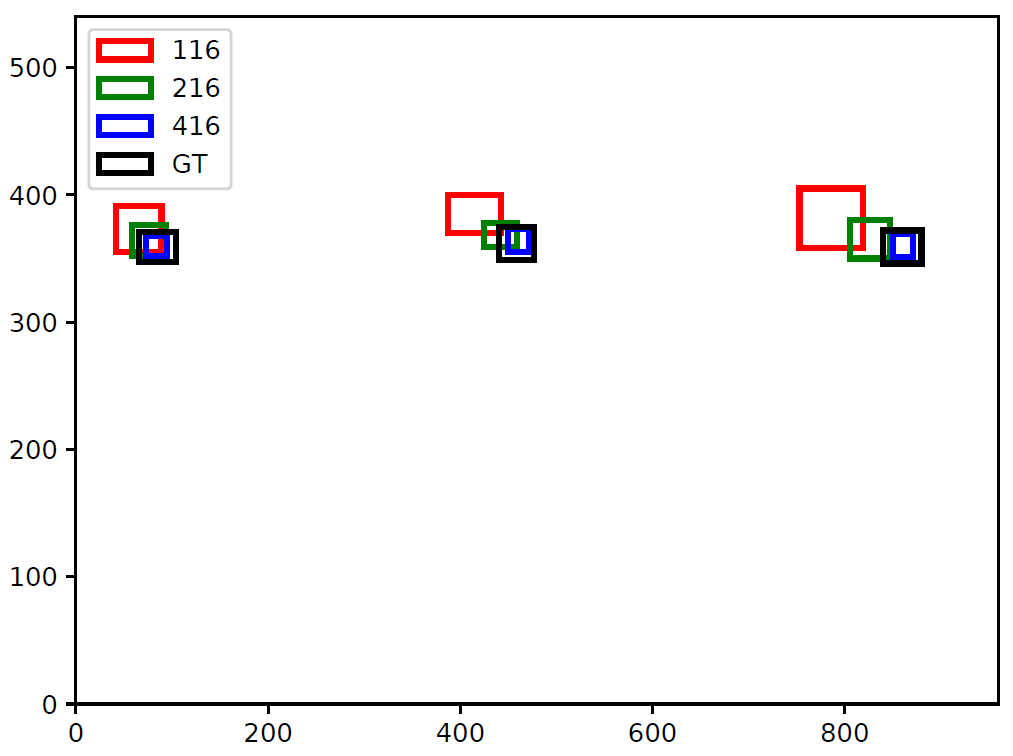
YOLOv3-tiny Network output gives coordinates of bounding boxes as relative values to the width and height of the image (i.e. value between 0 and 1). This can be rescaled based on the actual image’s dimension to draw bounding boxes shown in previous images.
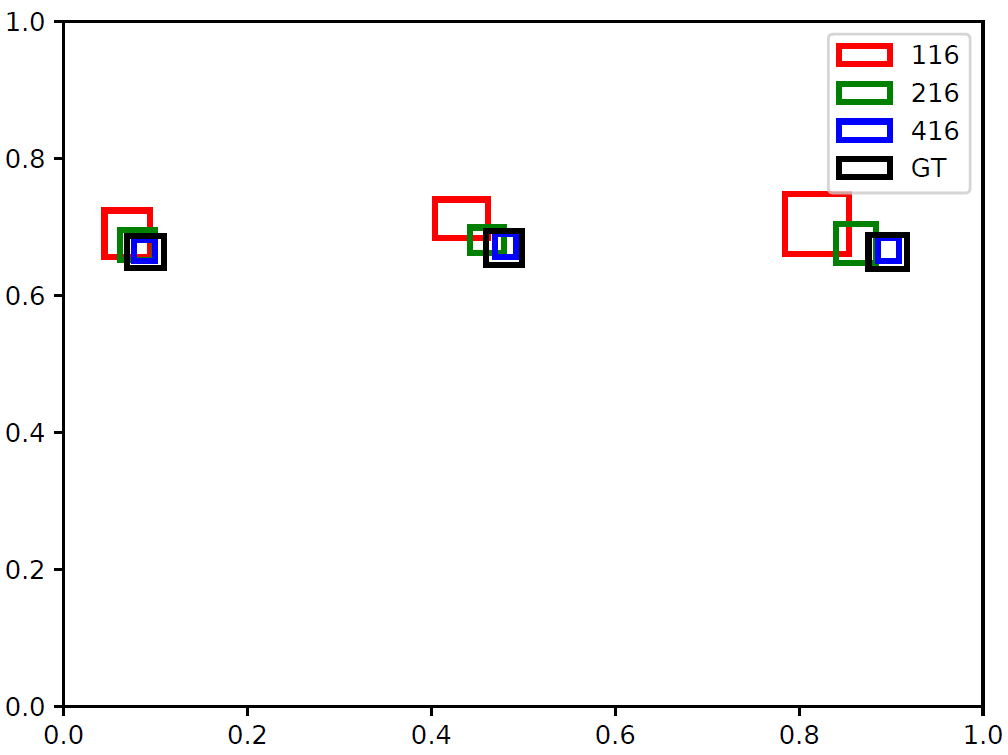
Since Fig-5 and Fig-6 are equivalent, I think I can rule out any problem from how the network’s output is rescaled to draw bounding boxes on images.
My question again is:
What is the
- reason for this offset?
- Is it that offset increases as pixel coordinate increases (since top-left is (0,0) for images)? If so, why?
 elcymon
All 5 comments
If your input is 116x116, I think that your network might be in a strange shape?
After third max pooling layer your feature map size become 14x14 or 15x15? Maybe this is the reason cause offset.
 vincent8335
on 25 Jun 2019
vincent8335
on 25 Jun 2019
@vincent8335
Please, I'm new to DNN and YOLO in particular. What are candidate input dimensions you will expect not to cause offset bounding boxes.
elcymon
on 25 Jun 2019
@vincent8335 I agree with you that the choice of 116x116 and 216x216 is the issue. After trying other numbers, I noticed that numbers like 125, 126, 127, 128, 158 etc give fairly accurate bounding boxes, while some either did not work or resulted in wrong bounding box locations.
Please before the issue is closed, can you point me in direction of where I can understand the reason why some input dimensions are not good?
elcymon
on 25 Jun 2019
You need to understand how convolution layer and max pooling working.
In yolov3-tiny, your network has 5 max pooling layers, each of them size is 2x2 and stride 2.
That is,both your feature map's height and width will become half of the input after one max pooling layer.
So I think that your input size will be better if using size that is divisible by 2^5=32.
vincent8335
on 26 Jun 2019
The scaling factor of yolov3-tiny is 32, so when you choice the size it should be an integer multiple of 32.For example,taking 224x224 as input size the final feature map size is 7x7.
 suqiu666
on 26 Jun 2019
suqiu666
on 26 Jun 2019
Related issues
 AaronYKing
·
3Comments
AaronYKing
·
3Comments
 Vikalp-Reorder
·
3Comments
Vikalp-Reorder
·
3Comments
 spaul13
·
3Comments
spaul13
·
3Comments
 sujithm
·
3Comments
sujithm
·
3Comments
 arianaa30
·
3Comments
arianaa30
·
3Comments
Most helpful comment
You need to understand how convolution layer and max pooling working.
In yolov3-tiny, your network has 5 max pooling layers, each of them size is 2x2 and stride 2.
That is,both your feature map's height and width will become half of the input after one max pooling layer.
So I think that your input size will be better if using size that is divisible by 2^5=32.