does the command automatically saves .weights file, if not how to save .weights file?
Mine's not saving .weights file

This is the command i used to run
 mad0511
All 22 comments
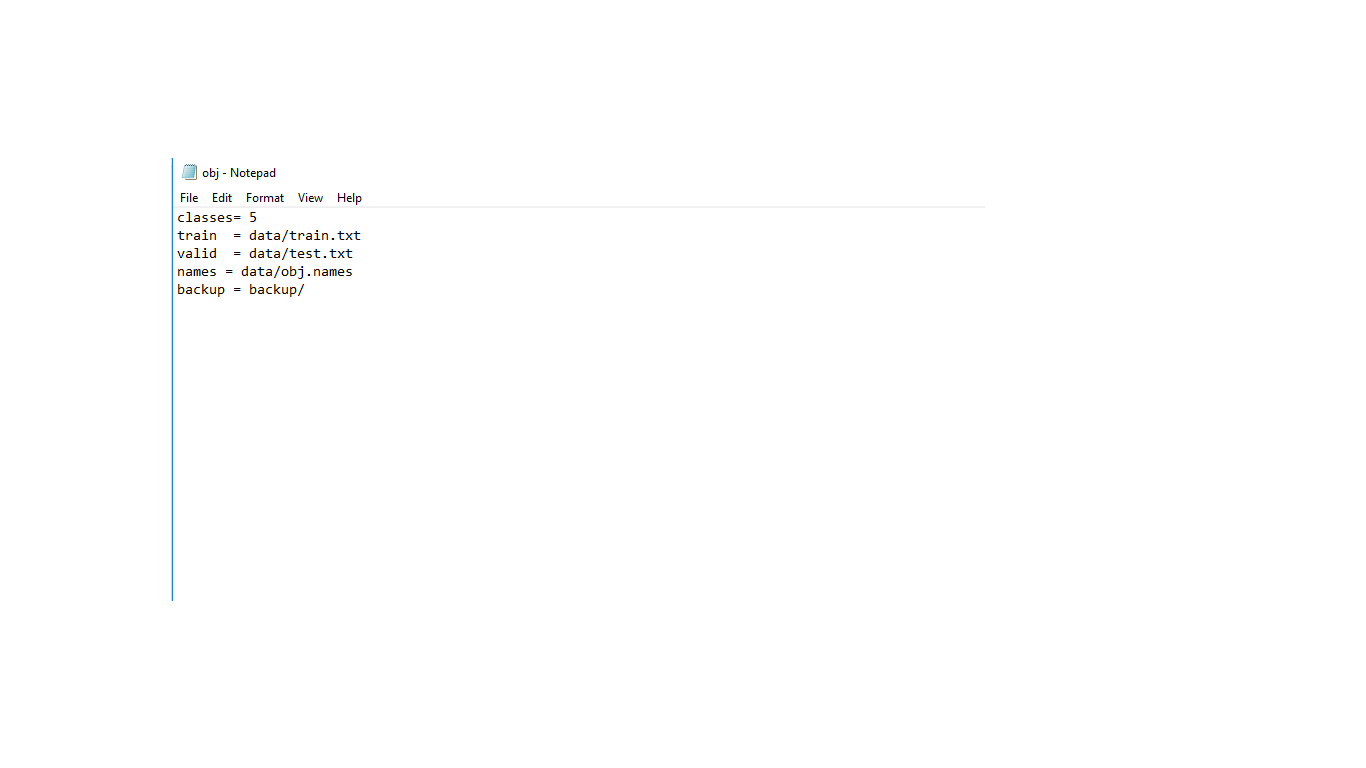
what's inside your obj.data?
 maharleeeka
on 4 Jun 2019
maharleeeka
on 4 Jun 2019
what's inside your
obj.data?
This is my obj.data
This is my obj.data file
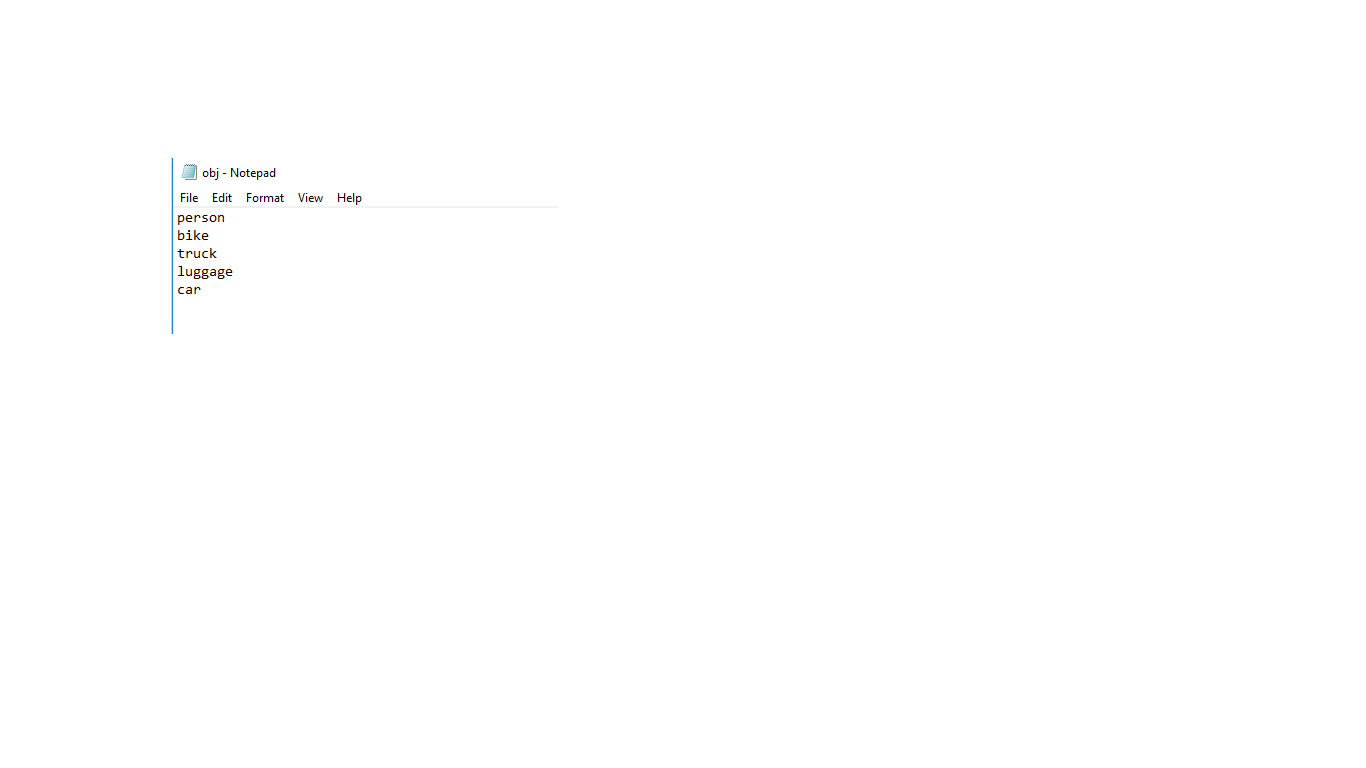
This is my obj.names file
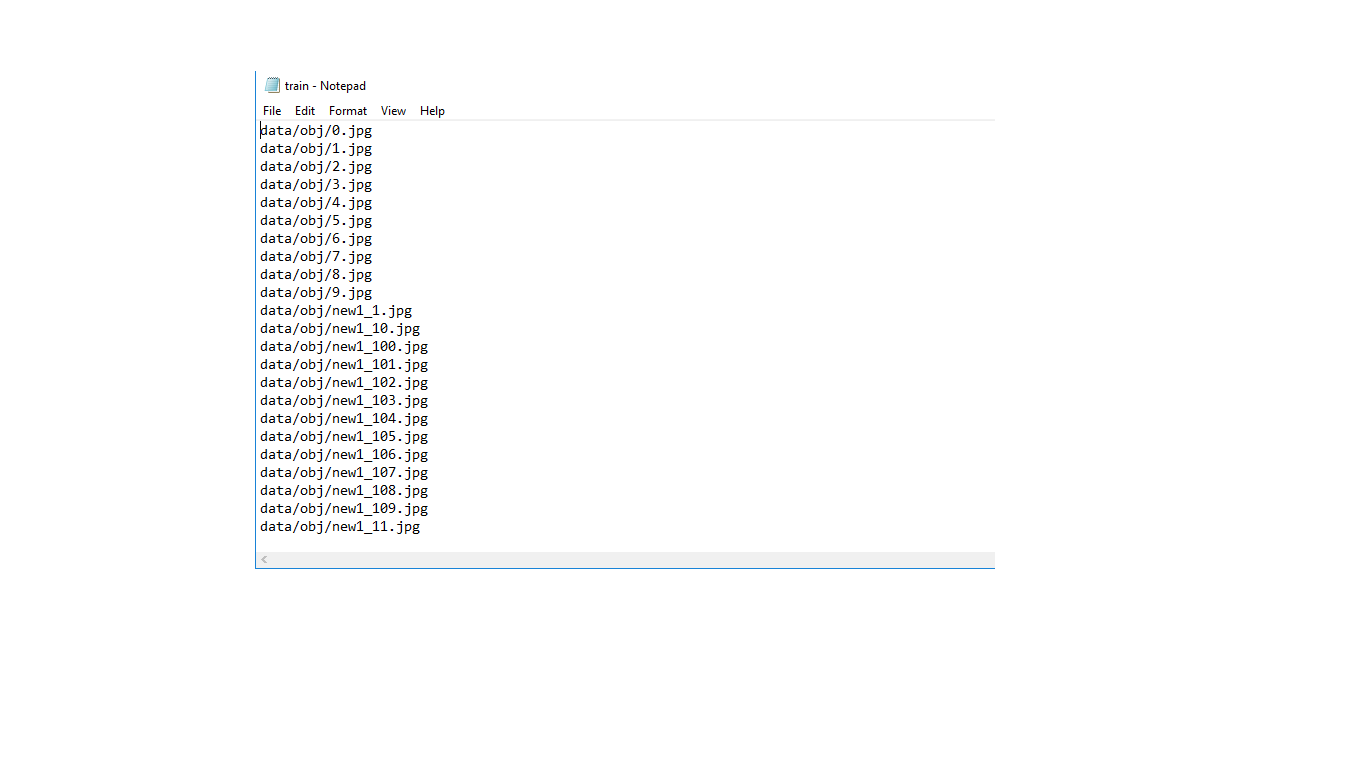
This is my train.txt file
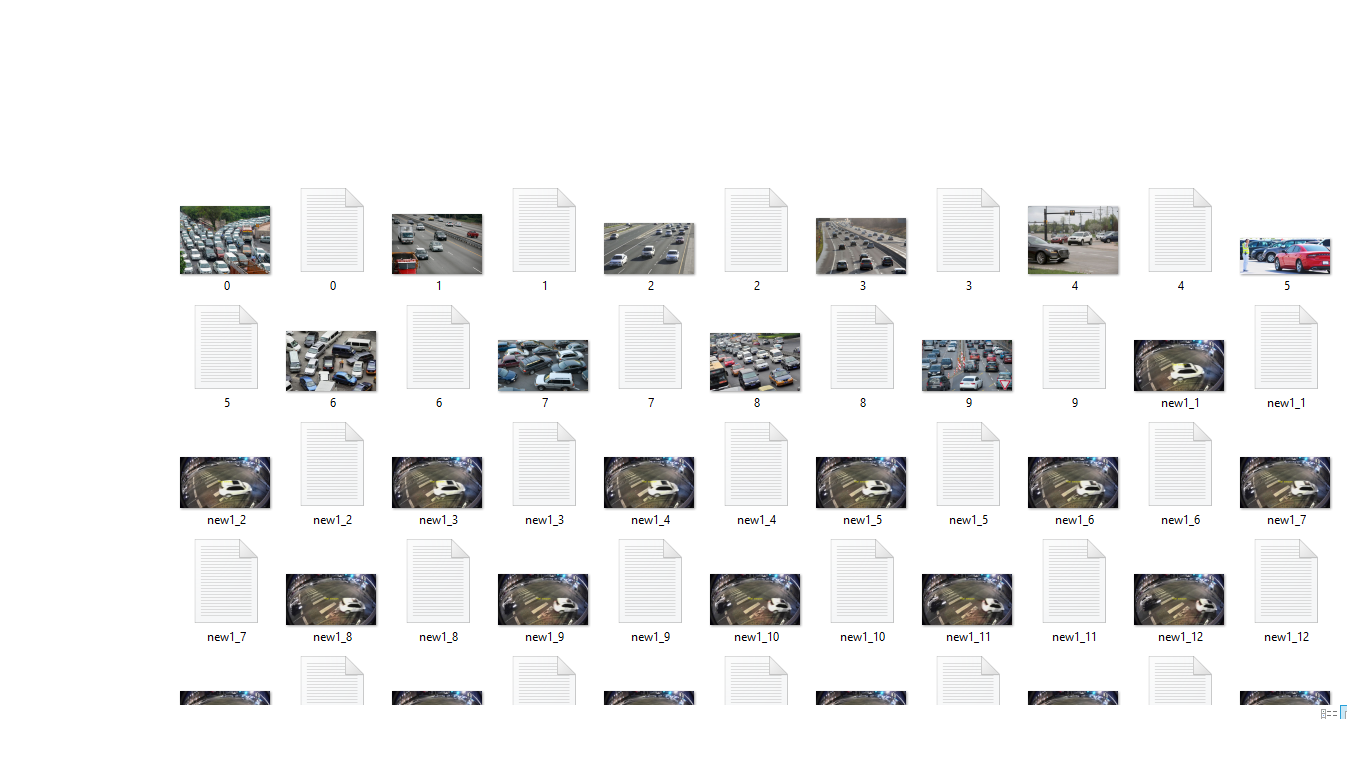
Have I done something wrong?! Please help
mad0511
on 4 Jun 2019
so there's nothing inside backup folder?
everything looks fine to though, my weight files just auto saved inside backup folder,
take note that weight file is saved every 1000 iteration (I think this is the default, correct me if I'm wrong).
maharleeeka
on 4 Jun 2019
No I didn't get any weights file in backup folder and also the training for 1600 images took only 20 seconds or so...my main doubt comes in this part whether it was trained or not?
So kind of you to help
mad0511
on 4 Jun 2019
Can you show the cfg file. It seems that is not configure properly.
 kevinrev26
on 5 Jun 2019
kevinrev26
on 5 Jun 2019
Can you show the cfg file. It seems that is not configure properly.
For uploading in this section I used to save the cfg file in txt format...These are the parameters that I used for training my images with 5 classes..but the average IOU is displaying -nan values.
mad0511
on 14 Jun 2019
I got the same problem. Has anyone found the solution yet.
 dis-is-pj
on 19 Sep 2019
dis-is-pj
on 19 Sep 2019
I also have the same problem. Trained about 8 hours on a cluster. Something doesn't work properly I guess.. I attached the log file, does someone have an idea?
 andreasmarxer
on 13 Oct 2019
andreasmarxer
on 13 Oct 2019
@andreasmarxer Compile Darknet with GPU=1 CUDNN=1 in the Makefile
 AlexeyAB
on 13 Oct 2019
AlexeyAB
on 13 Oct 2019
Thanks, man for the fast reply @AlexeyAB!
- Unfortunately, I get the following error when setting GPU=1 and CUDNN=1 when compiling.:
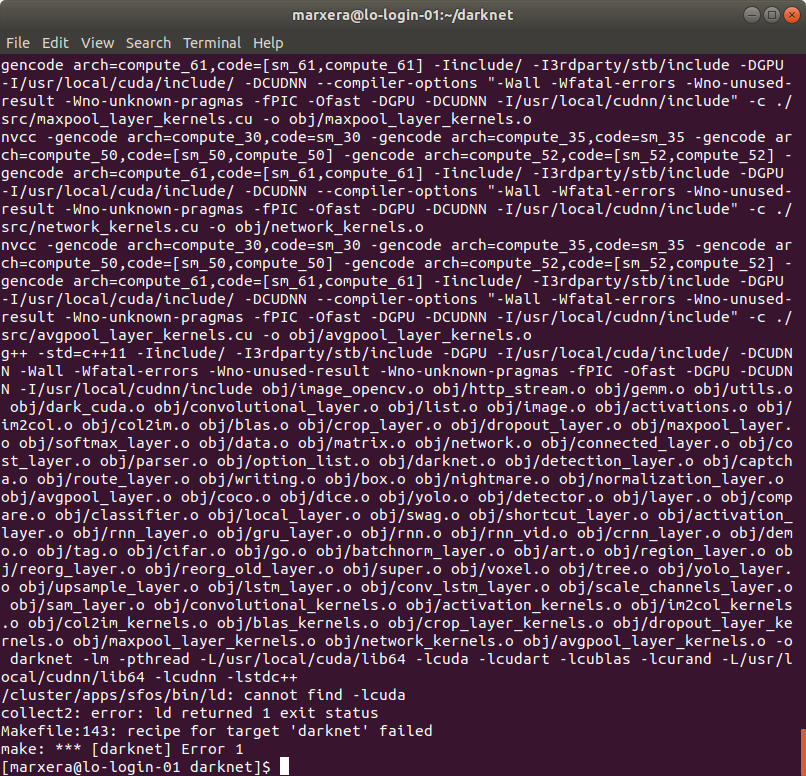
(Previously I loaded the following modules specified in the ReadMe, as can be seen in the next picture)
I guess CUDA and CUDnn aren't at the right directory, but I think I can't change them on the server. Is there a way to change the paths in the implementation or what would you suggest?
- When I also compile on OpenCV, due to the fact that I would like to see the actual training process on the cluster via the network, another error occurs:
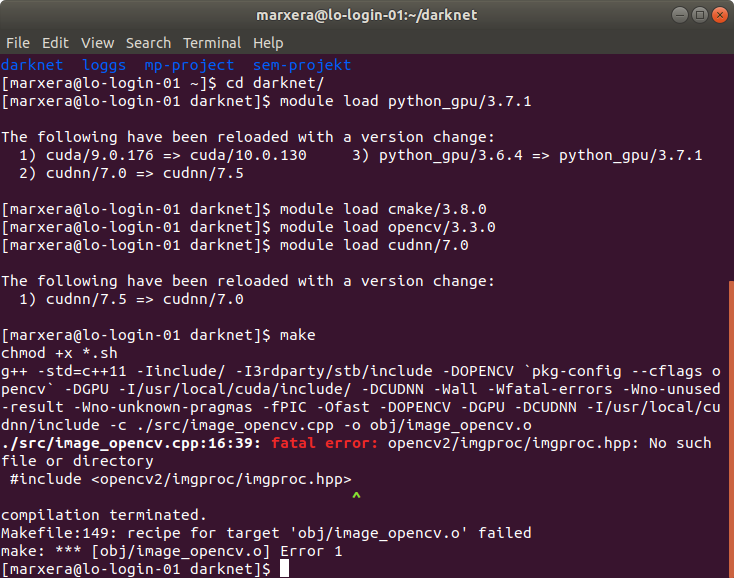
andreasmarxer
on 13 Oct 2019
- Compile darknet by using
cmake .
make
- install OpenCV
AlexeyAB
on 13 Oct 2019
- When doing
cmake .I get an Configuration incomplete, errors occured! output in the terminal.
The following log files are:
CMakeError.log
CMakeOutput.log
The terminal output further says that Cmake needs to be 3.9+ and I have 3.8:

I updated the Cmake version, but the 2nd error about the CUDA version still exists:
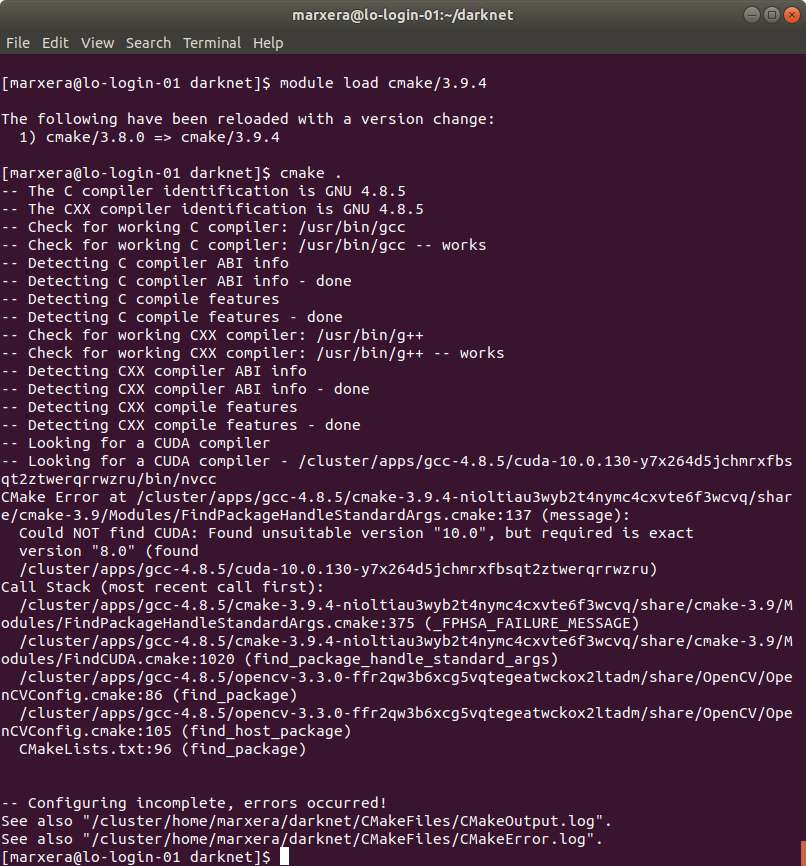
It says that I need Cuda version 8.0 exactly, why that? In your specifications, it's required 10.0. Furthermore the error stays when I load Cuda version 8.0.61.
- OpenCV is preinstalled on the cluster and I did load it, as seen in the 2nd picture.
andreasmarxer
on 13 Oct 2019
@cenit Hi, do you know what is the reason?
AlexeyAB
on 13 Oct 2019
Actually, what's the difference between cmake . && make and only make?
I found out that the error also exists when I go back to the original Makefile with GPU=0 and CUDNN=0, but only when using the command cmake .. If I only run make it works for the original makefile with the following terminal output:
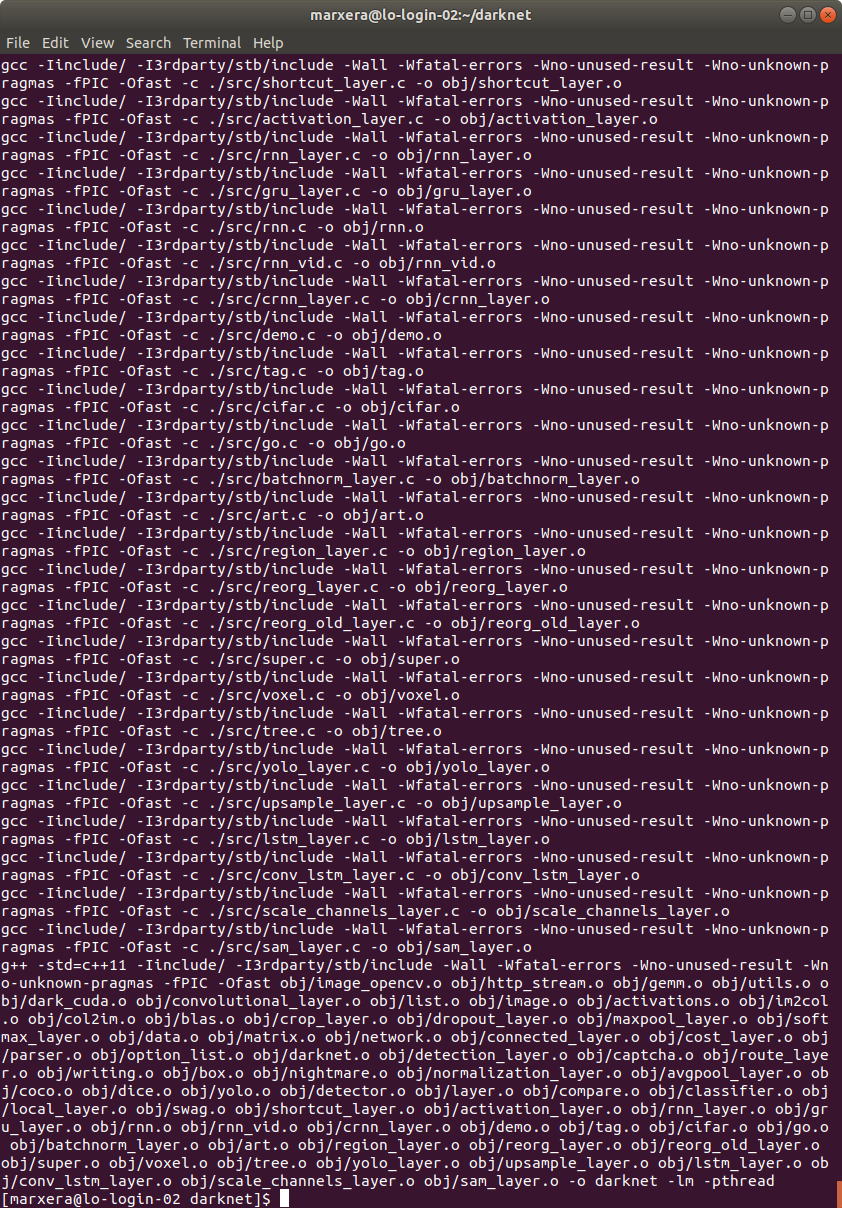
Is this okay, or does the problem starts already there?
When running make only the terminal output for GPU=1, CUDNN=1 has again an error:
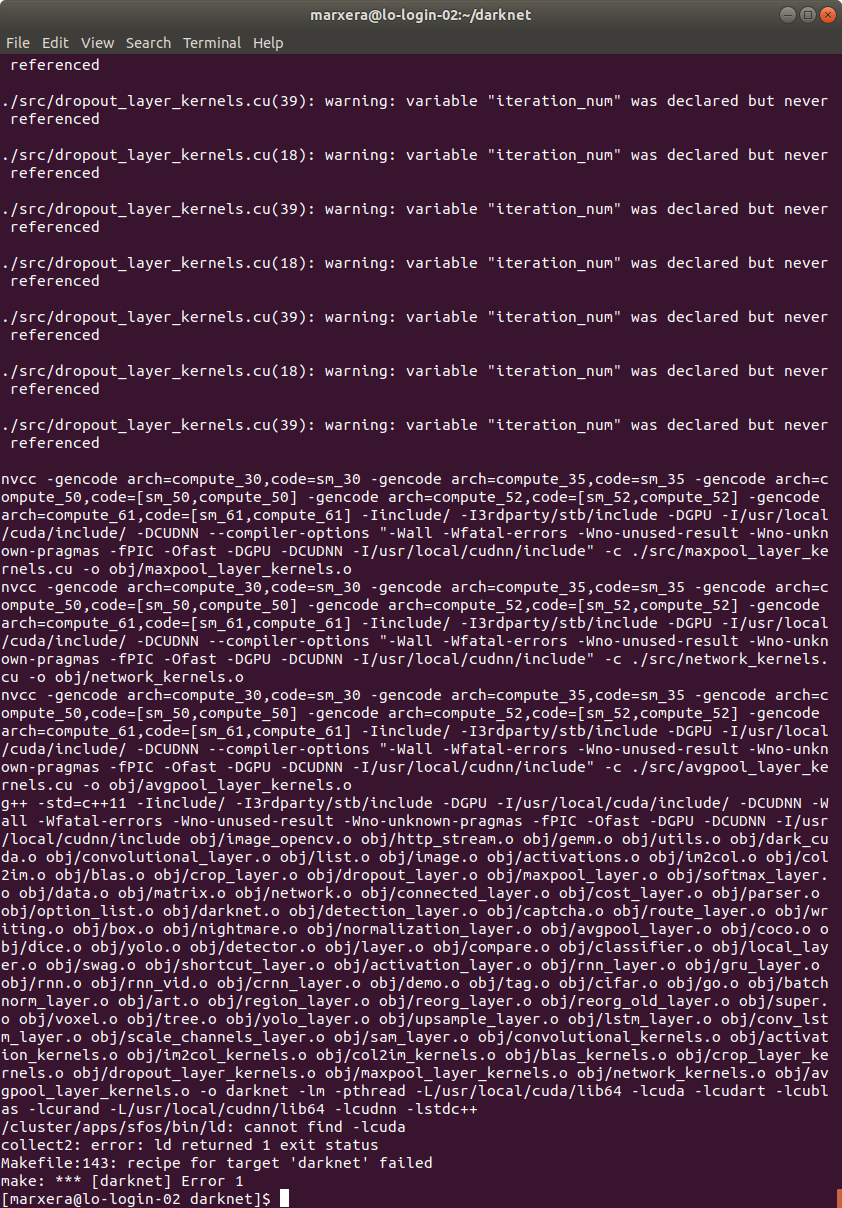
The error occurred when running cmake. with GPU=1 and CUDNN=1 I have posted in the last picture from the last post above.
For all this, I kept CUDA version 8.0.61, due to the above mentioned issue that with version 10 I get an error which says that exactly version 8 is required...
andreasmarxer
on 13 Oct 2019
In the meantime I got further experienting with different versions.
Actually I'm using CUDA 9.0.176, openCV 3.4.3, cudnn 7.0 and cmake 3.14.4.
The cmake . works without problems with this specifications.
In the make commant at 98% (when I already had the feeling I got it) the following error occurs:
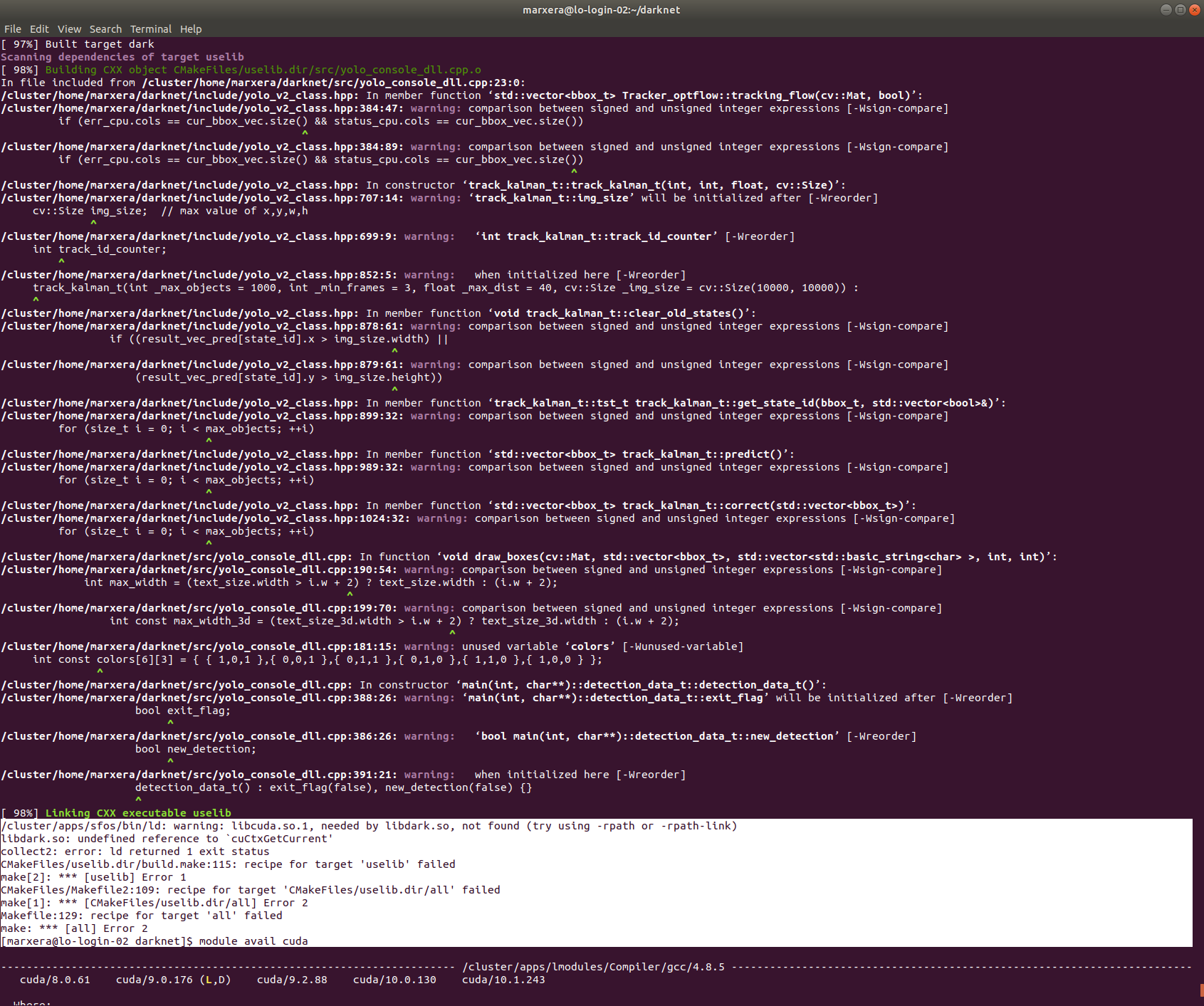
Would be pleased getting further suggestions for solving this issue :) @AlexeyAB @cenit
andreasmarxer
on 13 Oct 2019
Which cmake version are you using now after the update?
Also, please, never build with CMake in-tree. The best practice is always to build out of tree. So create another folder, wherever you want, then from there launch
cmake /path/to/darknet
cmake --build . --target install
Usually this build folder is just a subfolder of the project, and so the first command is just cmake ..
Anyway, did you just try to launch ./build.sh? It should be the best and at the same time the easiest way
Edit: please restart also from a clean repository, in case you messed with it
 cenit
on 13 Oct 2019
cenit
on 13 Oct 2019
If you can’t build, it would be interesting to know the machine setup. Please let me know as many details as possible. It looks like an hpc cluster, it might be helpful to understand which one is that
cenit
on 13 Oct 2019
Actually I'm using CMake 3.14.4.
Okay, thanks for the hint to not build in-tree. I deleted the Microsoft Windows stuff in the build (darknet/build) folder and tried to build there with:
cmake ..
This still writes me the build files into the folder _/cluster/home/marxera/darknet_ and not into the subfolder where I did run the command.
Do I need to specify a path for the second command, because when I use it as stated above I get the Error: Could not load cache.
I also tried to use the build.sh command, but..
a) when I use it in the darknet folder I get:
Error: could not load cache
b) when I use it in the subfolder (also as ./build.sh ..) it says: No such file or directory.
The cluster is a HPC cluster, available for shareholders at my university ETH, named Leonhard Cluster. (https://scicomp.ethz.ch/wiki/Leonhard)
What further detailed information than the versions mentioned above do you need?
I think I will also try to clean the repo and try again.
andreasmarxer
on 13 Oct 2019
I have cleaned the repo now.
How would you suggest to proceed with the cleaned repository?
- new folder _darknet/compile_
cmake.. in this folder- copy something into this folder for
cmake --build . --target installor how to use this command?
OR alternatively only use the command ./build.sh?
But don't I need to copy some files into the compile folder (because ./build.sh .. didn't work) or is this command meant to be run in the main folder darknet?
Edit: When running ./build.sh in the main folder (darknet) I get until 100% but still gave an error at the end, the terminal output looks like following:
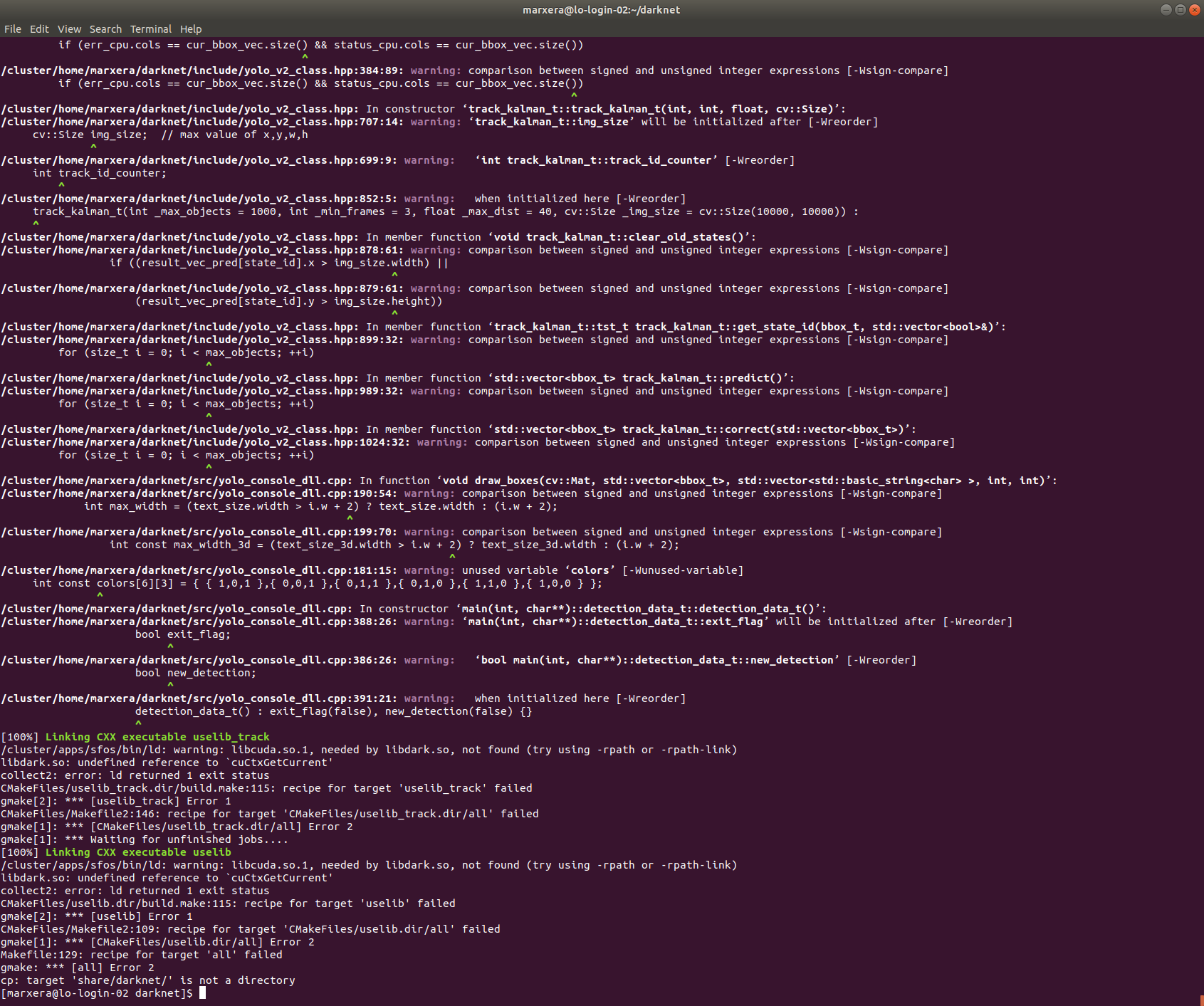
andreasmarxer
on 13 Oct 2019
Just running ./build.sh from the main folder is ok. The scripts does the magic. I am going to inspect your error and check the setup of the HPC cluster
cenit
on 14 Oct 2019
inside the build.sh script, Below the third line, force_cpp_build=false, please add this line
additional_defines="-DBUILD_SHARED_LIBS=OFF"
and rebuild
In this way you are not building the libdark.so shared library and it should work. The problem stems from the fact that you are building inside a login node, which does not have the CUDA driver installed (only the cuda sdk, which is not enough to build an executable that depends on a shared library that depends on a runtime driver library).
Another solution might be to build from a computing node, requiring an interactive session
Reference for future self me: https://github.com/NVIDIA/nvidia-docker/issues/775#issuecomment-400178344
cenit
on 14 Oct 2019
It seemed it finally worked when adding the specified line into the build script!
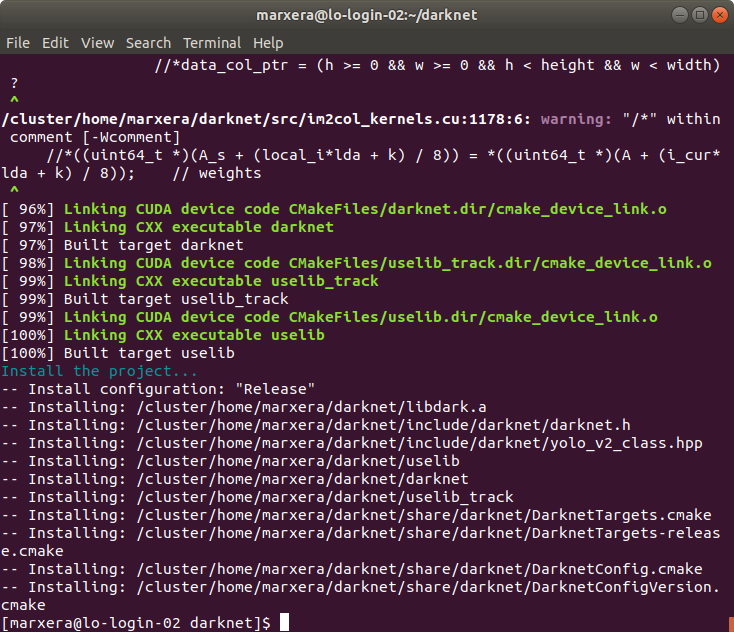
Okay, that kind of makes sense.
Thank you very much for your help, that saved my day!
I'm now trying the training on my own dataset again on GPU and hope it's proceeding faster :)
andreasmarxer
on 14 Oct 2019
Related issues
 bit-scientist
·
3Comments
bit-scientist
·
3Comments
 siddharth2395
·
3Comments
siddharth2395
·
3Comments
 Yumin-Sun-00
·
3Comments
Yumin-Sun-00
·
3Comments
 louisondumont
·
3Comments
louisondumont
·
3Comments
 kebundsc
·
3Comments
kebundsc
·
3Comments
Most helpful comment
@andreasmarxer Compile Darknet with GPU=1 CUDNN=1 in the Makefile