Darknet: C++ DLL loading model problem
Hi @AlexeyAB ,
First of all, congratulations for the great job you are performing here!
I am currently trying to use yolo from C++ (and windows) in my own application. I have compiled the DLL and I even used it with Python. But now i am trying to speed up the application and I guess that with C++ might run faster.
My code at this point is very simple, I am trying to initialize the detector:
#include<opencv2/opencv.hpp>
#include<iostream>
#include "yolo_v2_class.hpp"
#pragma comment(lib, "yolo_cpp_dll.lib")
#include <string>
#include <vector>


int main()
{
    Detector detector("yolo-obj.cfg", "yolo-obj_4200.weights");
    return 0;
}
The results is the following one:
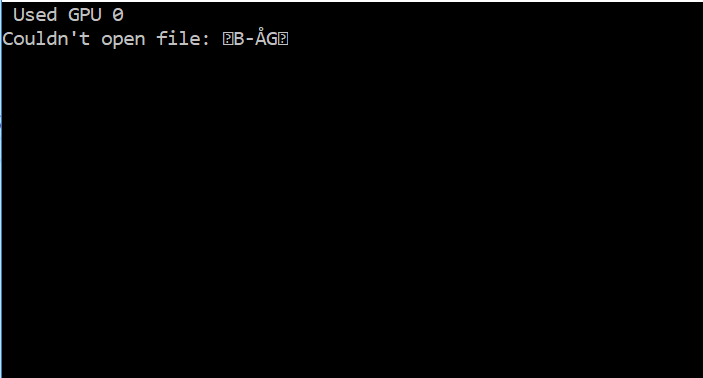
And it is generated in these lines (after debugging):
list *read_cfg(char *filename)
{
    FILE *file = fopen(filename, "r");
    if(file == 0) file_error(filename);
I don't know why the filename is not informed properly at this stage. Do I have to encode it or do something special for the DLL to read it? The configuration and the weights are in the same directory and I can read them using:
FILE *file = fopen("yolo-obj.cfg", "r");
Thank you in advanced,
Siset
 Siset
Siset
All 5 comments
@Siset Hi,
I use
- Windows 7 x64
- MSVS 2015
- OpenCV 3.4.0
- CUDA 10.0 and cuDNN 7.x.x for CUDA 10.0
I used this code:
//#include<opencv2/opencv.hpp>
#include<iostream>
#include "yolo_v2_class.hpp"
#pragma comment(lib, "yolo_cpp_dll.lib")
#include <string>
#include <vector>
int main()
{
Detector detector("yolo-obj.cfg", "yolo-obj_4200.weights");
return 0;
}
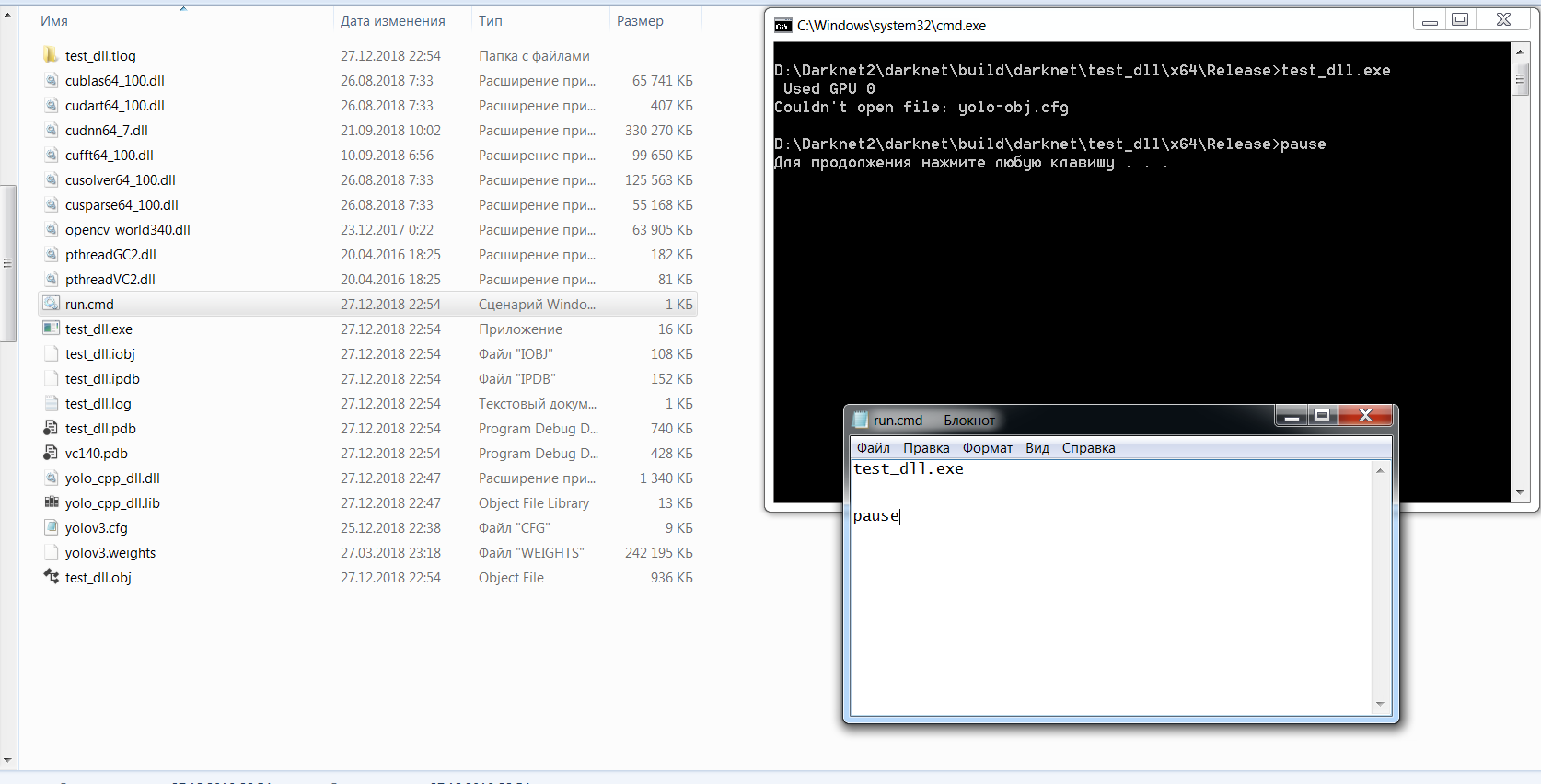
And get such result:
 AlexeyAB
on 27 Dec 2018
AlexeyAB
on 27 Dec 2018
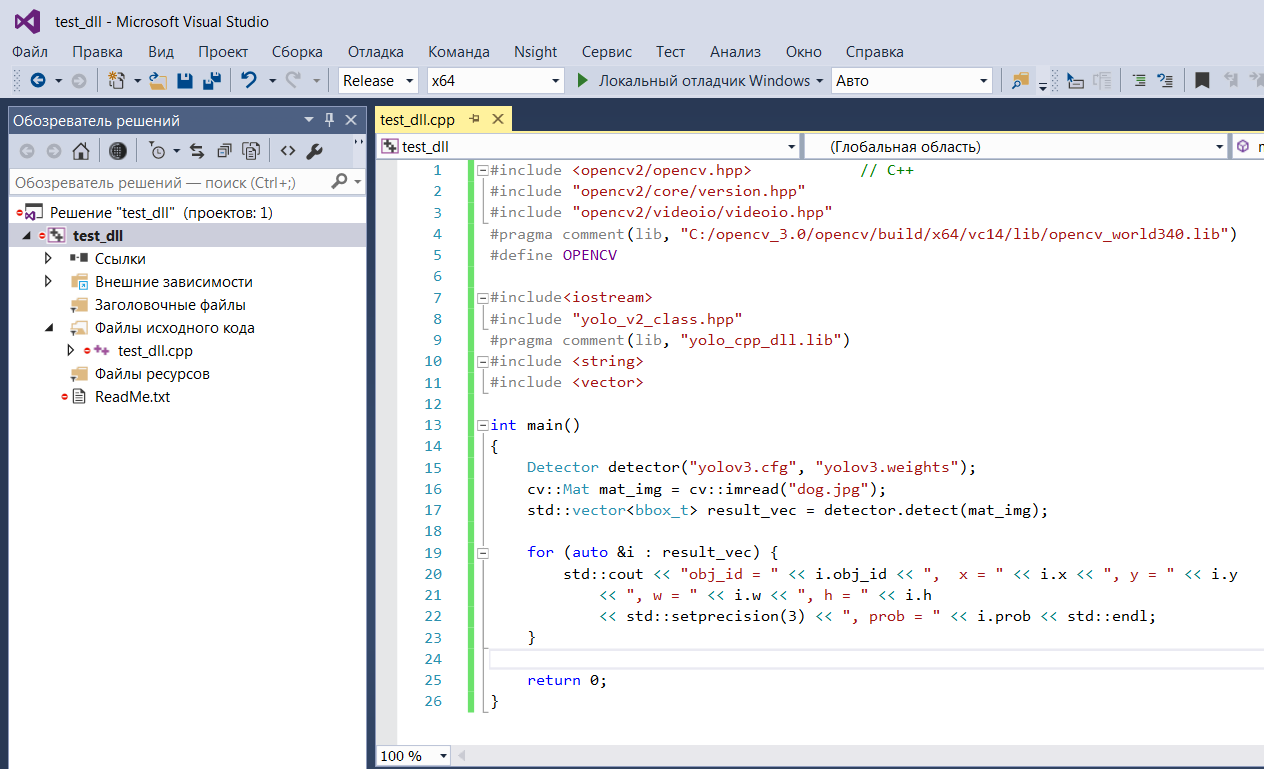
Also if I use this code:
#include <opencv2/opencv.hpp>            // C++
#include "opencv2/core/version.hpp"
#include "opencv2/videoio/videoio.hpp"
#pragma comment(lib, "C:/opencv_3.0/opencv/build/x64/vc14/lib/opencv_world340.lib")
#define OPENCV

#include<iostream>
#include "yolo_v2_class.hpp"
#pragma comment(lib, "yolo_cpp_dll.lib")
#include <string>
#include <vector>

int main()
{
    Detector detector("yolov3.cfg", "yolov3.weights");
    cv::Mat mat_img = cv::imread("dog.jpg");
    std::vector<bbox_t> result_vec = detector.detect(mat_img);

    for (auto &i : result_vec) {
        std::cout << "obj_id = " << i.obj_id << ",  x = " << i.x << ", y = " << i.y
            << ", w = " << i.w << ", h = " << i.h
            << std::setprecision(3) << ", prob = " << i.prob << std::endl;
    }

    return 0;
}
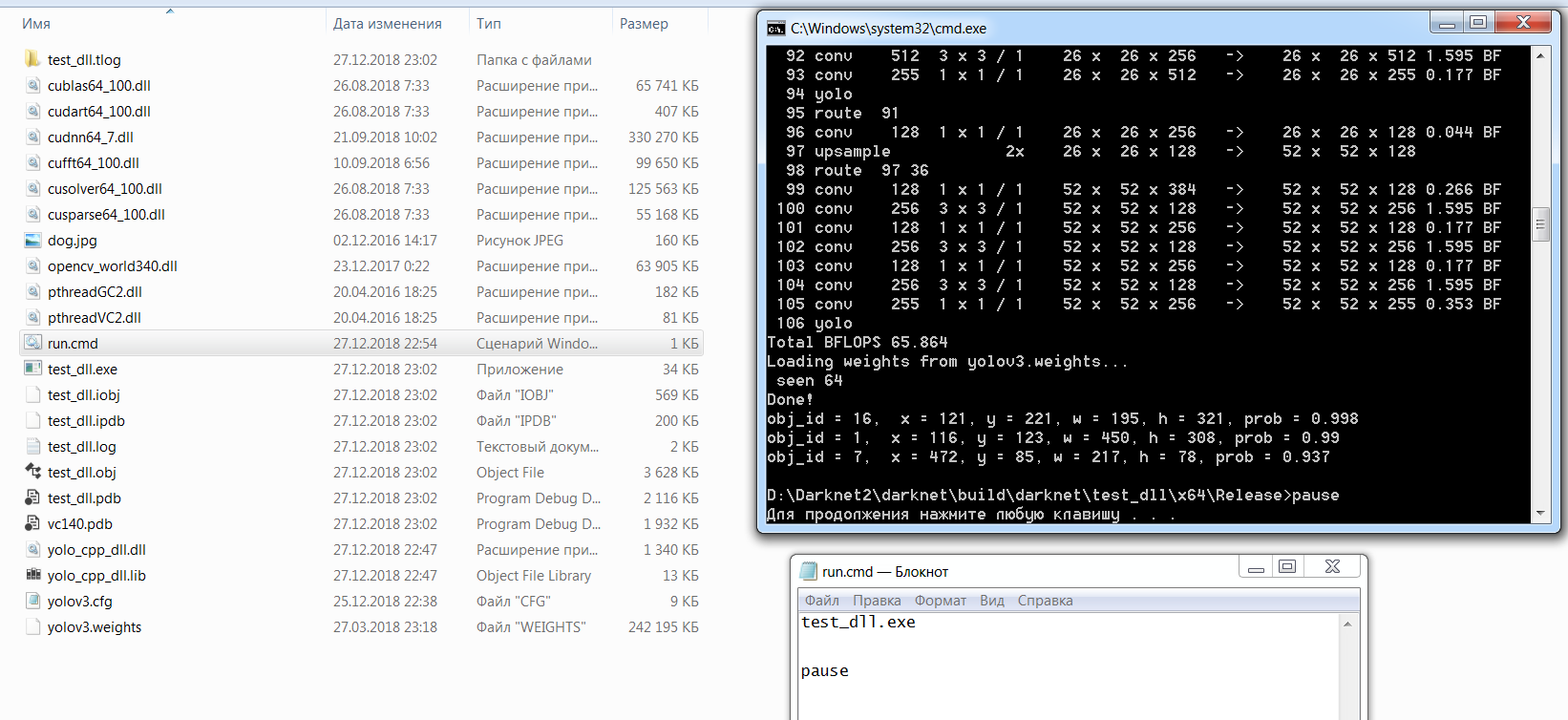
Then I get this correct result:
AlexeyAB
on 27 Dec 2018
Hi @AlexeyAB ,
Thank you very much! Great example, it worked! :) I had the "debug" and no the "release".
By the way, I am working on:
Windows 10
MSVS 17
And it works as well, just in case it is useful to you.
Really appreciate your time!
Siset
on 28 Dec 2018
On 27.12.2018 21:06, Alexey wrote:
>
Also if I use this code:
include
// C++ include "opencv2/core/version.hpp"
include "opencv2/videoio/videoio.hpp"
pragma comment(lib, "C:/opencv_3.0/opencv/build/x64/vc14/lib/opencv_world340.lib")
define OPENCV
include
include "yolo_v2_class.hpp"
pragma comment(lib, "yolo_cpp_dll.lib")
include
include
int main()
{
Detectordetector("yolov3.cfg","yolov3.weights");
cv::Mat mat_img =cv::imread("dog.jpg");
std::vectorresult_vec = detector.detect(mat_img); for (auto &i : result_vec) { std::cout <<"obj_id = " << i.obj_id <<", x = " << i.x <<", y = " << i.y <<", w = " << i.w <<", h = " << i.h <<std::setprecision(3) <<", prob = " << i.prob << std::endl; } return 0;}
Then I get this correct result:
image
https://user-images.githubusercontent.com/4096485/50492965-9ddeb300-0a2b-11e9-891c-02b4de0b549a.pngimage
https://user-images.githubusercontent.com/4096485/50492990-bcdd4500-0a2b-11e9-824c-1efaa58b60b6.png—
You are receiving this because you are subscribed to this thread.Reply to this email directly, view it on GitHub
https://github.com/AlexeyAB/darknet/issues/2117#issuecomment-450221448,
or mute the thread
https://github.com/notifications/unsubscribe-auth/AHjhQy-AJtnPK4Jb1imf4dB7vu8V3f99ks5u9ShQgaJpZM4Zi_zJ.Well if you compare the ouputs from the detector class - with the
outputs from the main program, there is a difference.
I blame the detector class (the yolov2 name is suspiciuos too) for not
generating a letter box image like the other code does.
Look at the main code or the python dll script - they both do the same
but behave differently from your(also my i did the same) code.
I think darknet does not like opencv at all.
 holger-prause
on 28 Dec 2018
holger-prause
on 28 Dec 2018
hi @Siset
I met the same problem.
If i use the original code, no matter in Debug or Release mode, it works.
But if i create a new project and put hpp file and lib and dll file, in Release mode, it works. But in Dubug mode, i met the same problem. Do you know what is going on here?
Thanks.
 xjsxujingsong
on 9 Apr 2019
xjsxujingsong
on 9 Apr 2019
Related issues
 off99555
·
3Comments
off99555
·
3Comments
 louisondumont
·
3Comments
louisondumont
·
3Comments
 shootingliu
·
3Comments
shootingliu
·
3Comments
 zihaozhang9
·
3Comments
zihaozhang9
·
3Comments
 HanSeYeong
·
3Comments
HanSeYeong
·
3Comments
Most helpful comment
Also if I use this code:
Then I get this correct result: