Darknet: 2-3 seconds delay on RTSP camera
I found when I detect demo on jetson TX2,
it will be 2-3 seconds delay on RTSP camera.
Who can tell me how to solve it? =.=
 engineer1109
All 14 comments
Try to build OpenCV with GStreamer, use
-DWITH_GSTREAMER=ONwhen you callcmakeAlso try to build Darknet with
LIBSO=1and run such command:
LD_LIBRARY_PATH=./:$LD_LIBRARY_PATH ./uselib data/coco.names cfg/yolov3.cfg yolov3.weights rtsp://192.168.0.228:554
 AlexeyAB
on 8 Nov 2018
AlexeyAB
on 8 Nov 2018
It really works,but some boxes and strange lines shows,how can i fix it?
 LbinB
on 9 Nov 2018
LbinB
on 9 Nov 2018
Did you install OpenCV with GStreamer
-DWITH_GSTREAMER=ONand it causes strange lines?Can you show screenshot of this some boxes and strange lines ?
AlexeyAB
on 9 Nov 2018
Also comment these lines:
AlexeyAB
on 9 Nov 2018
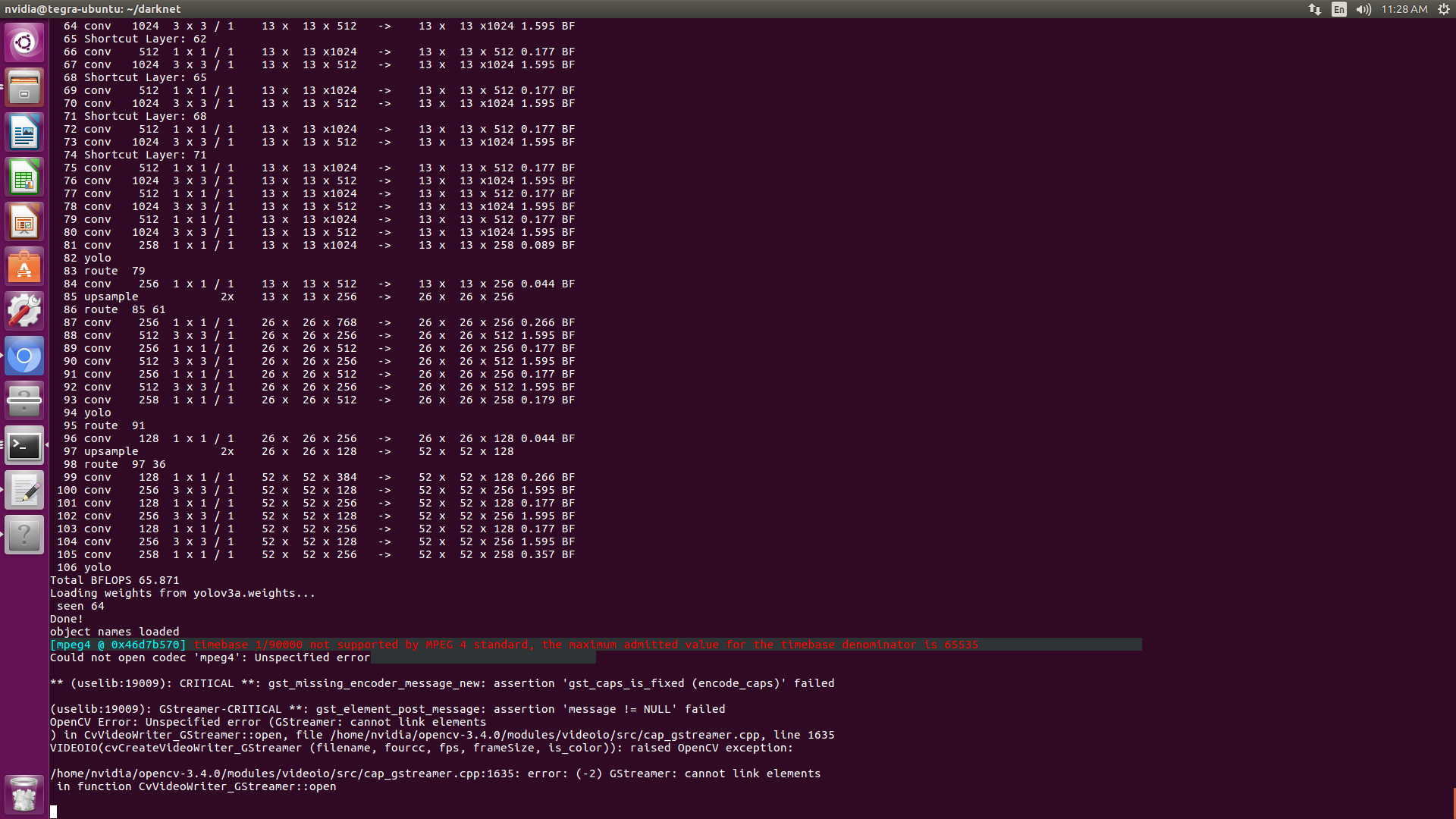
Thanks a lot for your help, but i still have a problem like the picture shows, and I use a RTSP MJPEG video stream from IP camera channel 3
LbinB
on 9 Nov 2018
So you can't open RTSP stream when OpenCV is compiled with GStreamer, isn't it?
Did you remove lines to avoid some boxes and strange lines? https://github.com/AlexeyAB/darknet/issues/1893#issuecomment-437325422
AlexeyAB
on 9 Nov 2018
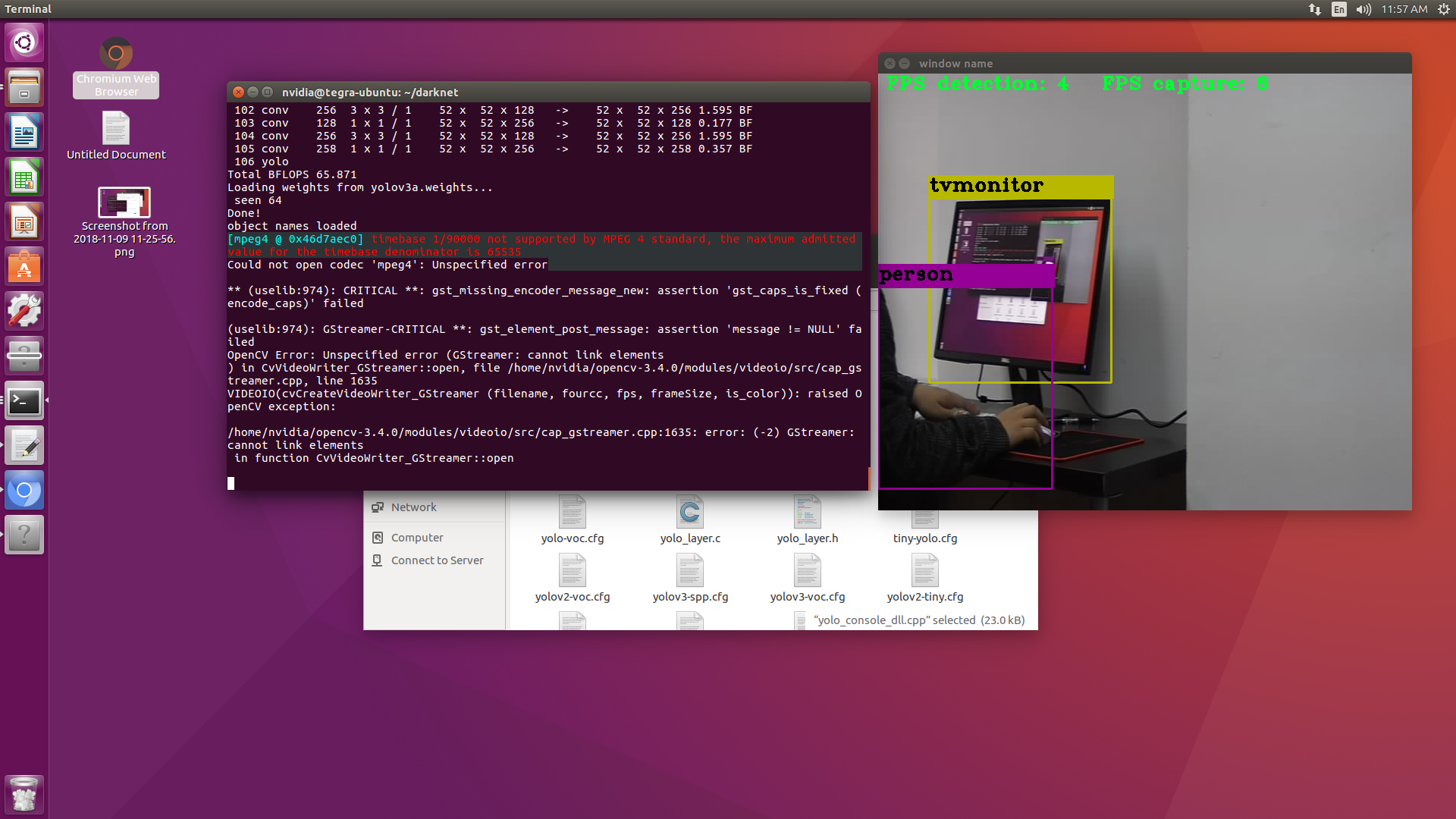
I remove lines and boxes by comment two lines
And I can open RTSP stream when OpenCV and even see the result,but the error shows in the terminal without show the result
LbinB
on 9 Nov 2018
Un-comment this line: https://github.com/AlexeyAB/darknet/blob/14ed6fcb6e31dd111fc5c35c31ffa6e45fe52737/src/yolo_console_dll.cpp#L409
What deleay can you get now in seconds?
AlexeyAB
on 9 Nov 2018
I find the boxes always update slowly, it still have 2-3s delay to the frames,but the frame is almost no delay to the real world
LbinB
on 9 Nov 2018
Your GPU on TX2 is too slow:
Try to train
yolov3-tiny.cfgmodelIf you want to speedup even more, then set
width=288 height=288in cfg-file
AlexeyAB
on 9 Nov 2018
@AlexeyAB @LbinB
I am using IP Camera. Without doing anything, I read strean by RTSP, and I get 2~3 seconds delay. I try to connect with the camera producer, and they told me that I must use their SDK to get real-time stream.
So delays may be not related with darknet.
 duohappy
on 27 Dec 2018
duohappy
on 27 Dec 2018
@duohappy
Yes, there are 3 things that adds delay:
Camera - usually RTSP has higher delay than native SDK
OpenCV - you can solve it by compiling OpenCV with
-D WITH_GSTREAMER=ONand run darknet:
# for RTSP:
/darknet detector demo cfg/coco.data cfg/yolov3-tiny.cfg yolov3-tiny.weights "rtspsrc location=rtsp://192.168.1.168/main latency=30 ! decodebin ! nvvidconv ! appsink"

# for HTTP-mjpeg:
/darknet detector demo cfg/coco.data cfg/yolov3-tiny.cfg yolov3-tiny.weights "souphttpsrc location=http://root:[email protected]:80/mjpg/video.mjpg ! decodebin ! videoconvert ! appsink"

# for Web-cam:
/darknet detector demo cfg/coco.data cfg/yolov3-tiny.cfg yolov3-tiny.weights "v4l2src ! video/x-raw, framerate=30/1, width=640, height=480, format=RGB ! videoconvert ! appsink"
- Darknet if GPU processes less frames than Camera sends, and if set
#define FRAME 3
You can solve it by compiling Darknet withLIBSO=1and runing
LD_LIBRARY_PATH=./:$LD_LIBRARY_PATH ./uselib data/coco.names cfg/yolov3.cfg yolov3.weights test.mp4
AlexeyAB
on 27 Dec 2018
@duohappy use VPU to decode video stream
engineer1109
on 28 Dec 2018
@duohappy use VPU to decode video stream
I use SDK to acquire real-time stream, use OPENCV to convert stream to RGB, and finally use YOLO to detect object. This is my solution. I dont know VPU until you told me, Thank you @engineer1109
duohappy
on 29 Dec 2018
Related issues
 rezaabdullah
·
3Comments
rezaabdullah
·
3Comments
 shootingliu
·
3Comments
shootingliu
·
3Comments
 Greta-A
·
3Comments
Greta-A
·
3Comments
 kebundsc
·
3Comments
kebundsc
·
3Comments
 zihaozhang9
·
3Comments
zihaozhang9
·
3Comments
Most helpful comment
@duohappy
Yes, there are 3 things that adds delay:
Camera - usually RTSP has higher delay than native SDK
OpenCV - you can solve it by compiling OpenCV with
-D WITH_GSTREAMER=ONand run darknet:#define FRAME 3You can solve it by compiling Darknet with
LIBSO=1and runingLD_LIBRARY_PATH=./:$LD_LIBRARY_PATH ./uselib data/coco.names cfg/yolov3.cfg yolov3.weights test.mp4