Darknet: Steps to evaluate mAP of YOLOv3 on the MS COCO evaluation server?
@AlexeyAB
For MS COCO test data (test-dev), MS did not release annotations for it. Instead, you train on the train/val datasets and submit results for the test data to the evaluation server (https://worksheets.codalab.org/).
pjreddie said in
https://stackoverflow.com/questions/48368992/how-can-i-use-ms-coco-test-dev-dataset-for-instance-segmentation?answertab=active#tab-top
I have generated and upload the test results to the coco detection evaluation server, but how to do next and can generate the mAP?
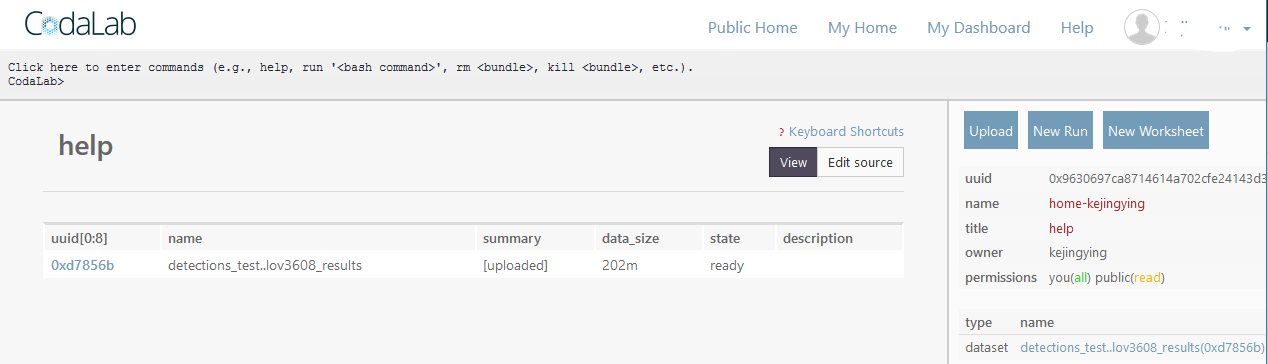
 TaihuLight
All 5 comments
@TaihuLight Hi, did you evaluate successfully your result on https://worksheets.codalab.org ?
As described in this example - you can run python scripts for evaluation by using New Run-button:
To do this, click New Run on the top of the side panel. Select sort.py and a.txt as the dependencies (Step 1), and enter the following command (Step 2):
python sort.py < a.txtClick Run
In this Step 2 - you should do steps from here: https://github.com/cocodataset/cocoapi/blob/master/PythonAPI/pycocoEvalDemo.ipynb
evaluate()https://github.com/cocodataset/cocoapi/blob/master/PythonAPI/pycocotools/cocoeval.py#L122and
accumulate()https://github.com/cocodataset/cocoapi/blob/master/PythonAPI/pycocotools/cocoeval.py#L316and perhaps then
summarize()https://github.com/cocodataset/cocoapi/blob/master/PythonAPI/pycocotools/cocoeval.py#L423
These function are in the COCO API: https://github.com/cocodataset/cocoapi
as said here: http://cocodataset.org/#detection-eval
- Evaluation Code
Evaluation code is available on the COCO github. Specifically, see either CocoEval.m or cocoeval.py in the Matlab or Python code, respectively. Also see evalDemo in either the Matlab or Python code (demo). Before running the evaluation code, please prepare your results in the format described on the results format page.
You should use such format: http://cocodataset.org/#format-results
More about MS COCO competitions: https://competitions.codalab.org/competitions/5181#learn_the_details-overview
 AlexeyAB
on 21 Jun 2018
AlexeyAB
on 21 Jun 2018
@AlexeyAB I had evaluate successfully results of YOLOv3 on test-dev 2017 with https://worksheets.codalab.org ?
1) ./darknet valid ** to generate a result file *.json file suiting for coco eval
2) rename and zip the result file according to COCO eval
3) select Paricipate --> test-dev , submit the zipped file to https://worksheets.codalab.org
4) refresh and view the eval results
TaihuLight
on 22 Jun 2018
@AlexeyAB I had evaluate successfully results of YOLOv3 on test-dev 2017 with https://worksheets.codalab.org ?
- ./darknet valid ** to generate a result file *.json file suiting for coco eval
- rename and zip the result file according to COCO eval
- select Paricipate --> test-dev , submit the zipped file to https://worksheets.codalab.org
- refresh and view the eval results
Hi @TaihuLight
Can you share your benchmark result on test-dev2017?
Thank you!
 wuhy08
on 2 Oct 2019
TaihuLight
on 3 Oct 2019
wuhy08
on 2 Oct 2019
TaihuLight
on 3 Oct 2019
@TaihuLight
Thank you!
wuhy08
on 3 Oct 2019
Related issues
 HanSeYeong
·
3Comments
HanSeYeong
·
3Comments
 kebundsc
·
3Comments
kebundsc
·
3Comments
 rezaabdullah
·
3Comments
rezaabdullah
·
3Comments
 Mididou
·
3Comments
Mididou
·
3Comments
 shootingliu
·
3Comments
shootingliu
·
3Comments
Most helpful comment
@AlexeyAB I had evaluate successfully results of YOLOv3 on test-dev 2017 with https://worksheets.codalab.org ?
1) ./darknet valid ** to generate a result file *.json file suiting for coco eval
2) rename and zip the result file according to COCO eval
3) select Paricipate --> test-dev , submit the zipped file to https://worksheets.codalab.org
4) refresh and view the eval results