Darknet: Using the python wrapper to detect video
Hey, is it possible to use the python wrapper to use the demo function?
from what I've seen, its only for images right now?
thanks!
 tommmn
All 7 comments
Not the most ideal way to do it but the simplest might be to open a video file through OpenCV and for each frame, convert the numpy array into a Darknet image by doing something like this
def array_to_image(arr):
    import numpy as np
    # need to return old values to avoid python freeing memory
    arr = arr.transpose(2,0,1)
    c = arr.shape[0]
    h = arr.shape[1]
    w = arr.shape[2]
    arr = np.ascontiguousarray(arr.flat, dtype=np.float32) / 255.0
    data = arr.ctypes.data_as(POINTER(c_float))
    im = IMAGE(w,h,c,data)
    return im, arr
 saihv
on 30 Apr 2018
saihv
on 30 Apr 2018
@saihv hey, so I've tried your suggestion, but i get this error:
im = load_image(image, 0, 0)
ctypes.ArgumentError: argument 1:
When I captured the frame i convert it with your function and send the image[0] to detect()
so, load_image basically get the IMAGE from your function.
any ideas? thanks!
EDIT--
I think I got it, your function replace the load_image right?
so it go through, but my application crash in the part of:
res.append((meta.names[i], dets[j].prob[i], (b.x, b.y, b.w, b.h)))
tommmn
on 1 May 2018
Okay so the problem is meta.names[i], when i take it out, everything works.
@AlexeyAB any idea?
tommmn
on 1 May 2018
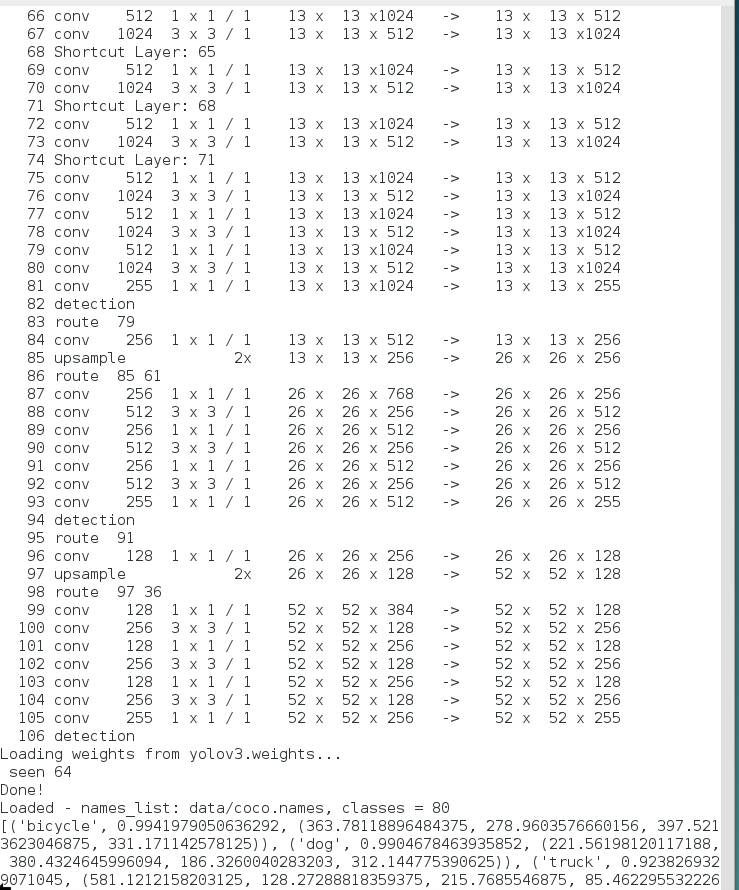
@tommmn Can you run successfully the default file python darknet.py without any your changes?
I can run it
- On Windows: https://github.com/AlexeyAB/darknet/blob/master/build/darknet/x64/darknet_python.cmd
- On Linux:
python darknet.py
successfully, without any meta.names[i] issues:
 AlexeyAB
on 1 May 2018
AlexeyAB
on 1 May 2018
Hello!
Script darknet.py alone works as well but when I use @saihv wrapper, script crashes after printing
freed detections
Process finished with exit code -1073741819 (0xC0000005)
I just wanted to pass OpenCV images (which is numpy array) from video.
Debugging shows that pnum[0] = 0 while in normal case it is 5
Any ideas?
 damiandee
on 23 May 2018
damiandee
on 23 May 2018
@AlexeyAB
Do we have a working version for python video ?
 deimsdeutsch
on 27 Aug 2018
deimsdeutsch
on 27 Aug 2018
@damiandee No, yet.
AlexeyAB
on 27 Aug 2018
Related issues
 hemp110
·
3Comments
hemp110
·
3Comments
 siddharth2395
·
3Comments
siddharth2395
·
3Comments
 Mididou
·
3Comments
Mididou
·
3Comments
 jasleen137
·
3Comments
jasleen137
·
3Comments
 HanSeYeong
·
3Comments
HanSeYeong
·
3Comments
Most helpful comment
Not the most ideal way to do it but the simplest might be to open a video file through OpenCV and for each frame, convert the numpy array into a Darknet image by doing something like this