Dali: examples about how to use dali multi gpu in pytorch
Hi I have seen the sharding in the tutorial, I know there are different pipelines. But I am wondering how to write a full pytorch script? Is is like we need to use local rank to determine the allocation of pipeline to the GPU
 songtaoshi
All 10 comments
Hi,
Yes, you need a local rand to assign the proper GPU, and global rank to assign the proper shard. Please take a look at this RN50 PyTorch example.
 JanuszL
on 23 Jul 2020
JanuszL
on 23 Jul 2020
Hi, the example using ops.FileReader, it is very convenient to do the sharding, but I am wondering how to implement my own inputer, but I think the logic is the same, just sharding the data to the ranks. and the gradient are connected by apex.distributed, Do I understand right?
songtaoshi
on 30 Jul 2020
Hi,
I recommend using ExternalSource operator like in this example.
the logic is the same, just sharding the data to the ranks
Yes, that is what should be done.
JanuszL
on 30 Jul 2020
Hi, It seems that the dataloader is unbalanced. I have nearly same sharding data to each GPU, But the GPU memory usage is not the same.
songtaoshi
on 6 Aug 2020

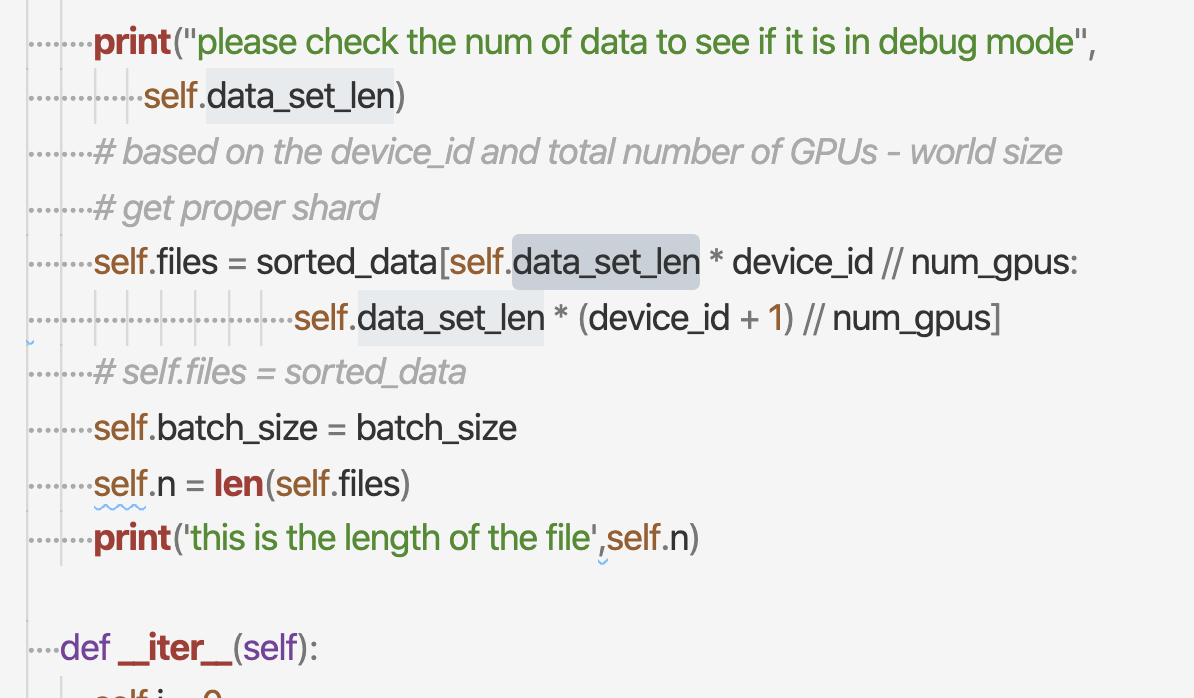
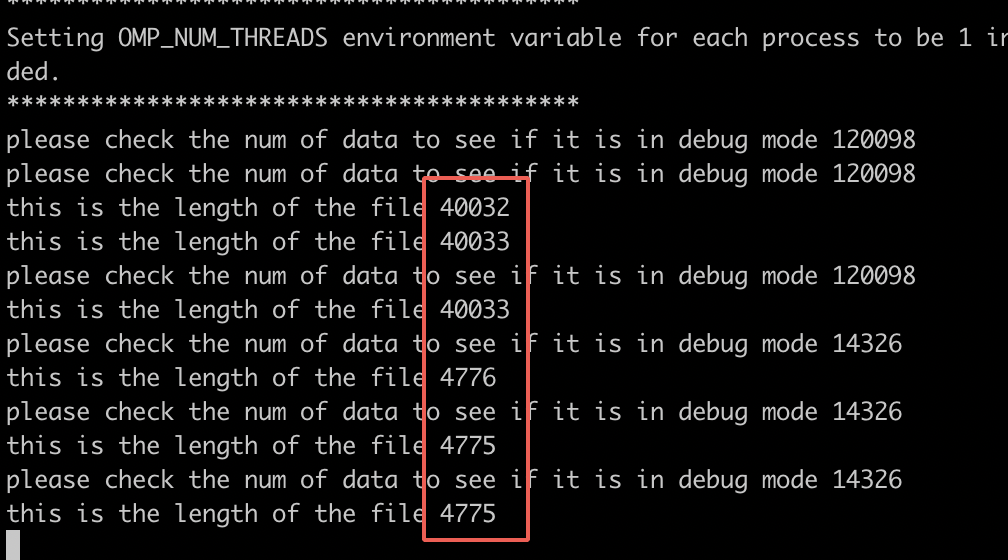
I think I have use the same sharding, why do the gpu memory is unbalanced
songtaoshi
on 6 Aug 2020
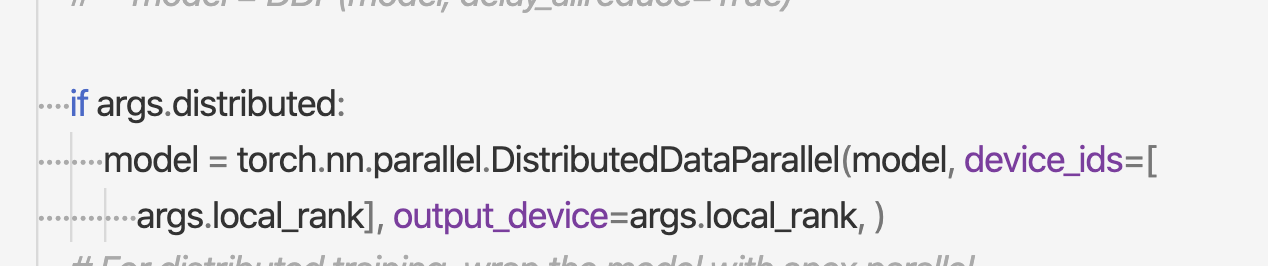
I use pytorch distributed training framework.
songtaoshi
on 6 Aug 2020
Are you sure that you run the model in each GPU? DALI should not consume whole GPU memory (16GB in your case) on its own. Also in the screen you provide I see a magnitude of the difference 4700 vs 40000 of file lengths.
Can you run your code on one GPU at the time and go by each GPU one by one (like run everything on the GPU no.2 only)?
JanuszL
on 6 Aug 2020
@JanuszL really hope to your answer!
songtaoshi
on 9 Aug 2020
Hi,
I would check the size of the samples you have in each pipeline. Maybe for some reason, the first one gets the biggest one (as I see you are sorting them by size, right?)?
You may also want to check this function and see if each operator's output buffer consumes the same amount of memory.
You can also reduce the batch size to 1 and compare this one sample from each pipeline side by side.
JanuszL
on 10 Aug 2020
Thanks for your reply. I notice that this is due to different shape of each sharding data, they padding to different size. Thanks a lot!
songtaoshi
on 10 Aug 2020
Related issues
 bamfpga
·
3Comments
bamfpga
·
3Comments
 ay27
·
6Comments
ay27
·
6Comments
 frank-wei
·
3Comments
frank-wei
·
3Comments
 tianyang-li
·
4Comments
tianyang-li
·
4Comments
 jramapuram
·
4Comments
jramapuram
·
4Comments