Cypress: File upload workaround not working
Unable to upload the xlsx file, csv file.
Currently i'm using 3.4.1 cypress version.i have managed to upload csv and xslx file in cypress. but after updating the version i'm not able to upload csv and xlsx files.i updated to newer version 4.0.2.can you please let me help me out.
Test code to reproduce
commands.js file
Cypress.Commands.add('upload_file', (fileName, fileType = ' ', selector) => {
    cy.get(selector).then(subject => {
        cy.fixture(fileName, 'base64')
            .then(Cypress.Blob.base64StringToBlob)
            .then(blob => {
                const el = subject[0];
                const testFile = new File([blob], fileName, {
                    type: fileType
                });
                const dataTransfer = new DataTransfer();
                dataTransfer.items.add(testFile);
                el.files = dataTransfer.files;
            });
    });
});
In specs files
cy.upload_file(
  "Budget-_v1_23D-Budget-_v1.xlsx",
  "xlsx document",
  '[data-cy=browse_file]'
);
Versions
package.json
{
    "name": "budgeting-web-automation-cypress",
    "version": "0.0.0",
    "scripts": {
        "e2e": "cypress open",
        "cy:run": "node scripts/cypress.js",
        "cy": "cypress run "
    },
    "private": true,
    "devDependencies": {
        "cypress": "3.4.1",
        "mocha": "5.2.0",
        "mochawesome": "^3.1.1",
        "mochawesome-merge": "^1.0.5",
        "mochawesome-report-generator": "^3.1.5"
    }
}
 mohanacchu
All 14 comments
Upload working on Electron version 63.not on Electron 78
mohanacchu
on 18 Feb 2020
@mohanacchu Can you describe more about what you mean by 'upload not working'? Are you seeing an error? Any errors in console? What is the behavior?
 jennifer-shehane
on 18 Feb 2020
jennifer-shehane
on 18 Feb 2020
I was not able to recreate this in Cypress 4.0.2 in Electron 78. My test code is below.
Please provide a full set of test code + HTML that demonstrates the issue you described and we will consider reopening the issue.
index.html
<!DOCTYPE html>
<html lang="en">
<body>
<input type='file'>
</body>
</html>
spec.js
it('uploads', () => {
cy.visit('index.html')
cy.get('input[type=file]').then(subject => {
cy.fixture("testing.xlsx", 'base64')
.then(Cypress.Blob.base64StringToBlob)
.then(blob => {
const el = subject[0];
const testFile = new File([blob], "testing.xlsx", {
type: "xlsx document"
});
const dataTransfer = new DataTransfer();
dataTransfer.items.add(testFile);
el.files = dataTransfer.files;
});
});
})
Application displays 'testing.xlsx' on successful upload

jennifer-shehane
on 18 Feb 2020
@jennifer-shehane Hi, i tried to upload xlsx file in cypress(4.0.2) version, (electron 78)..still it is failing to upload files..but same code will work on cypress(3.4.1) and (electron 61).
mohanacchu
on 19 Feb 2020
@jennifer-shehane I'm not getting any error message in the console. while trying to upload file..the code executes in lower version cypress(3.4.1) and (electron 61). but the same code doesn't work in upgraded version.Please let me know the cause the issue.
mohanacchu
on 20 Feb 2020
I do see this example passing in 3.4.1 within Electron and failing in 3.5.0. This is likely due to the Electron upgrade.
I'm not sure why this isn't working and we don't technically support file upload currently. You may find asking in https://github.com/cypress-io/cypress/issues/170 to be helpful.
jennifer-shehane
on 26 Feb 2020
@jennifer-shehane : I understand that "cypress don't technically support file upload currently".
But, do we have any chances of taking this as a change request and implement in upcoming release?
We want to use the feature of Cypress.dom.isDispatch and Cypress.dom.isVisible and many other features from the later versions ( >3.4.1).
So, eagerly looking for File-upload feature to up and running.
Will wait for your reply
 Prashant-Kan
on 28 Feb 2020
Prashant-Kan
on 28 Feb 2020
I was not able to recreate this in Cypress 4.0.2 in Electron 78. My test code is below.
Please provide a full set of test code + HTML that demonstrates the issue you described and we will consider reopening the issue.
index.html<!DOCTYPE html> <html lang="en"> <body> <input type='file'> </body> </html>
spec.jsit('uploads', () => { cy.visit('index.html') cy.get('input[type=file]').then(subject => { cy.fixture("testing.xlsx", 'base64') .then(Cypress.Blob.base64StringToBlob) .then(blob => { const el = subject[0]; const testFile = new File([blob], "testing.xlsx", { type: "xlsx document" }); const dataTransfer = new DataTransfer(); dataTransfer.items.add(testFile); el.files = dataTransfer.files; }); }); })Application displays 'testing.xlsx' on successful upload
how to upload image file with this case ? @jennifer-shehane
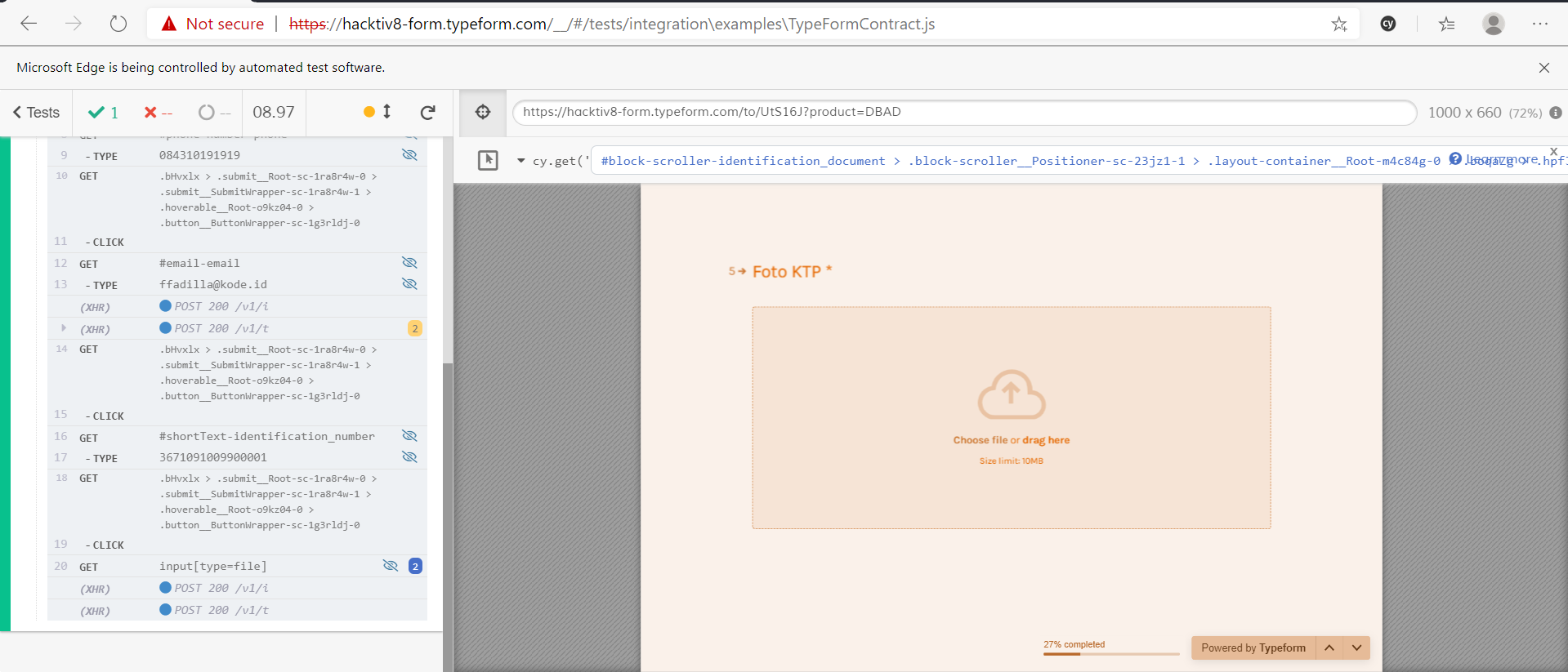
i already fullfil these code to my code
 ffadilla
on 4 Mar 2020
ffadilla
on 4 Mar 2020
Hello @ffadilla
I hereby sending you the index.html and cypress commands which we tried both in v3.4.1 and latest version (in all the version after 3.4.1).
<!DOCTYPE html>
<html lang="en">
<head>
<meta charset="UTF-8">
<title>Document</title>
</head>
<body>
<input type="file" id="file">
<input type="button" id="load" value="Load File">
<script>
function addListener(element, eventName, handler) {
if (element.addEventListener) {
element.addEventListener(eventName, handler, false);
}
else if (element.attachEvent) {
element.attachEvent('on' + eventName, handler);
}
else {
element['on' + eventName] = handler;
}
}
addListener(document.getElementById('file'), 'change', function() {
console.log(`This is using cypress commands to upload file`);
console.log(`is the file uploaded ? => ${this.files[0] instanceof File}`);
});
addListener(document.getElementById('load'), 'click', function() {
var file = new File(['content'], 'sample1.txt', {type: "text/txt"});
var dataTransfer = new DataTransfer();
dataTransfer.items.add(file);
var fileInput = document.getElementById("file");
fileInput.files = dataTransfer.files;
console.log("This was button click " + fileInput.files[0] instanceof File);
});
</script>
</body>
</html>
Below the ts file where we are trying to call
context('Tests', () => {
it('cy.fixture() - load a fixture', () => {
cy.visit('index.html')
cy.get('input[type=file]').then(subject => {
cy.fixture("testing.xlsx", 'base64')
.then(Cypress.Blob.base64StringToBlob)
.then(blob => {
const el = subject[0] as any;
const testFile = new File([blob], "testing.xlsx", {
type: "xlsx document"
});
const dataTransfer = new DataTransfer();
dataTransfer.items.add(testFile);
el.files = dataTransfer.files;
});
});
});
});
Below is he output of the file, when executed using > npm run cypress:open
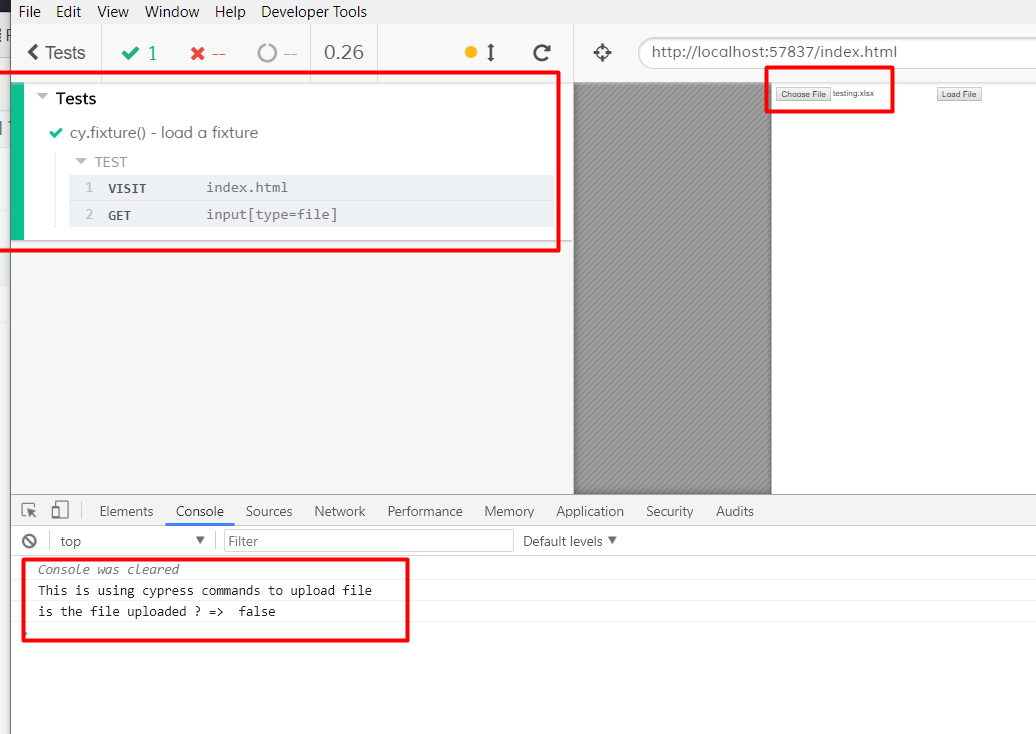
Notable thing is that the Testcase is passed, file name also appears but the file change event didn't recognizing the uploaded File. This breaks the File UPload functionality using the commands.
| Cypress Version | Status |
| ----------------- | ------- |
| v3.4.1 | Working Fine |
| All the later version | Not Working Fine |
Do try with different version you will definately reprouce the error.
Let me know if you find the fix for it.
We are eagerly waiting for the solution.
Prashant-Kan
on 20 Mar 2020
@jennifer-shehane
@ffadilla
any update on this?
Prashant-Kan
on 29 Mar 2020
@jennifer-shehane : is this issue added to any upcoming sprints?
Prashant-Kan
on 6 Apr 2020
Hi @Prashant-Kan
I have managed to solve file upload issue on cypress 4.4.1 with next line of code:
return cy.wrap($input).trigger('change', {force:true});
which is stored below "el.files = dataTransfer.files;" line.
Whole uplaod command is now looking like:
Cypress.Commands.add('newUploadBlobFile', (fileName, fileType) => {
  cy.get("input[type='file']").then($input => {
    cy.fixture(fileName, 'base64')
      .then(Cypress.Blob.base64StringToBlob)
      .then(blob => {
        const el = $input[0];
        const testFile = new File([blob], fileName, {type: fileType});
        const dataTransfer = new DataTransfer();
        dataTransfer.items.add(testFile);
        el.files = dataTransfer.files;
        return cy.wrap($input).trigger('change', {force:true});
      });
  });
})
Hope this will help you too.
Regards.
 markoantonic88
on 21 Apr 2020
markoantonic88
on 21 Apr 2020
@markoantonic88
Thanks a lot man, you saved my day
 nomadigital
on 26 May 2020
nomadigital
on 26 May 2020
Closing as resolved with https://github.com/cypress-io/cypress/issues/6490#issuecomment-617193159 workaround.
Please follow the larger issue on file upload support here for any issues regarding file upload in general. https://github.com/cypress-io/cypress/issues/170
jennifer-shehane
on 29 Jun 2020
Related issues
 szabyg
·
3Comments
szabyg
·
3Comments
 carloscheddar
·
3Comments
carloscheddar
·
3Comments
 brian-mann
·
3Comments
brian-mann
·
3Comments
 weskor
·
3Comments
weskor
·
3Comments
 simonhaenisch
·
3Comments
simonhaenisch
·
3Comments
Most helpful comment
Hi @Prashant-Kan
I have managed to solve file upload issue on cypress 4.4.1 with next line of code:
which is stored below "el.files = dataTransfer.files;" line.
Whole uplaod command is now looking like:
Hope this will help you too.
Regards.