Cypress: Cypress screenshot and video size are restricted to 800 x 600 in Chrome Headless
Current behavior:
When running cy.screenshot(), the screenshot differs when running in Chrome Headless vs Chrome Headed vs Electron Headless:
Electron Headless:
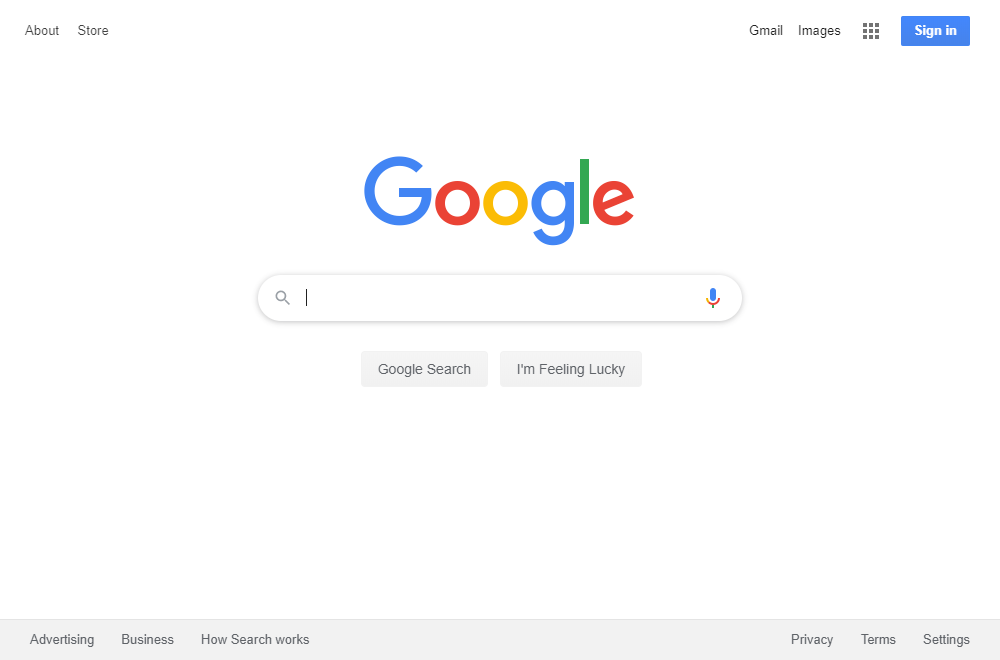
Chrome Headed:

Chrome Headless:

Desired behavior:
It seems as though any screenshot taken while running headless chrome will produce an image that is only 800x600 pixels. This is an issue because i would like to run all tests using headless chrome, however the screenshots headless chrome produces are not large (wide/tall) enough to fully capture my application.
When running chrome headless, changing the size using cy.viewport only works when the given size is less than 800x600. For example if i call cy.viewport(1920,1080) then call cy.screenshot(), the screenshot will be 800x600. However if i call cy.viewport(700,500) then call cy.screenshot(), the screenshot will be 700x500.
Test code to reproduce
cy.visit('https://google.com/')

cy.screenshot('test1') //produces a 800x600 pixel image

cy.viewport(700,500)
cy.screenshot('test2') //produces a 700x500 pixel image

cy.viewport(1920,1080)
cy.screenshot('test3') //produces a 800x600 pixel image
Versions
Cypress 3.8.2
Windows 10
Resolution 1920x1200
node 12.13.1
npm 6.12.1
 zztessema
All 11 comments
I do see this sizing discrepancy noted in the original PR fixing the chrome headless here: https://github.com/cypress-io/cypress/pull/5953#issue-352916802, but this is not documented anywhere in our documentation and I would definitely find this confusing as a user.
@flotwig can you comment on why there is this limitation, if there is a workaround? I'd like this documented if so.
 jennifer-shehane
on 22 Jan 2020
jennifer-shehane
on 22 Jan 2020
I think there was a gap in the tests for screenshots taken via Chrome headless, because I have not noticed this before.
I wonder if #5899 would fix this.
 flotwig
on 28 Jan 2020
flotwig
on 28 Jan 2020
Faced this issue as well.
Debugging failing headless tests became harder - such small wiewport prevents from reading error messages.
 Threnos
on 29 Jan 2020
Threnos
on 29 Jan 2020
I fixed this issue by overriding the Chrome window size with the largest viewport used in my tests (in my case, the Cypress default viewport of 1000x660px) in the before:browser:launch hook.
plugins/index.js
module.exports = (on, config) => {
on('before:browser:launch', (browser = {}, args) => {
if (browser.name === 'chrome') {
args.push('--window-size=1000,660');
return args;
}
});
I can also just run Chrome without --headless inside Docker, because then the Chrome window size will be 1050x1004px.
I am a little bit confused about how the viewport works in Cypress though: I've read stuff about the XVFB viewport, Chrome viewport, and differences between headed/headless. From a user perspective, shouldn't Cypress make sure the XVFB/Browser viewport always matches what has been set in cy.viewport? If the XVFB/Browser viewport can only be set when starting up, could Cypress scan for the largest cy.viewport value and automatically use that value?
 steveharrison
on 30 Jan 2020
steveharrison
on 30 Jan 2020
@steveharrison I'd say, that there's no need for such complex actions like scanning and guessing which resolution is larger etc. The most simple and sturdy solution would be to provide configurations for browser window size, e.g. browserWidth/Height.
Threnos
on 30 Jan 2020
I fixed this issue by overriding the Chrome window size with the largest viewport used in my tests (in my case, the Cypress default viewport of 1000x660px) in the
before:browser:launchhook.
plugins/index.jsmodule.exports = (on, config) => { on('before:browser:launch', (browser = {}, args) => { if (browser.name === 'chrome') { args.push('--window-size=1000,660'); return args; } });I can also just run Chrome without
--headlessinside Docker, because then the Chrome window size will be 1050x1004px.I am a little bit confused about how the viewport works in Cypress though: I've read stuff about the XVFB viewport, Chrome viewport, and differences between
headed/headless. From a user perspective, shouldn't Cypress make sure the XVFB/Browser viewport always matches what has been set incy.viewport? If the XVFB/Browser viewport can only be set when starting up, could Cypress scan for the largestcy.viewportvalue and automatically use that value?
This worked to have screenshots in expected size, but often times I see this error now (with or without the workaround)
cy.screenshot() timed out waiting '30000ms' to complete.
 cooleiwhistles
on 30 Jan 2020
cooleiwhistles
on 30 Jan 2020
I have this as a configuration in the plugin/index.js
on('before:browser:launch', (browser = {}, args) => {
if (browser.name === 'chrome') {
args.push('--window-size=1280,1024');
// whatever you return here becomes the new args
return args
}
But I can see that all tests gonna fail if I run it with --headless mode and here is the terminal record

and here is the error messages in headless mode
Error: Image size (1272x720) different than saved snapshot size (1280x720).
See diff for details: /opt/code/github/cloud-fe-components/tests/visual_testing/snapshots/stepper.js/__diff_output__/test001_stepper_at_step_1.diff.png
at Context.<anonymous> (http://localhost:6006/__cypress/tests?p=tests/visual_testing/support/index.js-495:52:17)
even trying to set the xvfb values doesn't help
xvfb-run --server-args="-screen 0, 1280x1024x24" ./node_modules/.bin/cypress run --spec tests/visual_testing/integration/stepper.js -b chrome --headless
Update
- I run the test cases inside the docker container from
cypress/browsers:node12.13.0-chrome78-ff70images, and everything going well. here is my execution command
npx cypress run -b chrome --headless
I'm not sure why running the --headless mode in the host machine (ubuntu 19 os), raises an error
 0xIslamTaha
on 3 Feb 2020
0xIslamTaha
on 3 Feb 2020
So, after talking this over with the team. This is kind of expected behavior. Basically, Chrome is running headless - which means there is no display. So, there is not a display size that Cypress can pull from and automagically know to set the window size at.
However, I advocated for having a better default than 800 x 600, which we can do. Since xvfb generally restricts the size of most users runs during cypress run to 1280 x 720, I thought this would be a better default.
@cooleiwhistles The cy.viewport() only applies to the height and width of the application under test when rendered. Not the size of the display (including the command log and Cypress Test Runner GUI).
@0xIslamTaha @cooleiwhistles I am not able to recreate any timeouts during cy.screenshot() while passing the window size using the basic Cypress screenshot command (no plugins). Are you using a plugin to take screenshots? Because this may be an issue with the plugin or it could be related to this issue https://github.com/cypress-io/cypress/issues/5016
Workaround
You can set the window size to whatever you want in Chrome headless.
3.x.x versions
module.exports = (on, config) => {
  on('before:browser:launch', (browser, args) => {
    if (browser.name === 'chrome' && browser.isHeadless) {
      args.push('--window-size=1280,720')

      return args
    }
  })
}
4.x.x version
module.exports = (on, config) => {
  on('before:browser:launch', (browser, launchOptions) => {
    if (browser.name === 'chrome' && browser.isHeadless) {
      console.log('TRUE')
      launchOptions.args.push('--window-size=1280,720')

      return launchOptions
    }
  })
}
Code
Default args we send to Chrome are here: https://github.com/cypress-io/cypress/blob/develop/packages/server/lib/browsers/chrome.ts#L42:L42
So, I guess you would have to somehow detect that they are running Chrome headless and push in the --window-size=1280,720 arg when that is true.
I think you would likely do this check in this method: https://github.com/cypress-io/cypress/blob/develop/packages/server/lib/browsers/chrome.ts#L341:L341
jennifer-shehane
on 7 Feb 2020
@jennifer-shehane Thank you so much for the workaround.
I will try it as soon as possible.
Threnos
on 7 Feb 2020
The code for this is done in cypress-io/cypress#6440, but has yet to be released.
We'll update this issue and reference the changelog when it's released.
![cypress-bot[bot] picture](https://avatars3.githubusercontent.com/u/8908513?v=4&s=40) cypress-bot[bot]
on 28 Feb 2020
cypress-bot[bot]
on 28 Feb 2020
Released in 4.1.0.
This comment thread has been locked. If you are still experiencing this issue after upgrading to
Cypress v4.1.0, please open a new issue.
cypress-bot[bot]
on 28 Feb 2020
Related issues
 igorpavlov
·
3Comments
igorpavlov
·
3Comments
 egucciar
·
3Comments
egucciar
·
3Comments
 stormherz
·
3Comments
stormherz
·
3Comments
 SecondFlight
·
3Comments
SecondFlight
·
3Comments
 weskor
·
3Comments
weskor
·
3Comments
Most helpful comment
So, after talking this over with the team. This is kind of expected behavior. Basically, Chrome is running headless - which means there is no display. So, there is not a display size that Cypress can pull from and automagically know to set the window size at.
However, I advocated for having a better default than
800 x 600, which we can do. Since xvfb generally restricts the size of most users runs duringcypress runto1280 x 720, I thought this would be a better default.@cooleiwhistles The
cy.viewport()only applies to the height and width of the application under test when rendered. Not the size of the display (including the command log and Cypress Test Runner GUI).@0xIslamTaha @cooleiwhistles I am not able to recreate any timeouts during
cy.screenshot()while passing the window size using the basic Cypress screenshot command (no plugins). Are you using a plugin to take screenshots? Because this may be an issue with the plugin or it could be related to this issue https://github.com/cypress-io/cypress/issues/5016Workaround
You can set the window size to whatever you want in Chrome headless.
3.x.x versions
4.x.x version
Code
Default args we send to Chrome are here: https://github.com/cypress-io/cypress/blob/develop/packages/server/lib/browsers/chrome.ts#L42:L42
So, I guess you would have to somehow detect that they are running Chrome headless and push in the
--window-size=1280,720arg when that is true.I think you would likely do this check in this method: https://github.com/cypress-io/cypress/blob/develop/packages/server/lib/browsers/chrome.ts#L341:L341