Cypress: Using cy.get().click() not working on html button
Current behavior:
I started from scratch by creating an html page with a button.
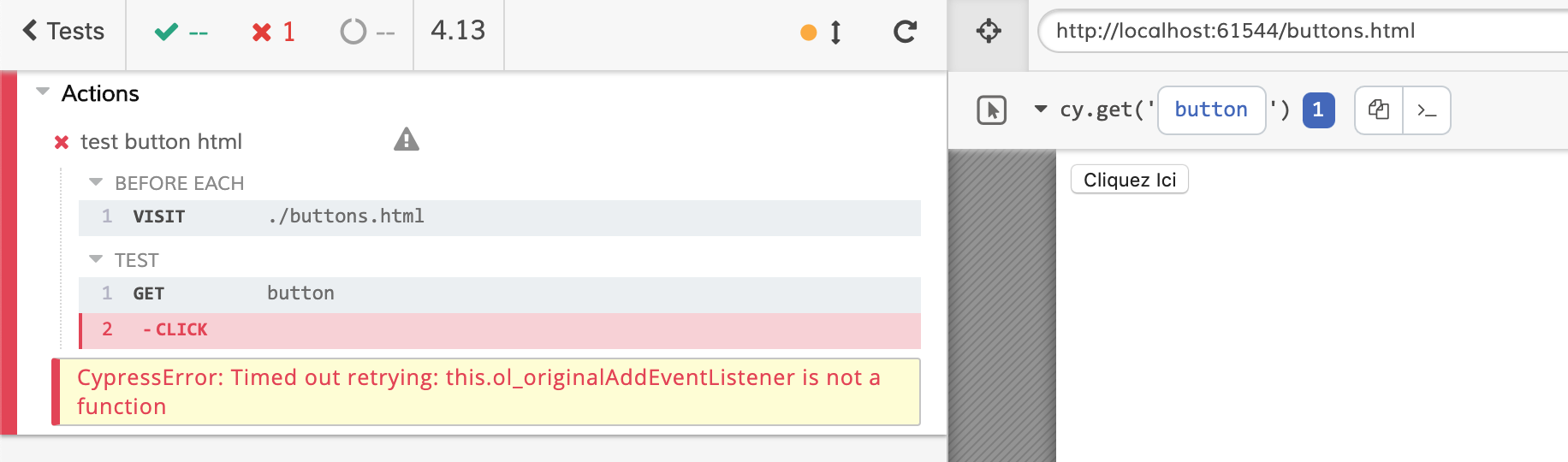
When I want to click on my button using the script cy.get("...").click() on my button. No action is taken and I receive the following error:
CypressError: Timed out retrying: this.ol_originalAddEventListener is not a function
I tried passing an xpath using the xpath plugin and I still have the same error.
Desired behavior:
Using the script cy.get("...").click() on my button must be work.
Steps to reproduce: (app code and test code)
Step 1: Create a project from scratch, following this project:
Here is my project :
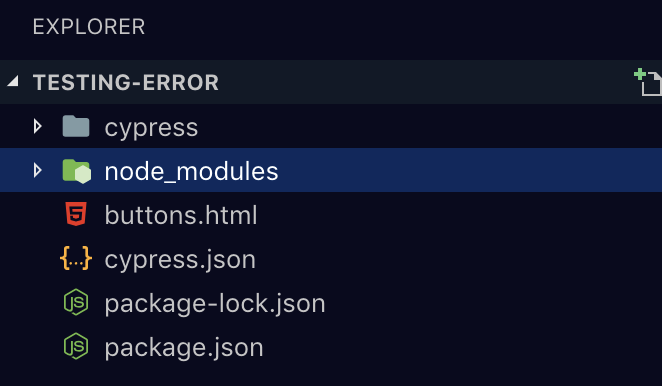
Here is the "buttons.html" source code:
<!DOCTYPE html>
<html>
<head>
<title>Titre du document</title>
</head>
<body>
<button id="test" onclick="window.location.href = 'https://fr.w3docs.com/';">Cliquez Ici</button>
</body>
</html>
The goal being to click on my button, I created a very simple test that allows me to click on this button. This is my source code:
/// <reference types="Cypress" />

context('Actions', () => {
beforeEach(() => {
cy.visit('./buttons.html')
})

it('test button html', () => {
cy.get('#test').click();

})
})
Despite this, I still have the same mistake below:
This is the log console:
Here is my package.json :

{
"name": "testing-error",
"version": "1.0.0",
"description": "",
"main": "index.js",
"scripts": {
"test": "echo \"Error: no test specified\" && exit 1"
},
"author": "",
"license": "ISC",
"dependencies": {
"cypress": "^3.7.0"
}
}
I use Chromium only to run my test.
The following files: the cypress.json, cypress/support directory and cypress/plugins directory are "empty" by default when installing cypress.
No CSS or others references my error function.
Versions
Cypress : 3.7.0
Chromium : 74.0.3729
OS : MacOS
IDE : VSCode
 Tay08
Tay08
All 7 comments
Is there any reason you are testing against Chromium 74? The latest release is 79.
Regardless, I ran this in Chromium 74.0.3729.0 and am still not able to recreate the issue 😭
Can you open Dev Tools, then click the yellow error in the Command Log? Please print a screenshot of the exact error and stack trace that is printed to the console.
 jennifer-shehane
on 16 Dec 2019
jennifer-shehane
on 16 Dec 2019
@jennifer-shehane Not particularly, I can try upgrading the Chromium version to see.
Step 1 :
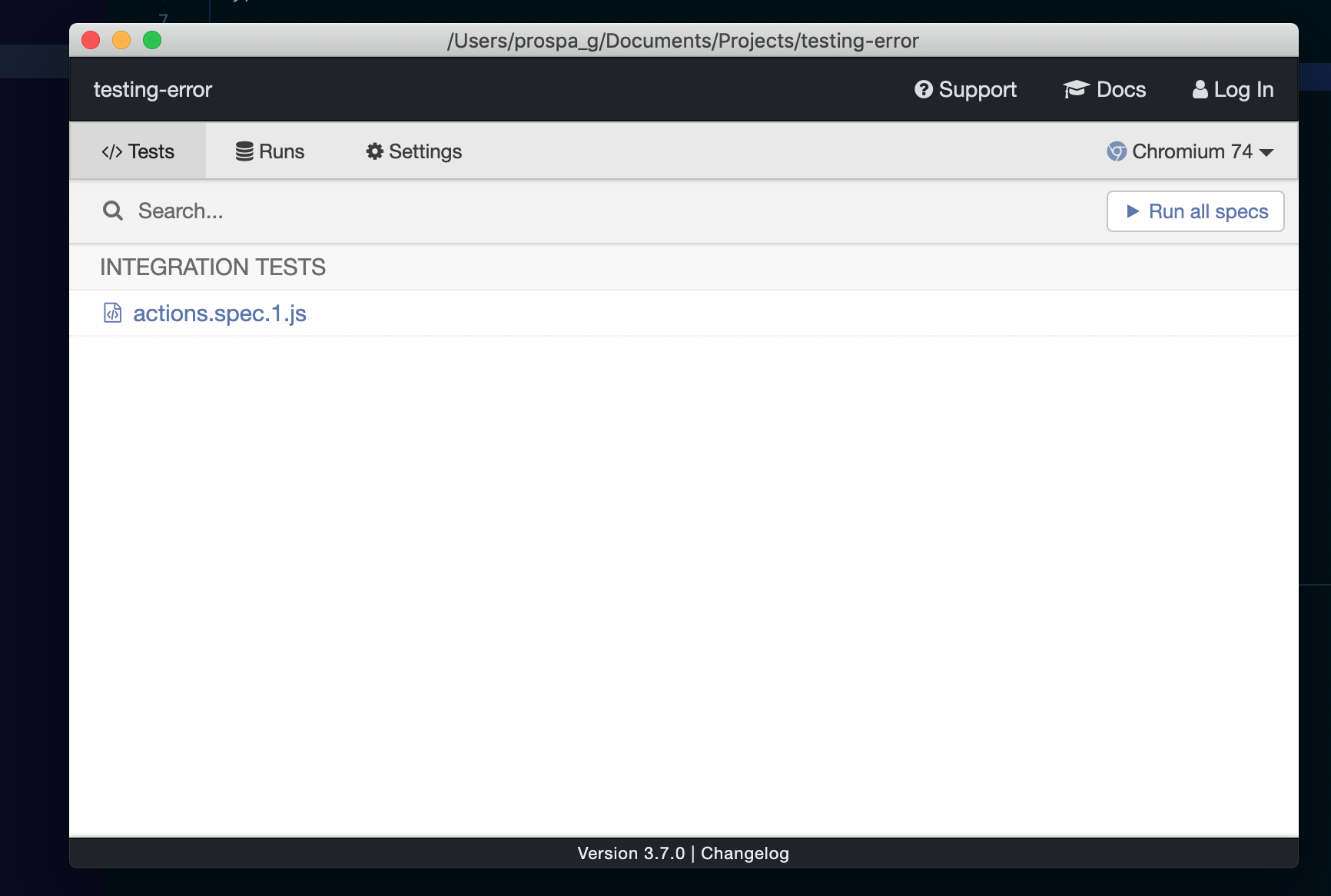
Step 2 :

Tay08
on 16 Dec 2019
I'm also seeing this error on Chrome 79. If I run tests using Electron, everything's fine.
It's not happening while performing a click command for me, though. It's on an assert inside a route command. Basically:
cy.route({
method: 'GET',
url: /example.*/,
onRequest: request => {
// This line triggers the error
expect(request.url).match(/param=\d+/)
},
})
 edsrzf
on 7 Jan 2020
edsrzf
on 7 Jan 2020
I just tried on cypress 3.8.1 version and it works.
Env :
Cypress 3.8.1
Chromium 81
Tay08
on 9 Jan 2020
@Tay08 Great! We did put out some bug fixes so it was likely fixed in one of those. I'll be closing this as resolved.
@edsrzf If you're experiencing a bug similar to this in Cypress, please open a new issue with a fully reproducible example that we can run. There may be a specific edge case with the issue that we need more detail to fix.
jennifer-shehane
on 13 Jan 2020
I finally figured out that my issue was related to the OneLogin Chrome extension. If I disable browser extensions when running with Chrome, it fixes the issue.
In cypress/plugins/index.js:
module.exports = on => {
  on('before:browser:launch', (browser = {}, launchOptions) => {
    if (browser.name === 'chrome') {
      launchOptions.args.push('--disable-extensions')

      return launchOptions
    }
  })
}
I believe Cypress should disable Chrome extensions by default, but honestly find the issue template for this repo very cumbersome, so I'm just leaving this here.
edsrzf
on 17 Feb 2020
@edsrzf Oof, thanks for the update.
Some people test their browser extensions in Cypress, so disabling them outright would not be the right approach unfortunately. Although, we may be able to detect in Cypress 4.0 if you are modifying the launchOptions.extensions and remove the --disable-extensions flag in this case.
This still leaves the cases where some people use extensions for development purposes though. So, they want the extensions in Chrome to work that help them in their devtools etc.
jennifer-shehane
on 18 Feb 2020
Related issues
 EirikBirkeland
·
3Comments
EirikBirkeland
·
3Comments
 scottcrowe
·
3Comments
scottcrowe
·
3Comments
 zbigniewkalinowski
·
3Comments
jennifer-shehane
·
3Comments
zbigniewkalinowski
·
3Comments
jennifer-shehane
·
3Comments
 egucciar
·
3Comments
egucciar
·
3Comments
Most helpful comment
I finally figured out that my issue was related to the OneLogin Chrome extension. If I disable browser extensions when running with Chrome, it fixes the issue.
In
cypress/plugins/index.js:I believe Cypress should disable Chrome extensions by default, but honestly find the issue template for this repo very cumbersome, so I'm just leaving this here.