Cypress: Browser doesn't open due to Warning:Cypress could not verify that the server set as your 'baseUrl' is running: http://localhost:3000
Is this a Feature or Bug? Not sure.
Current behavior:
Currently when i click on run all specs the chrome browser doesn't open.
Desired behavior:
My tests do not run and browser isn't opening when i click on run all specs button.
Steps to reproduce: (app code and test code)
i checked if its doing the ensureURL check but this is not happening and is not the cause of the error. I type in the command: yarn cypress:dev:mobile and the server is running, but then the test window in cypress opens and i see the warning:
Warning:Cypress could not verify that the server set as your 'baseUrl' is running: http://localhost:3000
At this point when i click on run all specs button, it tries to open chrome but it just keeps trying and it cant open it.
Versions
Cypress version 3.1 , Mac OS and . Chrome 71 version.
 pkamath123
All 12 comments
Hey @pkamath123, I think the warning is likely unrelated to Chrome not being able to open.
When opening cypress, could you try to run Cypress in debug mode to print some extra logs to post here?
Also, just to narrow down the possible causes, could you just run Cypress in a brand new project to see if Chrome opens in there? So:
mkdir my-project
cd my-project
npm init -f
npm install --save-dev cypress
./node_modules/.bin/cypress open
Try and run one of the examples we scaffolded there.
 jennifer-shehane
on 11 Jan 2019
jennifer-shehane
on 11 Jan 2019
Hi @jennifer-shehane I ran the above new project you mentioned by creating " my-project" but there also it doesn't run, and there I am no longer getting that previous warning. Could you please help me regarding figuring out what might be causing any of my tests to not run and my browser to not open? the bowser doesn't open and just looks like its buffering.
Thank you.
pkamath123
on 29 Jan 2019
Could you possibly provide a screenshot / video / gif of what is happening when you click. I'd like to see what you mean by 'buffering'.
Also, could you run Cypress in debug mode mode and print the logs here?
jennifer-shehane
on 30 Jan 2019
When i use the DEBUG=cypress:* cypress open command , i get the error : -bash: cypress: command not found. Please see the screenshot for the . issue where the chrome doesnt open
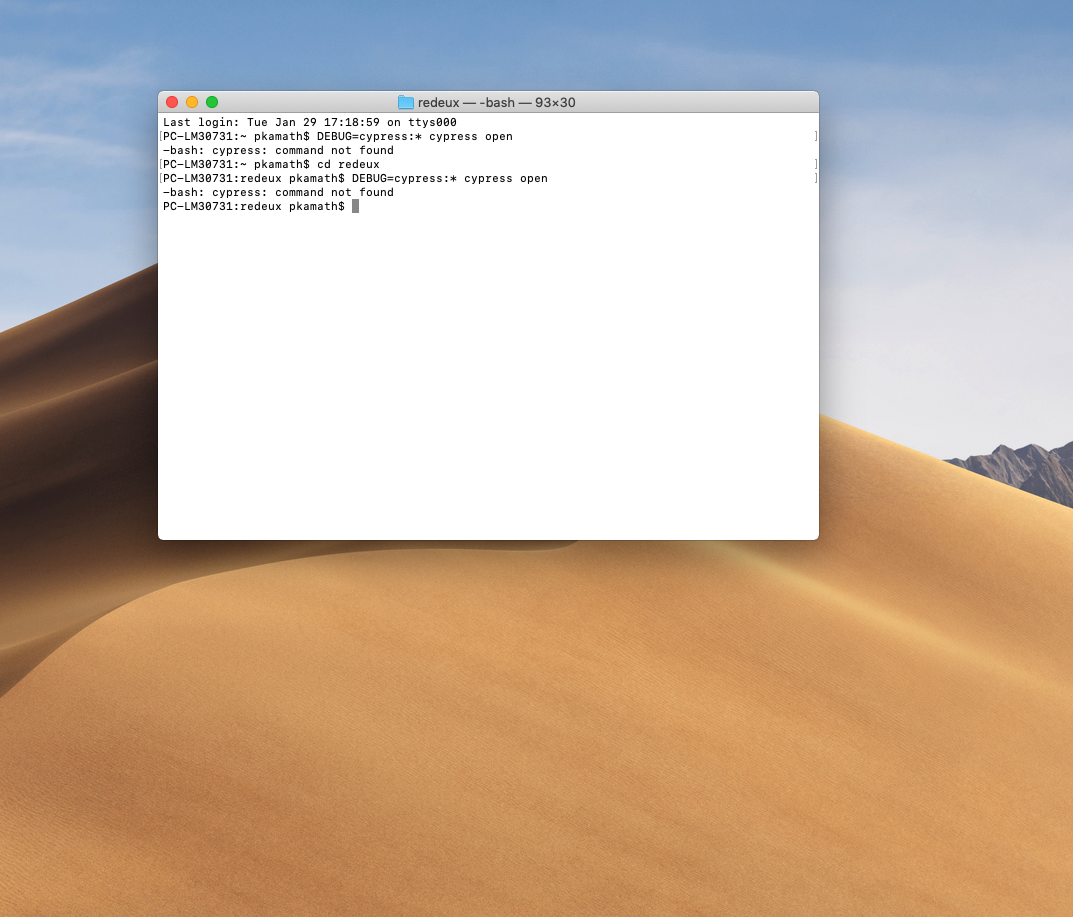
screenshot for chrome not opening is below.

pkamath123
on 30 Jan 2019
Hey @pkamath123, try running the command below:
DEBUG=cypress:* ./node_modules/.bin/cypress open
Also, please try to update to our newest 3.1.5 release, as this fixed some critical bugs in Chrome 72.
jennifer-shehane
on 31 Jan 2019
Hi @jennifer-shehane ,
Thank you for helping me so far with debugging this issue, i really appreciate your continuous help, I have attached the cypresslog file after i ran the debug command.
cypressLog.txt
when i use yarn to update to latest version of cypress i get the error saying there is no version 3.1.5
Please see the attached image for the update .
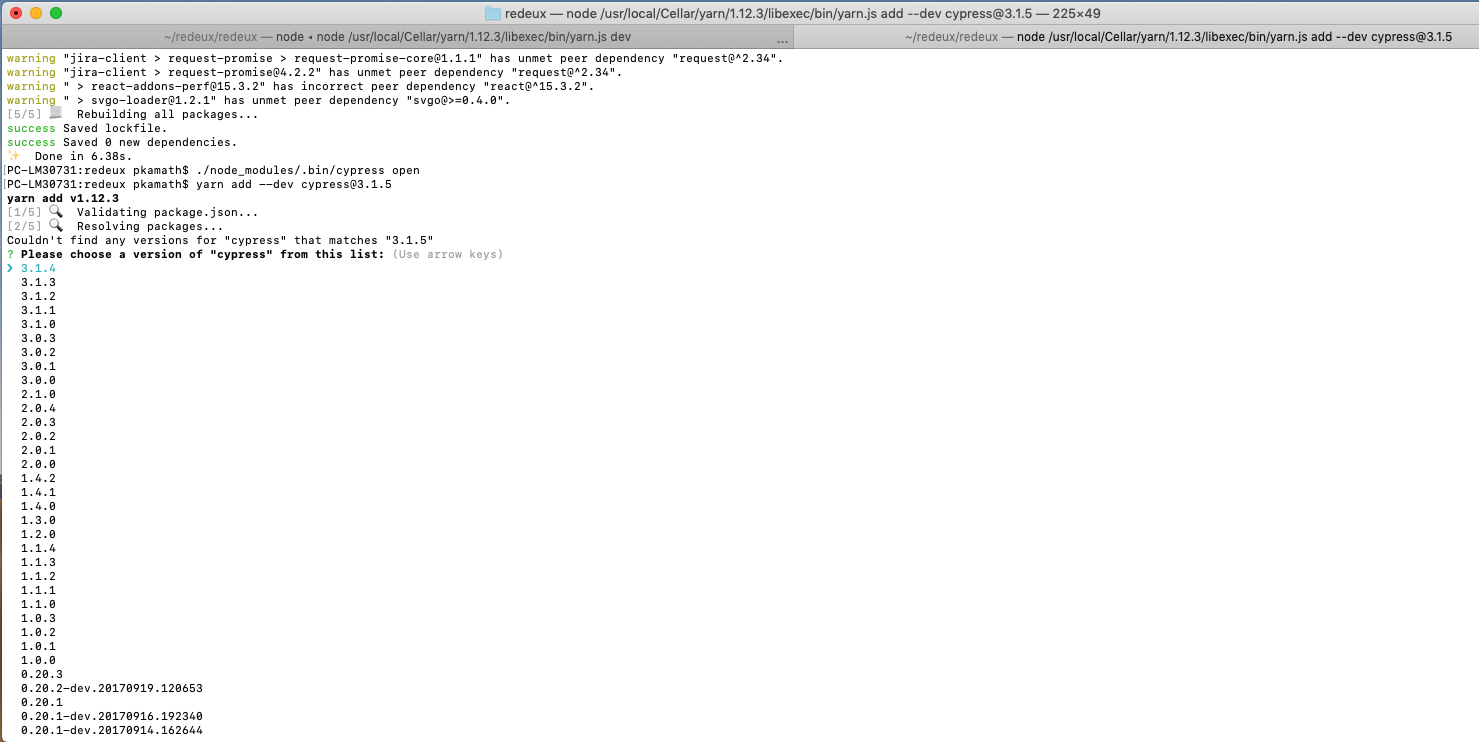
Thank you once again.
pkamath123
on 31 Jan 2019
Hi @jennifer-shehane ,
So my team mate figured out the issue, and it is resolved now. the . app data from my old runs were corrupted, so we had to wipe that and re run the tests. and it started running. Thank you for your help.
pkamath123
on 31 Jan 2019
Thank you so much for updated the issue with your fix. For future reference, docs on clearing App Data: https://github.com/cypress-io/cypress/issues/1239#issuecomment-362363993
I've opened an issue to document how to clear App Data as a debugging technique within our documentation - and furthermore document the steps to debugging issues within Cypress itself. https://github.com/cypress-io/cypress-documentation/issues/1378
jennifer-shehane
on 1 Feb 2019
I got the "Cypress failed to verify that your server is running:" problem and solved it when I realised that the /etc/hosts file did not include a line:
127.0.0.1 localhost
Adding info here for Googlers, took me way too long to find it.
 saas2813
on 28 Jun 2019
saas2813
on 28 Jun 2019
I got the "Cypress failed to verify that your server is running:" problem and solved it when I realised that the /etc/hosts file did not include a line:
127.0.0.1 localhost
Adding info here for Googlers, took me way too long to find it.
what file is this exactly? i was unable to locate it.
 GettinDatFoShow
on 7 Jan 2020
GettinDatFoShow
on 7 Jan 2020
@GettinDatFoShow On Mac OS X and Unix/Linux there are system configuration files that describes the computers network environment. The most basic one is the file "hosts" in the directory "/etc" it contains locally defined mappings of names for network resources. The corresponding file on Windows seems to be (if Google is my friend...) c:\windowssystem32drivers\etc\hosts but I would be surprised if it was causing problems on a windows machine, unless someone already had edited it. You will need to be administrator to be able to write to it.
saas2813
on 7 Jan 2020
@GettinDatFoShow On Mac OS X and Unix/Linux there are system configuration files that describes the computers network environment. The most basic one is the file "hosts" in the directory "/etc" it contains locally defined mappings of names for network resources. The corresponding file on Windows seems to be (if Google is my friend...) c:\windowssystem32drivers\etc\hosts but I would be surprised if it was causing problems on a windows machine, unless someone already had edited it. You will need to be administrator to be able to write to it.
thanks, and i am using bash on windows so i am not sure if that is an issue but also in the cicd linux is being used. im curious if there is a way to make sure thats set before the cypress code runs.
GettinDatFoShow
on 7 Jan 2020
Related issues
 dkreft
·
3Comments
dkreft
·
3Comments
 szabyg
·
3Comments
szabyg
·
3Comments
 scottcrowe
·
3Comments
scottcrowe
·
3Comments
 rbung
·
3Comments
rbung
·
3Comments
 brian-mann
·
3Comments
brian-mann
·
3Comments
Most helpful comment
I got the "Cypress failed to verify that your server is running:" problem and solved it when I realised that the /etc/hosts file did not include a line:
127.0.0.1 localhost
Adding info here for Googlers, took me way too long to find it.