Cypress: Cypress is not running on Chrome 71
Current behavior:
After the upgrade to Chrome 71, Cypress is throwing a cross-origin frame error (image below). If I downgrade my Chrome to 70 or run the tests with the Electron version, the tests run.

Versions
- Chrome 71
- Cypress 3.1.2
- OS: Mac and Linux
 lourenci
All 8 comments
Could you provide your test code please? We will need a way to reproduce this on our side in order to investigate it.
 jennifer-shehane
on 5 Dec 2018
jennifer-shehane
on 5 Dec 2018
@jennifer-shehane it breaks on cy.visit('/'), the spec's first lines.
In my codebase, I have an interceptor that if the user is not logged in, I redirect him to /#/login. If he is logged, he will be redirected to /#/dashboard. It is the beginning of the test, so the user is not logged in yet and he will be redirected to login page. Here, the Cypress breaks.
If in my tests I set the cy.visit to /#/login, the Cypress does not break.
I'll try to post a very simple example with that as soon as possible.
I have tested this error on 3.1.2 and 3.1.3 Cypress versions, both break on Chrome 71. It pass on Chrome 70 or earlier.
Thank you.
edit1: some misspellings.
edit2: info about versions.
lourenci
on 6 Dec 2018
I just upgraded from 3.1.1 to 3.1.3 and I experienced this same issue. I tried following the steps on https://github.com/cypress-io/cypress/issues/1239 by deleting the app data and restarting it but it didn't work for me :( . I was trying to run Cypress > integration > examples > action.spec.js file
 mullah1
on 12 Dec 2018
mullah1
on 12 Dec 2018
Happening with me in 3.1.4
 smmdd
on 16 Jan 2019
smmdd
on 16 Jan 2019
Unfortunately we'll have to close this issue if no reproducible example is provided. Can anyone provide a way to reproduce this?
jennifer-shehane
on 18 Jan 2019
My STR:
Initial:
No chrome installed.
No Cypress installed.
- Install the latest chrome (7.1)
- Install Cypress (3.1.4)
- Run Cypress
cypress open In the Test Runner, instead choosing Electron 59, I chose Chrome 71.

Run any test
- The Chrome browser will be opened with the error message
"Whoops, we can't run your test"
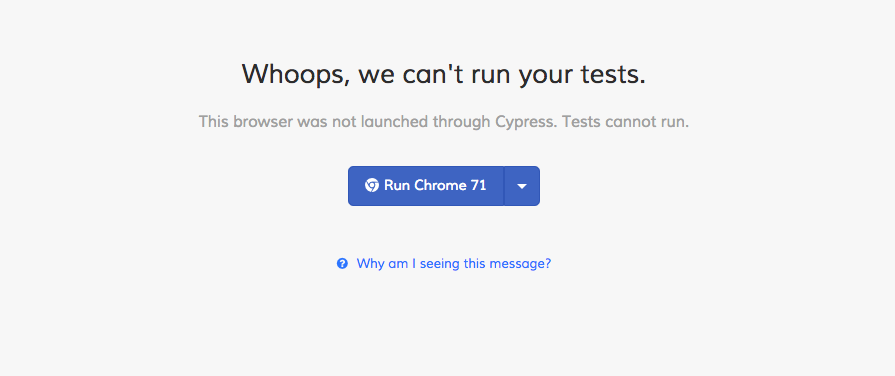
But if the test is run on Electron 59, it's okay.
smmdd
on 18 Jan 2019
Unfortunately we have to close this issue as there is not enough information to reproduce the problem - following the steps provided does not cause the error shown for us.
Please comment in this issue with a reproducible example and we will reopen the issue. 🙏
jennifer-shehane
on 25 Apr 2019
Anyone know how to solve this problem?
 dor-fried
on 24 Nov 2019
dor-fried
on 24 Nov 2019
Related issues
 dkreft
·
3Comments
dkreft
·
3Comments
 verheyenkoen
·
3Comments
verheyenkoen
·
3Comments
 weskor
·
3Comments
weskor
·
3Comments
 szabyg
·
3Comments
szabyg
·
3Comments
 carloscheddar
·
3Comments
carloscheddar
·
3Comments