Cypress: If you shrink the reporter sidebar (Command Log) by dragging the width to be too small you cannot get it back
Current behavior:
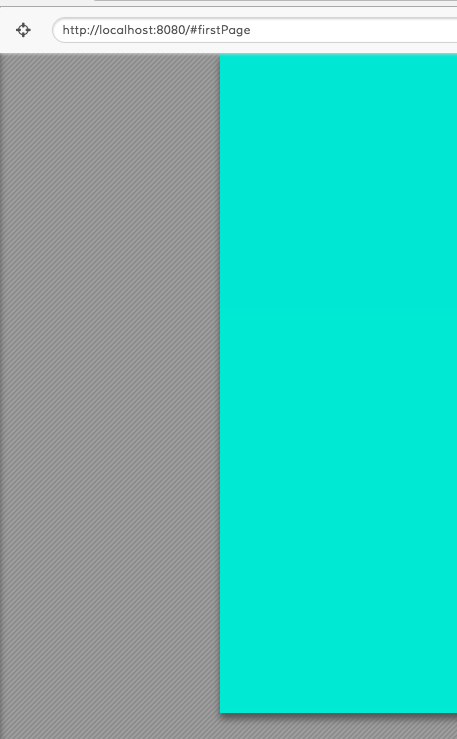
Desired behavior:
If you manually drag and shrink the sidebar there should be a way to get it back.
Steps to reproduce:
Shrink the sidebar on the ui with the arrow drag (just like you shrink any GUI). You'll see that there is no obvious way to get this back to normal. Even when I uninstall and reinstall the package its persisting and relying on some cached data somewhere.
Versions
cypress: ^3.0.2
Chrome: 67
Mac OS
 cmswalker
All 4 comments
Yes, it is relying on some global app data. You can grab the left side and drag it, it's just very very tricky. 😝
But, to clear our the app data that has this saved state:
- Goto
File->View App Data - Delete everything in here
- Close cypress and open it up again
Let me know if this works!
 jennifer-shehane
on 12 Jul 2018
jennifer-shehane
on 12 Jul 2018
You can grab the left side and drag it, it's just very very tricky. 😝
Omg you're right, so tiny!
It would be great if there was a toggle button that persisted next to the DOM Selector button. That way the panel could be collapsed or expanded on demand. I'd be interested in creating a PR for this but I know adding more stuff to the sidebar and control panel is a difficult subject
cmswalker
on 12 Jul 2018
Yeah, this does seem like a good feature. You aren't the first one to lose the command log.
The code for this lives in the reporter package here: https://github.com/cypress-io/cypress/tree/develop/packages/reporter
jennifer-shehane
on 12 Jul 2018
When dragged too small - you could transform the left side into a button of sorts - that allows you to click and expand.
Or you could simply add a minimum width to the command log so that it's not dragged too small.
jennifer-shehane
on 1 Apr 2020
Related issues
 brian-mann
·
3Comments
brian-mann
·
3Comments
 carloscheddar
·
3Comments
carloscheddar
·
3Comments
 EirikBirkeland
·
3Comments
EirikBirkeland
·
3Comments
 weskor
·
3Comments
jennifer-shehane
·
3Comments
weskor
·
3Comments
jennifer-shehane
·
3Comments
Most helpful comment
Yes, it is relying on some global app data. You can grab the left side and drag it, it's just very very tricky. 😝
But, to clear our the app data that has this saved state:
File->View App DataLet me know if this works!