Cwa-app-ios: [iOS] App shows 'Unknown Risk' if started with no internet connection
Avoid duplicates
- [ ] Bug is not mentioned in the FAQ
- [ ] Bug is not already reported in another issue
Describe the bug
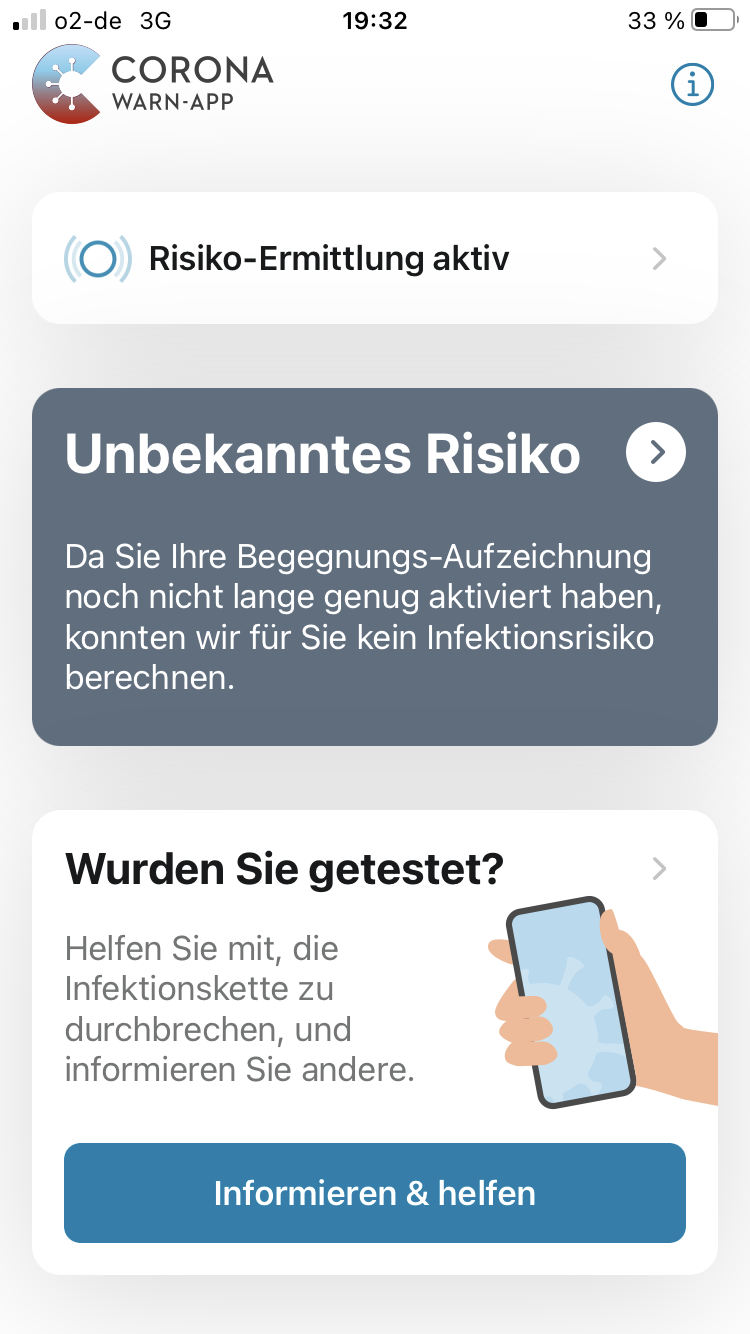
When I open the app while I have no internet coverage it shows 'unknown risk' while trying to connect to the internet.
Only after the timeout the screen turns green (low risk).
I am using cwa since long, and the last risk check was less than 4 hours ago.
Expected behaviour
cwa should know the time of last check and my last risk status, without the need to connect to the internet, and should start with the corresponding screen.
Only when the last check was too long ago (e.g. 24h) 'Unknown Risk' is appropriate.
Steps to reproduce the issue
- go to a location with no internet coverage
- open the app
Technical details
- cwa 1.7.1
- iOS Version: 14.2
- Device: iPhone 8
Possible Fix
Don't perform actions with long or unknown duration on startup before the screen is ready to show. Postpone such tasks or perform them in a background thread.
Additional context
Don't cheat when you try to reproduce this. Flight mode is not sufficient.
Internal Tracking ID: EXPOSUREAPP-4136
 ndegendogo
All 16 comments
Actually. this issue differs from that other ticket.
The focus of the other ticket was about confusing or even conflicting error messages; root cause was that they had shared error state and messages between 'no bluetooth' and 'no internet'. Meanwhile in 1.7.1 this has been resolved, the error state is separated, and the messages are clear now. So that other ticket is closed, and that is ok.
The focus of this ticket here is the request to improve the startup behaviour of the app in case of no internet available.
As to my understanding, internet is needed only for the key download and risk assessment (and of course for special use cases like retrieve test results or uploading my DEK keys).
If I start cwa with internet disabled via flight mode (or, in other words: while iOS / cwa is aware that there is no internet coverage), I get the green low-risk screen at once. So I see no reason why this should not be possible in my case (no internet coverage, but iOS / cwa is not aware of this fact).
ndegendogo
on 4 Dec 2020
Thanks @ndegendogo for the explanation 👍
BTW: I can confirm this
 Ein-Tim
on 4 Dec 2020
Ein-Tim
on 4 Dec 2020
I can confirm it as well, I had it yesterday when I was in a building without good cell service.
Especially the part with "the risk detection isn't activated long enough" is a little scary - I thought I had lost all my "progress". 😉
As to my understanding, internet is needed only for the key download and risk assessment (and of course for special use cases like retrieve test results or uploading my DEK keys).
AFAIK the app also downloads its configuration from the server. But I would expect this to be cached in quite a generous way - I'm sure the config does not change every 5 minutes. Only if the config cannot be refreshed for, let's say 24 hours, the card could turn to gray. The wording still needs to be improved then.
 sin-azucar
on 4 Dec 2020
sin-azucar
on 4 Dec 2020
@ndegendogo, @Ein-Tim, @sin-azucar, is this reproducible on Andriod phones as well? Best wishes, DS
We have created a ticket for the bug (Internal Tracking ID: EXPOSUREAPP-4136).
Corona-Warn-App Open Source Team
 dsarkar
on 4 Dec 2020
dsarkar
on 4 Dec 2020
@daimpi Could you maybe check this?
Ein-Tim
on 4 Dec 2020
@sin-azucar
AFAIK if the App is not able to download the config it should use the catched App config. (PR: https://github.com/corona-warn-app/cwa-app-ios/pull/1528)
The unknown screen should only be shown if the App config is neither available via download nor catched...
Ein-Tim
on 4 Dec 2020
AFAIK if the App is not able to download the config it should use the catched App config.
I would expect the same. 😉 Maybe my guess is wrong and it has nothing to do with the config. But apparently it's trying to download _something_ (which is strange because in my case, just like with @ndegendogo, the last risk calculation was < 4 hours ago).
The unknown screen should only be shown if the App config is neither available via download nor catched...
Ok, but the part "the risk detection isn't activated long enough" still makes no sense then, we need an extra wording for this case.
sin-azucar
on 4 Dec 2020
@sin-azucar
Ok, but the part "the risk detection isn't activated long enough" still makes no sense then, we need an extra wording for this case
Yes, absolutely... But I think this case should just not happen.
The App should
a) download the App config from the server and either do a risk check or show the result of a previous risk check (with Internet)
b) use the catched App config & catched result of a previous risk check and show this check to the user (without Internet)
The screen "risk detection isn't activated long enough" should not be used if the App can neither show the result of a previous risk check nor do a new one. Rather this screen should be shown in this (edge) case
Ein-Tim
on 4 Dec 2020
@Ein-Tim @dsarkar
@daimpi Could you maybe check this?
I tried opening the app on my two Android devices while being offline (wlan + mobile data disabled). I didn't experience any issues (green risk srceen + date of last update shown) but I wasn't able to test it properly with mobile data enabled but no connection b/c I couldn't easily find a spot around here where the coverage would be bad enough that the mobile data connection actually gets dropped.
 daimpi
on 4 Dec 2020
daimpi
on 4 Dec 2020
@daimpi you could try to disable mobile data, then go for a walk (out of your WLAN coverage).
Alternatively, unplug the internet connection of your WLAN router (so your device still sees the signal).
ndegendogo
on 4 Dec 2020
you could try to disable mobile data, then go for a walk (out of your WLAN coverage).
I just tested this by turning off my wifi router and disabling mobile data on my phone. Both Android devices had no problem (green risk screen + date of last update shown).
Alternatively, unplug the internet connection of your WLAN router (so your device still sees the signal).
I also tried this just to be sure but got the same result as above (green risk screen + date of last update shown).
daimpi
on 5 Dec 2020
Okay, so I assume @dsarkar this is an iOS exclusive problem
Ein-Tim
on 5 Dec 2020
The screen "risk detection isn't activated long enough" should not be used if the App can neither show the result of a previous risk check nor do a new one.
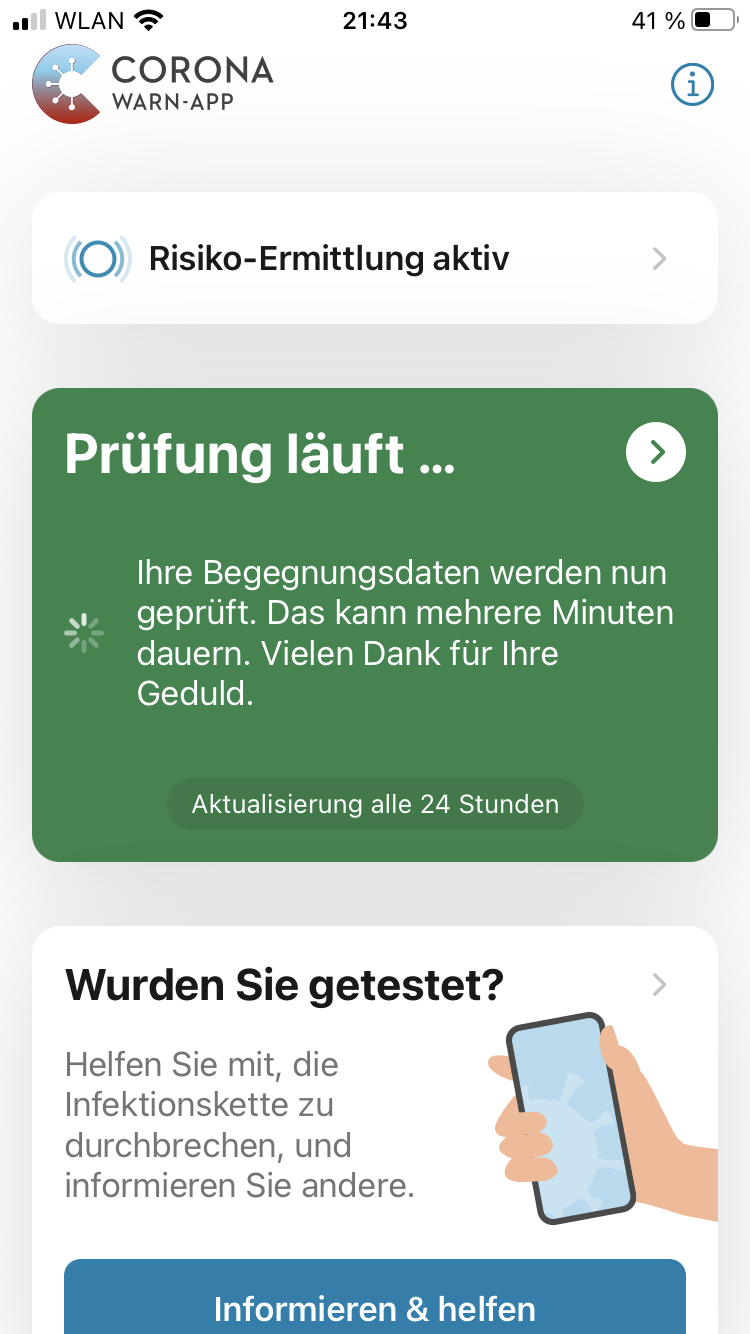
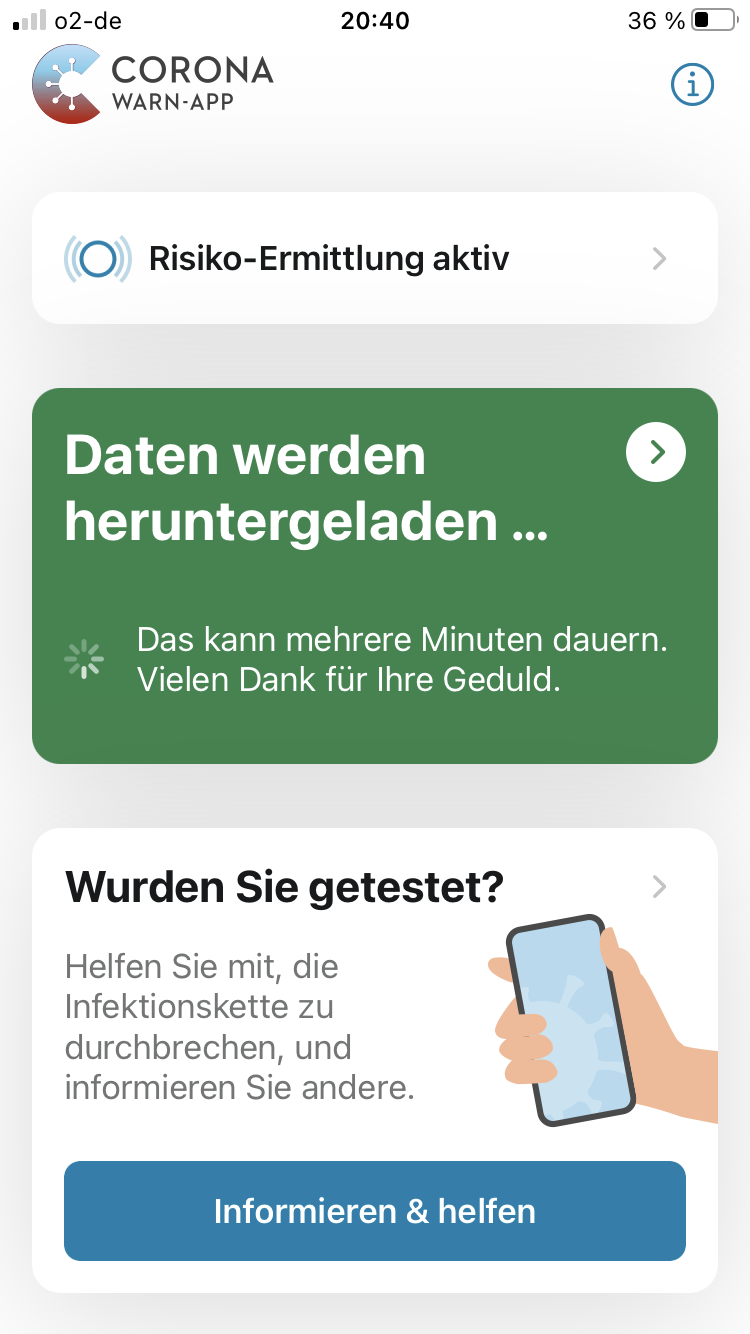
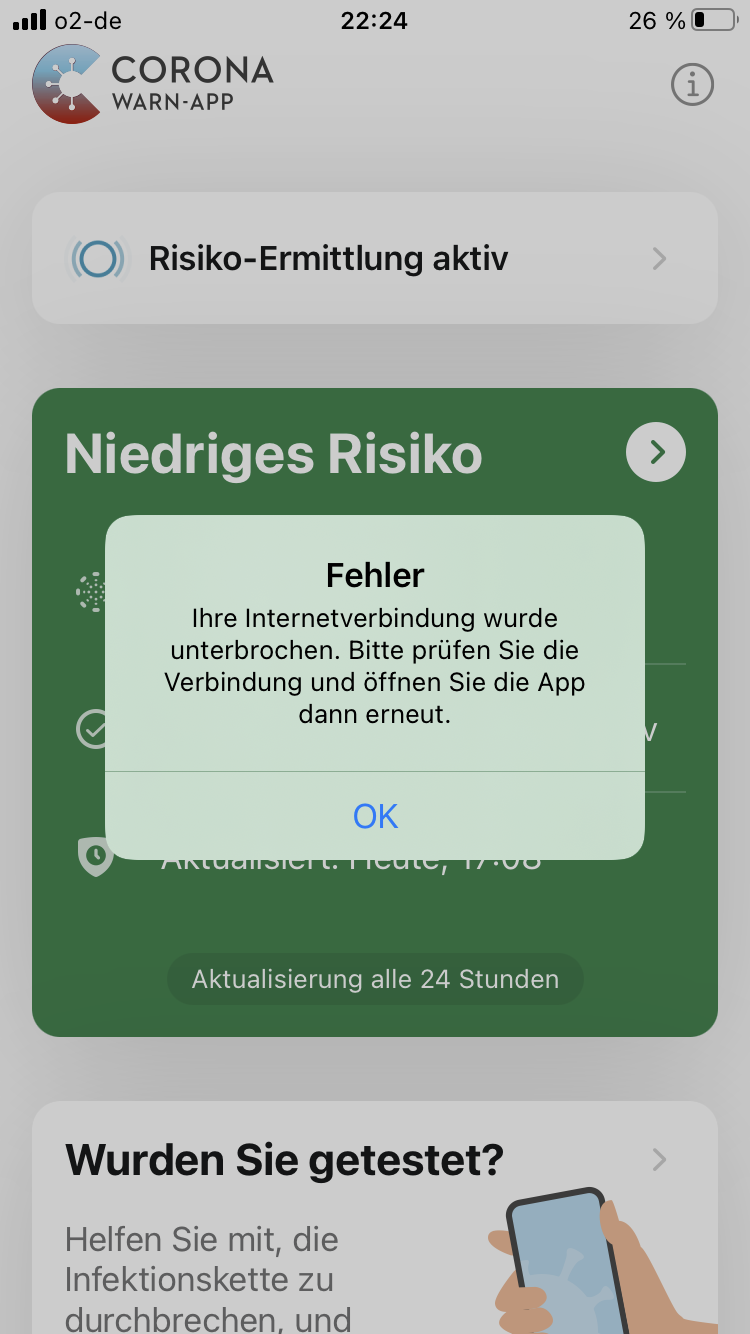
Yes. And actually I have seen very specific (error) messages, telling the user what is ongoing / what is the problem, like it should be.
ndegendogo
on 5 Dec 2020
And, actually, I prefer the format of the dialog box with a button to close it, so it does not force me to wait.
ndegendogo
on 5 Dec 2020
@ndegendogo should be fixed. Can you confirm, please?
dsarkar
on 30 Dec 2020
@ndegendogo, I understand we can close this now. Thanks again, and re-open if issue persists, please. Best, DS
Best wishes,
DS
Corona-Warn-App Open Source Team
dsarkar
on 30 Dec 2020
Related issues
 Hermann12
·
3Comments
Hermann12
·
3Comments
 benekuehn
·
3Comments
benekuehn
·
3Comments
 olafthecruel
·
3Comments
olafthecruel
·
3Comments
 jonnyfux
·
3Comments
jonnyfux
·
3Comments
 pavll
·
3Comments
pavll
·
3Comments
Most helpful comment
@Ein-Tim @dsarkar
I tried opening the app on my two Android devices while being offline (wlan + mobile data disabled). I didn't experience any issues (green risk srceen + date of last update shown) but I wasn't able to test it properly with mobile data enabled but no connection b/c I couldn't easily find a spot around here where the coverage would be bad enough that the mobile data connection actually gets dropped.