Cwa-app-ios: App zeigt kein Fehler an wenn keine Internetverbindung vorhanden ist
 Mehaara
All 8 comments
Schau mal hier in die FAQ.
Du könntest außerdem Versuchen
a) das Gerät neu zu starten oder
b) die App zu löschen und wieder zu installieren
c) sicher zu stellen das du eine Version der iOS 14 Beta benutzt die das ENF unterstützt (höher als Beta 3)
@mtb77 could you close this Issue?
 Ein-Tim
on 3 Sep 2020
Ein-Tim
on 3 Sep 2020
@Mehaara which iOS 14 version exactly?
 ndegendogo
on 3 Sep 2020
ndegendogo
on 3 Sep 2020
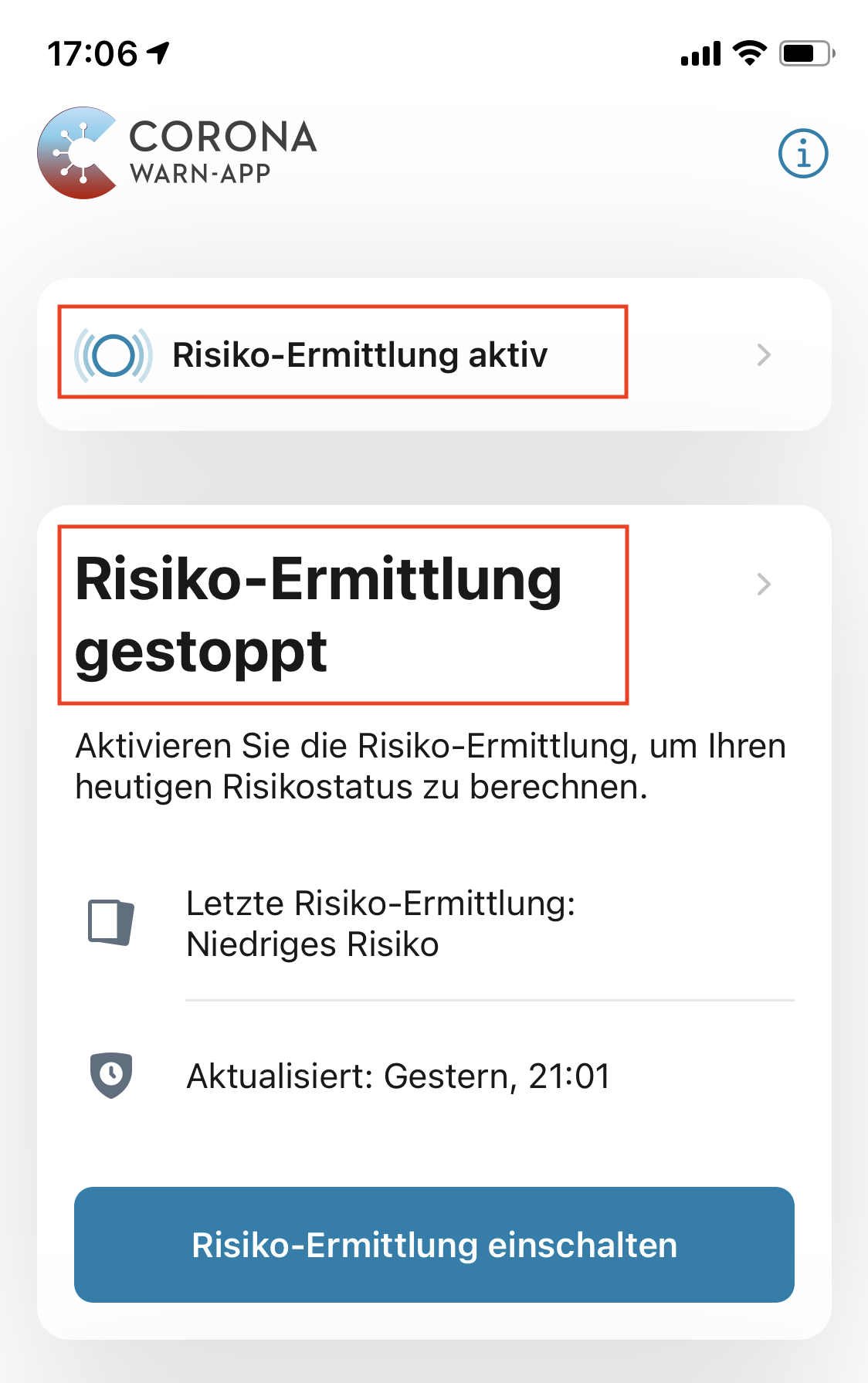
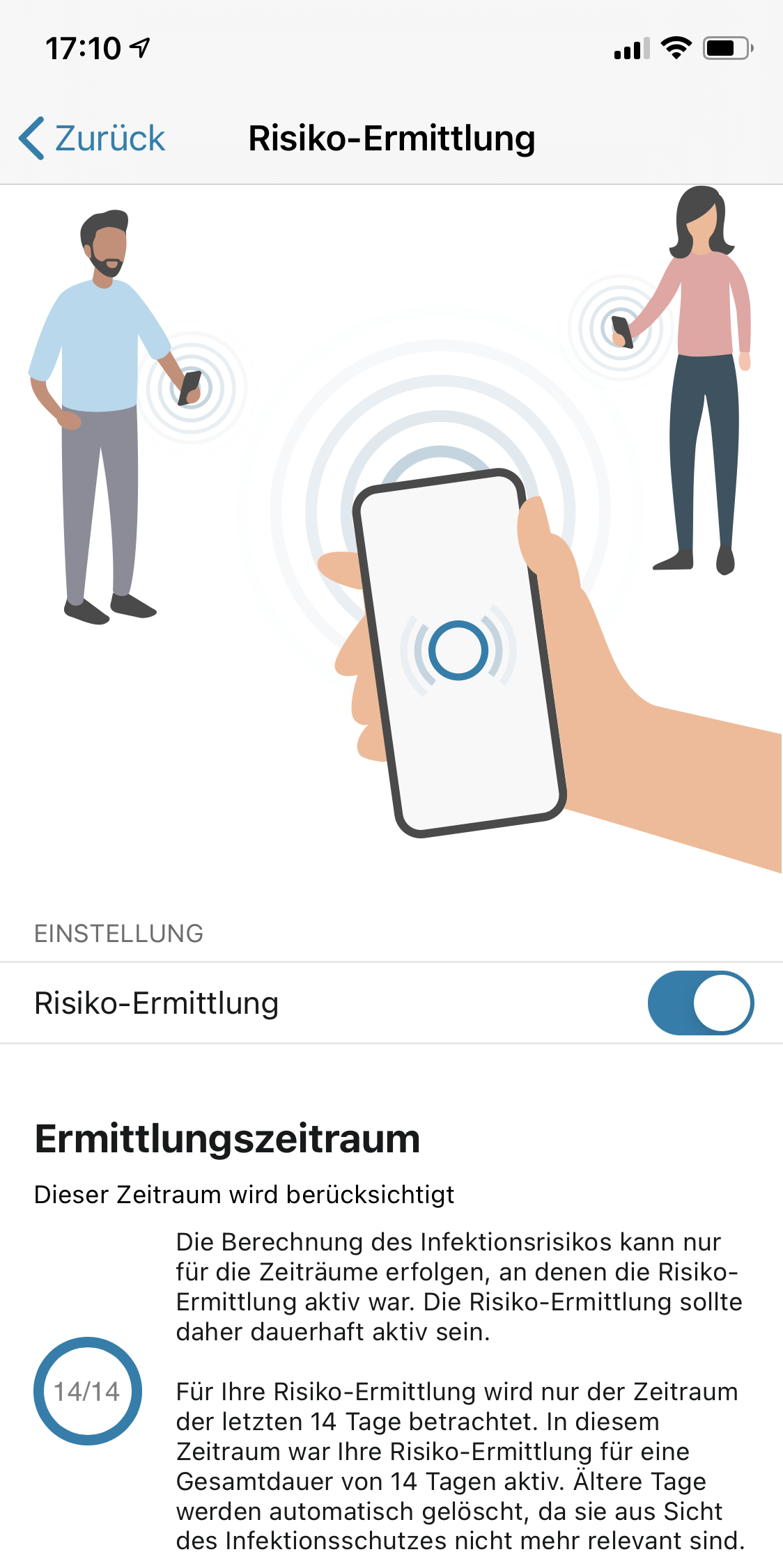
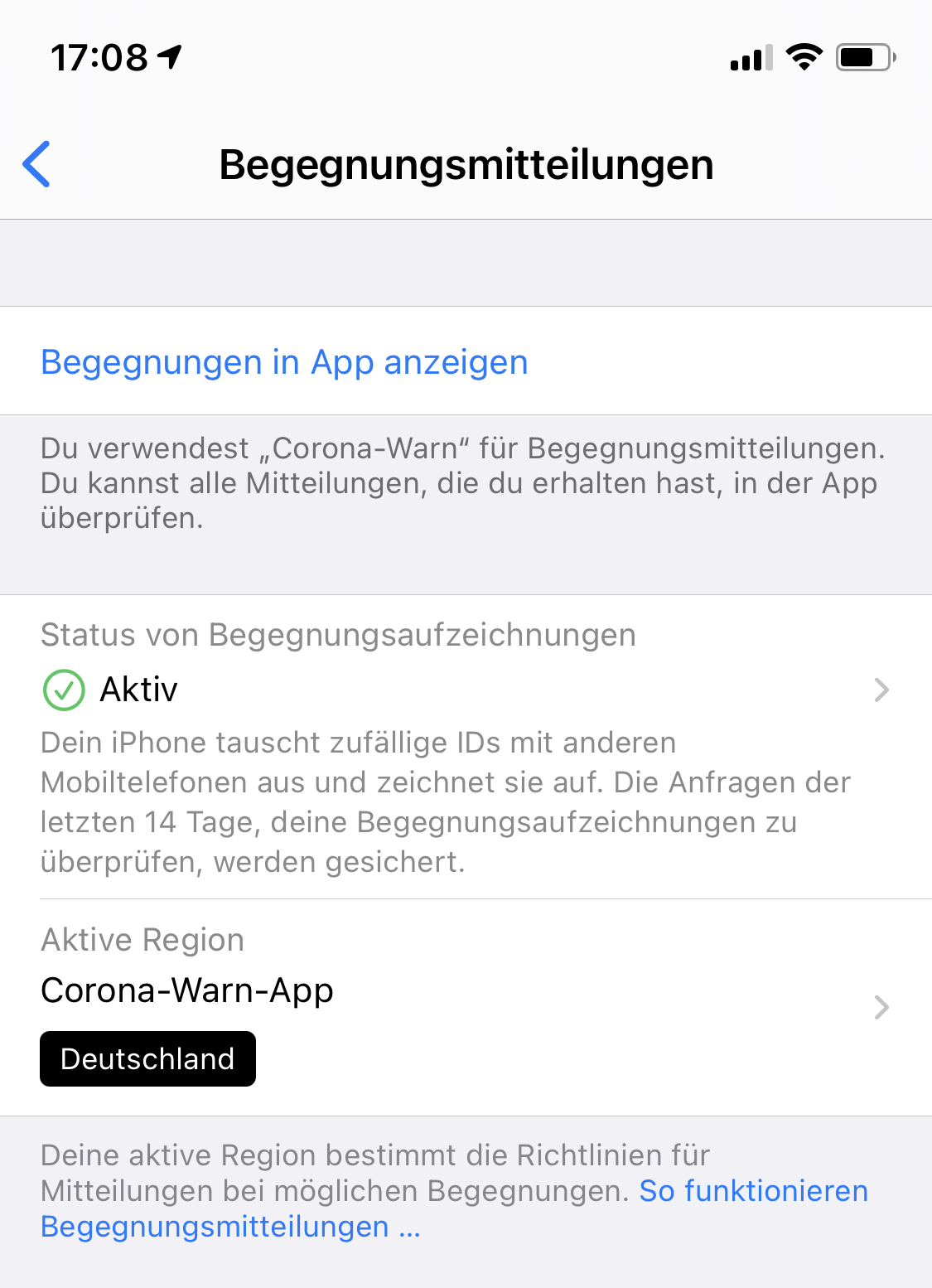
Can confirm this issue on iOS 14.0 (18A5369b) and CWA 1.3.0. No crashes but the main screen shows contradictory info: »Active« on top and »stopped« in the main message while the enable screen states »active« and iOS system settings state »active« as well.
 abeutel
on 4 Sep 2020
abeutel
on 4 Sep 2020
@abeutel
Take a look at my comment here
The only difference is that you experience the behaviour with active Internet Connection too.
Ein-Tim
on 4 Sep 2020
@Ein-Tim OK, I see! The app does not accept/use custom SSL certificates from iOS System Profiles when SSL/TLS interception is enabled in corporate networks (maybe due to certificate pinning). In an unrestricted connection (no Wifi/VPN) it works. Some verbose information about this state could help :-)
abeutel
on 4 Sep 2020
@abeutel
Yes, first of all this is very confusing for the normal user and somehow also contradictory.
This should be reworked.
Ein-Tim
on 4 Sep 2020
@thomasaugsten
The problem is not only with SSL Certificates but when the App has no internet connection it now shows this screen in Version 1.3.0.
Is the team on that or do you have any update about this for us?
Ein-Tim
on 5 Sep 2020
Hello everyone. I will close this issue since there isn't much new information in the original issue description here and the fact that there is already a similar issue in the backlog where the team is already working on: https://github.com/corona-warn-app/cwa-backlog/issues/1
Best regards,
SG
Corona-Warn-App Open Source Team
 svengabr
on 7 Sep 2020
svengabr
on 7 Sep 2020
Related issues
 rainervonuns
·
3Comments
rainervonuns
·
3Comments
 mss1010
·
3Comments
mss1010
·
3Comments
 benekuehn
·
3Comments
benekuehn
·
3Comments
 tom-georg
·
3Comments
tom-georg
·
3Comments
 Applaus-Klaus
·
3Comments
Applaus-Klaus
·
3Comments
Most helpful comment
@abeutel
Yes, first of all this is very confusing for the normal user and somehow also contradictory.
This should be reworked.