Cwa-app-android: Cause 3: Google Schnittstelle #8 - google service timeout
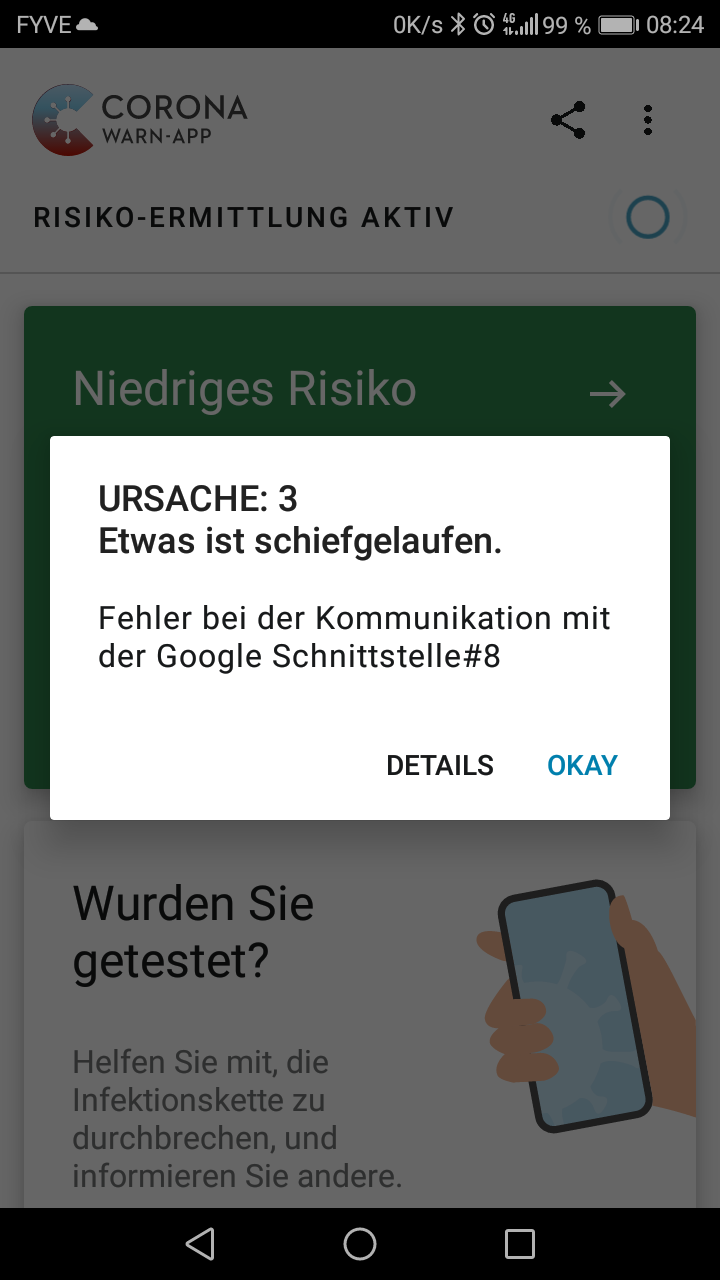
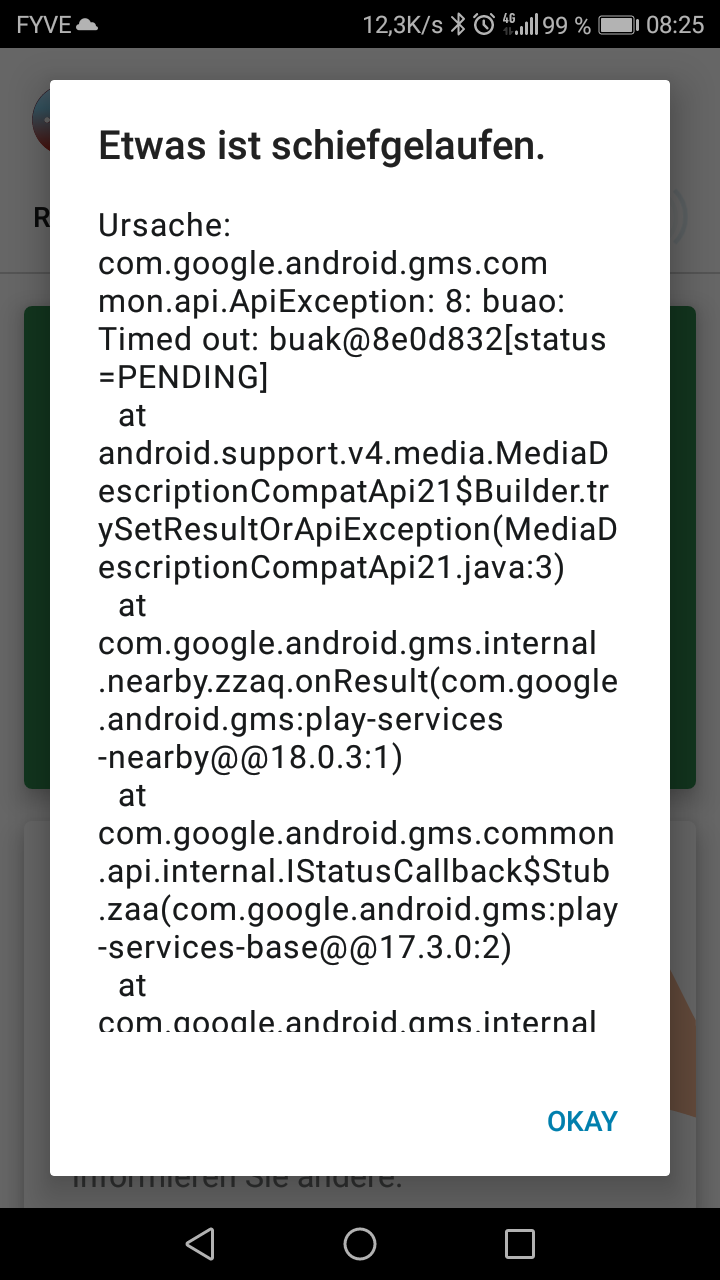
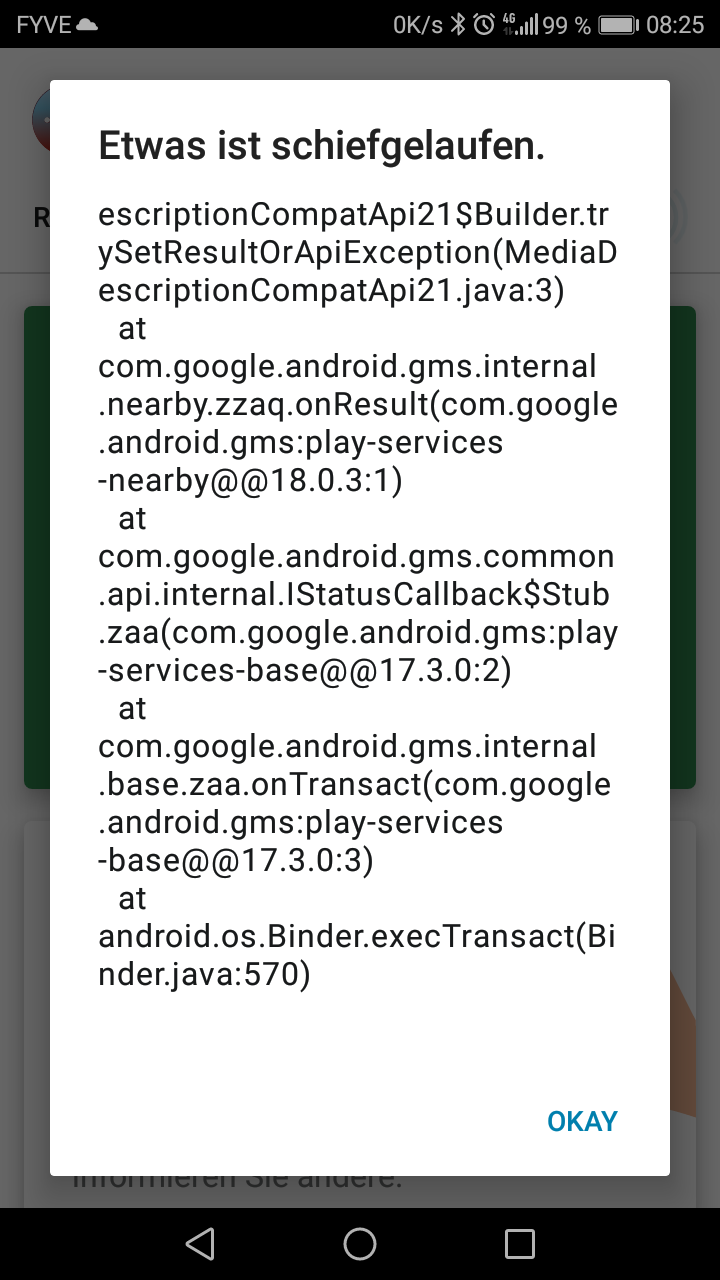
After startup, I got the following error message in a technical wording, which might not at all be helpful to the average German user. The error details are in English (see attached screenshots) and "Google Schnittstelle" is not written correctly. There is no call to action how to deal with the error.
URSACHE 3 Etwas ist schiefgelaufen
Fehler bei der Kommunikation mit der Google Schnittstelle #8
Expected behaviour
Every error should be worded in a helpful way in plain language containing a suggestion what to do, e.g. try again or submit an error report.
"Google Schnittstelle" should not be two words or the words should be connected by a hyphen (horizontal dash).
Steps to reproduce the issue
I could not reproduce the issue.
Seen on Huawei Honor 6C (Pro?) (JMM-L22C432B136) running Android 7.0.
CWA App Version: 1.7.1
Internal Tracking ID: EXPOSUREAPP-4132
 openmindculture
All 6 comments
Can you please create a bug report after receiving this error
https://developer.android.com/studio/debug/bug-report
 thomasaugsten
on 2 Dec 2020
thomasaugsten
on 2 Dec 2020
Dear @openmindculture,
- Thank you very much for reporting your issue.
- Could you create a bug report as requested by @thomasaugsten?
- We have created a ticket for the bug (Internal Tracking ID: EXPOSUREAPP-4132) in the internal Jira system. Any further developments will be notified here in this Github issue.
Best wishes,
DS
Corona-Warn-App Open Source Team
 dsarkar
on 4 Dec 2020
dsarkar
on 4 Dec 2020
- Could you create a bug report as requested by @thomasaugsten?
Although I cannot reproduce the bug and the app is working fine since yesterday,
I have created a report anyway. It contains tombstone files mentioning de.rki.coronawarnapp so hopefully you will be lucky to find valuable information for a bug fix. If you don't, I would still consider it helpful to provide better userfriendly error texts even for generic error messages, adding a call to action to help the user decide what to do or not to do.
openmindculture
on 4 Dec 2020
Dear @openmindculture, Thanks for the feedback and bug report. My understanding is that the developers are actually on this topic as well, i.e. improving the error messages and actually hide certain unnecessary notifications, which seem to be errors but are not. I will forward the report. Feedback is welcome, in particular, if you find a way to reproduce the issue. Best wishes,
DS
Corona-Warn-App Open Source Team
dsarkar
on 4 Dec 2020
Steps to reproduce:
Activate flight mode, exit all internet connections.
Power off the device.
Turn on the device again.
Unlock SIM and log in.
Exit flight mode.
Open Corona Warn App immediately (don't wait for network access.)
Error occurs.
openmindculture
on 5 Dec 2020
@openmindculture, Thanks for feedback, very much appreciated. We will update the developers with the additional information. Best wishes, DS
Corona-Warn-App Open Source Team
dsarkar
on 5 Dec 2020
Related issues
 sdschulze
·
3Comments
sdschulze
·
3Comments
 Alestrix
·
3Comments
Alestrix
·
3Comments
 zeus24
·
3Comments
zeus24
·
3Comments
 Magoli1
·
3Comments
Magoli1
·
3Comments
 Diapolo
·
3Comments
Diapolo
·
3Comments
Most helpful comment
Although I cannot reproduce the bug and the app is working fine since yesterday,
I have created a report anyway. It contains tombstone files mentioning
de.rki.coronawarnappso hopefully you will be lucky to find valuable information for a bug fix. If you don't, I would still consider it helpful to provide better userfriendly error texts even for generic error messages, adding a call to action to help the user decide what to do or not to do.bugreport-HUAWEIJMM-L22-2020-12-04-10-20-14.zip