Cwa-app-android: Wrong risk status after HTTP 901 error
Avoid duplicates
- [X] Bug is not mentioned in the FAQ
- [X] Bug is specific for Android only, for general issues / questions that apply to iOS and Android please raise them in the documentation repository
- [X] Bug is not already reported in another issue
Describe the bug
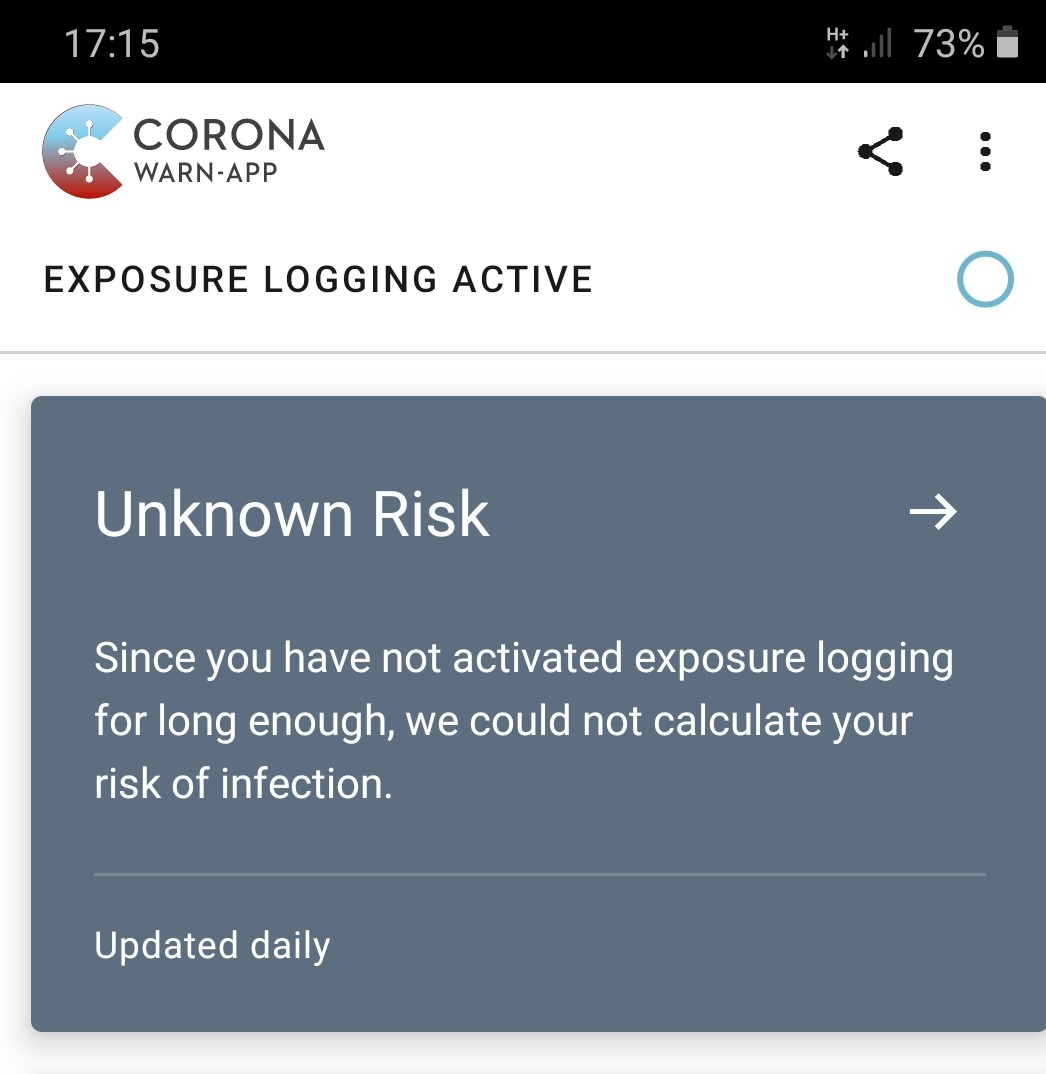
After HTTP 901 error occurred, risk status was shown as "Unknown Risk" with the detail text "Since you have not activated logging for long enough, we could not calculate your risk of infection".
Detailed error message:
Something went wrong.
Cause:
de.rki.coronawarnapp.exception.http.CwaUnknownHostException: error during web request, http status 901
Expected behaviour
If a network error occurs then the risk status should revert to the previously calculated status if exposure logging has been active long enough.
The risk status should not say that logging has not been activated long enough when in fact logging has been active for more than 14 days.
Steps to reproduce the issue
This may be difficult to reproduce, since it occurred whilst I had a poor quality HSPA+ mobile network connection.
- Open CWA with mobile device connected to poor quality HSPA+ mobile network connection
HTTP 901 error was shown followed by status
"Unknown Risk" with the detail text "Since you have not activated logging for long enough, we could not calculate your risk of infection". - Close CWA.
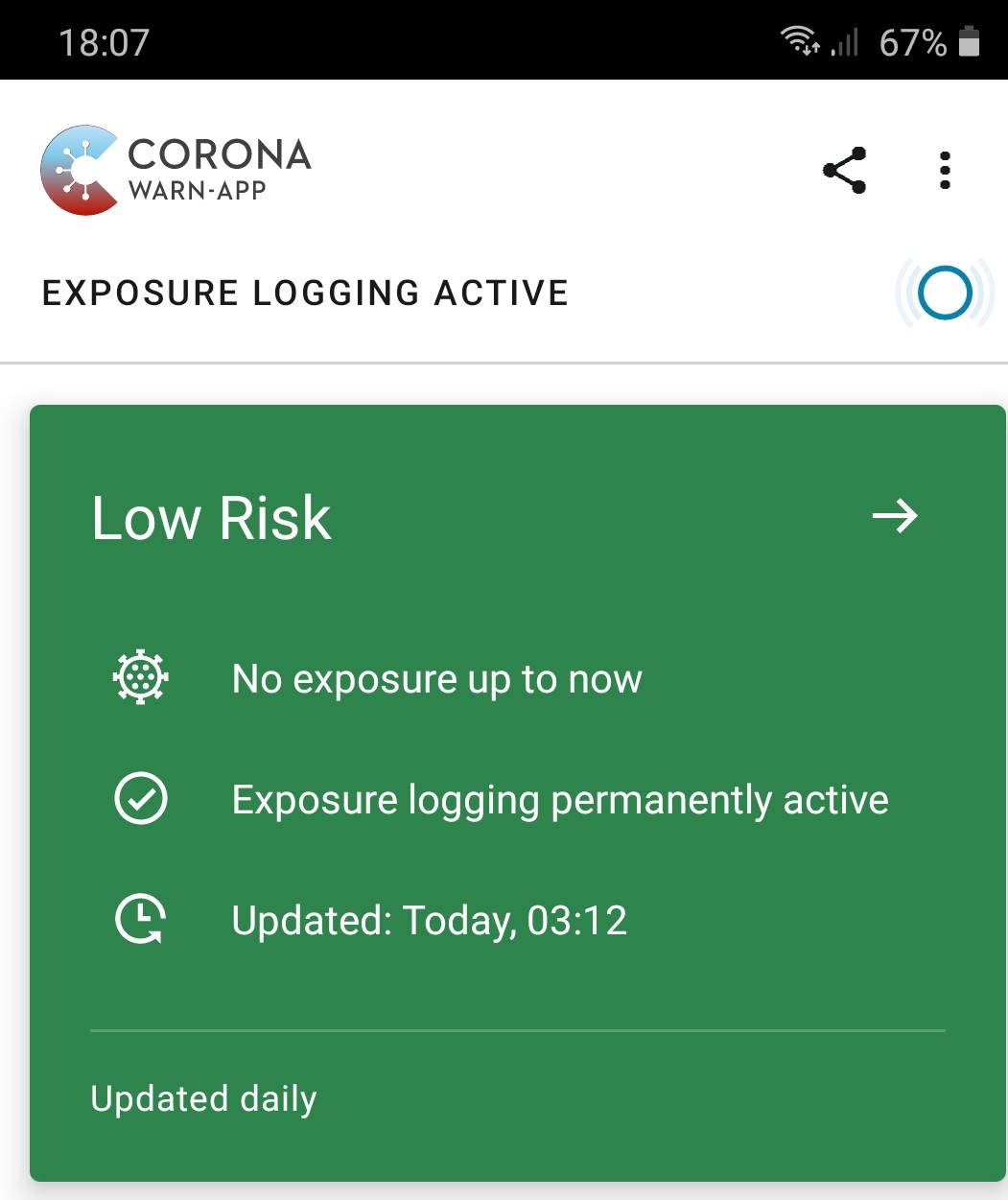
- Open CWA with mobile device connected to good WiFi
"Low Risk" with detail sections "No exposure up to now", "Exposure logging permanently active" & "Updated: Today, 03:12"
Technical details
- Mobile device: Galaxy A50 SM-A505FN
- Android version: 10
- CWA: 1.3.0
Internal Tracking ID: EXPOSUREAPP-2587
 MikeMcC399
All 7 comments
Hey @MikeMcC399
Thank you very much for your detailed bug description. I double-checked and I found some similar issues related to HTTP 901 but nothing in a manner like you described here.
I have created a Jira ticket and assigned it to the development team.
Internal Tracking ID: EXPOSUREAPP-2587
Best regards,
SG
Corona-Warn-App Open Source Team
 svengabr
on 8 Sep 2020
svengabr
on 8 Sep 2020
Thank you @svengabr !
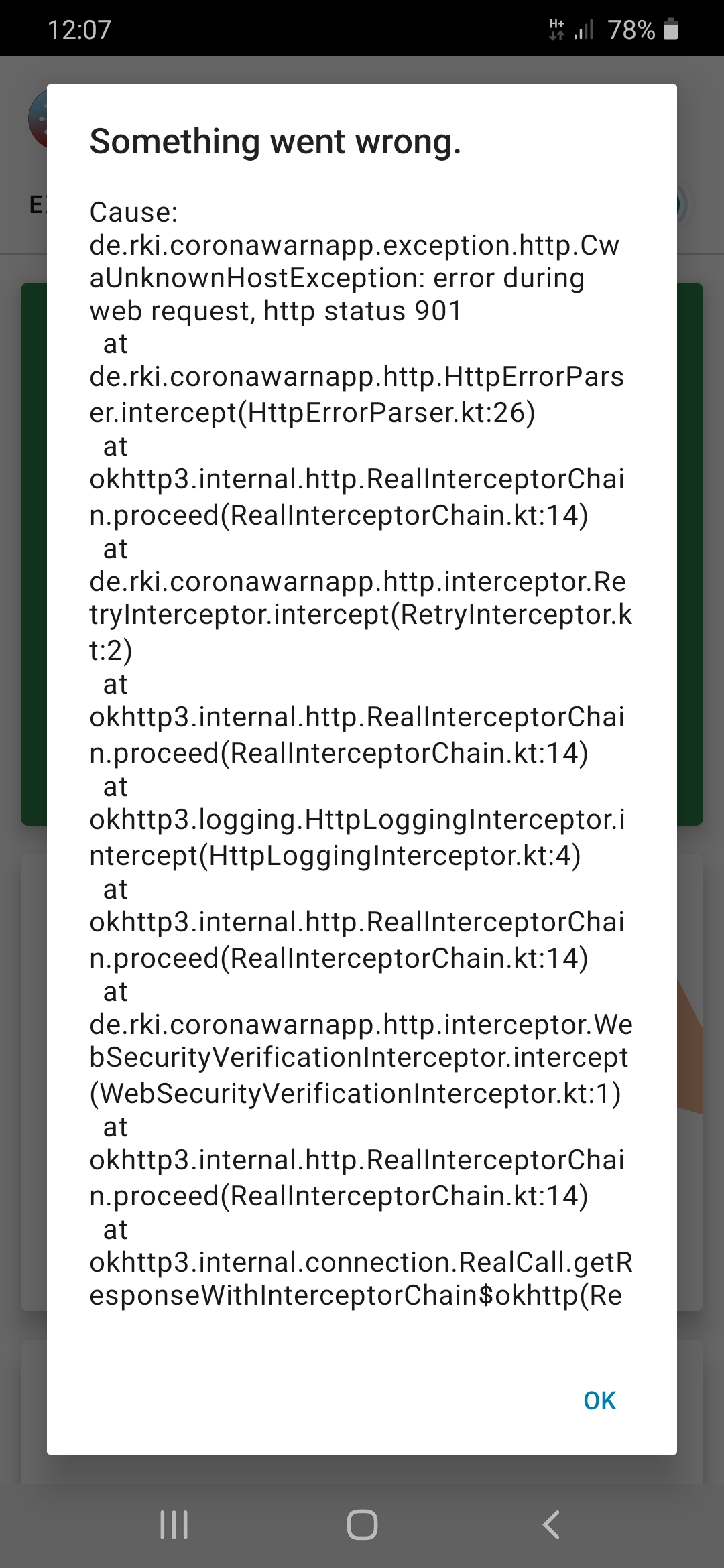
I have added the following to the original issue, since I managed to reproduce the issue again today and I was able to make a screen shot of the detailed stack trace.
Detailed error message:
Something went wrong.
Cause:
de.rki.coronawarnapp.exception.http.CwaUnknownHostException: error during web request, http status 901

MikeMcC399
on 8 Sep 2020
Hey @MikeMcC399 ,
could you please update to the latest version and test again? In case it is obsolete please let me know.
Thank you very much!
svengabr
on 18 Nov 2020
Hi @svengabr
I can't simulate the bad network connection at the moment. There was one particular place out in the country at a lake where the mobile data reception was unreliable and I could reproduce the problem at will. Due to lockdown I won't be at that place anytime soon again unfortunately 😞. I am currently in the city and I have perfect WiFi and mobile network connection here, so no chance to reproduce.
I will close the issue to give priority to other issues with reports from multiple users. If I see the issue happening again with a current CWA version I will re-open.
MikeMcC399
on 18 Nov 2020
Hi,
afaik the error could occur again for other users anytime when DNS is (temporarily) not available, and iirc CWA still handles this situation only by throwing an exception.
@BMItter , is this something you could take care about in your planned work (error handling)?
 vaubaehn
on 22 Nov 2020
vaubaehn
on 22 Nov 2020
@vaubaehn
It would be great if you could reproduce this.
I tried by setting the DNS server on my mobile connection to the loopback address 127.0.0.1. I also tried disconnecting the WiFi router from the remote network.
I could only get the situation where the CWA log waited first, then went to the risk screen after a delay, or where everything worked without delay and without an error message. I couldn't force the error.
MikeMcC399
on 22 Nov 2020
@MikeMcC399
It can make a difference if you set DNS to loopback or take wifi off internet, as the hardware would return a 'target not available' immediately.
In case of a bad connection or a firewall (depending on how firewall handles it) the packets containing the DNS request just get 'lost'. The 901 error might solve itself with a bad connection due to the prolongued timeouts in newer CWA versions, but still might be relevant where time for timeout is not long enough or using a firewall (#785).
Tonight I'm too tired to set up anything, maybe end of next week.
vaubaehn
on 22 Nov 2020
Related issues
 Alestrix
·
3Comments
Alestrix
·
3Comments
 HuiiBuh
·
3Comments
HuiiBuh
·
3Comments
 sdschulze
·
3Comments
sdschulze
·
3Comments
 wmertens
·
3Comments
wmertens
·
3Comments
 egandro
·
3Comments
egandro
·
3Comments