Cwa-app-android: Ursache 4000: Etwas ist schiefgelaufen, error during web request http status 901
Avoid duplicates
- [x ] Bug is not mentioned in the FAQ
- [x ] Bug is specific for Android only, for general issues / questions that apply to iOS and Android please raise them in the documentation repository
- [x ] Bug is not already reported in another issue
Describe the bug
Message popped up when I tried to open my test. Before my mobile phone started and received messages with other apps (wifi was working fine).
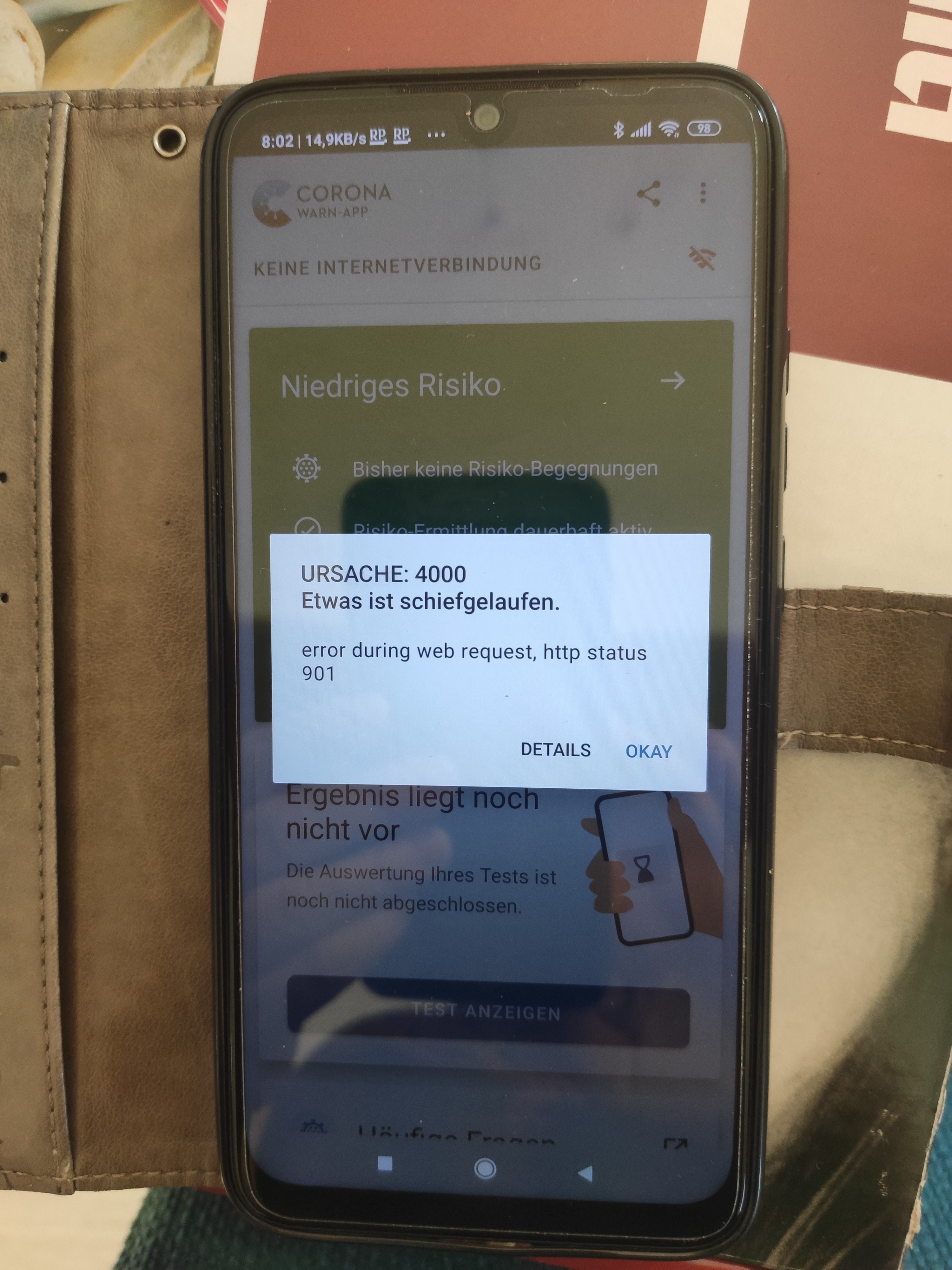
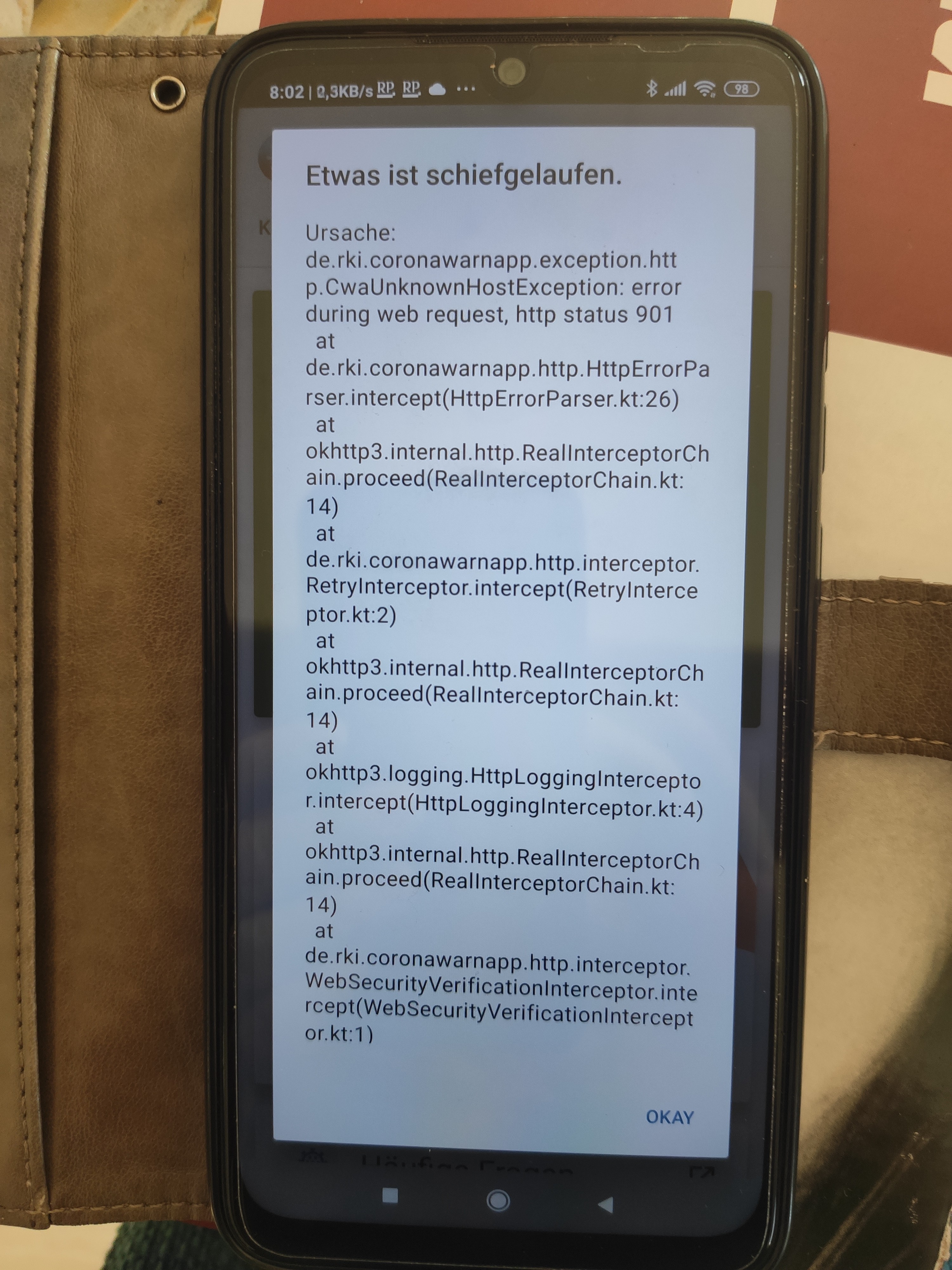
That was yesterday, today I had a different bug, which was already mentioned, issue 968.
Expected behaviour
Show test result
Steps to reproduce the issue
Does not always occur, only after starting Android in the morning. For steps see description.
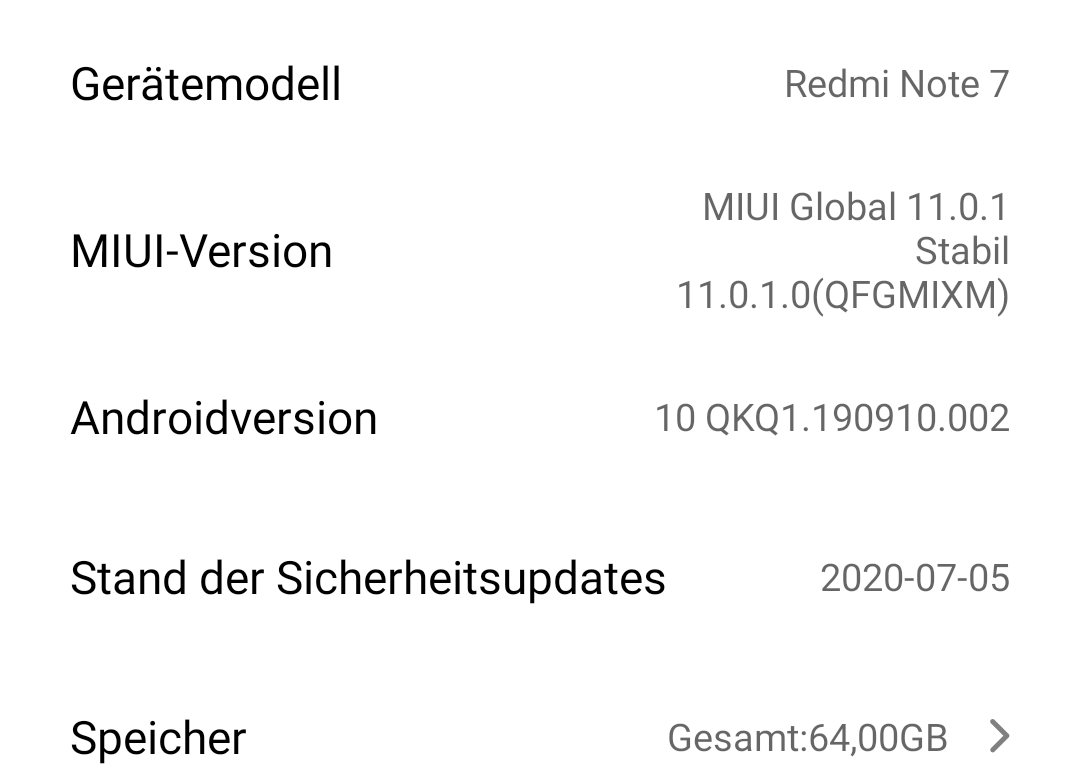
Technical details
Possible Fix
Additional context
 kira99
All 5 comments
Hi @kira99 ,
Thanks for reporting the issue. It is a known error. Error 4000 is related to your Internet connection. A device restart usually helps to solve the problem.
corona-warn-app/cwa-app-android#712
This comes due to a UnknownHostException that could have happened due to a network reset or a problem during the establishment of the connection. This is not a real "crash" and will not affect App functionality once your standard internet connectivity is restored. Sometimes this can be caused when your phone is connected to WiFi but your WiFi has no connectivity towards the internet.
Best regards,
SD
Corona Warn-App Open Source Team
 SonaliDK
on 7 Aug 2020
SonaliDK
on 7 Aug 2020
Hi @SonaliDK , in analogy of https://github.com/corona-warn-app/cwa-app-android/issues/934#issuecomment-664473293 I want to kindly ask to re-open this issue.
Even the reported bug might solve itself after restarting the phone or waiting some time until a reliable internet connection is established, users should get an appropriate notification.
This may be done by better handling of thrown exceptions, and show the user a more helpful message/notification, e. g. "No internet connection at the moment - please wait a while and retry later." (improvement of UX).
In this context - is there already a plan to enhance error handling/notifications in general? Maybe this issue here might then also be assigned to that corresponding member of the CWA-team.
Thank you in advance :)
 vaubaehn
on 7 Aug 2020
vaubaehn
on 7 Aug 2020
Hi @kira99 ,
Thanks for reporting the issue. It is a known error. Error 4000 is related to your Internet connection. A device restart usually helps to solve the problem.
712
This comes due to a UnknownHostException that could have happened due to a network reset or a problem during the establishment of the connection. This is not a real "crash" and will not affect App functionality once your standard internet connectivity is restored. Sometimes this can be caused when your phone is connected to WiFi but your WiFi has no connectivity towards the internet.
Best regards,
SD
Corona Warn-App Open Source Team
Hi @SonaliDK,
As I described above, my internet connection was fine. Other apps were receiving messages. You can also see it in the screenshots. Wifi connection is strong.
kira99
on 8 Aug 2020
This is a duplicate of
https://github.com/corona-warn-app/cwa-app-android/issues/968
Because of the missing root certificate CA on the Xiaomi phone
T-Telesec Global Root Class 2
 thomasaugsten
on 8 Aug 2020
thomasaugsten
on 8 Aug 2020
@thomasaugsten
I have the certificate and it has always been activated. I did not change anything with the certificates. I only had a XIAOMI Update on August 5th.
The error messages and codes were different for #968 and this one.
kira99
on 8 Aug 2020
Related issues
 MikeMcC399
·
3Comments
MikeMcC399
·
3Comments
 FrankfurterRadler
·
3Comments
FrankfurterRadler
·
3Comments
 Alestrix
·
3Comments
Alestrix
·
3Comments
 michaelwingender
·
3Comments
michaelwingender
·
3Comments
 zeus24
·
3Comments
zeus24
·
3Comments
Most helpful comment
Hi @SonaliDK , in analogy of https://github.com/corona-warn-app/cwa-app-android/issues/934#issuecomment-664473293 I want to kindly ask to re-open this issue.
Even the reported bug might solve itself after restarting the phone or waiting some time until a reliable internet connection is established, users should get an appropriate notification.
This may be done by better handling of thrown exceptions, and show the user a more helpful message/notification, e. g. "No internet connection at the moment - please wait a while and retry later." (improvement of UX).
In this context - is there already a plan to enhance error handling/notifications in general? Maybe this issue here might then also be assigned to that corresponding member of the CWA-team.
Thank you in advance :)