Cwa-app-android: Cause 2: NotEnoughSpaceOnDiskException even though plenty free space
Avoid duplicates
- [x] Bug is not mentioned in the FAQ
- [x] Bug is specific for Android only, for general issues / questions that apply to iOS and Android please raise them in the documentation repository
- [x] Bug is not already reported in another issue
Describe the bug
Upon opening the app I'm confronted with Cause 2 even though there is enough storage available.
Expected behaviour
No error message at all.
Steps to reproduce the issue
- Open the app
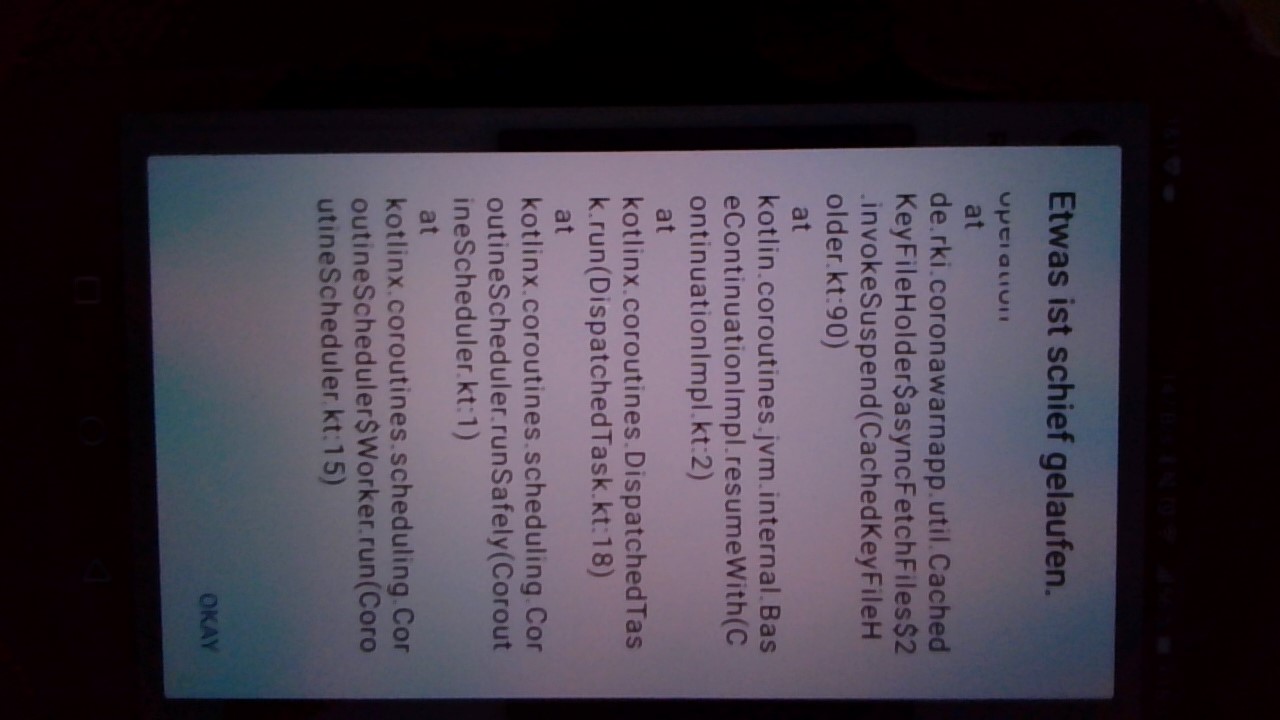
- You are shown the following error upon pressing "Details":
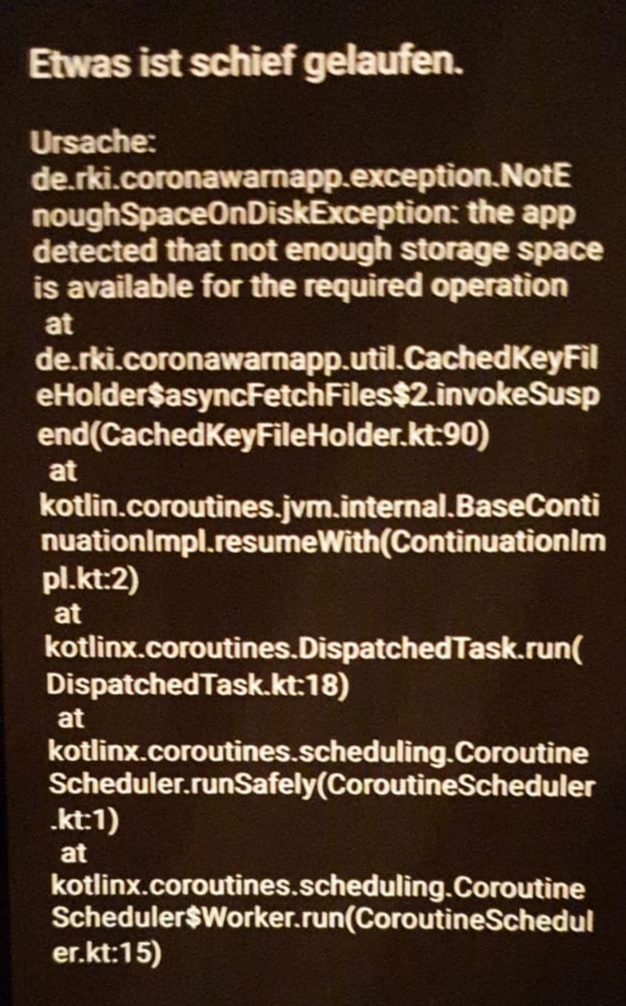
(sometimes multiple times)
Technical details
- Mobile device: Samsung Galaxy Note 9
- Android version: 10
Possible Fix
Maybe storage space availabiltity is not checked regulary?
Additional context
Since installing the app I almost ran out of storage once.
It might be helpful to enable copying the stack trace.
Internal Tracking Id: EXPOSUREAPP-1852
 fabianhick
All 35 comments
Thanks for your input! How much storage space is actually consumed? The current space threshold is set kind of high so this could happen if you go below the threshold
 jakobmoellersap
on 24 Jun 2020
jakobmoellersap
on 24 Jun 2020
I still have ca. 600 MB of storage left.
fabianhick
on 24 Jun 2020
@fabianhick for security reason we could not store information on SD/External card. Could you confirm that there is free space on internal memory? Thank you.
[UPD] It would be nice if you could show the current state of your device memory: internal and external.
Thank you!
 AlexanderAlferov
on 24 Jun 2020
AlexanderAlferov
on 24 Jun 2020
@AlexanderAlferov Sure! I currently only use internal storage.
Usage: 127.4/128 GB
Free memory: 594 MB
fabianhick
on 24 Jun 2020
+1 for this issue. Samsung Galaxy A3, 553MB/15,5GB free
 tkowark
on 25 Jun 2020
tkowark
on 25 Jun 2020
Same for me on a Samsung A3 2017. Even with >600Mb free memory (according to the system tools) it did not work. With now slightly above 700, it works again.
The critical thing about this is, that one only notices this issue when opening the app. My app has not been downloading keys for 5 days when I did so.
 sandrasie
on 25 Jun 2020
sandrasie
on 25 Jun 2020
I also have this issue on a Samsung Galaxy A3 2017 with about 500MB free internal memory.
 kilian-gebhardt
on 25 Jun 2020
kilian-gebhardt
on 25 Jun 2020
Me too! Samsung A3 2017 fails with 400 to 500MB of internal Storage, works with 1GB ( after deleting data of other apps). As it takes less than a second to update the status once it works, it is unlikely that there are 400MB of data downloaded!
 drillabit
on 25 Jun 2020
drillabit
on 25 Jun 2020
Thanks for reporting guys. Our current assumption is that there is not enough space broadcast as available from the OS and we are looking into it.
jakobmoellersap
on 26 Jun 2020
I had this problem, too (on an A5). Even when there is actually not enough space, the error message should be improved. The consequence of the problem (not syncing with the server I guess, so not checking for infections?) should be clearly stated in the message.
And maybe a link to the OS to clear memory should be provided?
 ArneLimburg
on 28 Jun 2020
ArneLimburg
on 28 Jun 2020
I am not convinced that this is a threshold problem. I guess the error is thrown falsely without passing the threshold. I encountered it on my BlackBerry with at least 500 MB free (so more than the 200 MB threshold that is currently set). It also seems to occur on iOS, even with more than 200 GB (!) free. Please see: https://twitter.com/henningtillmann/status/1276998571959689216
 yorickreum
on 28 Jun 2020
yorickreum
on 28 Jun 2020
I also agree with @ArneLimburg, since this error will appear commonly anyway, the app should show a userfriendly error message.
yorickreum
on 28 Jun 2020
@yorickreum Yes, the issue also occurs on iOS, but that's a different topic, as the error there is thrown by the (Apple) Exposure Notification Framework itself, and not the app.
tkowark
on 28 Jun 2020
@tkowark Okay! I will wait for the update and see if this fixes the problem on my BlackBerry. I will let you know.
yorickreum
on 28 Jun 2020
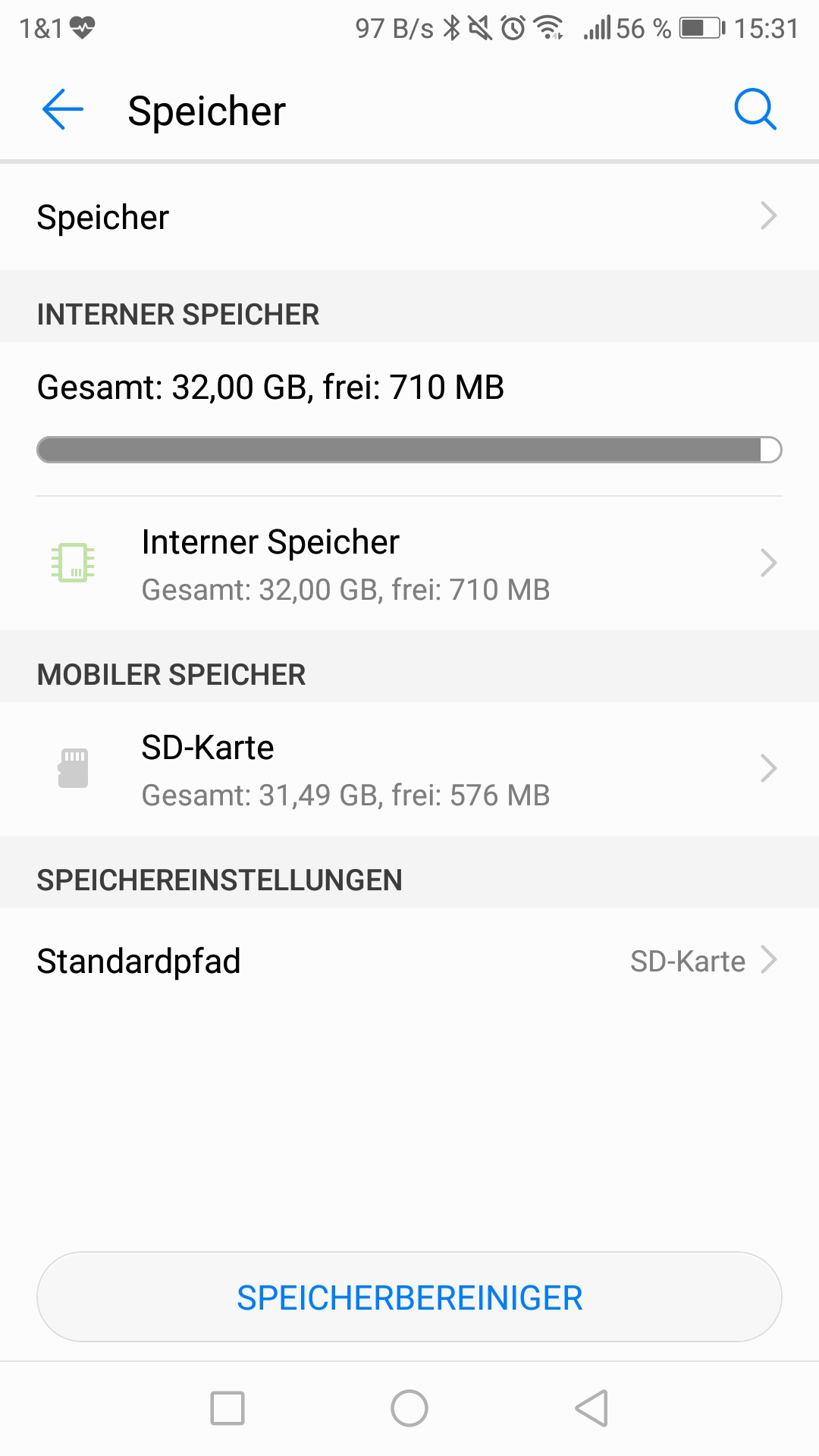
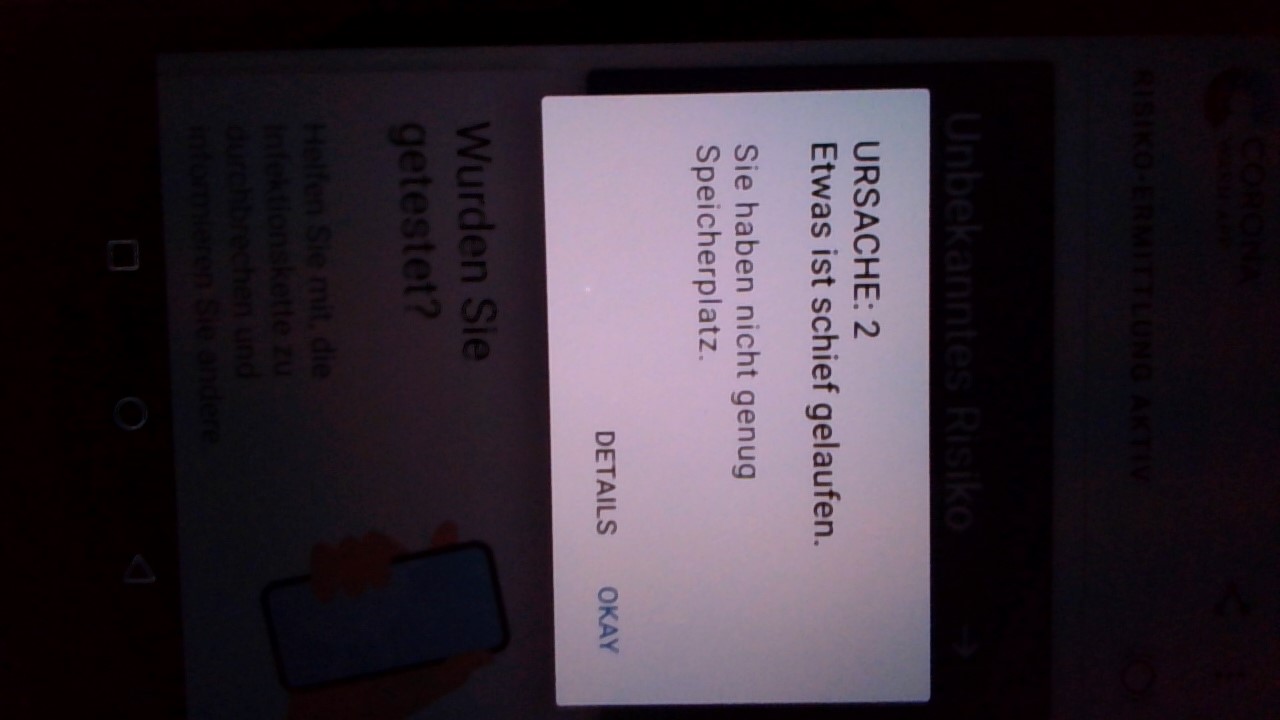
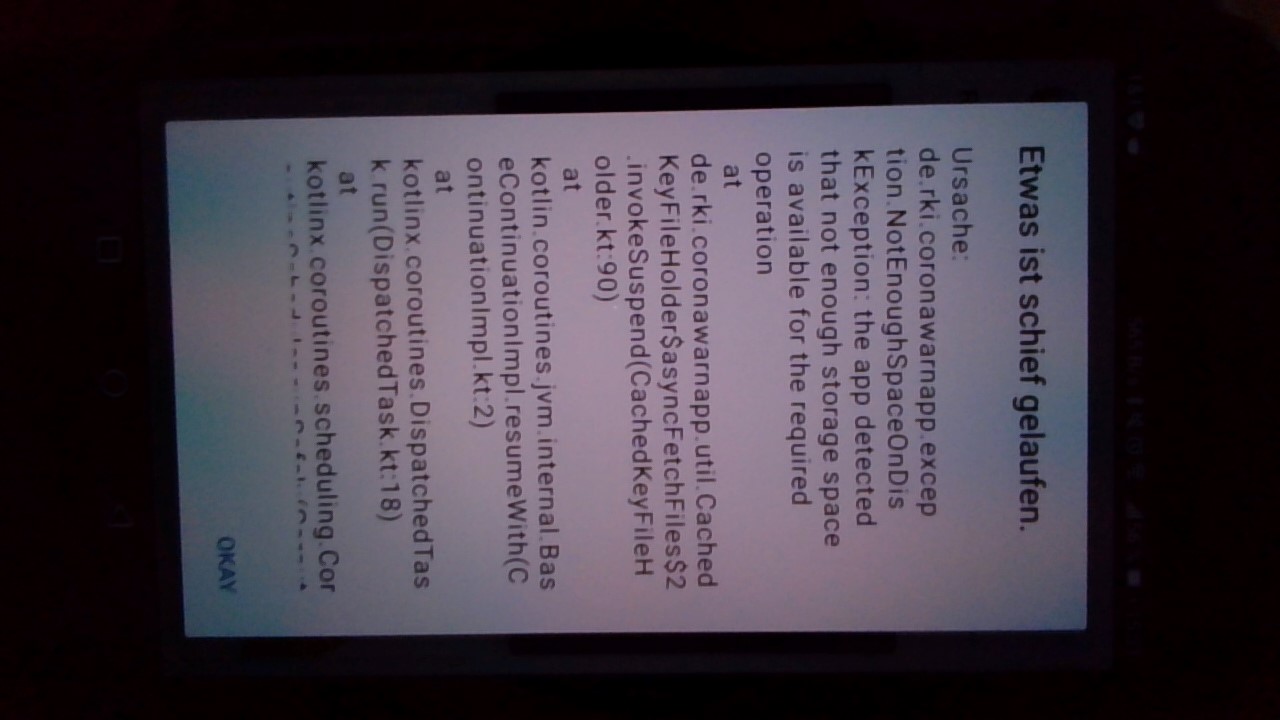
Had the same problem on my Huawei p10 with ~710 MB internal storage free for the last 3 days (pictures attached).
Deleted some things (not because of that) and suddenly app worked again with no error. Tried to recreate it with going down with free storage but didn't work.
I did not update the App, so should be still a bug to fix.
 Kroko7733
on 29 Jun 2020
Kroko7733
on 29 Jun 2020
The update was not deployed yet.
jakobmoellersap
on 29 Jun 2020
Same for me on a Samsung A3 2017. Even with >600Mb free memory (according to the system tools) it did not work. With now slightly above 700, it works again.
The critical thing about this is, that one only notices this issue when opening the app. My app has not been downloading keys for 5 days when I did so.
I think the fact that there is no automatic notification about the memory problem should also be changed.
 grpingel
on 29 Jun 2020
grpingel
on 29 Jun 2020
Had the same issue the last days. Glad to see that there is already a potential fix available. Additionally I agree to @grpingel that there should be a notification to make the user aware that the app is not working properly due to low disk space.
I would assume that even with the fix this error might occur with having 500MB or less left. Maybe the error message could be improved by explaining to the user why this is not enough as the first reaction might always be something like "I have 400MB space left, what the hell is the App doing?"
 Ced4
on 29 Jun 2020
Ced4
on 29 Jun 2020
Good point, we are thinking of improving the error message to explain this implementation detail.
jakobmoellersap
on 30 Jun 2020
Any update on this problem?
The App is now not working since more than 11 days on my device.
Due to FAQ it need 20MB, I have more than 600MB free space on internal storage.
Hopefully this bug will be fixed soon. Because without the risk detection this App makes absolutely no sense.
 ennyKey
on 11 Jul 2020
ennyKey
on 11 Jul 2020
Same here. App is not updating for weeks. 500MB free space and still getting the error message.
 feyyd1
on 16 Jul 2020
feyyd1
on 16 Jul 2020
Ran into the same problem (Google Pixel). I think the App should displays some numbers in the error message:
- how much space is required (
FREE_SPACE_THRESHOLD) - how much space it thinks is available.
 schulzch
on 17 Jul 2020
schulzch
on 17 Jul 2020
Thanks for the suggestion @schulzch . We'll take this to the product managers and push for this to be implemented. As the free space seems to be wrongly reported by some OS, this would at least make clear which amount of free space to aim for.
Following suggestions for an error message:
"There is not enough space left on the device. The operating system reports that XXXMB are free and YYMB are needed for the App to perform risk calculation."
And this message should pop up as soon as the crash is detected, not only when opening the app.
Any additions / objections?
tkowark
on 17 Jul 2020
@tkowark As I wrote earlier: The message should clearly state that the app stops working correctly, too
ArneLimburg
on 17 Jul 2020
Is this issue fixed with the release of 1.1.1 (which contains https://github.com/corona-warn-app/cwa-app-android/pull/760)?
 daimpi
on 23 Jul 2020
daimpi
on 23 Jul 2020
Is this issue fixed with the release of 1.1.1 (which contains #760)?
Lowering the threshold is only a mitigation - the error message is still pretty much useless.
schulzch
on 23 Jul 2020
I'm still seeing this error message at v.1.3.0, Samsung a5 2016 at intern 15.4/16GB and extern 31.9/32GB memory consumption.
When more memory is free it works, but I still wish for a more consumer-usable error message
 deepdigger
on 5 Sep 2020
deepdigger
on 5 Sep 2020
I have the same issue. I cannot wait, until it is fixed. So question: can I move everything to a new phone? Because if that is possible, I simply bye a second one...
 dl1chb
on 21 Oct 2020
dl1chb
on 21 Oct 2020
@dl1chb unfortunately you cannot migrate the keys from your old phone to your new one unless you have root, for more info see here.
daimpi
on 21 Oct 2020
Dear @fabianhick, @dl1chb, @deepdigger, @feyyd1, @Ced4, @ArneLimburg, @sandrasie, @kilian-gebhardt, @drillabit, @Kroko7733, @yorickreum, and community:
We would appreciate some feedback: Do you still experience this issue with the actual CWA version 1.6.1? Thanks!
Best wishes,
DS
Corona-Warn-App Open Source Team
 dsarkar
on 20 Nov 2020
dsarkar
on 20 Nov 2020
@dsarkar I managed to free up enough space and actually got a new smartphone. But I can update to 1.6.1 on my old and try to reproduce this if it helps you
dl1chb
on 27 Nov 2020
Since CWA Android 1.7.1 is just being released, I would hang on for a little bit. I can't see it on the Google Play Store right now, but it should be out soon.
Edit: I got CWA Android 1.7.1 on November 27, 2020.
 MikeMcC399
on 27 Nov 2020
MikeMcC399
on 27 Nov 2020
Dear @fabianhick, @dl1chb, @deepdigger, @feyyd1, @Ced4, @ArneLimburg, @sandrasie, @kilian-gebhardt, @drillabit, @Kroko7733, @yorickreum, and community:
We would appreciate some feedback: Do you still experience this issue with the actual CWA version 1.7.1? Thanks!
Best wishes,
DS
Corona-Warn-App Open Source Team
dsarkar
on 8 Dec 2020
I did not experience this issue in the last weeks.
yorickreum
on 8 Dec 2020
I tested it with 110 MB free storage and the app worked.
So it seems to work.
ennyKey
on 8 Dec 2020
Related issues
 ironjan
·
3Comments
ironjan
·
3Comments
 Magoli1
·
3Comments
Magoli1
·
3Comments
 egandro
·
3Comments
egandro
·
3Comments
 marceljay
·
3Comments
marceljay
·
3Comments
 crcsn
·
3Comments
crcsn
·
3Comments
Most helpful comment
Thanks for the suggestion @schulzch . We'll take this to the product managers and push for this to be implemented. As the free space seems to be wrongly reported by some OS, this would at least make clear which amount of free space to aim for.
Following suggestions for an error message:
"There is not enough space left on the device. The operating system reports that XXXMB are free and YYMB are needed for the App to perform risk calculation."
And this message should pop up as soon as the crash is detected, not only when opening the app.
Any additions / objections?