Cwa-app-android: Failure to download keys from server for >24hr despite >99% internet connectivity
Describe the bug
App was installed Tuesday night at 1am on my stock OnePlus 6T running current OS version.
I went to sleep at 7am on Thursday, leaving the phone on, switching nothing off (no flight modus, full WIFI/mobile, bluetooth on, location on) with around 60-70% battery, no battery saver on.
I wake up at 11am. I open the app.
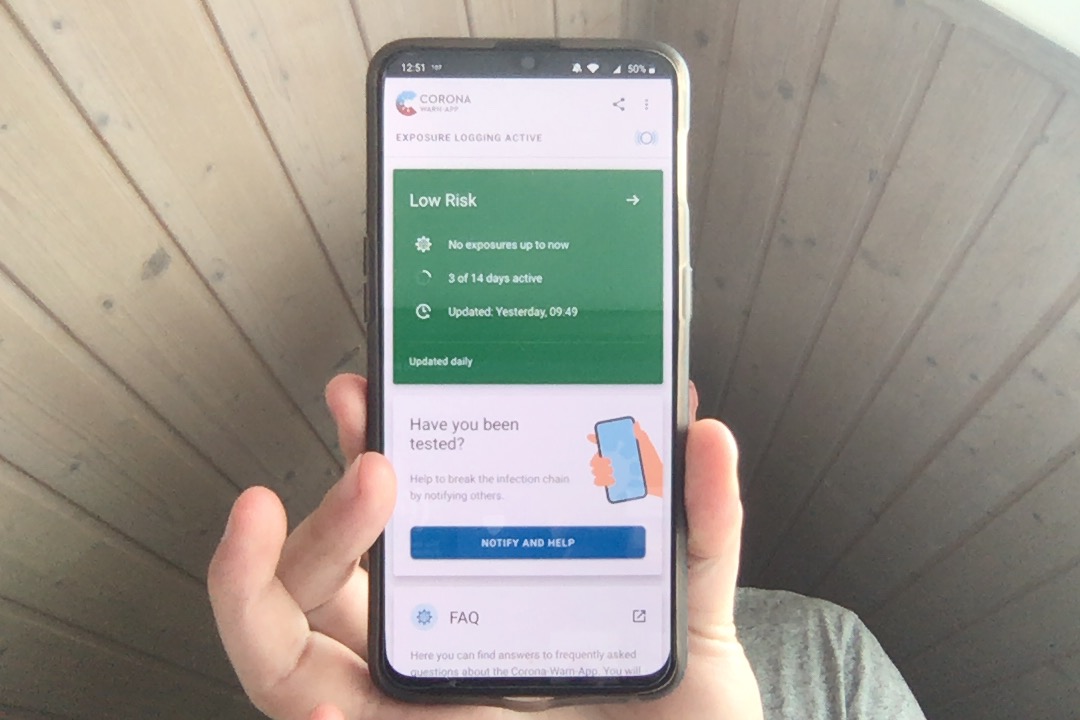
CWA home screen says "No Internet Connection" and "Updated Yesterday, 09:49".
As a result, when going to the "status" activity, it also shows "Exposure Logging" "Inactive" (known issue https://github.com/corona-warn-app/cwa-documentation/issues/262)
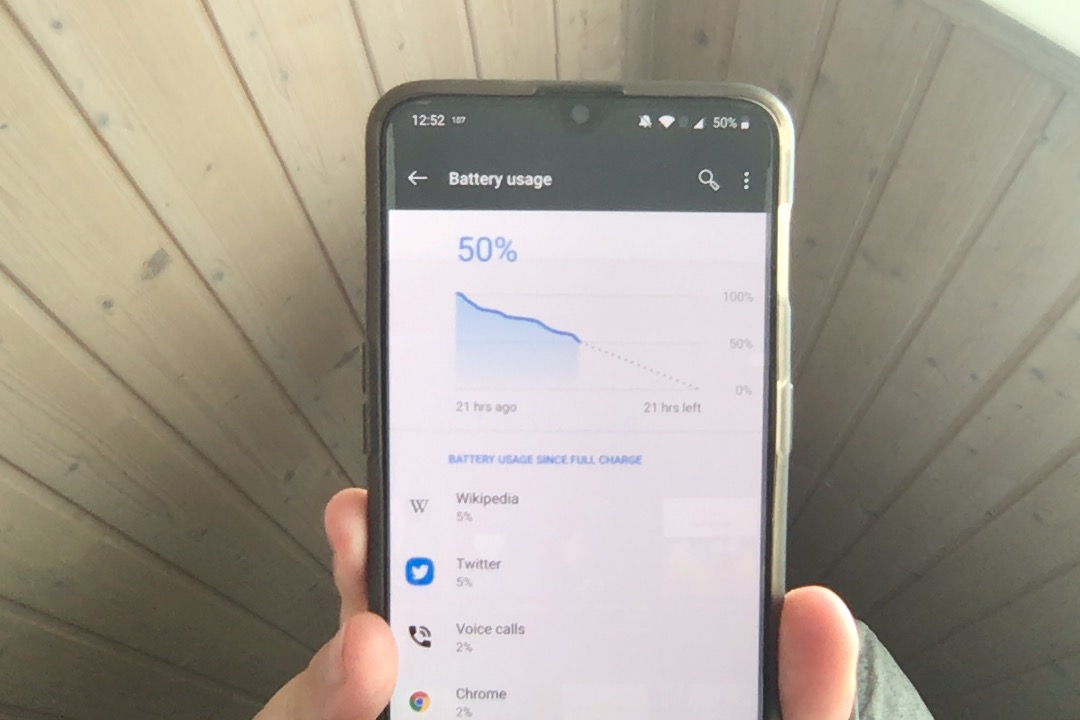
The phone still had 50% battery, was connected to the internet, no battery saver, bluetooth on etc.
Didn't close the app, simply switched to different app.
Came back to CWA around 20min later. Now it no longer complains about internet connection
Update: Again, 40min later the status has changed to "Updated Today 13:25"
Expected behaviour
There are several layers to this:
- The app shouldn't have internet connectivity issues
- I expected keys to be downloaded successfully because nothing obvious was hindering their download.
- Missed key downloads should be caught up as soon as internet connectivity is regained.
Possibly Related Issues
Polling for keys only once every day, if failed, only retried in 24hr: https://github.com/corona-warn-app/cwa-documentation/issues/236
OnePlus issues: https://github.com/corona-warn-app/cwa-app-android/issues/496 ## Describe the bug
Possible Fixes
Several layers to this:
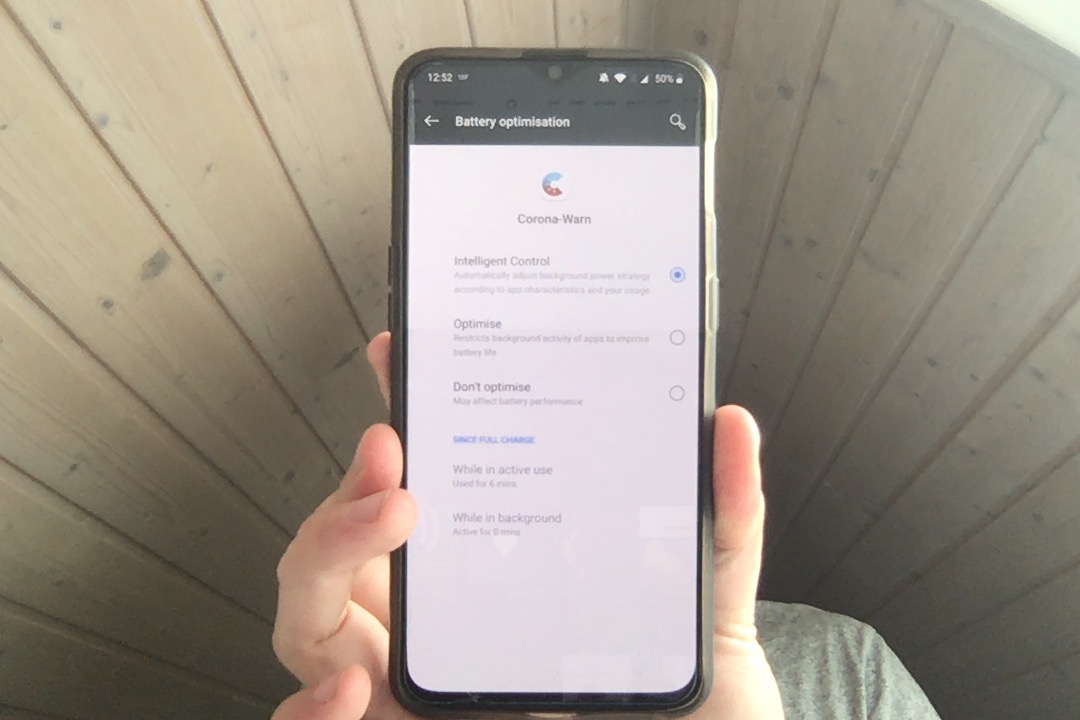
- App connectivity issues -> May be due to battery optimisation in OnePlus Oxygen OS? The app's set for the default (intelligent control), one could try setting "unrestricted". If battery optimisation is the problem, it would make sense to notify the user after installation that they should disable battery optimisation. However, I think this would make people unhappy regarding extra things they need to do for the app. The app should really be able to work even when the phone is off/on airplane mode over night/battery optimised.
- Retry key downloads if unsuccesful at one point in time as suggested in https://github.com/corona-warn-app/cwa-documentation/issues/236
Screenshots for visual communication of the above
Note: By the time I was able to take screenshots with my Mac, the internet connectivity issue was gone. This is another example of where allowed screenshots would have been useful to provide more high quality bug reports #517
 corneliusroemer
All 8 comments
OnePlus has battery optimization, that restricts connectivity at night. To disable, go to Settings, Battery, Battery-optimization, 3-dots, advanded optimization and disable the standby optimization. I also set it to don't optimize.
Still, one day I got an update around 19:24, with the previous being at 9:21 the previous day.
 tomjschwanke
on 19 Jun 2020
tomjschwanke
on 19 Jun 2020
Would it be a viable solution to just expose a button to a user so the user can manually check for updates? It looks like this feature used to be in the scope.
 kbobrowski
on 19 Jun 2020
kbobrowski
on 19 Jun 2020
@tomjschwanke It wasn't really at night - the phone was just not touched for 2hr when the update should have happened. Interesting you confirm that you also got >24hr update periods despite having set the app to don't optimize. So even that isn't a workaround? I don't think the existence of workarounds makes this not be a bug - most people will never know about the need for workaround unless told. Other apps explicitly tell the user to disable battery optimization for the app if necessary for good functioning. If this problem cannot be solved by CWA (it probably can be made unimportant by increasing request frequency) at least such a guide could be shown to users.
@kbobrowski Good suggestion for a limited workaround to long delays until the requests are sent more frequently. It may help all the people who put their phones on airplane mode in the evening before going to sleep - or otherwise are not connected to the internet during the once-daily-request.
It would be very useful to know the acceptance test plan that SAP is running. It seems to be limited, not test these real life long-term scenarios or not include a good device range. Are they only testing on a few Android devices? Not broadly across the spectrum, e.g. OnePlus excluded?
corneliusroemer
on 19 Jun 2020
I'd say a manual override once the data is older than 24h (+some time buffer to allow for sync and not make the user worry too much if it's not exactly 24h but only a bit over)
tomjschwanke
on 19 Jun 2020
Or, better, increase update frequency.
https://github.com/corona-warn-app/cwa-app-android/pull/663/commits/03679cf91088cf0820be18c6f3e8b2e95eb76d85 may be a partial fix if I understand it correctly.
corneliusroemer
on 19 Jun 2020
In the meantime, the team identified a workaround that solved the problem at least for some users: https://www.coronawarn.app/de/faq/#no_risk_update. Would be great if you can let us know whether it worked for you as well.
Of course, the team is nevertheless still working on a proper solution for the issue.
 tkowark
on 21 Jun 2020
tkowark
on 21 Jun 2020
@corneliusroemer does the latest version also fix this issue for you?
tkowark
on 23 Jun 2020
To improve maintainability of the issue tracker, we will now close issues for which a potential solution was provided but we did not receive any feedback from the reporter within one week. If you still experience the issue, please open a new issue and reference this one here w/o needing to duplicate the description.
Best regards,
TK
Corona-Warn-App Open Source Team
tkowark
on 1 Jul 2020
Related issues
 AllesMeins
·
3Comments
AllesMeins
·
3Comments
 Diapolo
·
3Comments
Diapolo
·
3Comments
 schuhmi2
·
3Comments
schuhmi2
·
3Comments
 Magoli1
·
3Comments
Magoli1
·
3Comments
 wmertens
·
3Comments
wmertens
·
3Comments
Most helpful comment
Would it be a viable solution to just expose a button to a user so the user can manually check for updates? It looks like this feature used to be in the scope.