Is your feature request related to a problem? Please describe.
Describe the solution you'd like
We currently provide users with the option to create and edit themes in Cutter. But these themes are mostly focusing on the Disassembly and graph views, the colors of instructions and background and nodes in graph, and similar. But we don't provide them with an option to load theirs on CSS\QSS themes which will modify the Interface Theme.
In addition to respecting native theme, we currently provide several default Interface Themes:
- Light
- Dark
- Midnight
The feature request is providing an easy way for the users to load new themes, including their icons and resources. This includes
- Supporting a
./themes/folder in which users can put their themes (similarly to plugins) - Dynamically loading themes, in order to skip the need to restart the interface
 ITAYC0HEN
All 2 comments
I assume this is only necessary for Windows and macOS. On Linux there are plenty of ways for selecting the system qt theme.
Note that the nice qt themes like breeze or kvantum involve more than just CSS\QSS, they consist of custom theme engine.
Some alternative options instead of encouraging more buggy qss theme modifications and other ideas:
- paletize and fix the existing 3 themes, allow user to override the color palette
- consider shipping or figure out if it' possible to set it by users some of the existing good qt theme engines
 karliss
on 24 May 2020
karliss
on 24 May 2020
It is relevant for Linux as well since this is a theme only for Cutter and not for the operating system or for other Qt applications, including Cutter's unique widgets.
Palletizing the thems is a good idea indeed and supported the idea on #2138. But themes are more than just a bunch of colors. See for example what I did with Light theme which feels nothing like the others, with a lot of CSS magic.
For example, here is how IDA allows me to easily load Cutter's Light Theme on Linux.
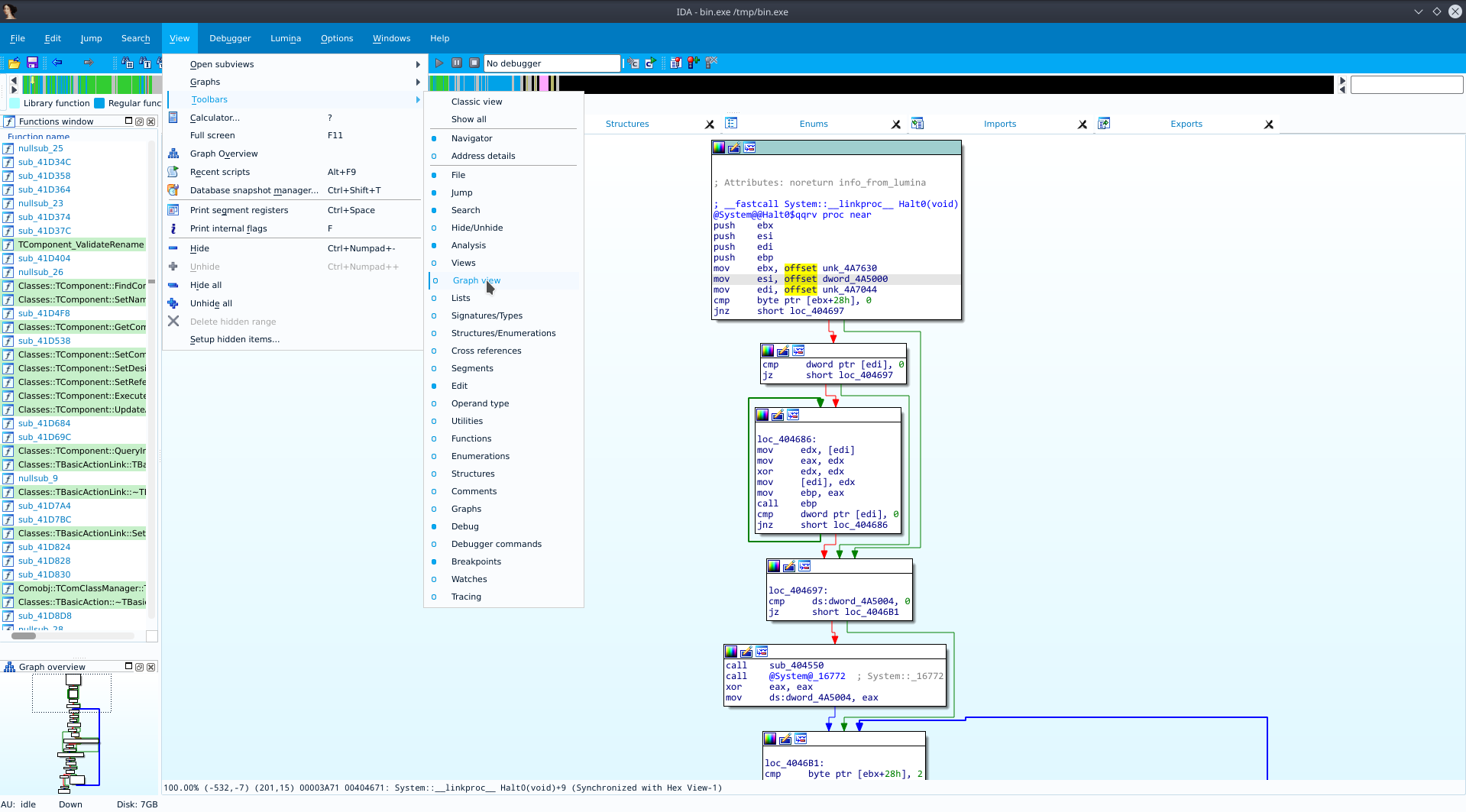
Until recently, IDA wasn't supported user-defined interface theme, and those who wanted to had to use IDA Skins Plugin. Now, IDA supports CSS-based [another link] stying which is very easy to develop themes to.
Binary Ninja, has a slightly different approach, which gives less power to the user, but it is very easy to create new themes with. But less complex and limited to set of configs.
ITAYC0HEN
on 25 May 2020
Related issues
 xarkes
·
4Comments
xarkes
·
4Comments
 nauliajati
·
3Comments
nauliajati
·
3Comments
 dukebarman
·
4Comments
dukebarman
·
4Comments
 AxelPotato
·
4Comments
AxelPotato
·
4Comments
 0x913
·
3Comments
0x913
·
3Comments
Most helpful comment
It is relevant for Linux as well since this is a theme only for Cutter and not for the operating system or for other Qt applications, including Cutter's unique widgets.
Palletizing the thems is a good idea indeed and supported the idea on #2138. But themes are more than just a bunch of colors. See for example what I did with Light theme which feels nothing like the others, with a lot of CSS magic.
For example, here is how IDA allows me to easily load Cutter's Light Theme on Linux.
Until recently, IDA wasn't supported user-defined interface theme, and those who wanted to had to use IDA Skins Plugin. Now, IDA supports CSS-based [another link] stying which is very easy to develop themes to.
Binary Ninja, has a slightly different approach, which gives less power to the user, but it is very easy to create new themes with. But less complex and limited to set of configs.
https://github.com/Vector35/community-themes