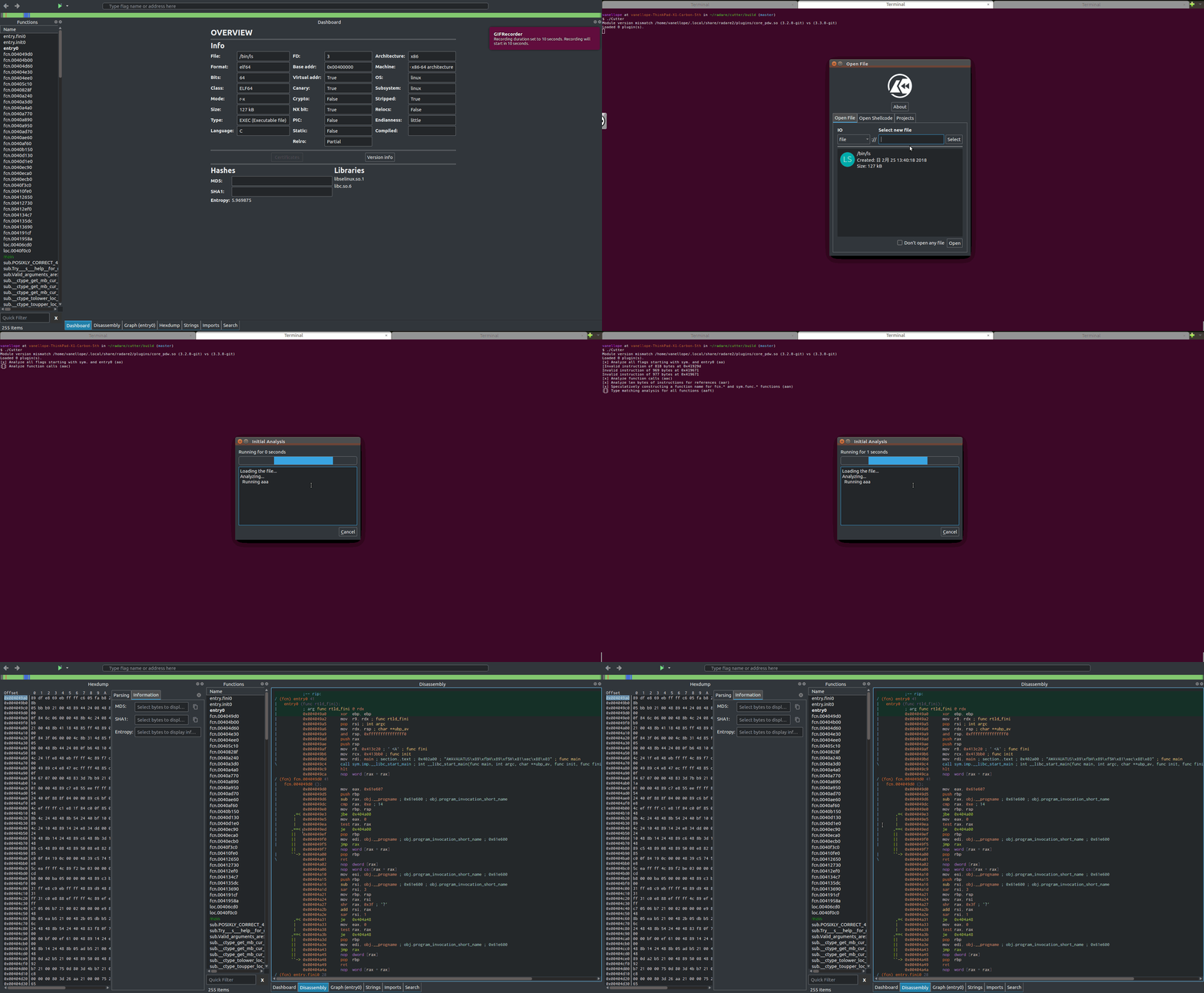
Cutter: layout is not properly saved when you close and reopen Cutter.
Work Environment: Ubuntu 16.04 LTS
How to reproduce:
- Go to "Reset layout" in the menu
- Close Cutter
- You will see the chaotic layout
I also attach the gif. I am fixing this anyway.
 Vane11ope
All 12 comments
there are many more problems with layout, please try to figure all :)
for example, try to reset layout when a widget (say, Graph) is floating
 ITAYC0HEN
on 27 Feb 2019
ITAYC0HEN
on 27 Feb 2019
@ITAYC0HEN cool but i might not be able to cover all by myself so plz list them up yourself too once you find any :)
Vane11ope
on 27 Feb 2019
There is a problem with layout on the first start on Windows:
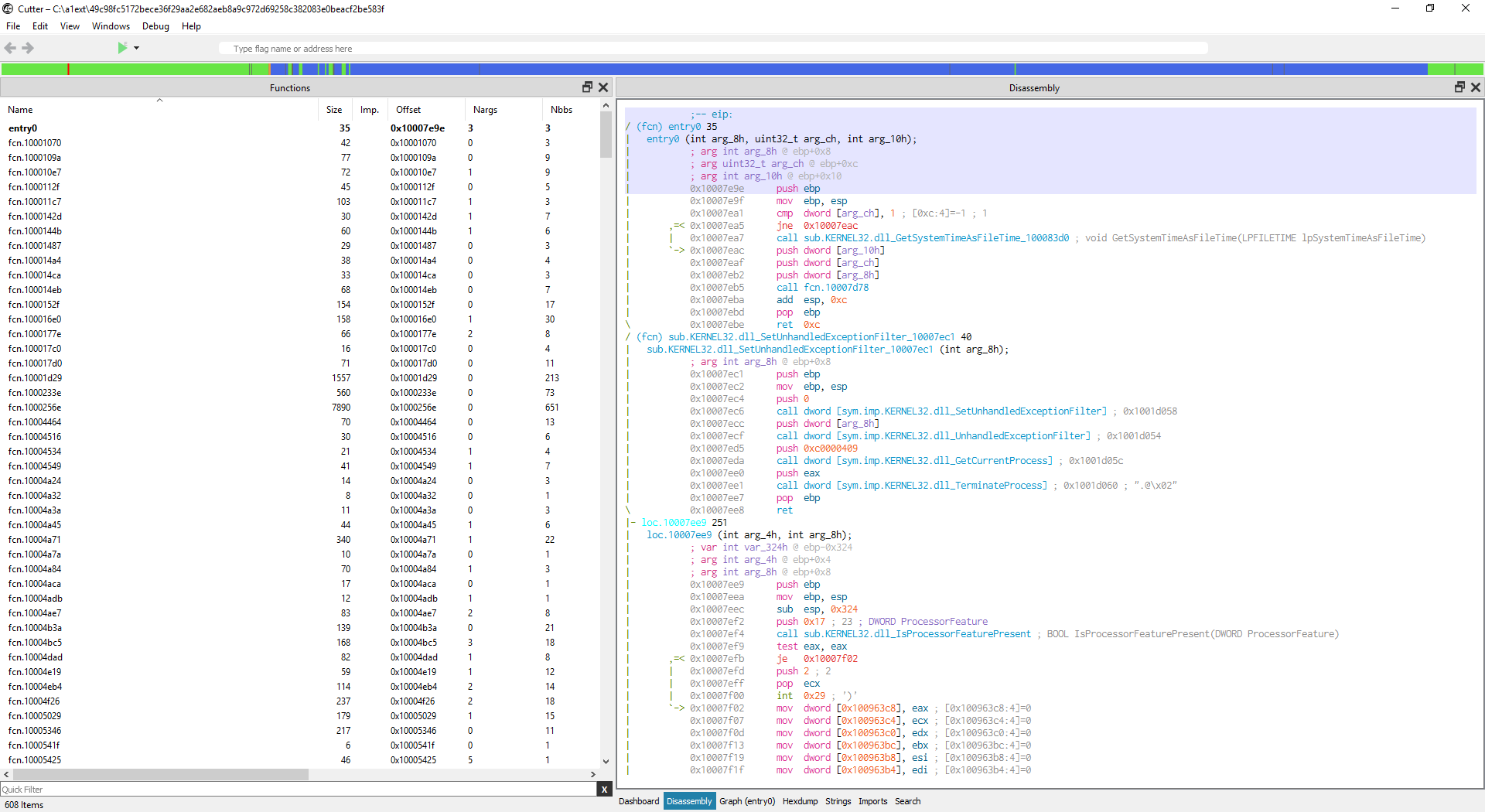
(functions widget should be smaller, as after Reset Layout)
 a1ext
on 27 Feb 2019
a1ext
on 27 Feb 2019
@a1ext
windows.............................................................................................
I'll try my best and see and do whatever I can do, then I'm gonna have to ask you debugging for Windows later.......
Vane11ope
on 27 Feb 2019
it's the same on Linux. The first execution of Cutter on all platforms looks like this. Instead of as expected (dashboard on focus, functions widget width 200px, etc)
ITAYC0HEN
on 27 Feb 2019
nice, i mean not nice at all, but nice, because I will be able to debug it myself after I fix it.
Vane11ope
on 27 Feb 2019
@a1ext
windows.............................................................................................
I'll try my best and see and do whatever I can do, then I'm gonna have to ask you debugging for Windows later.......
haha) ok, to reproduce you have to remove Cutter config file
a1ext
on 27 Feb 2019
weird. reset settings and close then reopen fixed this completely and I can't reproduce the thing anymore. wtf.......
Vane11ope
on 27 Feb 2019
I think the best to solve this issue is to also fix this one:https://github.com/radareorg/cutter/issues/694
 xarkes
on 27 Feb 2019
xarkes
on 27 Feb 2019
@xarkes cool im gonna check it out thanks :)
Vane11ope
on 27 Feb 2019
weird. reset settings and close then reopen fixed this completely and I can't reproduce the thing anymore. wtf.......
try to open extra disasm and graph windows
a1ext
on 13 Mar 2019
fixed in #1308
ITAYC0HEN
on 18 Mar 2019
Related issues
 nauliajati
·
3Comments
nauliajati
·
3Comments
 Maijin
·
5Comments
Maijin
·
5Comments
Maijin
·
5Comments
Maijin
·
5Comments
 mirh
·
3Comments
mirh
·
3Comments
 Pamplemousse
·
3Comments
Pamplemousse
·
3Comments