Cutter: Enable X-refs in Strings panel and X-refs can not find strings
Work environment
| Questions | Answers
|------------------------------------------------------|--------------------
| OS/arch/bits (mandatory) | Debian 10 amd64
| File format of the file you reverse (mandatory) | PE
| Architecture/bits of the file (mandatory) | i386
| Cutter and r2 version, See About Cutter (mandatory) | Version 1.7.2 / Using r2 3.0.0
| Show version information full output | https://pastebin.com/MSfrUAY6
Expected behavior
X-refs strings easily
Actual behavior
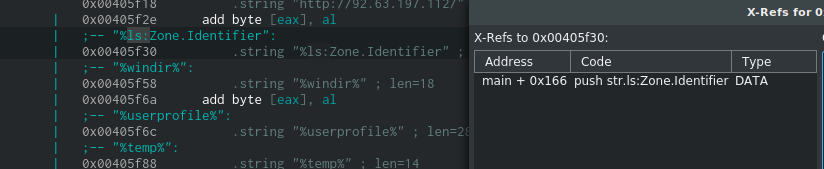
- I have to double click on the string -> move string panel to disassembly panel, select string object in text field and use X-refs
- Graph panel will display
No function detected. Can not display graph.after panel move to disassembly panel. - Sometimes X-refs can not find string in functions
Steps to reproduce the behavior
Tested binary file (This is a malware)
r.zip
Additional Logs, screenshots, source-code, configuration dump, ...
- A string is called in main function
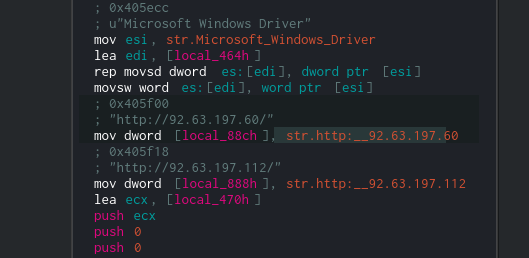
- Search for that string in
Stringspanel
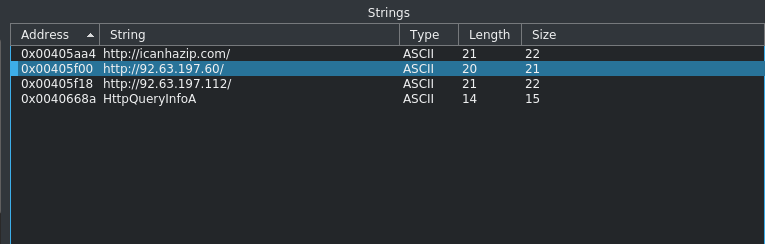
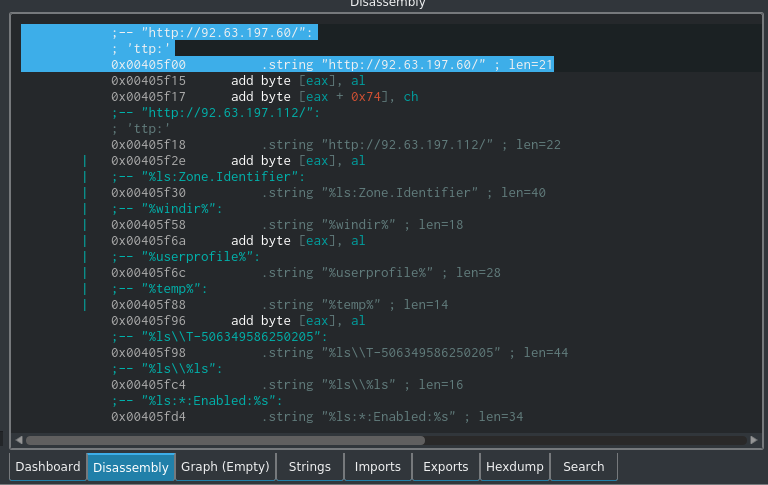
- I have to move to disassembly panel to use X-refs
X-refs can not find addr for this string
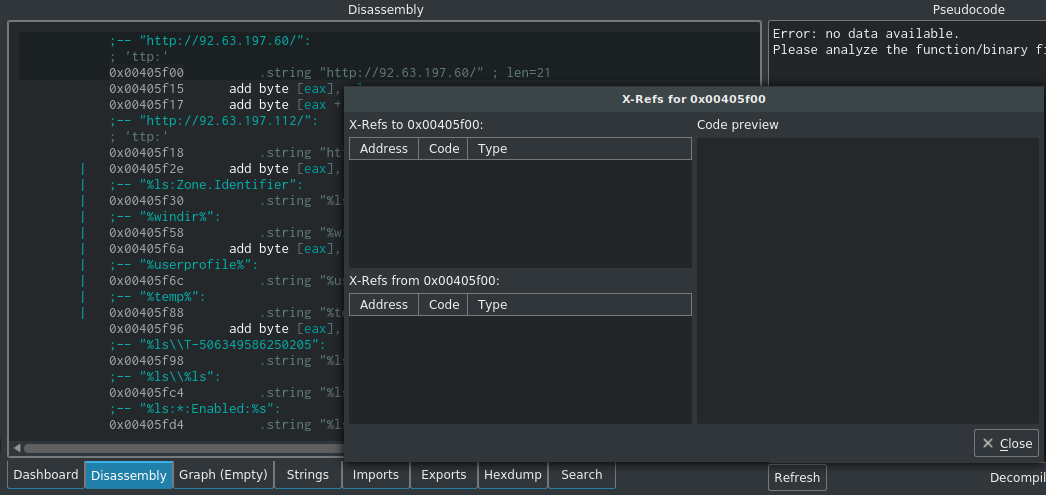
(X-refs some other strings work good)
 dmknght
All 16 comments
I think the reason for that is the same as here: https://github.com/radareorg/cutter/issues/516
 xarkes
on 11 Oct 2018
xarkes
on 11 Oct 2018
Can you guys add X-refs to Strings panel? It would be a lot easier to find strings.
dmknght
on 11 Oct 2018
Hmm you mean right click -> xrefs?
xarkes
on 12 Oct 2018
Hmm you mean right click -> xrefs?
I think so. Because strings panel is using key filtering so i guess hotkey will not okay in here.
dmknght
on 12 Oct 2018
Ctrl+X?
 ITAYC0HEN
on 12 Oct 2018
ITAYC0HEN
on 12 Oct 2018
Ctrl + X is cool. But because Xrefs is using X as hotkey in other panel, so using Ctrl + X means user must remember 1 more hotkey :p.
P/s: Ctrl + X is cut text by default so maybe ctrl + x is not the best choice.
dmknght
on 12 Oct 2018
Right, makes sense :)
ITAYC0HEN
on 12 Oct 2018
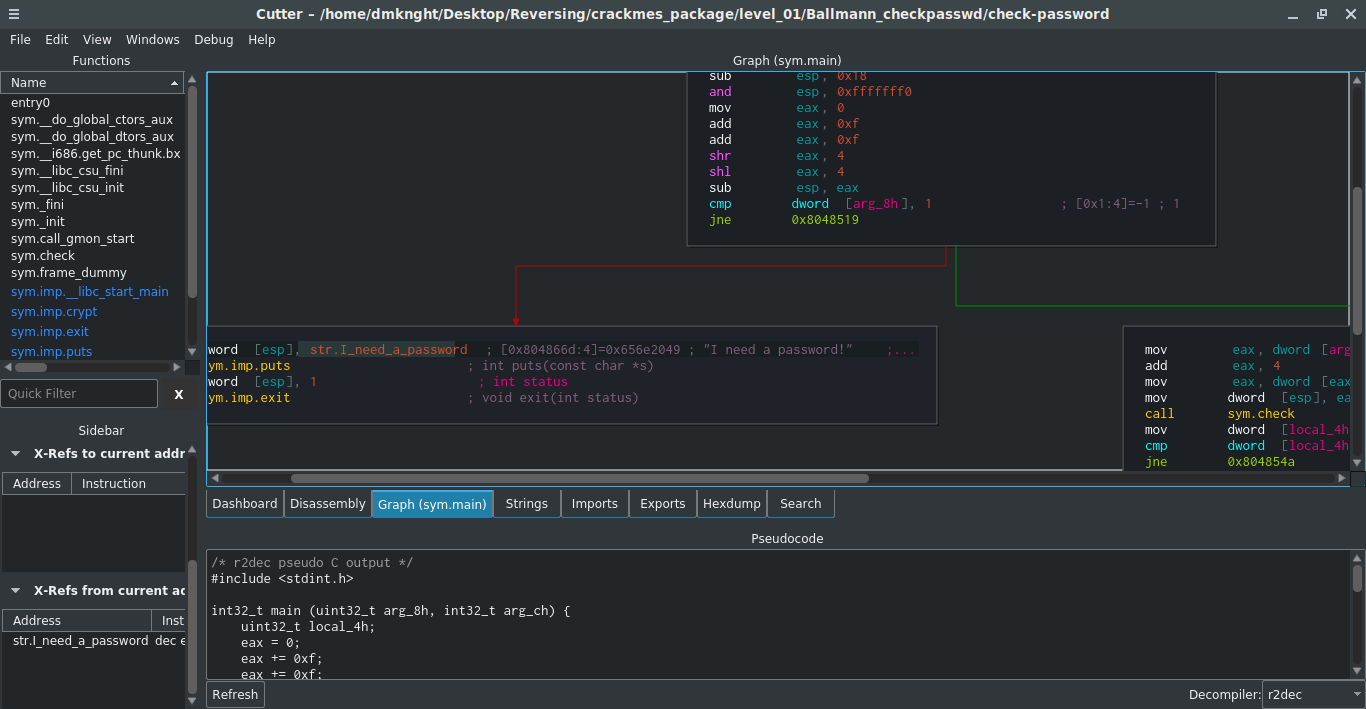
I've had a new idea about X-refs: Sidebar has x-refs panel, but it shows many information. So if you guys create a stand-alone x-refs panel, user can put xref like this (sreenshot).
dmknght
on 16 Oct 2018
Yeah I think it's quite a good idea, and easy to do.
xarkes
on 16 Oct 2018
So I think click string object in string panel should show value in Xreft table too. I've tested and it worked for graph panel and disassembly only.
dmknght
on 16 Oct 2018
Yeah that's probably because it's not the same signal sent/catched. In disas/graph it is likely "seekChanged" while in strings it's nothing (for now) afair.
xarkes
on 16 Oct 2018
Fixed in #817
ITAYC0HEN
on 17 Oct 2018
I've tested latest git version with binary file r.exe again. Some strings are not showing in xref. Turned out it is radare2's problem.
dmknght
on 17 Oct 2018
@dmknght can you open an issue?
 Maijin
on 17 Oct 2018
Maijin
on 17 Oct 2018
I gonna open issue on radare2 repo after get information fully
dmknght
on 17 Oct 2018
Yep ok thanks
Maijin
on 17 Oct 2018
Related issues
 s0i37
·
5Comments
s0i37
·
5Comments
 Pamplemousse
·
3Comments
Pamplemousse
·
3Comments
 karliss
·
3Comments
xarkes
·
4Comments
karliss
·
3Comments
xarkes
·
4Comments
 AxelPotato
·
4Comments
AxelPotato
·
4Comments