Cutter: Graph mouse click highlight wrong position
Work environment
| Questions | Answers
|------------------------------------------------------|--------------------
| OS/arch/bits (mandatory) | Parrot 4.2 64 bit
| File format of the file you reverse (mandatory) | ELF (happens to any format)
| Architecture/bits of the file (mandatory) | x86_64 (happens to any architecture)
| Cutter and r2 version, See About Cutter (mandatory) | Version 1.7.2 / Using r2 3.0.0
| Show version information full output (See About Cutter) in a pastebin document (mandatory) | https://pastebin.com/MSfrUAY6
Expected behavior
Cutter should display highlight color under selected object
Actual behavior
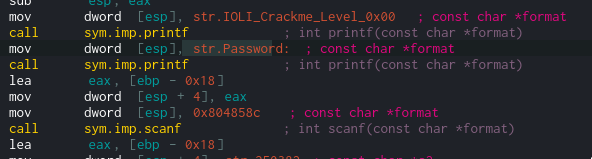
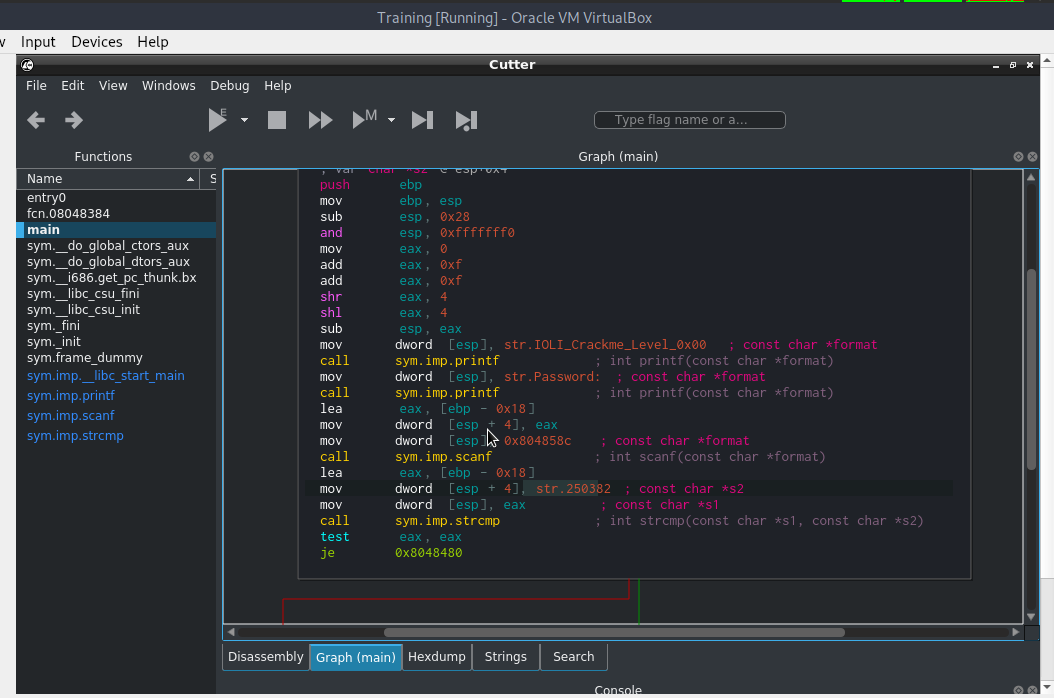
Cutter shows color from previous character: space, [ or any character before object; object last character does not have highlight color
Additional Logs, screenshots, source-code, configuration dump, ...
Screenshot:

Tested binary file
hello.zip
 dmknght
All 30 comments
Sadly, I can't reproduce on:
| Cutter Version | OS |
|-----------------|-------------------|
| Release (1.7.2) | Windows 10 64-bit |
| Release (1.7.2) | Arch Linux 64-bit |
| Master (git) | Windows 10 64-bit |
| Master (git) | Arch Linux 64-bit |
Screenshot, same binary:
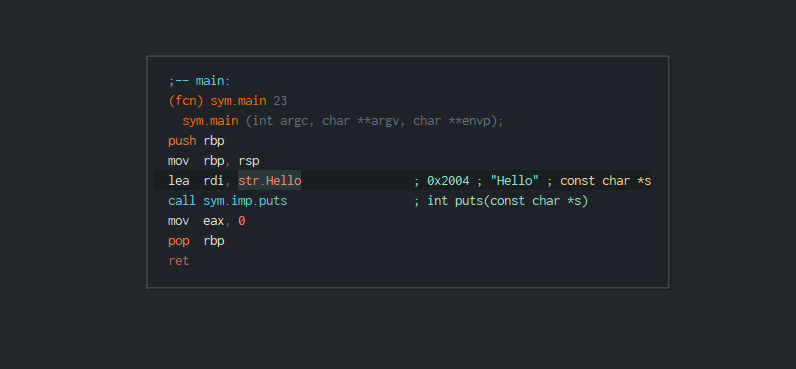
I also tried with different binaries.
 ITAYC0HEN
on 10 Oct 2018
ITAYC0HEN
on 10 Oct 2018
That is super weird. I am using release version and it happens to me from previous versions. (it happens after clicking on object)
Here is a picture with Cutter 1.7.1, Debian 9 amd64 inside Virtualbox.
dmknght
on 10 Oct 2018
Indeed weird, and I totally believe you - thanks for letting us know!
Sadly I can't reproduce on the machines stated above and never heard of similar complains. 😕
Any chance you can debug it from source on your end and try to figure out what causes it?
ITAYC0HEN
on 10 Oct 2018
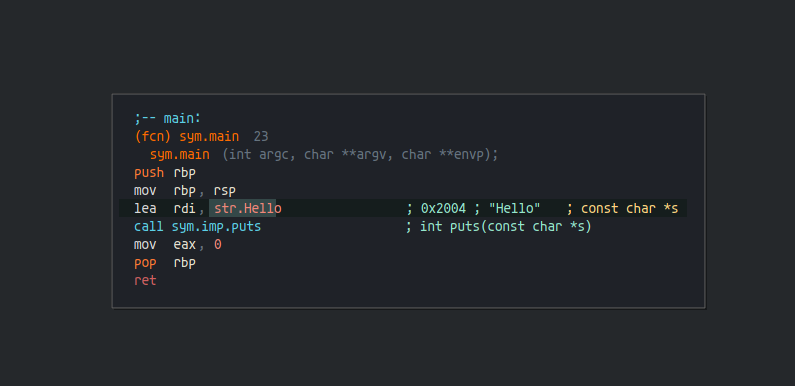
Okay I was able to reproduce indeed! :)
Cutter version from git, another Arch64 machine
ITAYC0HEN
on 10 Oct 2018
Wow i am about cloning and building it. Hope you fix it soon. Thanks for fast supporting <3
dmknght
on 10 Oct 2018
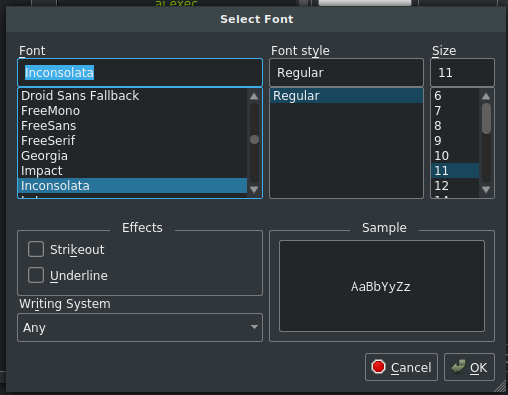
I wrote this highlighting code and from what I see this is happening with non-mono fonts. It is calculating position as if all letters have same width. I can fix it
 Adikso
on 14 Oct 2018
Adikso
on 14 Oct 2018
I've created a git version of cutter, and this problem has new issues
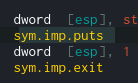
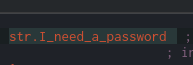

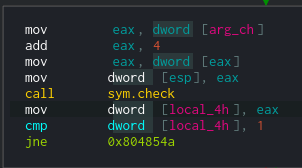
My font setting inside cutter
dmknght
on 16 Oct 2018
thanks @dmknght :)
@Adikso, any idea what failed here?
ITAYC0HEN
on 16 Oct 2018
This is probably problem with width calculation or rendering graph but I am not sure. You can see invalid width calculation on "[local_4h ]"
Adikso
on 20 Oct 2018
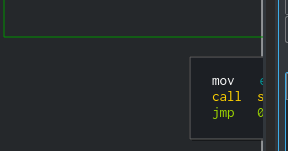
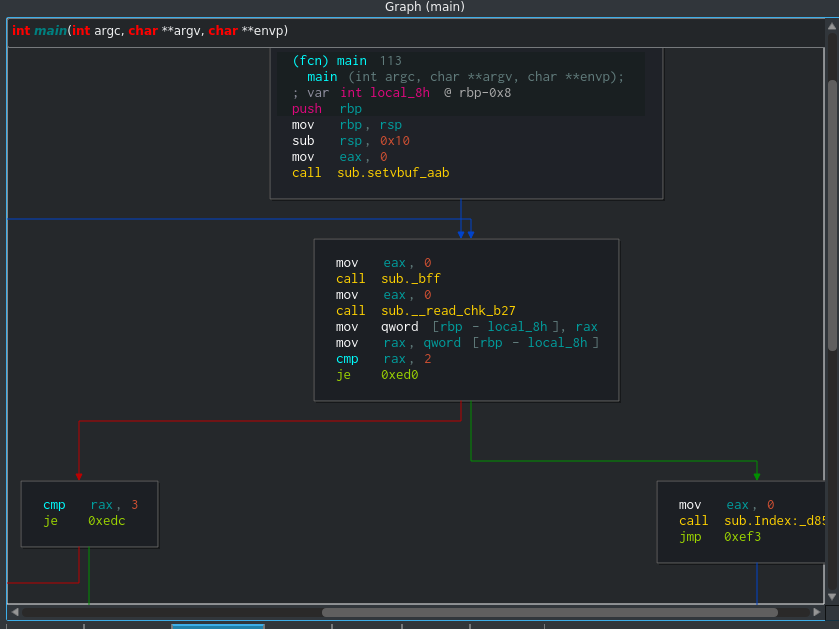
Ah rendering graph is having some problem too. I don't know what is it called (screenshot). Should i create new issue for this?
dmknght
on 20 Oct 2018
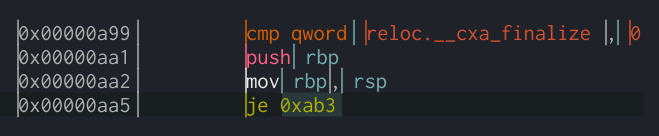
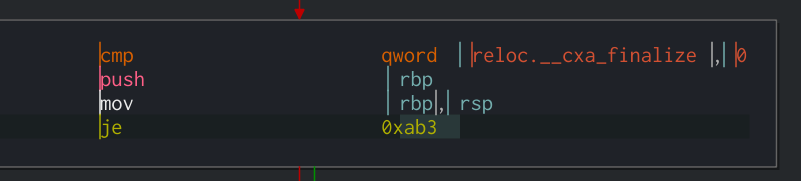
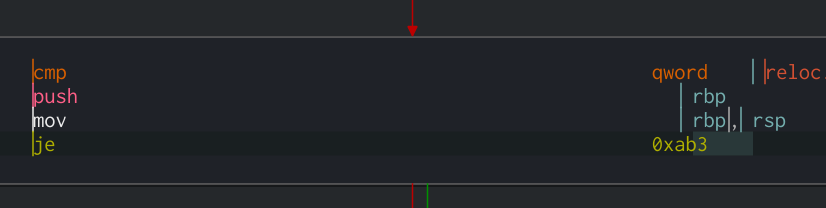
From my observations there is problem with long "tokens". The more I increase asm.tabs the more off is highlight. It might be problem with width calculation as highlighting needs precise calculations but RichTextPainer don't as it is just drawing text and it does not care :')
Adikso
on 20 Oct 2018
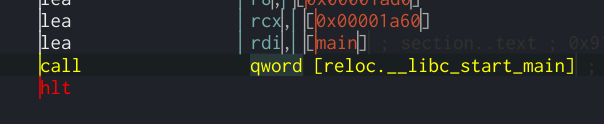
I forced it to use QFontMetrics directly rather than CachedFontMetrics and it works perfectly (it breaks token selection but it can be fixed).. so yes caching font width is broken.
Adikso
on 20 Oct 2018
great! would you be able to solve this and send PR, please? :)
ITAYC0HEN
on 21 Oct 2018
I don't know how to fix CachedFontMetrics. Every few characters width is 1px off. Like width of the same character can be later smaller. These 1px offs are accumulating and results later in big offset. I could make it use QFontMetrics but I understand that somebody created CachedFontMetrics for some performance reasons. Even if I could replace it with direct QFontMetrics->width() call I don't know what would be good option to find which letter was pressed. QFontMetrics don't have function to get text position at specified pixel offset so I would have to make something like binary search to find it.
Adikso
on 21 Oct 2018
Hello,
I didn't understand the bug in CachedFontMetrics? (If you want to discuss this you can come on irc or Telegram)
 xarkes
on 21 Oct 2018
xarkes
on 21 Oct 2018
I've built cutter after pulling it, with radare2 3.1 and i found something similar this issue: i set asm.tabs = 11 and 2 screenshots bellow shows line call sym.imp.printf and jecxz .... stays wrong position. I think this is alignment problem.
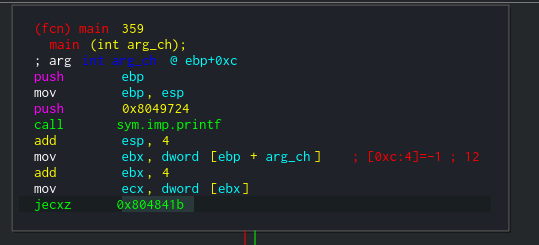
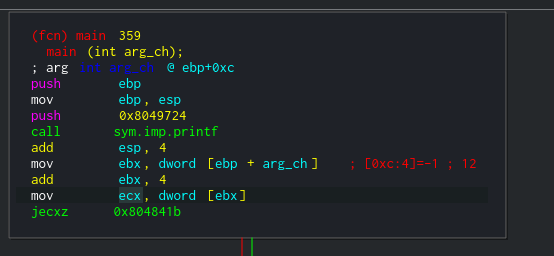
Here is an other block where instruction has no address in it stays at wrong position too:
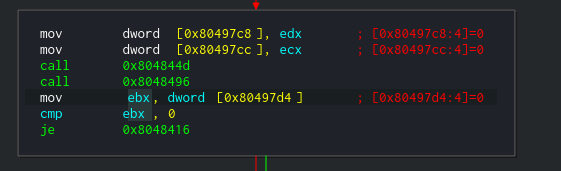
I think this problem is not only drawing highlight color wrong width but characters have alignment problem too.
@ITAYC0HEN @Adikso @xarkes
dmknght
on 27 Oct 2018
If you would copy this disassembly into eg. LibreOffice Write and change font to some non-mono one you will see this:
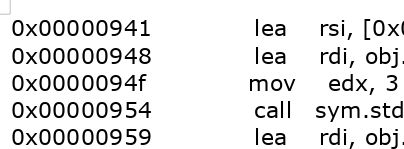
You see how incorrect is this "mov" aligned? We are just pasting exact output out of radare into this graph and radare2 is command line tool - it can't move text by few pixels, so in order to align text it is placing spaces. There is the same amount of spaces before both mov and lea above. The problem is that you use non-mono font so the text before this "mov" is not of the same width as text before "lea".
With mono font it looks like this (perfectly):
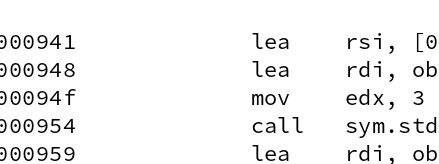
And I don't think that there is a need for making Cutter-side text alignment (It would have to know what part of the text is what). Just change font to mono one at least for now.
Adikso
on 28 Oct 2018
So I think this can be closed :)
Feel free to reopen if not.
xarkes
on 2 Nov 2018
I've built it. There are still some wrong positions.
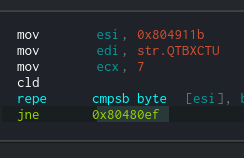
dmknght
on 2 Nov 2018
@xarkes Referenced pull request is for DisassemblyWidget not for DisassemblerGraphView. Problem is not solved. This can be easily fixed but might slow down already slow graph rendering.
Adikso
on 2 Nov 2018
@Adikso thanks, reopened
 Maijin
on 2 Nov 2018
Maijin
on 2 Nov 2018
@xarkes Referenced pull request is for DisassemblyWidget not for DisassemblerGraphView. Problem is not solved. This can be easily fixed but might slow down already slow graph rendering.
Yep, I've noticed that in the PR description, just Disassembly widget :)
 a1ext
on 2 Nov 2018
a1ext
on 2 Nov 2018
@Adikso Have you figured out the problem? We can discuss that if you want
a1ext
on 2 Nov 2018
ping @a1ext and @Adikso , do you have solutions? I know you two worked on this
ITAYC0HEN
on 17 Feb 2019
Didn’t take a look
a1ext
on 17 Feb 2019
@dmknght some improvements were made, are you still experiencing the same?
ITAYC0HEN
on 15 Apr 2019
No it is still the same. Plus widget panels seems buggy in latest version
dmknght
on 15 Apr 2019
No it is still the same. Plus widget panels seems buggy in latest version
@dmknght not buggy, but changed the way you drag and drop. to support dragging groups. So to drag a widget you should do this from the tab. and to drag a group of widgets do this from the top bar
ITAYC0HEN
on 3 May 2019
No it is still the same. Plus widget panels seems buggy in latest version
@dmknght not buggy, but changed the way you drag and drop. to support dragging groups. So to drag a widget you should do this from the tab. and to drag a group of widgets do this from the top bar
I'm sure what do you mean because this is about text highlighting error.
dmknght
on 3 May 2019
You mentioned Widget Panels. What did you refer to?
On Fri, May 3, 2019, 12:06 dmknght notifications@github.com wrote:
No it is still the same. Plus widget panels seems buggy in latest version
@dmknght https://github.com/dmknght not buggy, but changed the way you
drag and drop. to support dragging groups. So to drag a widget you should
do this from the tab. and to drag a group of widgets do this from the top
barI'm sure what do you mean because this is about text highlighting error.
—
You are receiving this because you were mentioned.
Reply to this email directly, view it on GitHub
https://github.com/radareorg/cutter/issues/798#issuecomment-489021149,
or mute the thread
https://github.com/notifications/unsubscribe-auth/AEZ7M4XPO6U46BT7GRZ4I2TPTP6CXANCNFSM4F2X724Q
.
ITAYC0HEN
on 3 May 2019
Related issues
 dukebarman
·
4Comments
dukebarman
·
4Comments
 karliss
·
3Comments
karliss
·
3Comments
 doublegrey
·
4Comments
doublegrey
·
4Comments
 dhucul
·
3Comments
Maijin
·
4Comments
dhucul
·
3Comments
Maijin
·
4Comments
Most helpful comment
@xarkes Referenced pull request is for DisassemblyWidget not for DisassemblerGraphView. Problem is not solved. This can be easily fixed but might slow down already slow graph rendering.