Cura: Color for contact zone to platform
Is your feature request related to a problem? Please describe.
In the past, I asked that the area of the object under the bed be colored in a different color as it is used to cut objects. This has been implemented in version 4.8.
Along with this they said they adjusted the height where the bed is drawn.
The current problem is: If I place an object on the bed, I want to see all the parts that are in contact with it for cases where I don't want to cut objects.
THIS IS VERY IMPORTANT when we rotate objects and use automatic functionalities to deposit them on the bed ensuring that it is not slightly tilted resulting in layers in the air and a failed print.
https://github.com/Ultimaker/Cura/issues/8469
Describe the solution you'd like
Perhaps it would be good to have a darker blue or another color to indicate the parts of the objects that are in contact with the bed.
Do not confuse the red zone indicating overhang.
I leave you a riddle so you can see how confusing it can be. What parts touch the bed? 1,2,3?
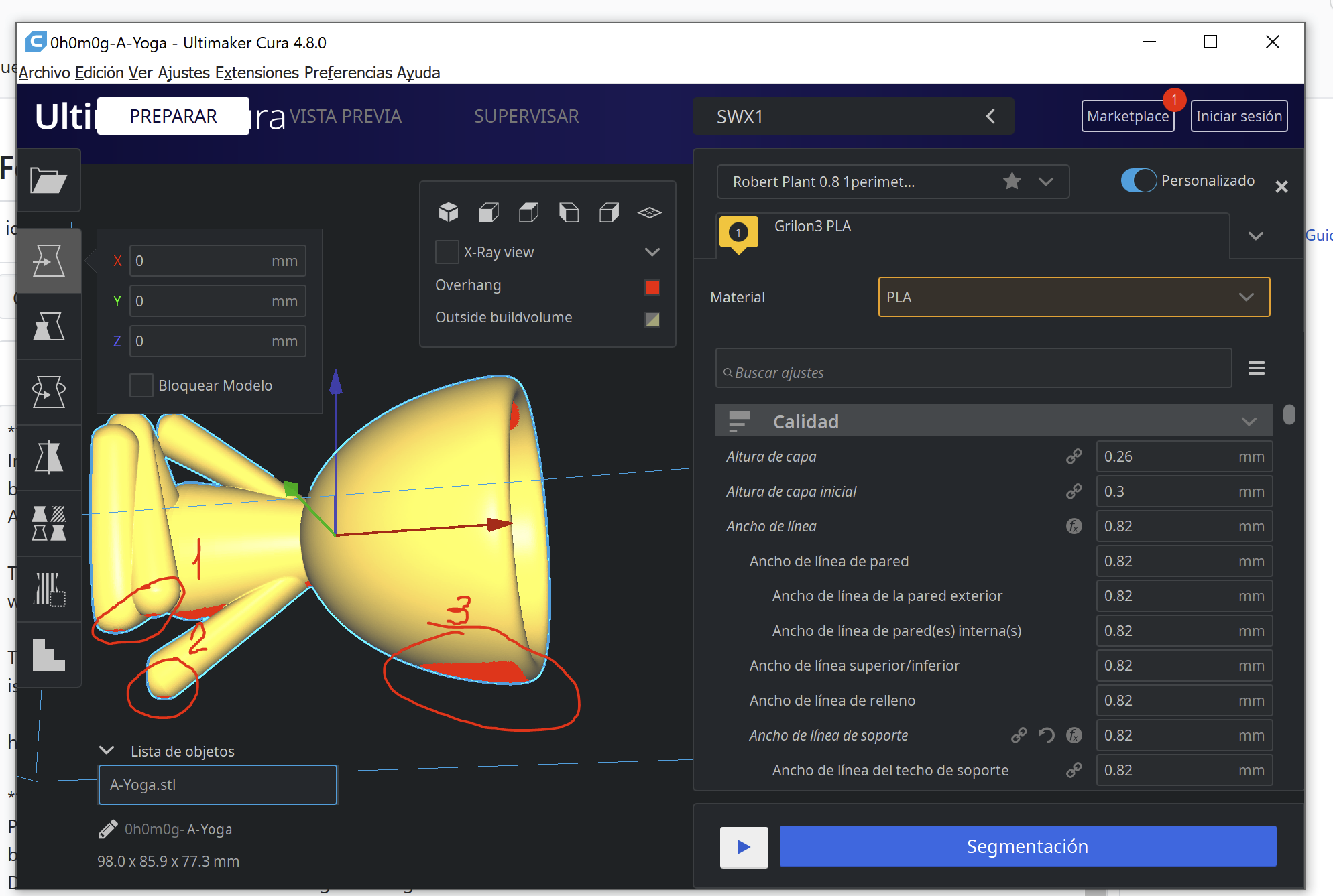
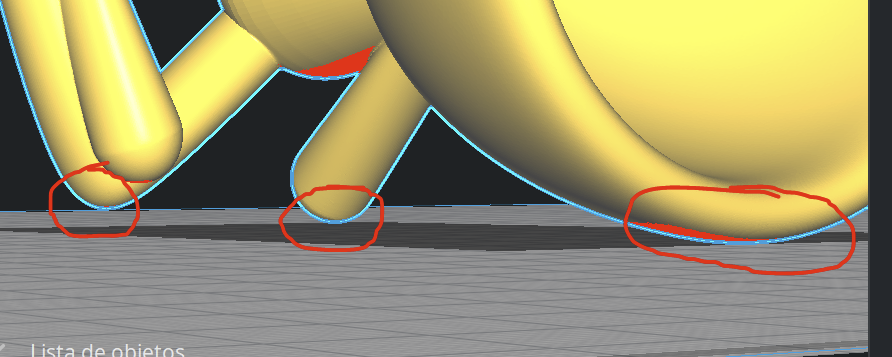
Only 2 and 3. apparently...
 Zogar89
All 6 comments
There is a colour for that. Can you guess which of these pillars is touching the build plate?
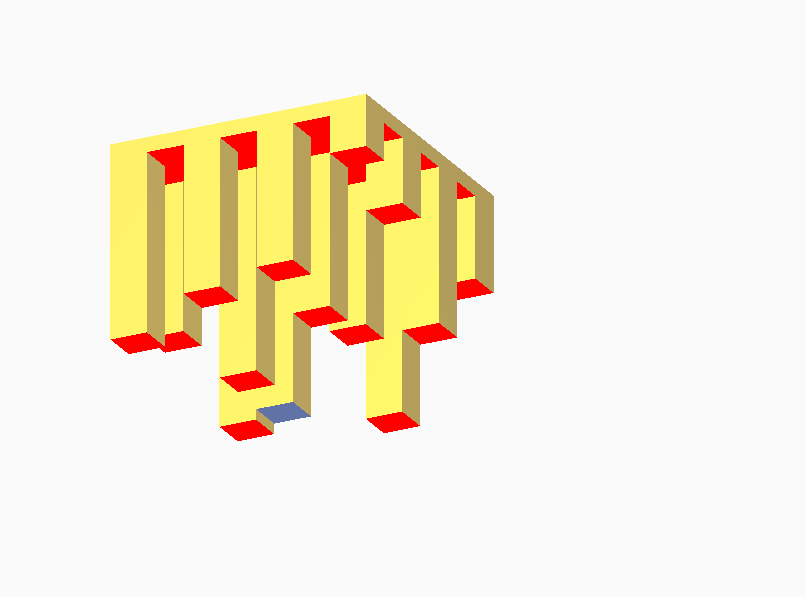
Only, maybe for your mug the actual contact area is so small that it doesn't show up? It could be infinitesimally small.
 Ghostkeeper
on 17 Nov 2020
Ghostkeeper
on 17 Nov 2020
Only, maybe for your mug the actual contact area is so small that it doesn't show up? It could be infinitesimally small.
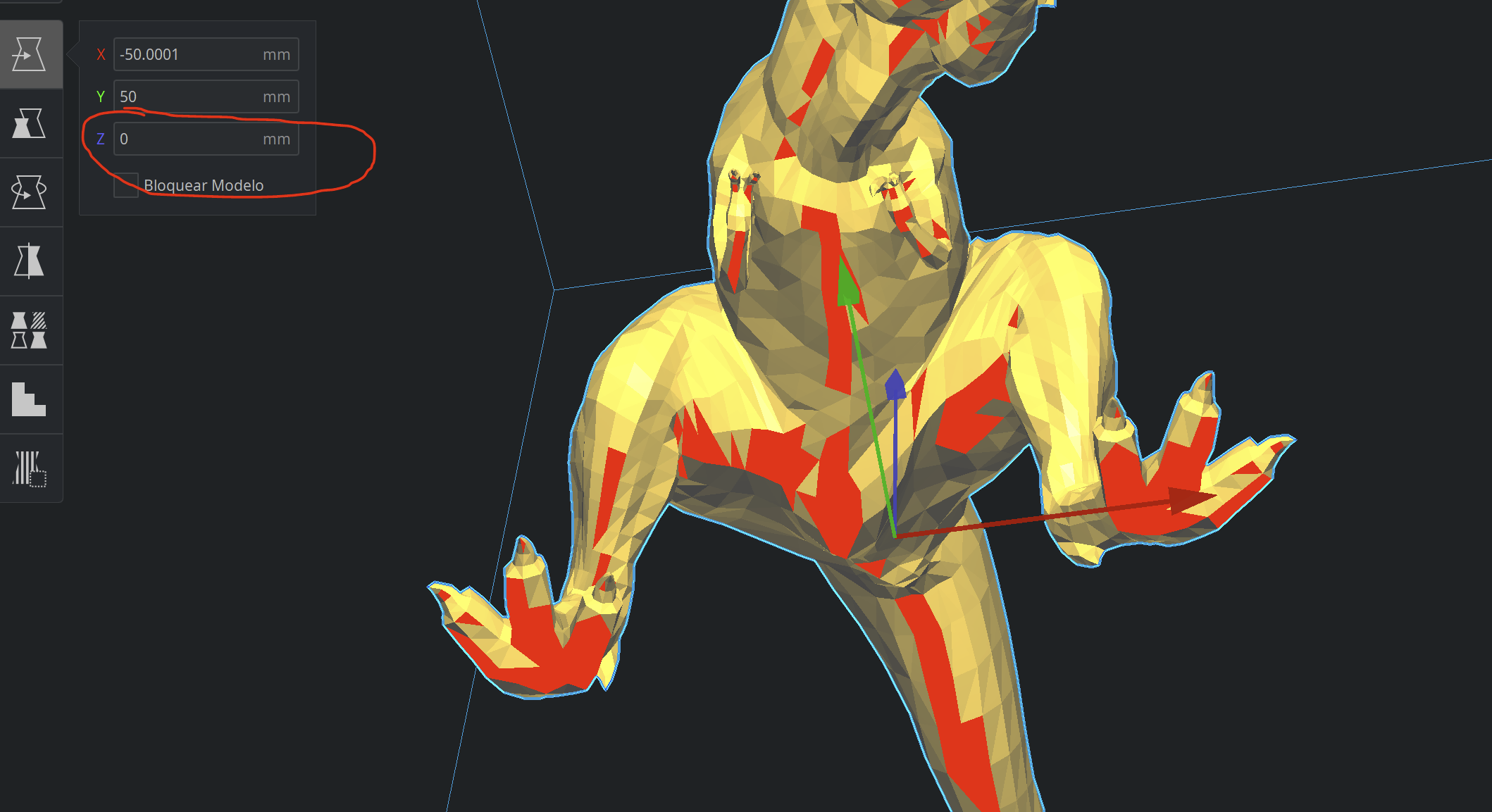
That is the problem, when the area is small it does not color it. You can see it on the legs of the tyrannosaurus or on the base of the sphere.
You have previously told me that the contact plane was being drawn slightly above the real plane. In this version of cure 4.8 they have modified it. The problem is that it is so real that in spheres or other shapes, the contact area is infinitesimally small, causing no area to be painted. (In the sphere you can see that even an unpainted point of red appears, strange ...)
I think that the contact plane to paint light blue should move up a few tenths to generate larger blue areas or instead of being a plane, it should be a 3D area with small height.
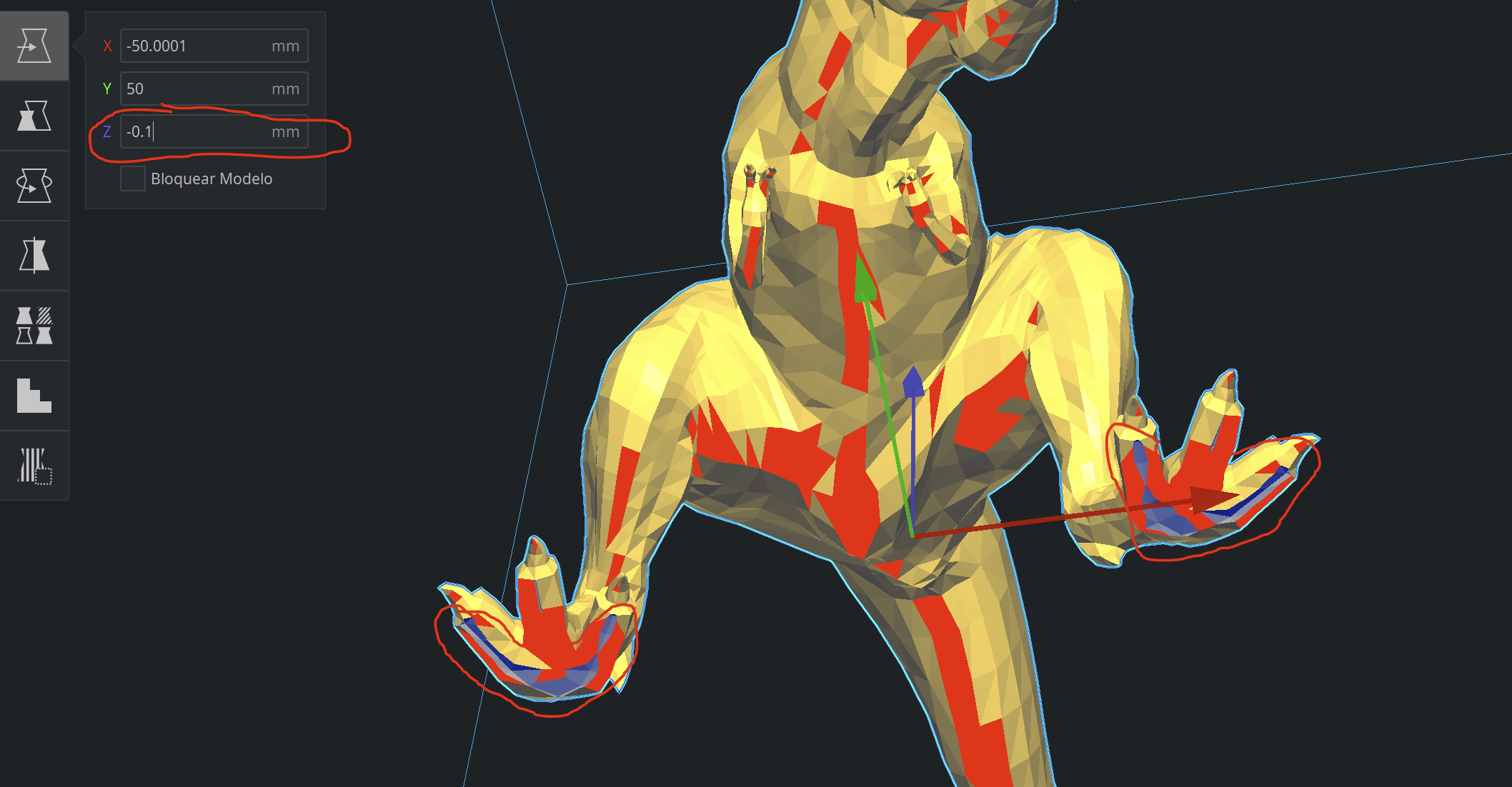
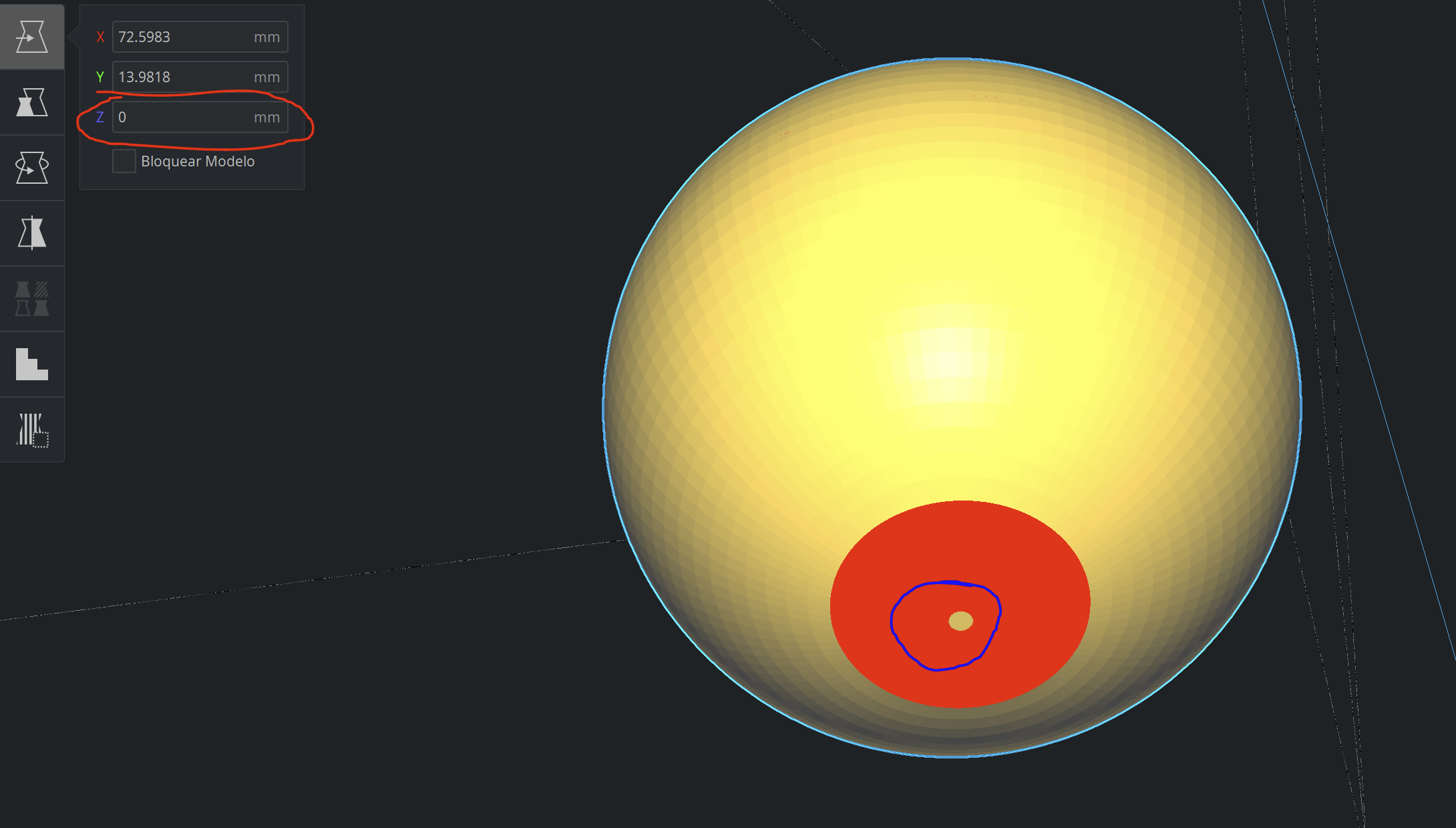
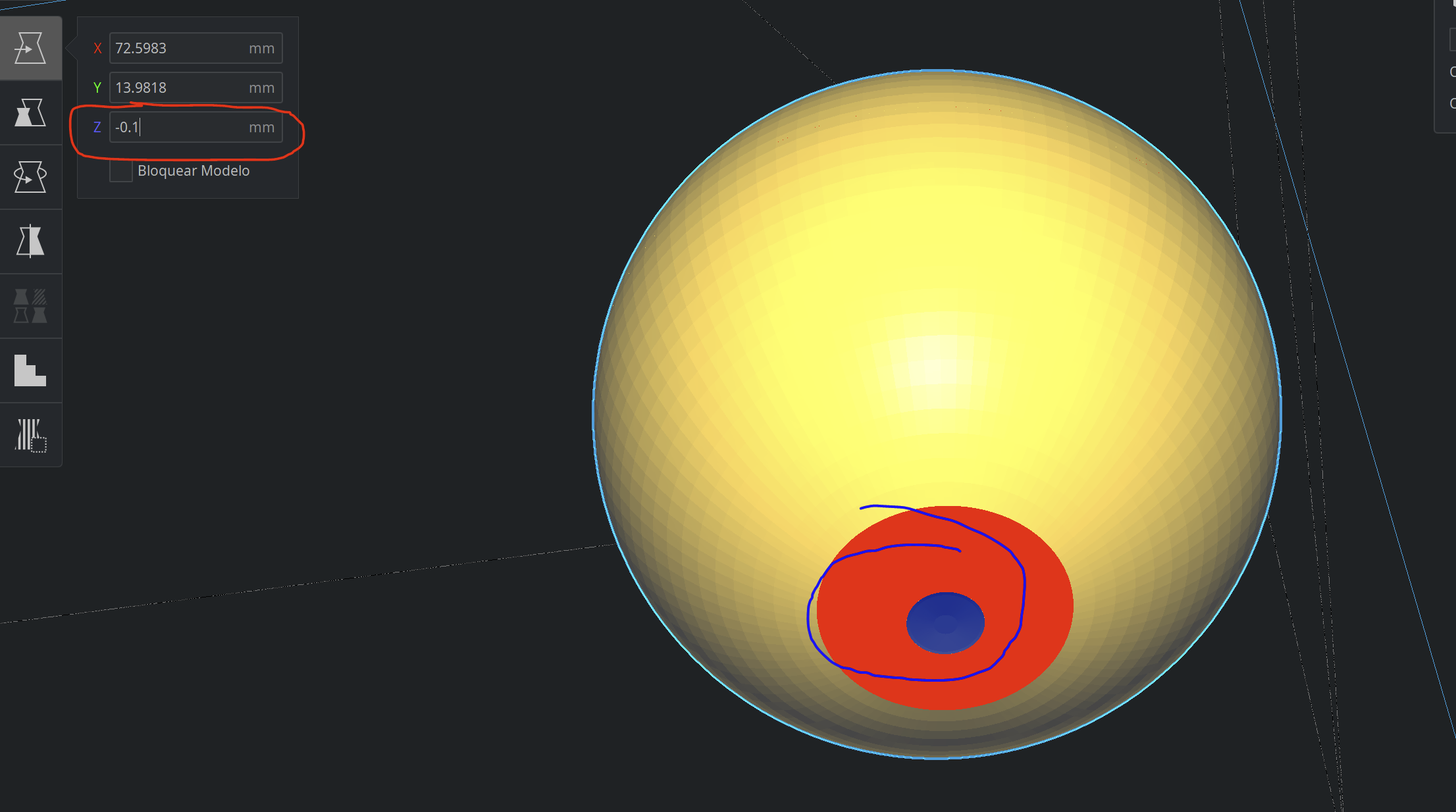
Zogar89
on 18 Nov 2020
For example, if you rotate the cube, the contact surface is so small that the blue part disappears.
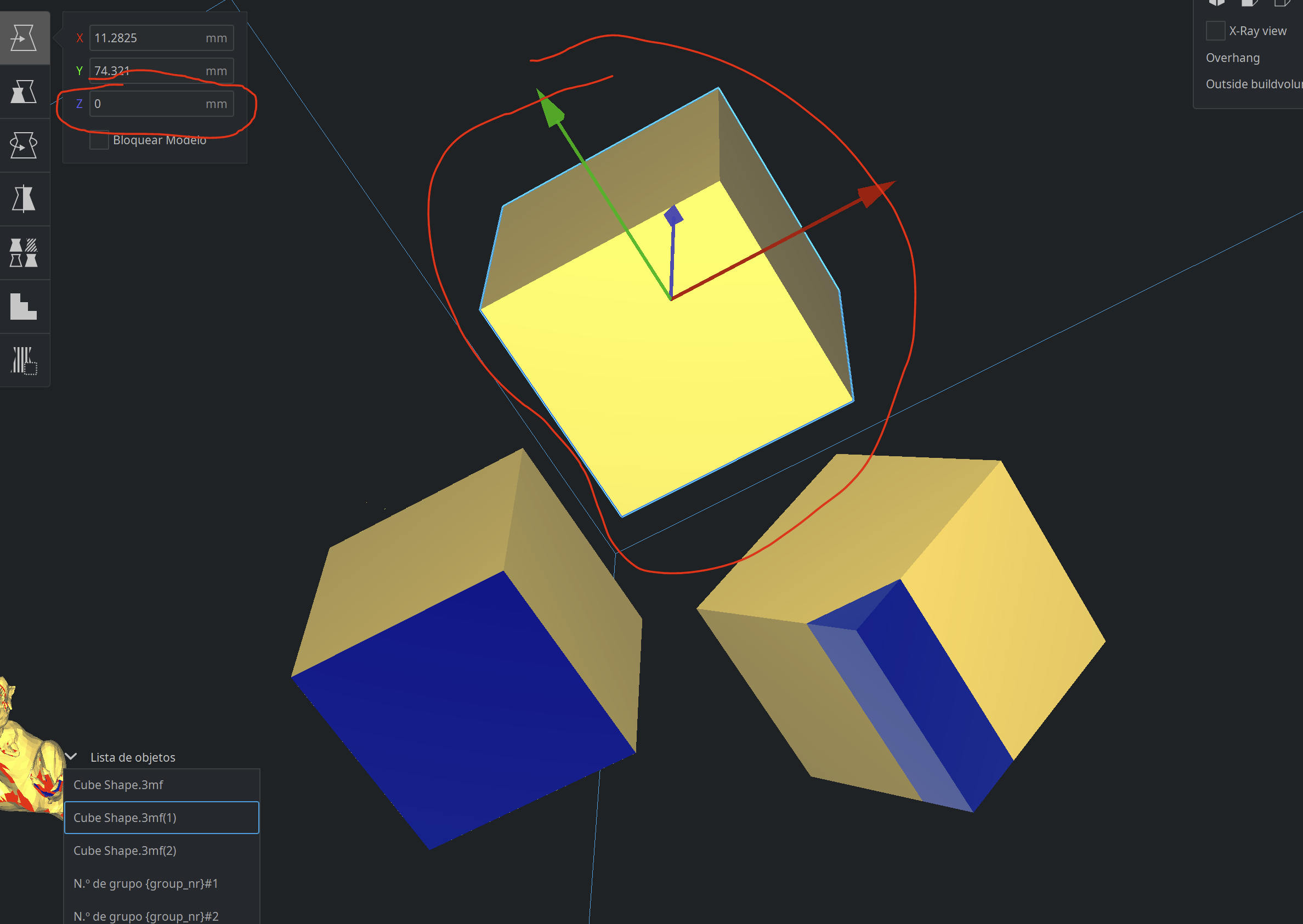
Zogar89
on 18 Nov 2020
Yeah, that's the problem then. The feature was intended to show which parts of the model are below the build plate, so it would just check for Z < 0. We extended that to Z <= 0 to make it show also the parts on the build plate. But CuraEngine actually slices a bit above the build plate.
Ghostkeeper
on 19 Nov 2020
How about "Z <= intial layer height"?
 fieldOfView
on 21 Nov 2020
fieldOfView
on 21 Nov 2020
@fieldOfView That's the approach I went for, mostly (see the linked PR):
init_layer_height = extruder.getProperty("layer_height_0", "value")
I mean, besides adjusting it to half or a quarter of that, depending on slicing tolerance.
 rburema
on 24 Nov 2020
rburema
on 24 Nov 2020
Related issues
 timherrm
·
3Comments
timherrm
·
3Comments
 JRRN
·
3Comments
JRRN
·
3Comments
 mnswamp1
·
3Comments
mnswamp1
·
3Comments
 ferociousdiablo
·
3Comments
ferociousdiablo
·
3Comments
 dstulken
·
3Comments
dstulken
·
3Comments