Cura: Add Custom Support Blockers (implemented as a new mesh type)
Is your feature request related to a problem? Please describe.
The problem is that there are currently only cube support blockers. You can scale and move the cube around but it's still a cube. I would like the ability to have custom support blockers hence I can have round support blockers or any other shape that is needed in the design.
Describe the solution you'd like
I would like a new mesh type added in the per-model settings: print as support blocker

Describe alternatives you've considered
Have an option to have round support blockers instead of custom support blockers. Gives you more options than the current cube support blockers but still limiting.
Affected users and/or printers
Anybody that needs non-cube support blockers.
 roman-ku
All 7 comments
You can already replace a support blocker with an arbitrary mesh:
1 - Install the mesh tools plugin from the marketplace.
2 - create a regular (cube) support blocker.
3 - select the support blocker and then use the context menu Mesh Tools -> Replace Model
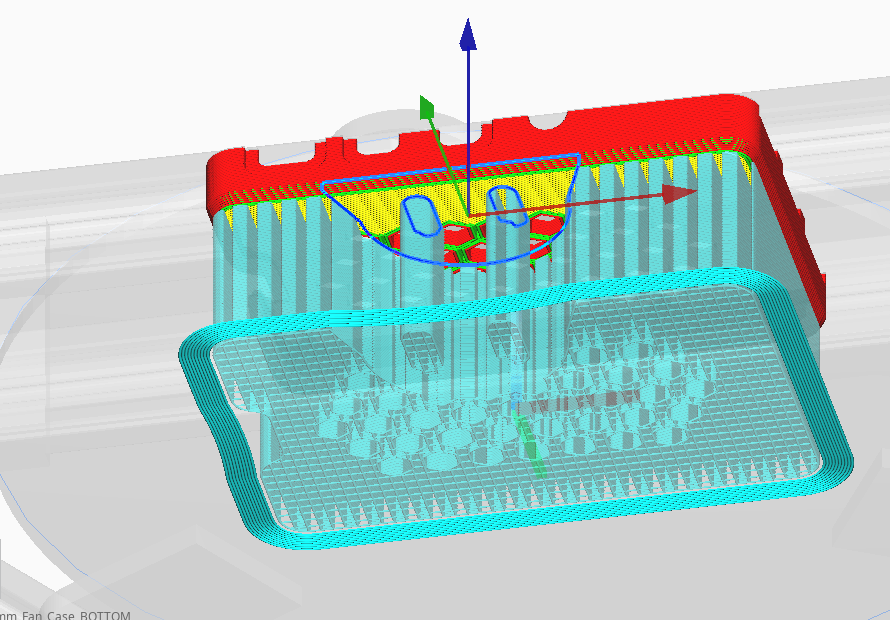
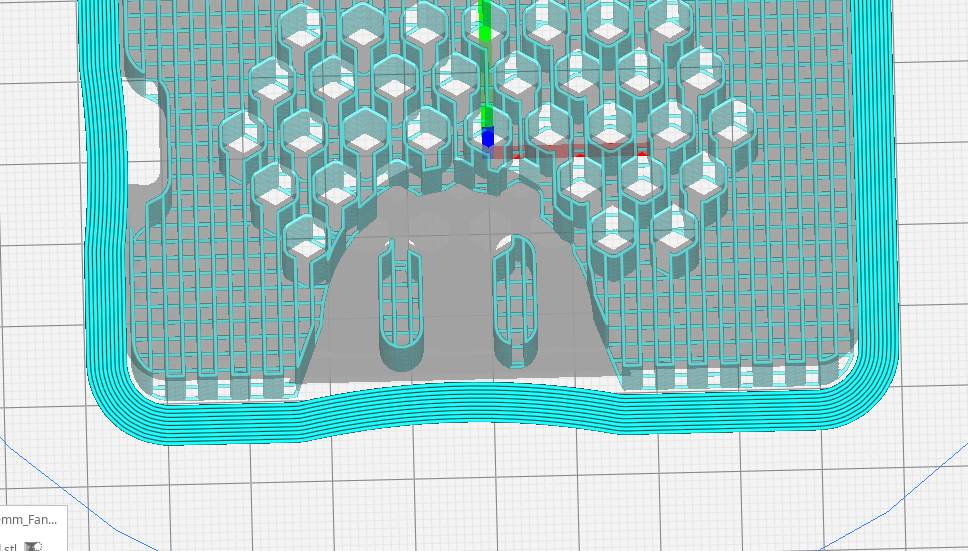
Here's an example, I replaced a support cube mesh with some random STL and now the support is masked...
 smartavionics
on 24 Aug 2020
smartavionics
on 24 Aug 2020
smartavionics
on 24 Aug 2020
Or a much easier way of doing this. Just load a spherical model and select the 4th option ("Don't support overhangs").
How is that different from the 5th option that you want to add?
 nallath
on 24 Aug 2020
nallath
on 24 Aug 2020
@smartavionics I gave this approach a try and was able to get it to work. I wish this was documented better. Since it appears to solve the problem but I could not find any material on custom support blockers online so didn't know this existed.
@nallath The fourth option for me is "Don't support overlaps". Not sure if you have a different version or something. I am on 4.6.1. But the fourth option did work. Again I wish this documented better because I did try different combinations and options but could not get anything to work. And while the fourth option works I wish there was visual feedback to indicate that this option can also work as a support blocker. Adding some kind of hint message or even adding a fifth option that while the under the hood does the same thing as fourth option but having a different text message for users would be helpful.
Also when trying to get both of these methods to work I ran into some problems. It turns out there is some limitation in the cura engine of what kind of support blockers you can do, for instance the support blockers have to be a certain width/length for them to work.
| |
| |
| |
|
|:--------------------------------------------------------:|:--------------------------------------------------------:|--------------------------------------------------------:|
|Original model w/ support blocker|Support Blocker Cylinder 100% Scaling| Support Blocker Cylinder 145% Scaling|
In the "Support Blocker Cylinder 100% Scaling" picture the support blocker is ignored for some reason, I guess it's not big enough?
roman-ku
on 25 Aug 2020
Maybe the 100% scaling support blocker is not being ignored but the support join distance or support horizontal expansion (not sure which) are sufficiently large that the hole in the support is filled in again?
smartavionics
on 25 Aug 2020
The "Dont support overlaps" is the support blocker (but i do see that the wording is off and should have been "don't support overhangs")
nallath
on 25 Aug 2020
the wording is off and should have been "don't support overhangs"
Actually it is "don't support overhangs where this model overlaps other models". But to make the feature more obviously related to the support blocker, perhaps it could be "use as support blocker"? Or at least use the words "support" and "block", eg "block support where this overlaps overhanging parts of models".
 fieldOfView
on 25 Aug 2020
fieldOfView
on 25 Aug 2020
Related issues
 Nemernemer
·
3Comments
Nemernemer
·
3Comments
 mnswamp1
·
3Comments
mnswamp1
·
3Comments
 DmitryBychkov
·
3Comments
DmitryBychkov
·
3Comments
 mubarak111nsu
·
3Comments
mubarak111nsu
·
3Comments
 DamianSepczuk
·
3Comments
DamianSepczuk
·
3Comments
Most helpful comment
Or a much easier way of doing this. Just load a spherical model and select the 4th option ("Don't support overhangs").
How is that different from the 5th option that you want to add?