Application version
4.6.1
Platform
MacOS
Printer
Prusa MK2.5S
Reproduction steps
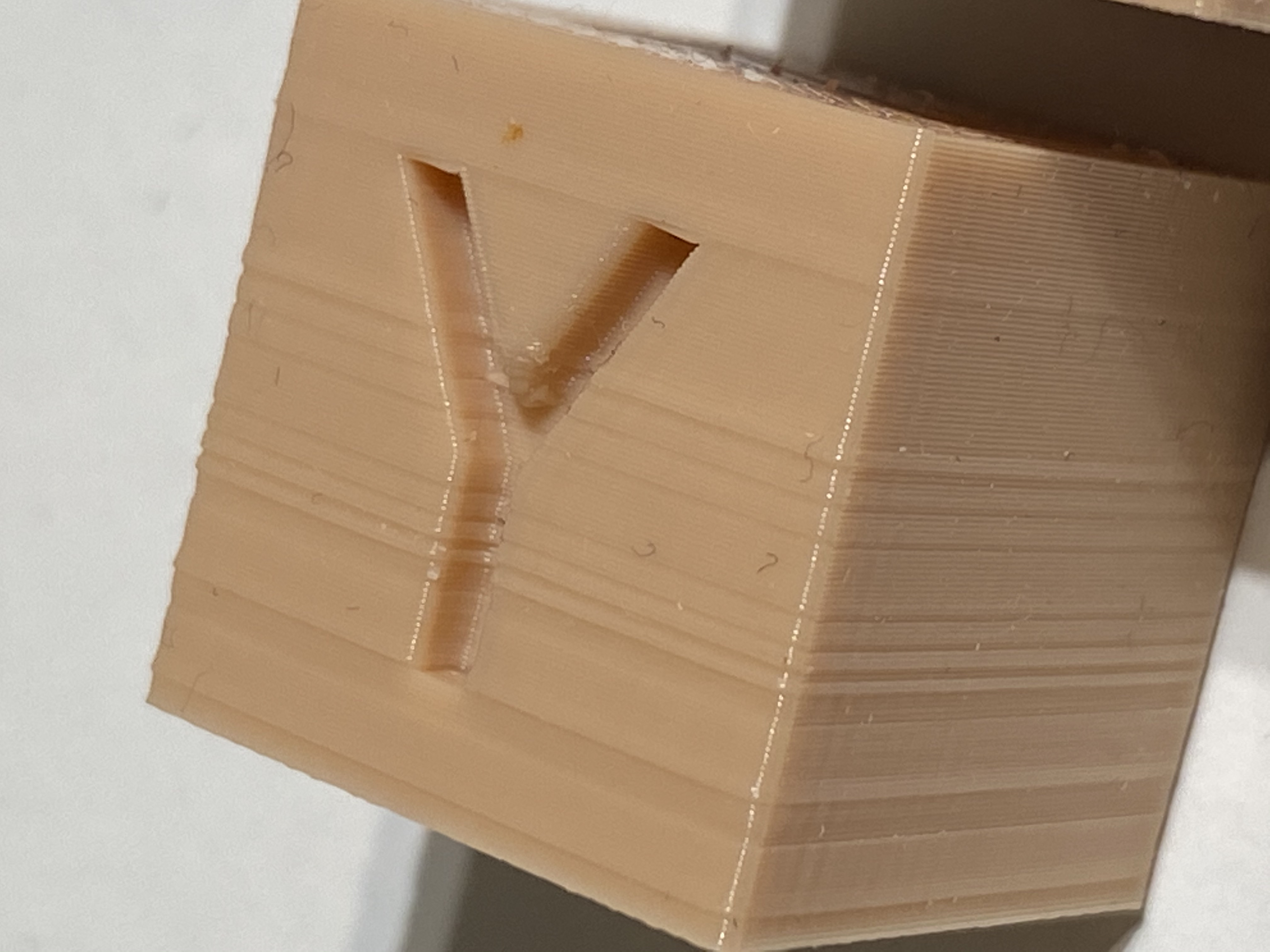
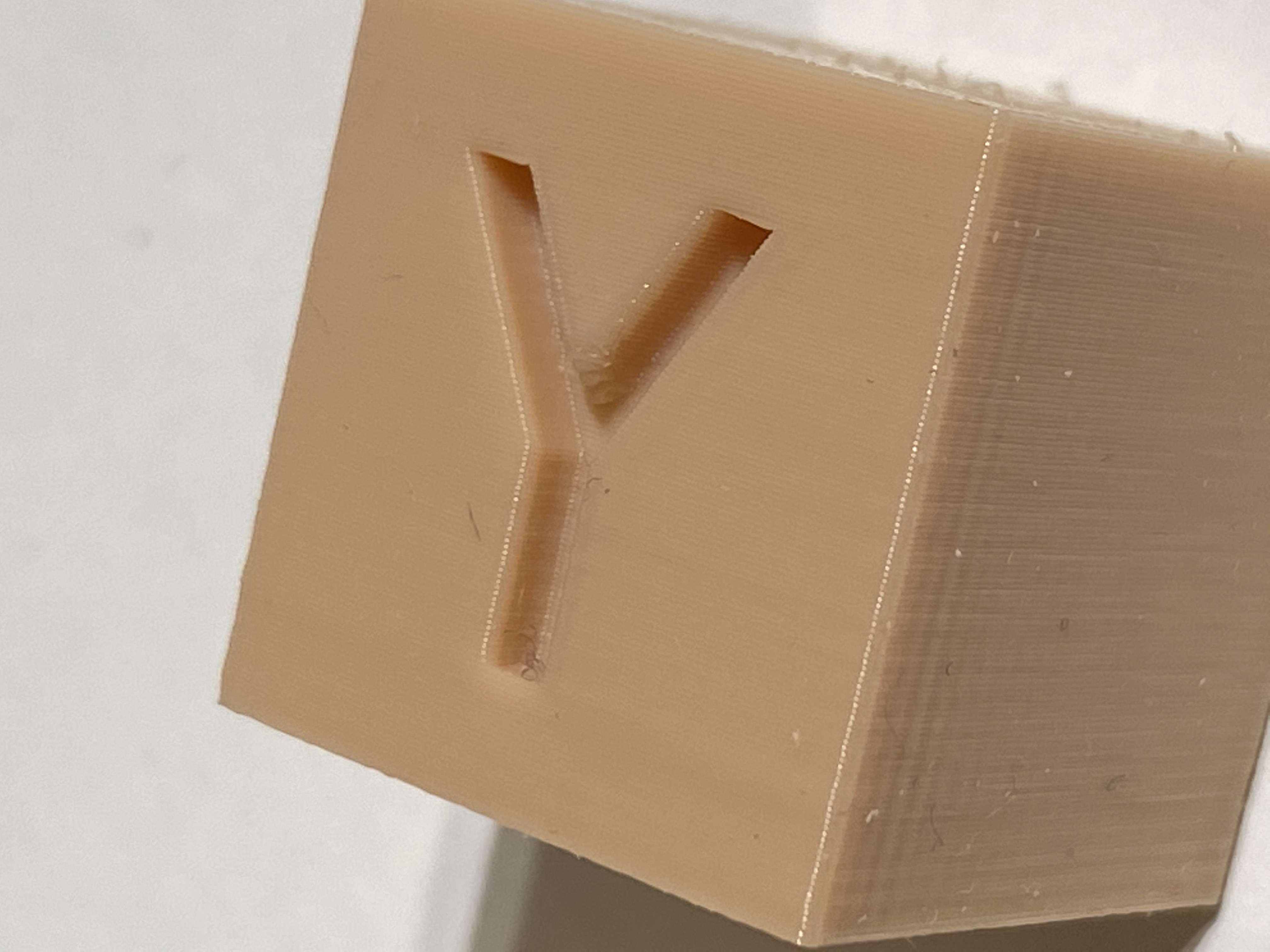
- Sometimes one or more layers appear overextruded in a print while the rest of the print is perfect.
- If I print the same g-code again, the lines are still there. If I change something and reslice they can dissappear or show up att different height.
Screenshot(s)

Additional information
I posted about this in the Cura user group on facebook, and other people had observed this aswell.
 hagan66
All 6 comments
That's strange. Maybe you can share a project file with me?
 mahtDFR
on 1 May 2020
mahtDFR
on 1 May 2020
Missing z-steps due to too high jerk/accel or too low stepper current?
 smartavionics
on 1 May 2020
smartavionics
on 1 May 2020
Hi! I tried to repy via email but it did not work with my attachments. I now attach two images of prints printed with exact same settings except for infill, which is grid infill for the bad looking cube and gyroid infill for the good one. Also attached you will find project file and gcode.
Bug Report.zip
hagan66
on 1 May 2020
Seems to be a flow rate problem with your nozzle then, to me. I suggest you keep using Gyroid or other infill patterns that don't produce overlap, such as Lines, Zigzag, Concentric or Cross (3D). That's what those infill patterns are there for.
 Ghostkeeper
on 6 May 2020
Ghostkeeper
on 6 May 2020
Hmm, I never had this until the last two versions of Cura.
I will do some checking and get back.
There were actually several people on Cura FB group that also had noticed this recently.
:-)
R
6 maj 2020 kl. 15:56 skrev Ghostkeeper notifications@github.com:
Seems to be a flow rate problem with your nozzle then, to me. I suggest you keep using Gyroid or other infill patterns that don't produce overlap, such as Lines, Zigzag, Concentric or Cross (3D). That's what those infill patterns are there for.
—
You are receiving this because you authored the thread.
Reply to this email directly, view it on GitHub https://github.com/Ultimaker/Cura/issues/7642#issuecomment-624664757, or unsubscribe https://github.com/notifications/unsubscribe-auth/ACF6JU45MIVCELKJCBGQA7LRQFUA7ANCNFSM4MXDQOBQ.
hagan66
on 6 May 2020
I just wanted to say you are probably right, now I got these ugly lines in Prusaslicer as well. So probably not Curas fault :-)
I suspect sticky rods messing up z-movement. I have now oiled them up and printing the same g-code. I will report the result.
R
6 maj 2020 kl. 16:23 skrev Robert Hagström hagan@me.com:
Hmm, I never had this until the last two versions of Cura.
I will do some checking and get back.
There were actually several people on Cura FB group that also had noticed this recently.
:-)
R
6 maj 2020 kl. 15:56 skrev Ghostkeeper <[email protected] notifications@github.com>:
Seems to be a flow rate problem with your nozzle then, to me. I suggest you keep using Gyroid or other infill patterns that don't produce overlap, such as Lines, Zigzag, Concentric or Cross (3D). That's what those infill patterns are there for.
—
You are receiving this because you authored the thread.
Reply to this email directly, view it on GitHub https://github.com/Ultimaker/Cura/issues/7642#issuecomment-624664757, or unsubscribe https://github.com/notifications/unsubscribe-auth/ACF6JU45MIVCELKJCBGQA7LRQFUA7ANCNFSM4MXDQOBQ.
hagan66
on 7 May 2020
Related issues
 dstulken
·
3Comments
dstulken
·
3Comments
 rudowinger
·
3Comments
rudowinger
·
3Comments
 konvoj
·
3Comments
konvoj
·
3Comments
 ferociousdiablo
·
3Comments
ferociousdiablo
·
3Comments
 DmitryBychkov
·
3Comments
DmitryBychkov
·
3Comments
Most helpful comment
Missing z-steps due to too high jerk/accel or too low stepper current?