Cura: (4.6.0) Z Seam Starting in middle of a wall, even with Sharpest Corner and Hide Seam
Description
Either Z Seam alignment or Corner Preference does not seem to behave correctly. With these settings on Sharpest Corner and Hide Seam, the seam ends up in the middle of a wall.
Application version
4.6.0 (worked correctly in 4.5.0)
Platform
Win 10, 5700 XT GPU
Printer
Custom Printer (Tevo Tornado)
Reproduction steps
- Open Cura 4.5.0 and 4.6.0 (perform all subsequent steps in both)
- Import a Benchy
- Choose the Draft Profile
- Expose the Z Seam alignment and Seam Corner Preference settings
- Ensure they are on "Sharpest Corner" and "Hide Seam", respectively
- Slice
- Move down to a layer in the middle of the boat hull (I used 108 for my examples)
- Pick a wall on the boat hull and note where the seam starts in both versions
Screenshot(s)
(Image showing the problem, perhaps before/after images.)


Actual results
Seam in 4.5 starts on a corner. Seam in 4.6 starts in the middle of a wall.
Expected results
Both behave like 4.5.
Project file
TT_3DBenchy_ProjectFiles.zip
Log file
CuraLogs.zip
Additional information
If you enable coasting, it becomes really apparent in the preview where all the seams are
 googlematt
All 14 comments
I'm glad I started with a Benchy. Would have sucked to discover this on a bigger print
googlematt
on 22 Apr 2020
I think the different behaviour could be due to the change in how the polygon simplification is done. However, IMHO, using sharpest corner is pretty much a dead loss anyway, it very rarely does what you want. Far better, IMHO, is to use a user-specified z-seam hint.
 smartavionics
on 22 Apr 2020
smartavionics
on 22 Apr 2020
I think the different behaviour could be due to the change in how the polygon simplification is done. However, IMHO, using sharpest corner is pretty much a dead loss anyway, it very rarely does what you want. Far better, IMHO, is to use a user-specified z-seam hint.
I've never actually used the User Specified setting. However, I've found that sharpest corner has been rather successful so far.
Either way, it should still work as intended, which it doesn't appear to be. I only used the one layer as an example, but it's the same across almost every layer. In 4.5.0 it starts on a corner for each shell, but 4.6.0 starts in the middle of a wall.
googlematt
on 22 Apr 2020
This is the difference it makes for me. Granted I'm still dialing things in (new printer, new filament), but this is the difference between 4.5 and 4.6. This is with my tweaked profile, but it's the same profile across both.
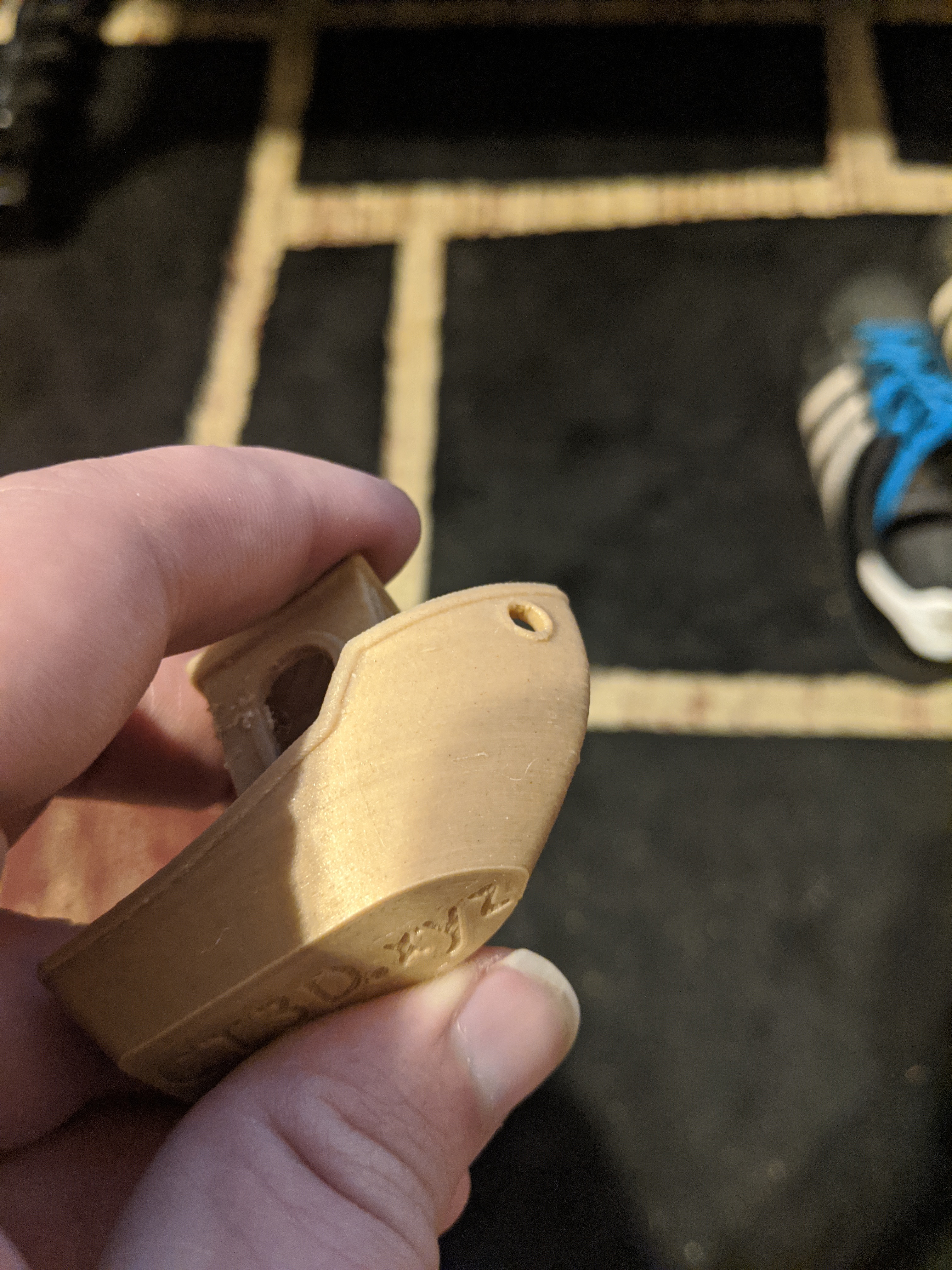
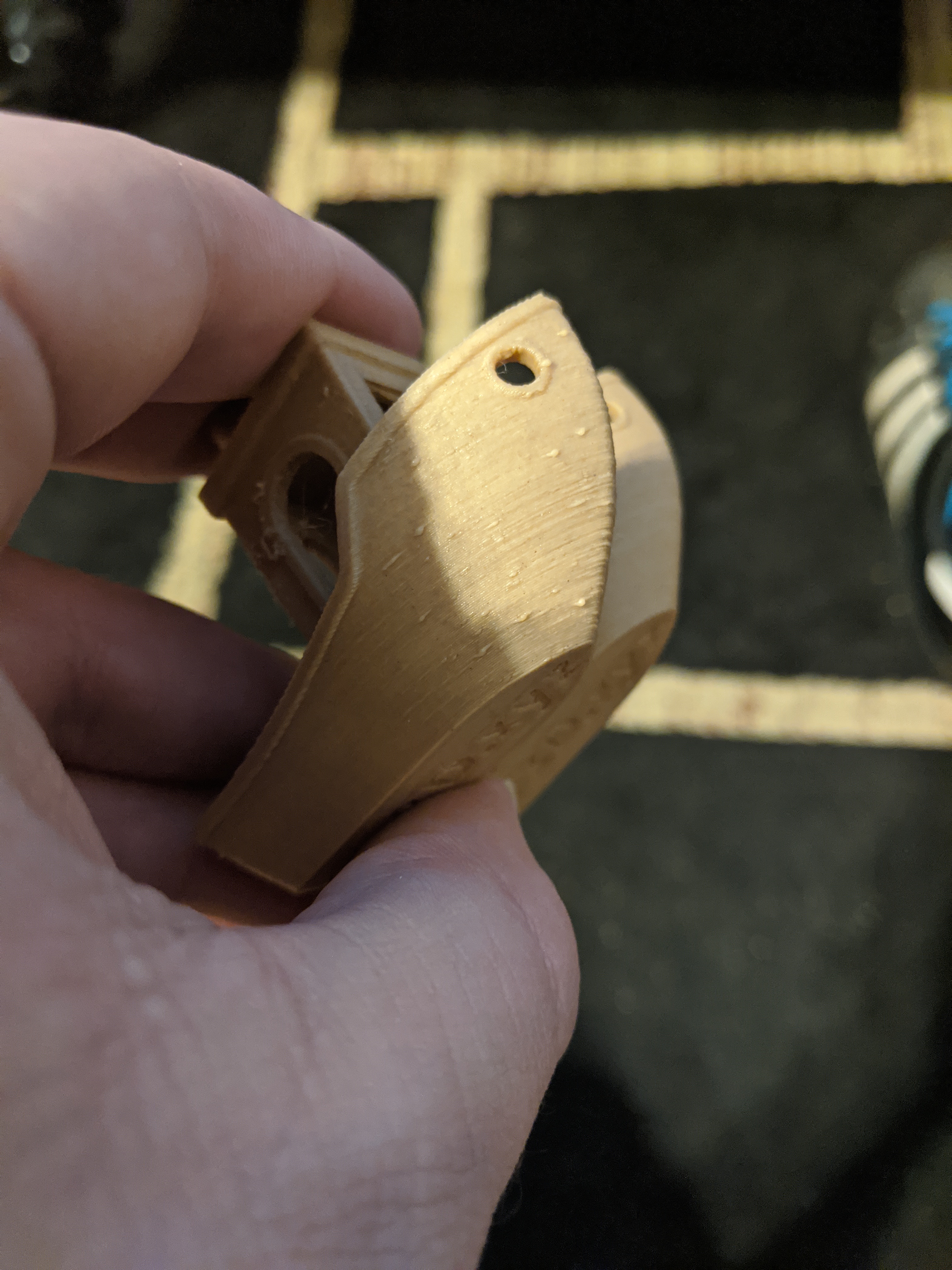
googlematt
on 22 Apr 2020
The problem with sharpest corner has always been that the sharpest corner can occur anywhere so when you have a wall like this...
````
                                                 |
                                                  -------------------------------------------------
````
(Not sure if my AA looks right for you, I think it depends on the font used)
The sharpest corner can occur at that little line segment.
I haven't actually tested this hypothesis but I think that in 4.5 and earlier the polygon simplification would have removed that little line segment but in the 4.6 version (due to https://github.com/Ultimaker/CuraEngine/pull/1238/commits/ad1dbf395c98ef1826c47826305854cbe938615d) that line segment won't get removed. Arguably, that's a regression.
smartavionics
on 22 Apr 2020
Maybe I should have put "Regression" in my title haha. Been a while since I worked Software QA
googlematt
on 22 Apr 2020
In current master the behaviour is yet again different from what you're seeing (we've made more changes to the Simplify algorithm since then), but indeed I can see the bug happening there too. It's indeed caused by a tiny hook in the contour that causes the sharpest corner to be found there.
 Ghostkeeper
on 23 Apr 2020
Ghostkeeper
on 23 Apr 2020
I think I had 4.6 checked out by accident. This bug is fixed by https://github.com/Ultimaker/CuraEngine/pull/1214/commits/1afa4507c180caea34dd0e08d94546749842760c. If I repeat the slice with master I don't see this happening any more.
We're looking into what we can do for 4.6 now with this bug.
Ghostkeeper
on 23 Apr 2020
It seems to me that the obvious thing is to disregard sharpest corners where one or both walls are shorter than xmm.
 Sophist-UK
on 24 Apr 2020
Sophist-UK
on 24 Apr 2020
We're taking this very seriously. Look for an update on this around mid-next week.
 rburema
on 24 Apr 2020
rburema
on 24 Apr 2020
We're taking this very seriously. Look for an update on this around mid-next week.
Thanks, I look forward to it! Glad I switched to 4.6 in the middle of tuning a new printer and had clear before and after results.
googlematt
on 24 Apr 2020
This will be fixed in 4.6.1
 nallath
on 28 Apr 2020
nallath
on 28 Apr 2020
@nallath @rburema thanks for the quick turnaround on this :)
googlematt
on 29 Apr 2020
This problem still there in 4.8
 brunoosti
on 2 Dec 2020
brunoosti
on 2 Dec 2020
Related issues
 konvoj
·
3Comments
konvoj
·
3Comments
 Liger0
·
3Comments
Liger0
·
3Comments
 muhammadelmogy
·
3Comments
muhammadelmogy
·
3Comments
 dstulken
·
3Comments
dstulken
·
3Comments
 mnswamp1
·
3Comments
mnswamp1
·
3Comments
Most helpful comment
This will be fixed in 4.6.1