Setting up lots of objects on a bed is long drawn-out workflow, if you don't want some weird random placement.
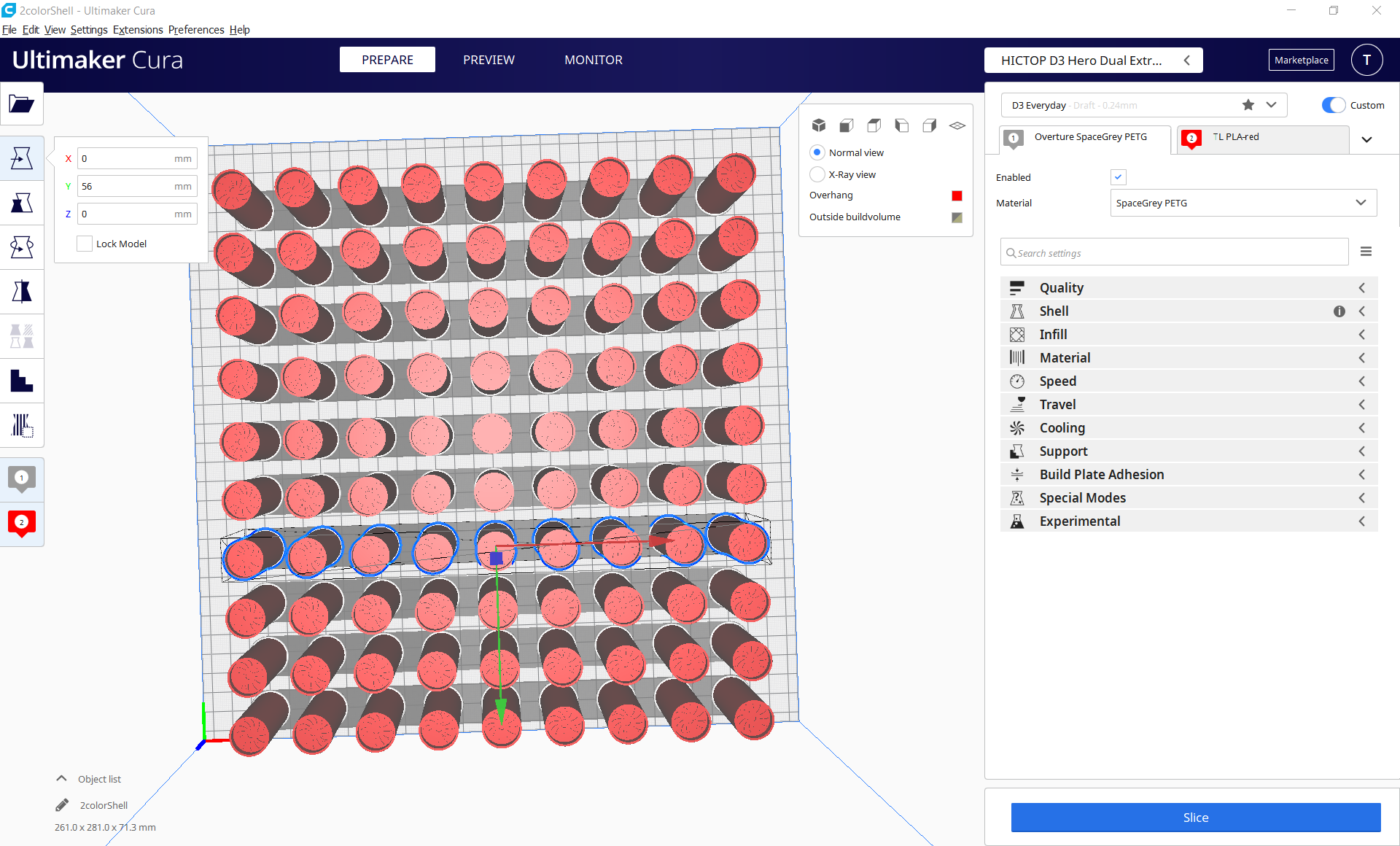
Some sort of "Matrix Multiply" would be great; where you feed X and Y spacing. The attached screen shot is 90 items with x & y of 30 each. That bed of objects took just over 30 minutes to layout.
- Bring in 1 object
- Multiply it one time
- Manually set the X and Y
Repeat 8 more times to make one row
Group all of those
- Manually multiply it 1 time
- Set the X and Y
- Repeat it 4 more times to make a half bed
- Group all
- Manually multiply 1 time
- Set the X and Y
- Finally have a full bed
OBSERVATION: With every paste of a single row of objects the waiting time gets longer and longer, until you can grab the row and set the position. Which seems a bit odd for an 8 core i7 with 32gig of RAM and seriously fast dual SSD drives, running no other apps but Cura while doing this work.
Automatically slice is NOT ticked on: So it shouldn't be doing exponentially more work with each iteration of adding objects.
In the end, repeating 1 group of 4 rows is a lot faster than repeating 1 row, 4 times.
And with 90 items on the bed, every action is very very slow.
Select all...
Wait 20 seconds
Click in the X location field
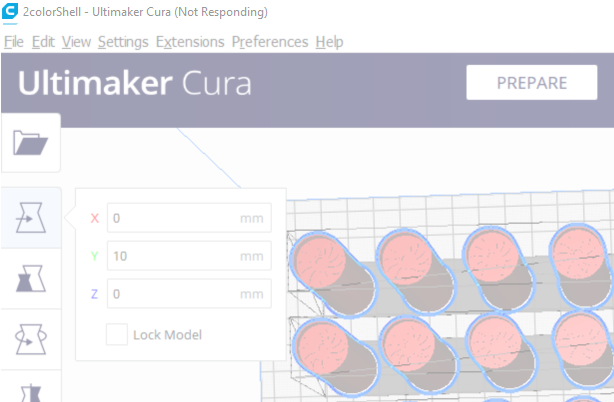
{not responding for 20 seconds}
So being able to define a matrix instead of just "Multiply 70 times" without knowing in advance just how many could fit - and resulting it strange placements - would be a great boost to shop efficiency.
Do something while its busy
 tlhintoq
All 8 comments
If you used silhouette studio they do this grid multiply! its very handy and missing from cura
 monkeymademe
on 16 Mar 2020
monkeymademe
on 16 Mar 2020
Re-working the arrange algorithm is pretty high up on our backlog on our internal tracker (CURA-7259)
 nallath
on 16 Mar 2020
nallath
on 16 Mar 2020
@nallath
Re-working the arrange algorithm is pretty high up on our backlog on our internal tracker (CURA-7259)
High up... Meaning towards the top of the list... high-ish in priority... So might see some love sooner rather than later?
tlhintoq
on 16 Mar 2020
@monkeymademe
If you used silhouette studio they do this grid multiply! its very handy and missing from cura
Hadn't heard of of silhouette studio. I'll take a look. Thanks for the tip
UPDATE: From the description
Silhouette Studio software gives you the ability to design projects to send to any Silhouette electronic cutting machine.
So its software for a cutter, not a 3d slicer. CanvasWorkspace for my Brother cutter does it too.
Well.. There's plenty of software for other industries that do matrix multiplication. Pretty much any/every graphic arts program. None of them really apply here though.
tlhintoq
on 16 Mar 2020
@nallath
Re-working the arrange algorithm is pretty high up on our backlog on our internal tracker (CURA-7259)High up... Meaning towards the top of the list... high-ish in priority... So might see some love sooner rather than later?
Assuming nothing changes, I'd say within the next few sprints.
nallath
on 16 Mar 2020
@nallath
Outstanding!
I'll be on that beta as soon as I see it. If you want a tester faster than that - hit me up.
tlhintoq
on 16 Mar 2020
Side note:
The same PC that created this file yesterday - slowly with that many objects - cannot open it today. Cura locks up. Have to kill it in Task Manager.
So now I have to remake the file rather than make one little change. Clearly I'll do it with less objects.
tlhintoq
on 17 Mar 2020
We've made a few improvements to how Cura handles many objects on the build plate in v4.5, but it's not quite there yet.
 Ghostkeeper
on 18 Mar 2020
Ghostkeeper
on 18 Mar 2020
Related issues
 mubarak111nsu
·
3Comments
mubarak111nsu
·
3Comments
 dstulken
·
3Comments
dstulken
·
3Comments
 Nemernemer
·
3Comments
Nemernemer
·
3Comments
 jornada812
·
3Comments
jornada812
·
3Comments
 rudowinger
·
3Comments
rudowinger
·
3Comments