Cura: [4.4.1] Can't "Pause at height" with Ultimaker S5
Application version
Cura 4.4.1
Platform
Windows 10 Pro N 64 Bit
Printer
Ultimaker S5
Firmware: 5.4.27.20191212
Reproduction steps
- Load an STL File to Cura
- Extensions-> Post Processing -> Modify G-Code
- "Pause at height"

- Slice
- Print over Network
-> Print is done without Pausing - Save the File als G-Code, no M0 Statement found in G-Code
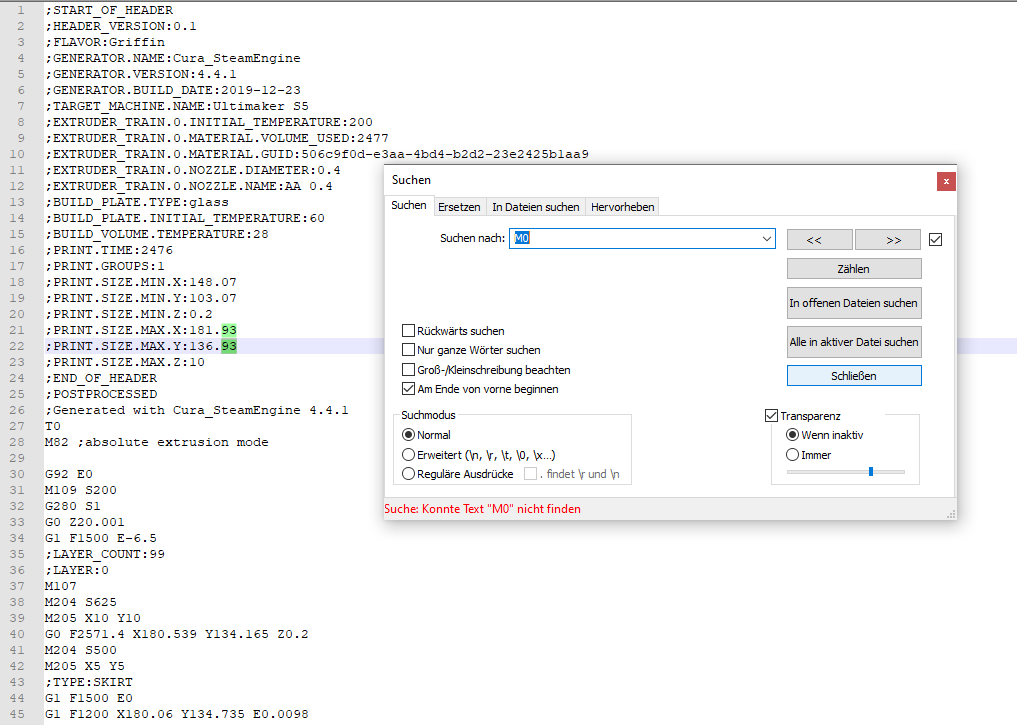
Actual results
Ultimaker S5 didn't Pause at my heigth. Neither via height in cm or in Layer Number
Project file
UMS5_StopAt-Z.zip
Searching for help,
sincerly, Bastian
 Bastian-Reul
All 5 comments
Hi there, we also use version 4.4.1. (now moved to 4.5)
Can you try removing that pp plugin and adding it again? Slice and save gcode.
I know this works because our new operator today forgot that this was saved in all of the gcode files. We were confused because all prints were pausing at the same layer height. He was using Cura version 4.4.1. I can confirm it was working at least for us.
 valeria-gomez
on 11 Feb 2020
valeria-gomez
on 11 Feb 2020
Hey Valeria,
thanks a lot for the hint, but it didn't changed anything. Any other suggestions?
Sincerly, Bastian
Bastian-Reul
on 12 Feb 2020
Hey Valeria,
thanks a lot for the hint, but it didn't changed anything. Any other suggestions?
Sincerly, Bastian
Can you please check in 4.5 (beta) and report back? There was a commit that should fix this.
6690
 mahtDFR
on 12 Feb 2020
mahtDFR
on 12 Feb 2020
Hey mahtDFR,
it seems that the update fixed the problem:
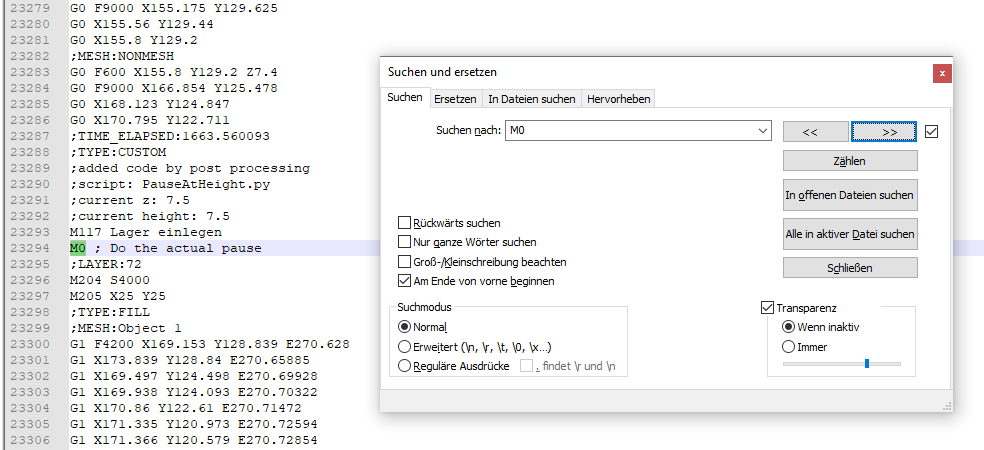
I'm printig actually a 30h print, but on Monday I will give it a try!
Thanks a lot for so long!
Sincerly, Bastian
Bastian-Reul
on 13 Feb 2020
Hey mahtDFR,
it seems that the update fixed the problem:
Good to hear. Good luck with the 30h print.
mahtDFR
on 13 Feb 2020
Related issues
 Nemernemer
·
3Comments
Nemernemer
·
3Comments
 ferociousdiablo
·
3Comments
ferociousdiablo
·
3Comments
 dstulken
·
3Comments
dstulken
·
3Comments
 muhammadelmogy
·
3Comments
muhammadelmogy
·
3Comments
 DamianSepczuk
·
3Comments
DamianSepczuk
·
3Comments