Application version
3.6 and/or 4.2.1
Platform
Win10/64
Printer
CFFFP
Reproduction steps
Load generated Gcode
Actual results

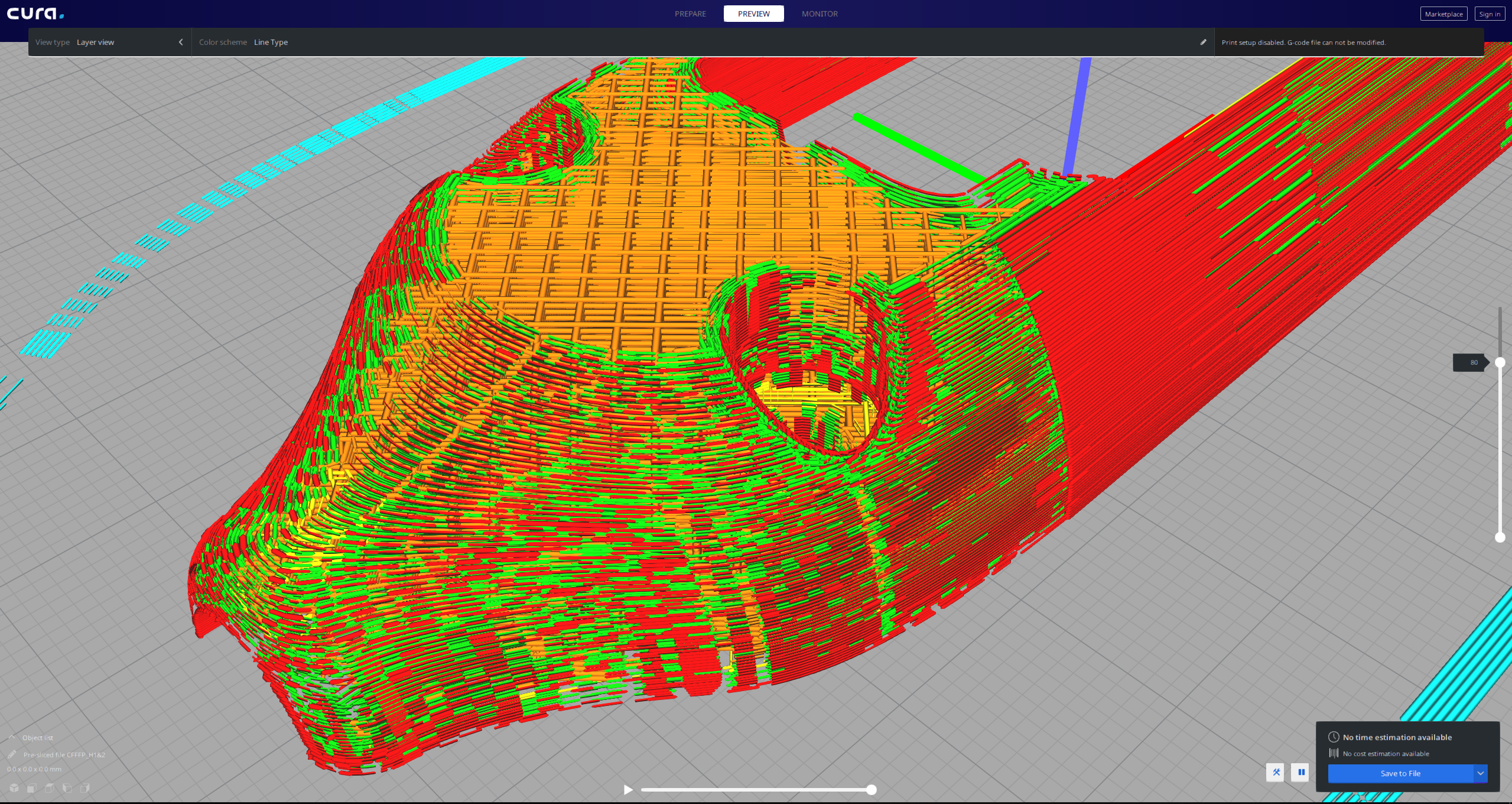
Expected results
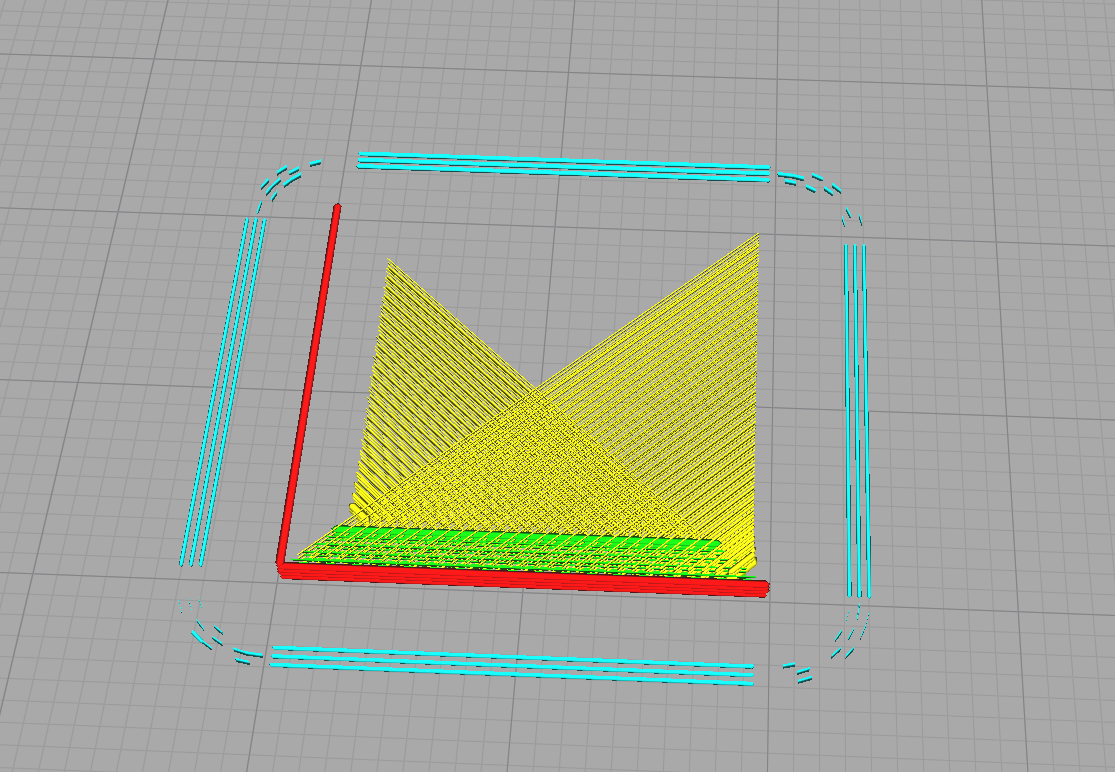
I was hoping to see the skin as one long uninterrupted line.
Coasting is OFF. print is OK.
Additional information
Why Cura Parser renders the Gcode in such a broken way?
 Thisismydigitalself
All 13 comments
It doesn't even work to me. Only 1/2 layers are generated and even in a very broken way.
This for any gcode, no matter the slicer used.
 Liger0
on 9 Aug 2019
Liger0
on 9 Aug 2019
Even in the compatibility mode I still see a clear and correct generated gcode. Could you please share the gcode with us? Thank you1
Btw, did you did any Windows update lately?
 Vandrasc
on 9 Aug 2019
Vandrasc
on 9 Aug 2019
Ver 4.2.1. i guess this goes the same for 3.6 and others.
I can't share the file in my main post as this belongs to a customer. i do see the same with any stl. i downloaded this rabbit from thingiverse. same outcome. I have attached the gcode which includes my settings at the bottom of the file. please see if you get the same rendering as mine. I don't believe this got to do with drivers and windows update. slicing workspace looks OK.
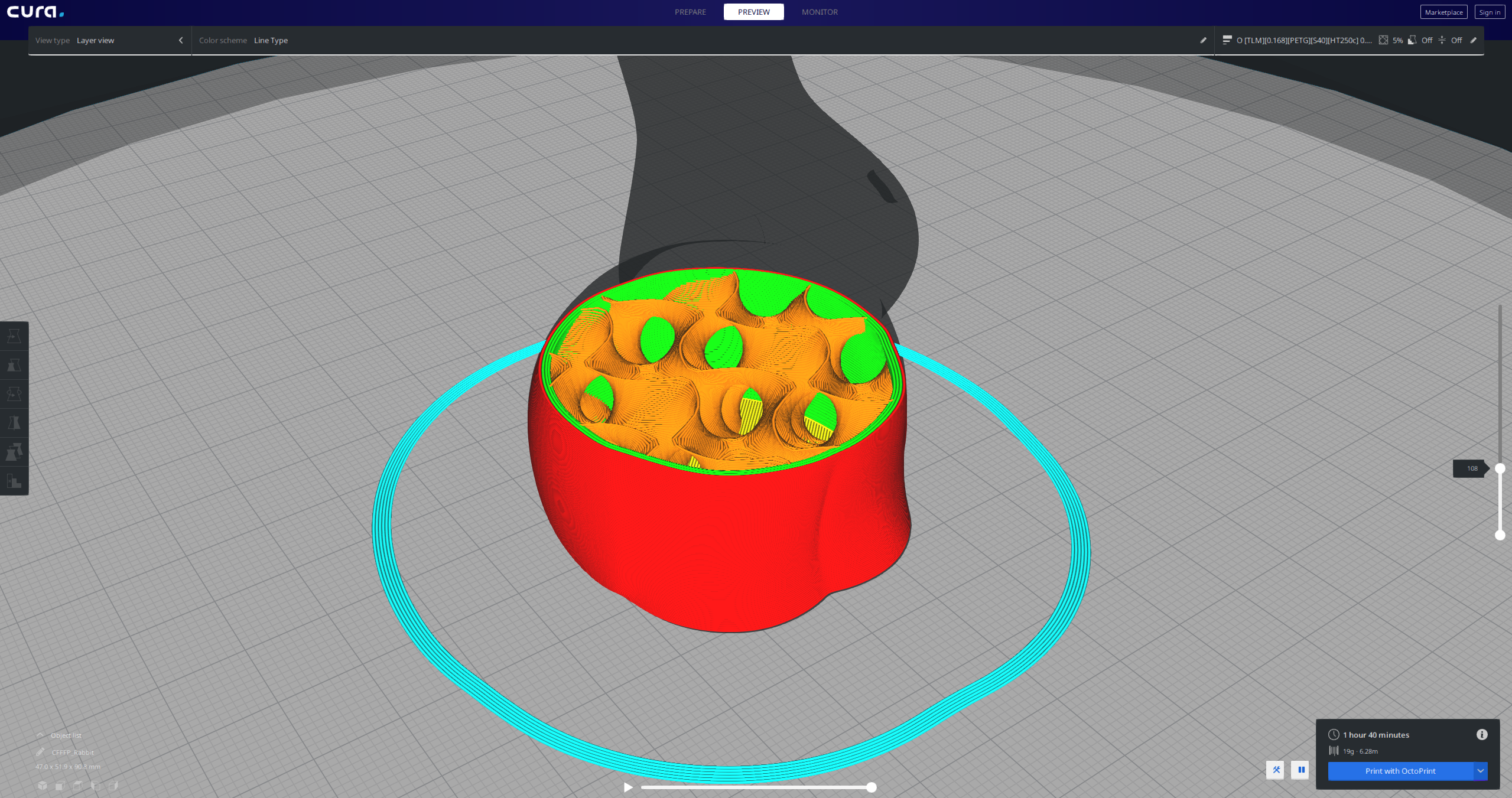
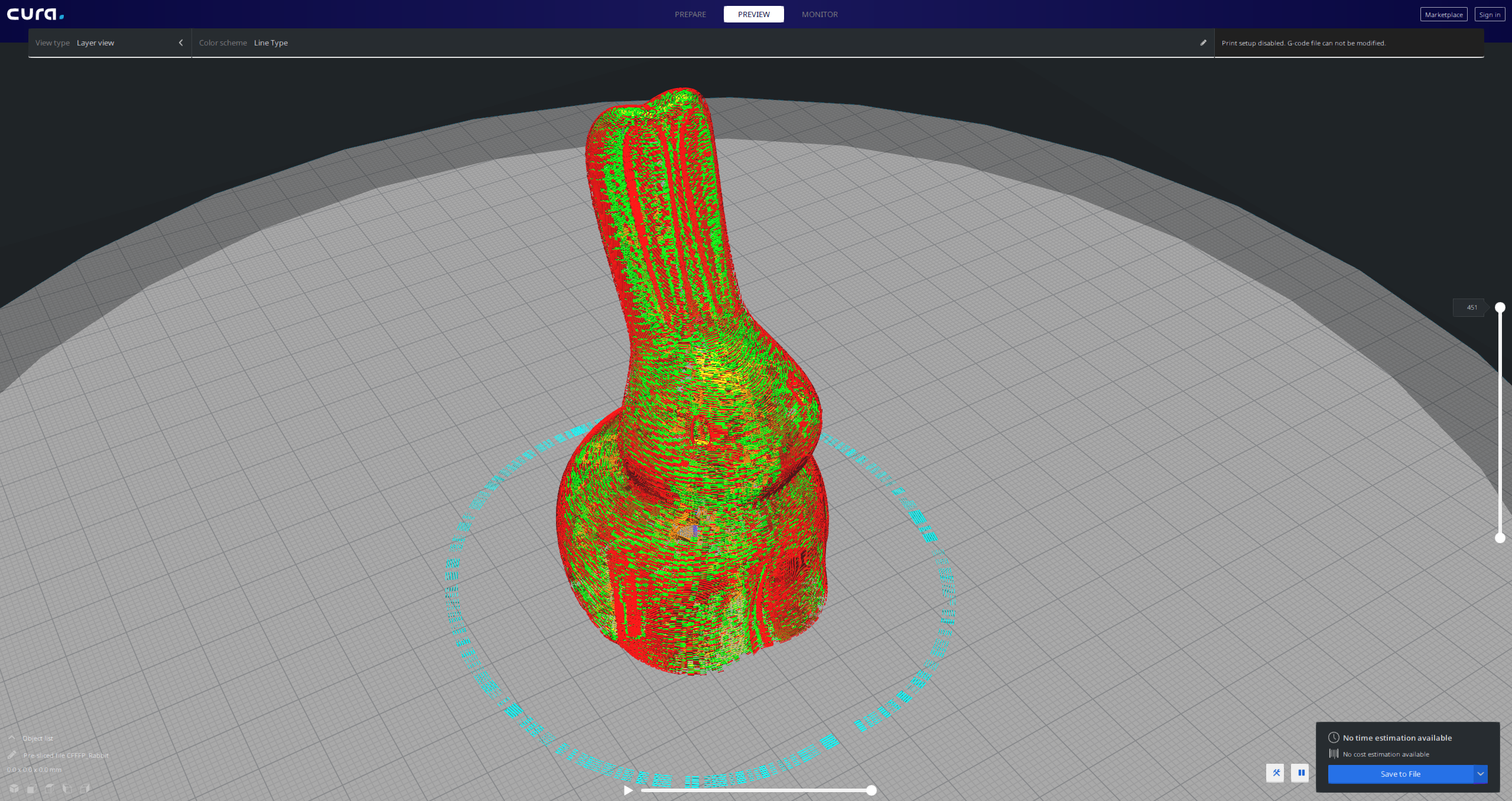
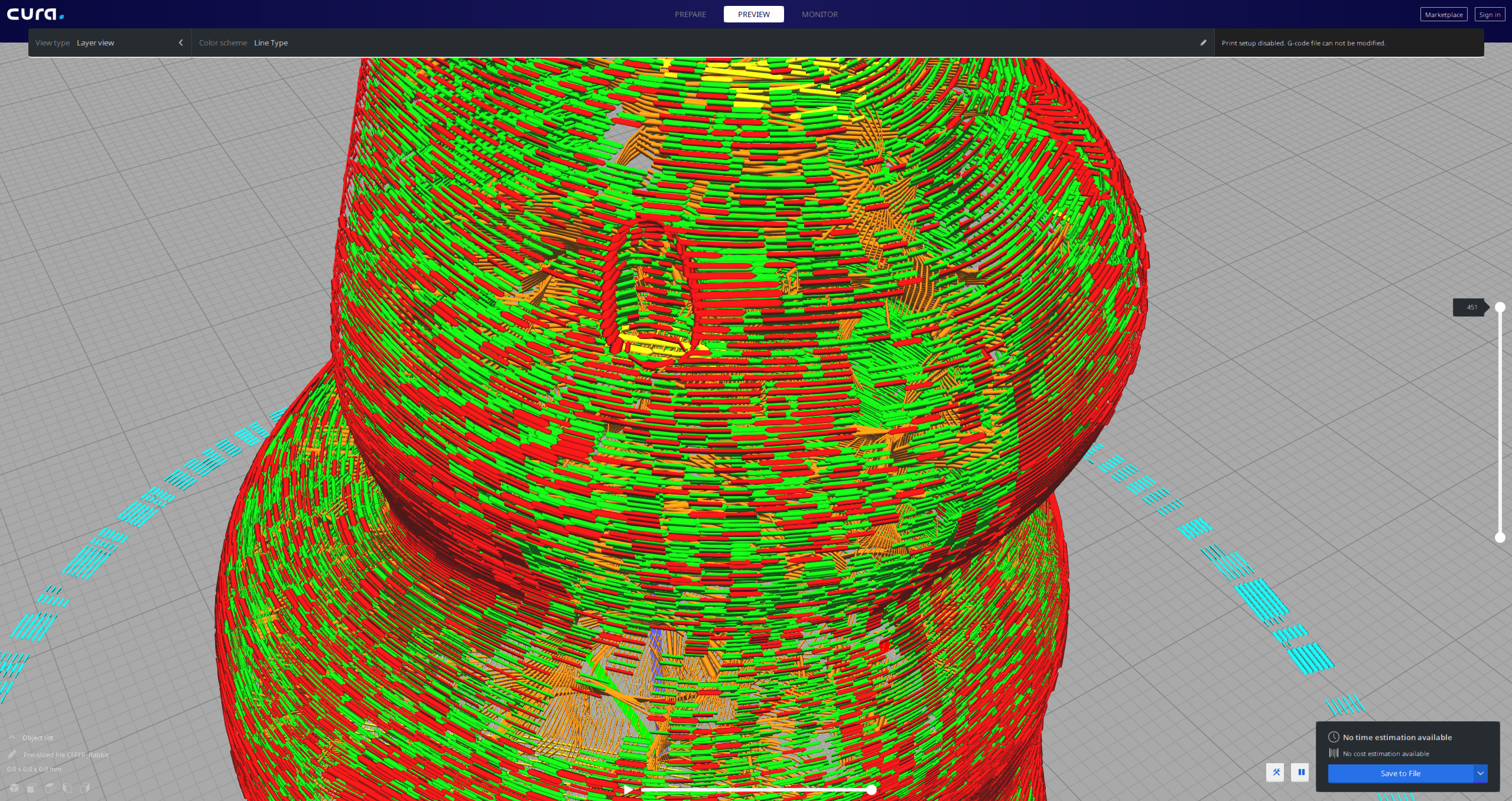
Thisismydigitalself
on 9 Aug 2019
I just tested this Rabbit model with Cura's built in profiles (not mine) and Gcode parser looks perfect.
I wonder what in my settings is causing this. will try to fiddle with some settings. i wish there was a way to compare profiles. i hope NP++ will help me here and compare between the gcode files settings.
Thisismydigitalself
on 9 Aug 2019
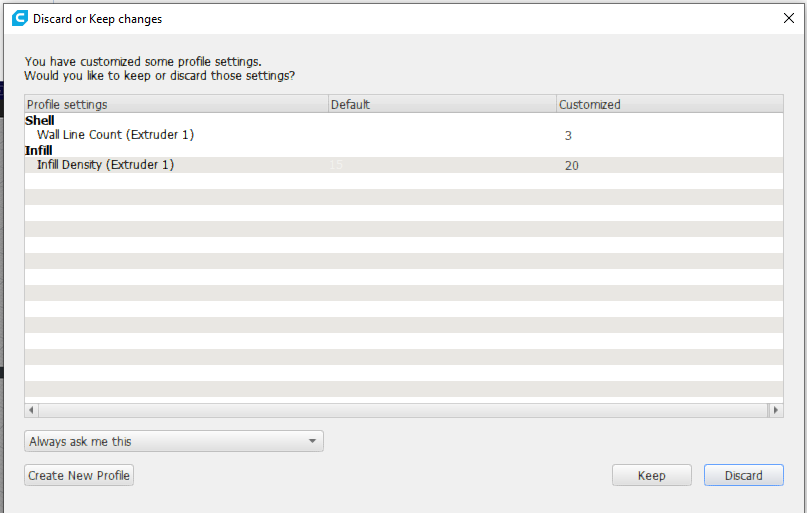
Oke, that is good to know, at least we now know that it can be one or more of the settings that have been customized and it doesn't happen with the builtin profiles. You can also check very quickly and easily the settings that have been customized by clicking on another profile so the Discard or keep window is triggered.
Curious what could it be, I was thinking of the Wire printing setting but there you get a message that the preview is not very accurate.
"i hope NP++ will help me here and compare between the gcode files settings." - If not Winmerge always does the trick :)
Vandrasc
on 9 Aug 2019
CCR10S_flowCalibration_Cube cura.zip
FlowCalibration_Cube petg Cura.zip
FlowCalibration_Cube petg S3D.zip
Liger0
on 9 Aug 2019
@Liger0
Same here with 4.2.1. when I slice using your settings i get the same BAD gcode. when i slice using Cura's built in profile, Gcode looks perfect. This begs the question - what setting(s) breaks our gcodes?
Thisismydigitalself
on 9 Aug 2019
Wow, look how beautiful the gcode parser output looks like when using Cura's 0.2 draft profile.
I have NO idea what breaks it in my profile.
This is not to be confused with Cura's preview workspace - this is the reloaded Gcode:
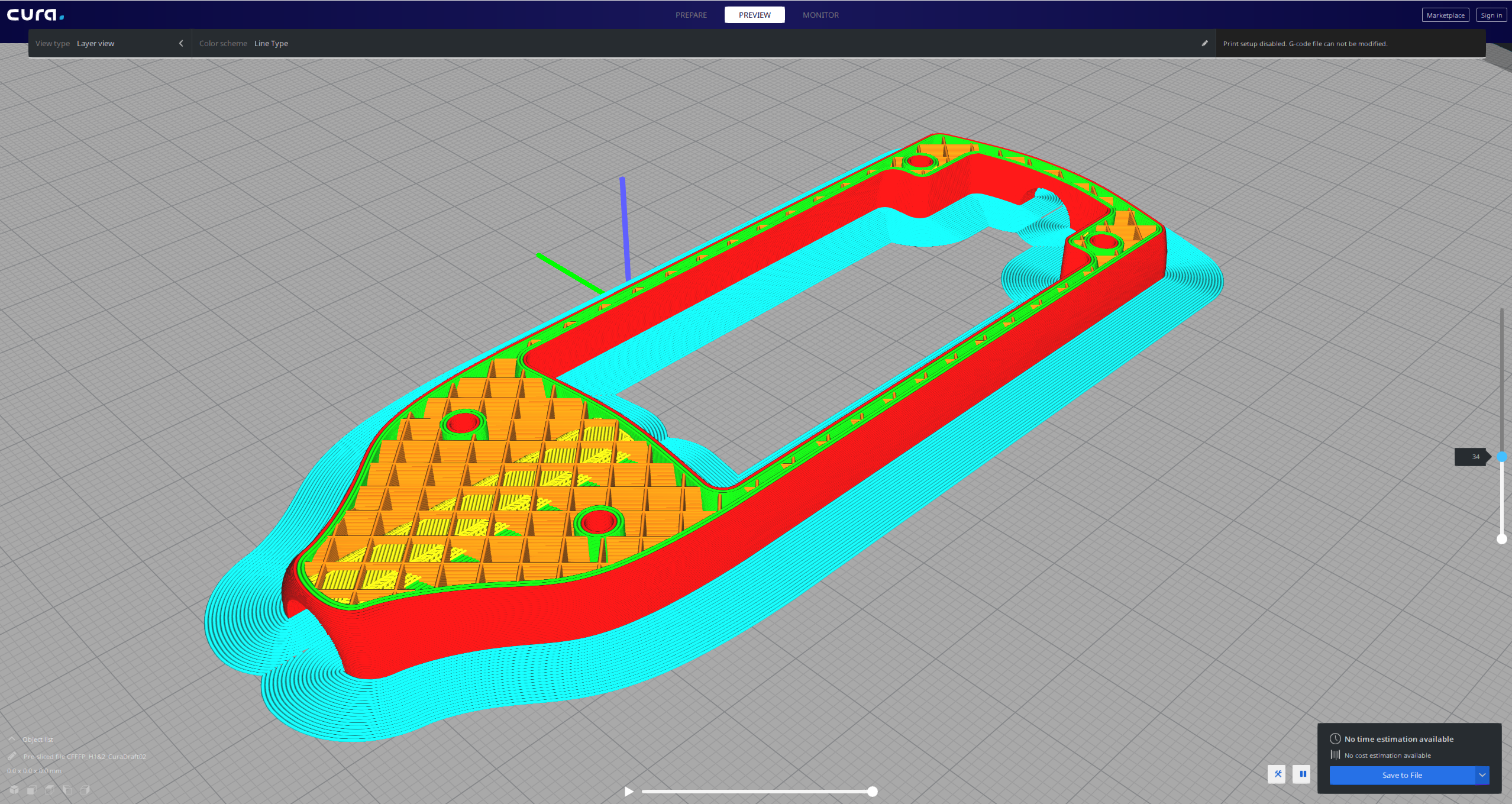
I must understand what goes on here.
Thisismydigitalself
on 9 Aug 2019
Boy!, That was tedious work but I believe I've found the culprit:
It's Relative Extrusion under Special Modes Category.
this begs another question: does this effects the printed part as it effects the parser?
I will have to print the same part twice to see what/if there is a difference.
I wonder if the gcode should reflect this setting in such a bad way or this is the correct way to express it. I do understand that the gcode represents what the extruder is doing in relative extrusion mode but what I am not sure is whether it needs to show it the way it does
BTW, this setting was not included in this Cura message when switching between profiles. i wonder why. this is what Cura prompted to the user when switching between Cura's built in Draft profile and my profile which seems like it does not include the Special Modes Category settings - it should.
Thisismydigitalself
on 9 Aug 2019
It prints fine, even other slicers can read the gcode properly, only cura reads the gcode bad (its own gcode).
Liger0
on 9 Aug 2019
Yeah, I can reproduce this too IF the Relative Extrusion setting is TRUE as what @Thisismydigitalself said.
And @Liger0 is correct, this is only in the gcode render in Cura. It looks just fine in layer view.
I'll take this back to the team to discuss.
 Ellecross
on 14 Aug 2019
Ellecross
on 14 Aug 2019
Hey @Thisismydigitalself.
We've just discussed this with the team. Unfortunately, we have decided to defer this and will leave this as it is for now. :( But we are now aware that this happens on the Cura's gcode renderer.
If you see this happening on other settings, please let us know. Thank you for reporting this!
Ellecross
on 15 Aug 2019
@Ellecross please don't close deferred issues but mark them as deferred instead. They are not yet fixed.
 Ghostkeeper
on 15 Aug 2019
Ghostkeeper
on 15 Aug 2019
Related issues
 DmitryBychkov
·
3Comments
DmitryBychkov
·
3Comments
 wi1k1n
·
3Comments
wi1k1n
·
3Comments
 mnswamp1
·
3Comments
mnswamp1
·
3Comments
 Nemernemer
·
3Comments
Nemernemer
·
3Comments
 timherrm
·
3Comments
timherrm
·
3Comments