Thank you for the opportunity to exercise my typing skills!
Application Version
cura 4.0.0
Platform
win 10, xeon x6, NVIDIA Quadro P2000, WiFi connection for the local network
Printer
u3extended
Steps to Reproduce
install firmware 5.2.8.20190320->(level switch position lost, palate active leveling lost) -> level switch and plate level calibration -> would print 60% of XY calibration pattern, so can be calibrated for X direction only -> a job sent for printing through local network -> cura would not connect to the printer from a remote location - can't find troubleshooting on that
Actual Results
there is no connectivity through the cloud. cura would try to find the printer using
local IP
Expected results
I have expected that firmware update should not throw away calibrations. can't see why XY pattern does not complete (would not give you an error, just skips most of the Y pattern and says its done)
Additional Information
 civgmh
All 17 comments
Hey @civgmh, sorry about you're required to type in a wall of text.
Let's see... Do I understand it correctly that you have two (or three) issues in your report?
- It looks like your first issue has nothing to do with the calibration. Instead, it's about how you cannot establish a cloud connection with your printer with new FW version.
Have you gone through the steps of setting up your cloud connection with your printer? And were you able to finish it successfully? The process involves signing-in and then allowing cloud-connection on your account, entering security code, etc....
If you've successfully set up your cloud connection with your printer, and you're no longer within the same local network as your printer, then the icon next to your printer should change to a cloud one.
Because you mentioned in your report, "there is no connectivity through the cloud. cura would try to find the printer using local IP", it's possible that you've not completed the cloud setup OR you may still be in your local network where Cura can still see your local printer.
Your second issue is about how after the update, the printer asked you to do a recalibration. I'll check with FW team about this.
And perhaps your third issue is XY pattern does not complete. For this one, can you make sure that other physical dependencies have worked as expected? Did you see that the printer actually moved and tried to print the Y pattern? Might be a long-shot, but is the material at the back grinding? or is the buildplate clean on that part where the Y pattern should be?
 Ellecross
on 23 Mar 2019
Ellecross
on 23 Mar 2019
Thanks for breaking it up.
Connectivity issue: I have completed all the cloud steps, including the code entering. It brought me to the point where the (as I understand) remote-control-internet-browser-window pops up and invites me to see the camera output remotely(did work while on the local network). I did see the icon turns to cloud while I was Installing the feature. It does not show up when I try to connect from a remote network.
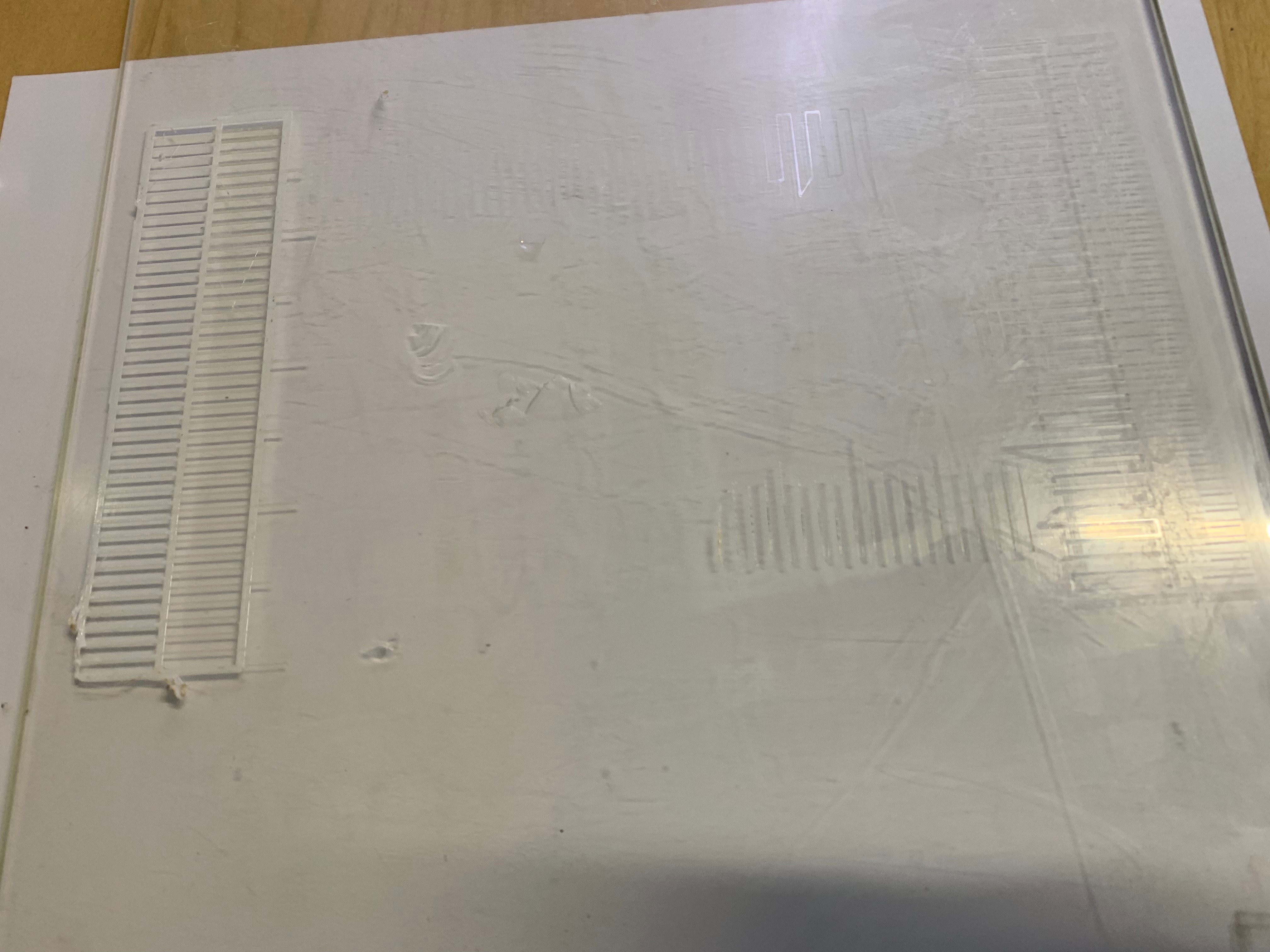
I believe the printer asked me for XY calibration after the update but it couldn't accomplish the task at all. It never asked me for level switch calibration for sure. I tried to print this patters some ten times, literally : that's how I discovered that level switch misses the slot (!?) and calibrated it ( if it misses the slot the heads cannot perform active plate leveling correctly and instead of extruding, the nozzles scratch the plate's glass). Attempts to run the pattern after the above calibration steps, resulted in the pattern shown on the picture. This pattern (unaccomplished one) stays the same no mater how many times I try to run it.
So, I was able to adjust just the X calibration and set Y calibration to 0. Next, I tried to print an object. The model did print out with the expected misalignment (support to model material) due to lack of Y calibration.
Now, it boils out to, how do I do the Y calibration, so I can start printing appropriately?
And, what is gone wrong with my through-the-cloud connectivity?
Most importantly, was loss of calibration a result of the firmware update?
Thanks,
civgmh
on 24 Mar 2019
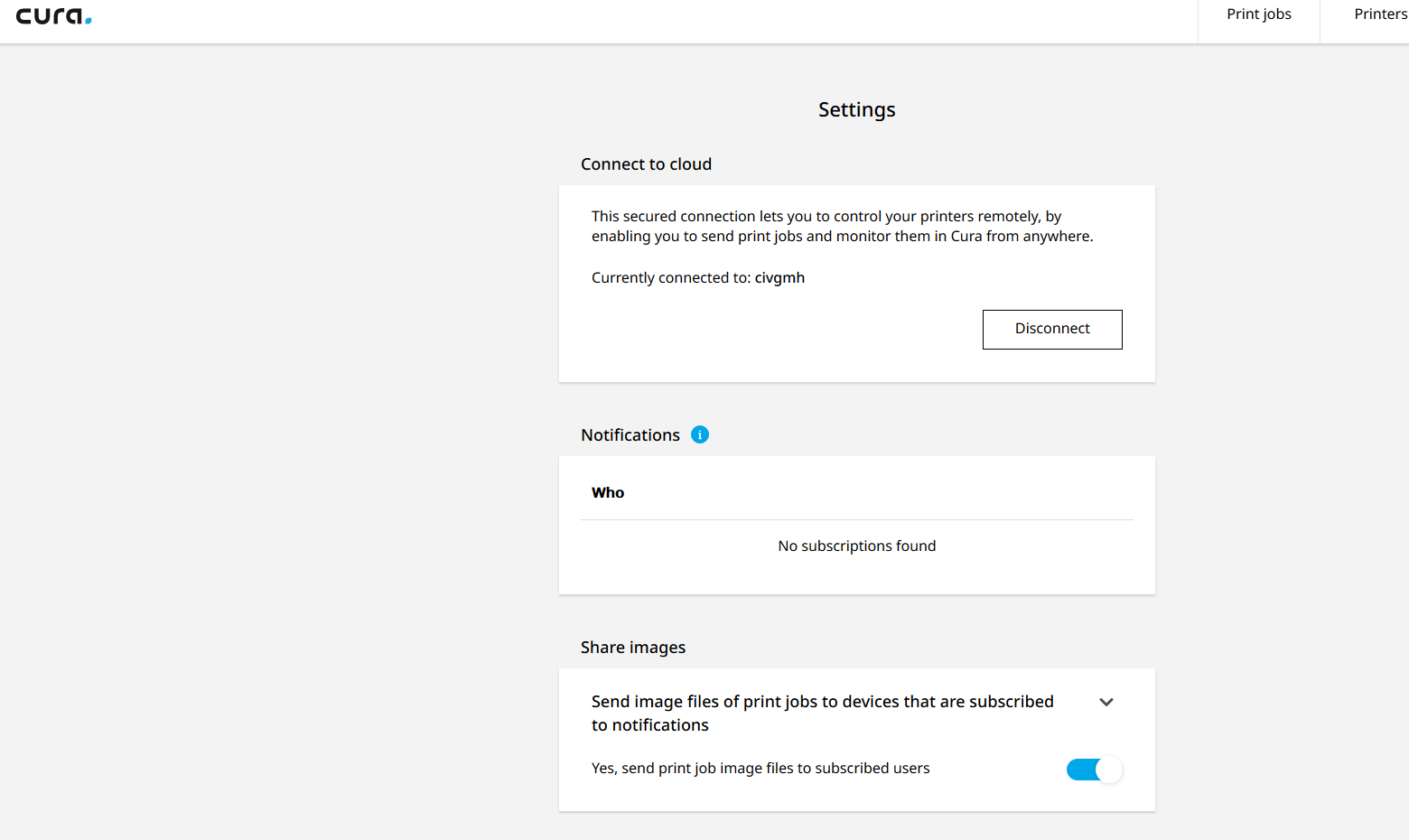
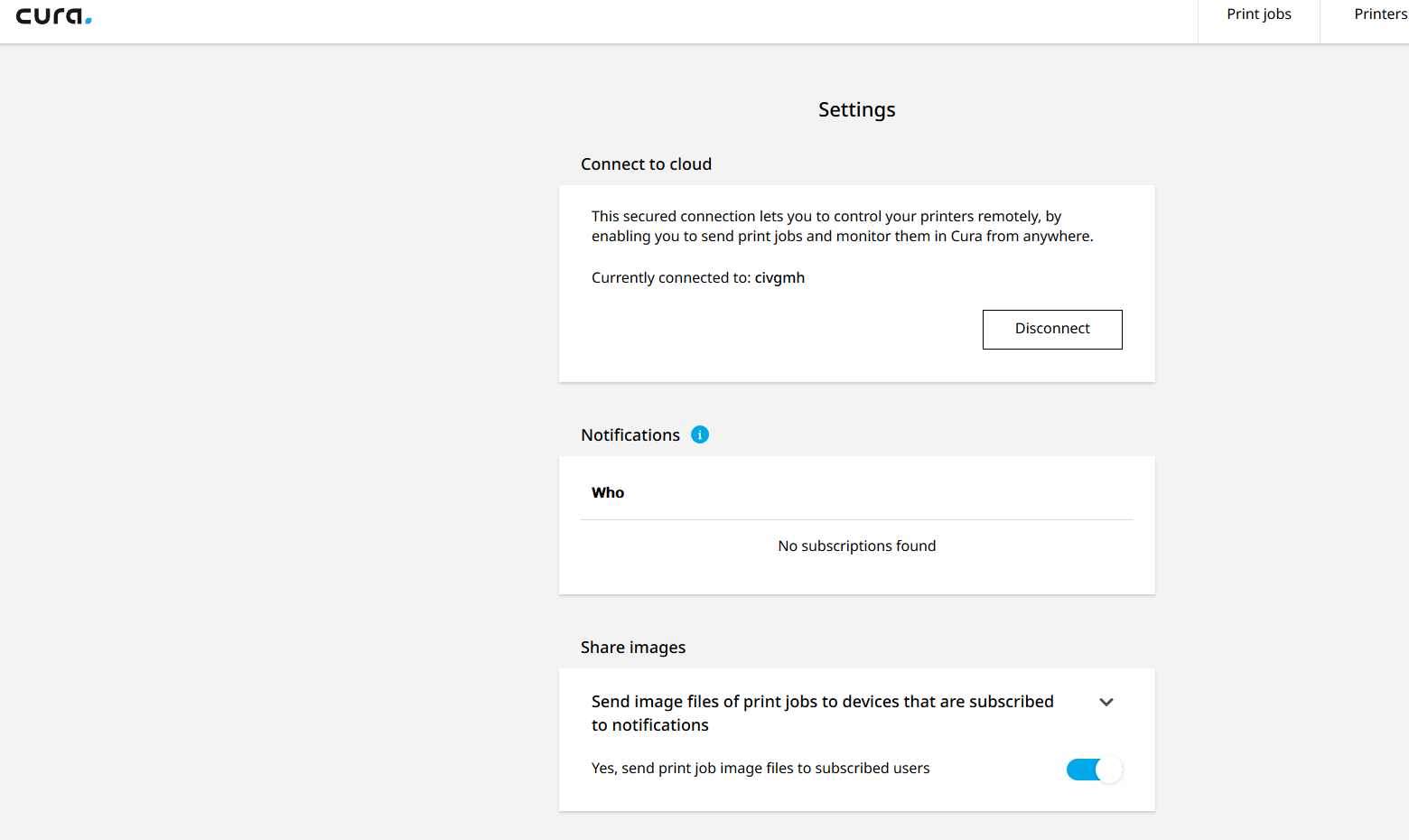
that's what i get when i click Goto Cura Connect while on the local network.
civgmh
on 24 Mar 2019
I got a closer look at what happens during Y pattern print: It looks to me, as the AA core is not hot enough to extrude or the plate hasn't reached the set point by the time it starts to print. But, while the core is failing to extrude, it's keep warming up and it's ready to go when it hits the X pattern. - That's my theory, take it or leave it:)
civgmh
on 24 Mar 2019
But, of course, after I manually set up core's temperatures It happy printed the XY calibration pattern.
Are there any other calibrations or setting I have to know about that I need to restore?
Ok, we are down to the remote connectivity issue now!
civgmh
on 24 Mar 2019
I had the feeling that we are not through with it yet:
When I abort a print the printer unloads the filament completely out of the pinching mechanism. Why?!
civgmh
on 25 Mar 2019
I got a closer look at what happens during Y pattern print: It looks to me, as the AA core is not hot enough to extrude or the plate hasn't reached the set point by the time it starts to print. But, while the core is failing to extrude, it's keep warming up and it's ready to go when it hits the X pattern. - That's my theory, take it or leave it:)
This is interesting. I gotta talk to our firmware devs if they know or saw something like this. Hmmm.. It does make sense that if the AA core is not hot enough, it will not print that part.
Ellecross
on 26 Mar 2019
I had the feeling that we are not through with it yet:
When I abort a print the printer unloads the filament completely out of the pinching mechanism. Why?!
What?! Ok that's weird. Is there something on your gcode? I gotta get you in touch with someone from Firmware. :P
Ellecross
on 26 Mar 2019
Hi @civgmh,
The X/Y calibration indeed is impacted by a bug. A workaround is to manually feed the material through when the calibration pattern is printed. We are working on a proper fix for this issue.
 WesleyE
on 26 Mar 2019
WesleyE
on 26 Mar 2019
I had the feeling that we are not through with it yet:
When I abort a print the printer unloads the filament completely out of the pinching mechanism. Why?!
Apparently, this is also a known issue and we have an internal ticket for it already.
Ellecross
on 26 Mar 2019
@civgmh with regards to your connectivity issues, can you answer a few questions please?
- How do you add the networked-connected printer in Cura? Do you add it by name? Or by IP?
If by name > Manage Printers > Connect via Network > Click Refresh in the Connect to Networked Printer dialogue. Here, you'll see a list of names of the printers available in your network.
if by IP > Manage Printers > Connect via Network > Add Printer > then you add by IP address.
FYI - we currently have an issue that we are working on. The cloud feature does not completely work if you add a printer via IP address only.
A few things:
If you are cloud connected also, the camera feed will not work - this is expected. if you go to the Monitor page in Cura, the camera icon is grayed-out. is this what you see as well?
When cloud connected, there may be some limitation. You can only send a print job to the queue and track its progress, but you cannot manipulate the queue. You cannot abort it either or pause.
Ellecross
on 26 Mar 2019
Thanks, for your replies. It feels better when I know where I am.
Another note: I do manage to Print XY calibration pattern "manually".
Still, I do think I miss something, dough. I get different values every
time.
Does this depend on a previous setting? In other words, should I zero out a
current XYoffset setting before I run a new calibration pattern.
Thanks,
On Tue, Mar 26, 2019 at 5:01 AM Ellecross notifications@github.com wrote:
@civgmh https://github.com/civgmh with regards to your connectivity
issues, can you answer a few questions please?
- How do you add the networked-connected printer in Cura? Do you add
it by name? Or by IP?
If by name > Manage Printers > Connect via Network > Click Refresh in
the Connect to Networked Printer dialogue. Here, you'll see a list of names
of the printers available in your network.if by IP > Manage Printers > Connect via Network > Add Printer > then you
add by IP address.FYI - we currently have an issue that we are working on. The cloud feature
does not completely work if you add a printer via IP address only.A few things:
1.
If you are cloud connected also, the camera feed will not work - this
is expected. if you go to the Monitor page in Cura, the camera icon is
grayed-out. is this what you see as well?
2.When cloud connected, there may be some limitation. You can only send
a print job to the queue and track its progress, but you cannot manipulate
the queue. You cannot abort it either or pause.—
You are receiving this because you were mentioned.
Reply to this email directly, view it on GitHub
https://github.com/Ultimaker/Cura/issues/5492#issuecomment-476553683,
or mute the thread
https://github.com/notifications/unsubscribe-auth/AKDJ3D2xdccbXqXrk2D-bBCZd1UMFGivks5vae_1gaJpZM4cE8Lu
.
--
Eugene Gore
R&D Engineer at
Impossible Objects, Inc.
cell (312)480-7068
3455 Commercial Ave.
Northbrook, IL 60062
civgmh
on 26 Mar 2019
Good question. According to a firmware engineer here at Ultimaker, it should zero the previous calibration before starting the next one so you don't need to do that manually. He does mention that it's been a while since that was written or verified.
 Ghostkeeper
on 28 Mar 2019
Ghostkeeper
on 28 Mar 2019
Hi, are you sure it's old? We are talking about firmware 5.2.8.2019320 -
the latest?
I did run through the exercise. It turns that my machine gives me 0,0
adjustment every time I set calibration to 0,0 . But if the setting was
changed the pattern reflects exactly the latest recorded offset. The
firmware does not automatically zeros the values prior to printing a new
XYcalibration pattern.
Best,
On Thu, Mar 28, 2019 at 7:14 AM Ghostkeeper notifications@github.com
wrote:
Good question. According to a firmware engineer here at Ultimaker, it
should zero the previous calibration before starting the next one so you
don't need to do that manually. He does mention that it's been a while
since that was written or verified.—
You are receiving this because you were mentioned.
Reply to this email directly, view it on GitHub
https://github.com/Ultimaker/Cura/issues/5492#issuecomment-477570081,
or mute the thread
https://github.com/notifications/unsubscribe-auth/AKDJ3JAqdHzj5c_3bUt7e1XWmbJ-fMFeks5vbLIrgaJpZM4cE8Lu
.
--
Eugene Gore
R&D Engineer at
Impossible Objects, Inc.
cell (312)480-7068
3455 Commercial Ave.
Northbrook, IL 60062
civgmh
on 28 Mar 2019
Same problem with my UM3 here as described by civgmh, but an additional observation:
I've performed manual levelling and active after that. When active leveling finished, no result was shown on the display. It was just back on the print bed menue. My guess: No result means fine. Another bug, the firmware guys should work on.
From now on I won't upgrade to a new firmware earlier than a month after it was published...
Greetings from Germany!
 th10gt
on 30 Mar 2019
th10gt
on 30 Mar 2019
Th10gt - thank you for verifying my findings.
On Sat, Mar 30, 2019 at 1:48 AM th10gt notifications@github.com wrote:
Same problem with my UM3 here as described by civgmh, but an additional
observation:I've performed manual levelling and active after that. When active
leveling finished, no result was shown on the display. It was just back on
the print bed menue. My guess: No result means fine. Another bug, the
firmware guys should work on.From now on I won't upgrade to a new firmware earlier than a month after
it was published...Greetings from Germany!
—
You are receiving this because you were mentioned.
Reply to this email directly, view it on GitHub
https://github.com/Ultimaker/Cura/issues/5492#issuecomment-478214069,
or mute the thread
https://github.com/notifications/unsubscribe-auth/AKDJ3CHaNf2JSU7g1rSWSuMhfhXZ4XMsks5vbwi5gaJpZM4cE8Lu
.
--
Eugene Gore
R&D Engineer at
Impossible Objects, Inc.
cell (312)480-7068
3455 Commercial Ave.
Northbrook, IL 60062
civgmh
on 30 Mar 2019
This firmware version was fixed in 5.2.11.
Ghostkeeper
on 6 Jun 2019
Related issues
 ferociousdiablo
·
3Comments
ferociousdiablo
·
3Comments
 dstulken
·
3Comments
dstulken
·
3Comments
 rudowinger
·
3Comments
rudowinger
·
3Comments
 DamianSepczuk
·
3Comments
DamianSepczuk
·
3Comments
 tomoinn
·
3Comments
tomoinn
·
3Comments