Cura: [3.6] Missing options on plate adhesion
Application Version
3.6
Platform
Win10 x64
Printer
cr-10s double extrusion
Steps to Reproduce
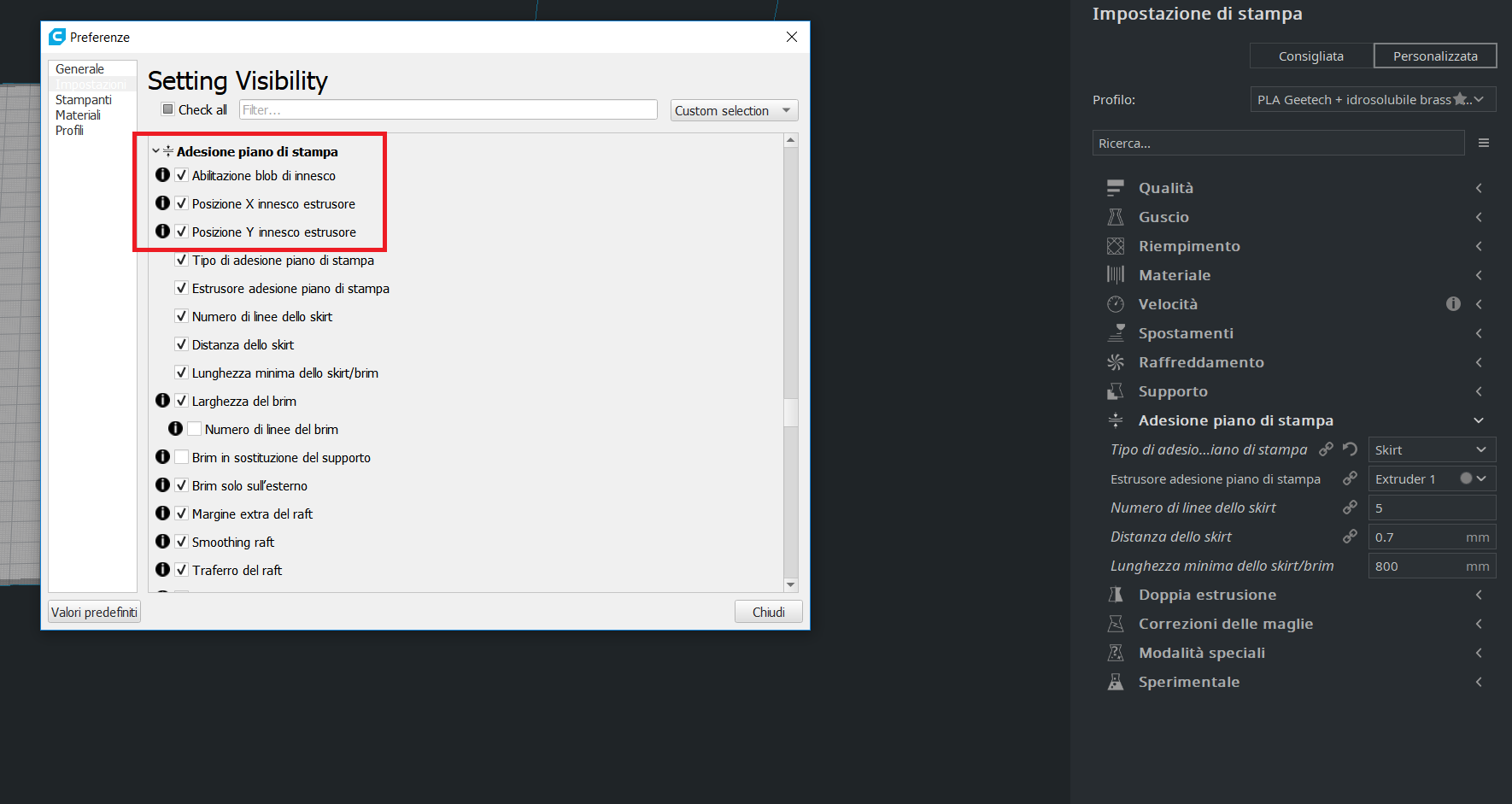
Enable the visibility of all the Build plate adhesion settings.
Actual Results
Some options are not visible.
Expected results
The options should be visible.
Additional Information
 Liger0
All 4 comments
Hi @Liger0!
Good questions! We have gone back to the old tickets we had in Cura to find out the reasons behind this. Thanks to @Ghostkeeper and @Vandrasc
Those are expected. If you hover over the icon to the left side of the tick box, it says that the setting is hidden by the active machine.
The Enable Prime Blob setting can be made visible only for the following printers: (Their printer definition file has the "prime_blob_enable": { "enabled": true } overwrite. ;D)
- builder_premium_large
- builder_premium_medium
- builder_premium_small
- cartesio
- ultimaker3
- ultimaker_s5
- winbo_dragonl4
- winbo_mini2
- winbo_superhelper105
Whilst the Extruder X Y prime position are intentionally hidden since Cura 2.2 for all machines.
 Ellecross
on 28 Dec 2018
Ellecross
on 28 Dec 2018
Hi @Liger0!
Good questions! We have gone back to the old tickets we had in Cura to find out the reasons behind this. Thanks to @Ghostkeeper and @Vandrasc
Those are expected. If you hover over the icon to the left side of the tick box, it says that the setting is hidden by the active machine.
The Enable Prime Blob setting can be made visible only for the following printers: (Their printer definition file has the "prime_blob_enable": { "enabled": true } overwrite. ;D)
* builder_premium_large

* builder_premium_medium

* builder_premium_small

* cartesio

* ultimaker3

* ultimaker_s5

* winbo_dragonl4

* winbo_mini2

* winbo_superhelper105
Whilst the Extruder X Y prime position are intentionally hidden since Cura 2.2 for all machines.
I see, thanks.
So, I will also ask what manages the darker areas on the build plate with double extrusion machine. I noticed using a stock profile the dark area is bigger than using my custom profile, so I guess there is some settings managing it, right?
Liger0
on 28 Dec 2018
Yes, there are settings, but Cura also does its own generation of the disallowed areas based on the settings of the profile.
It's possible to have the "machine_disallowed_areas" setting in the machine definition files. For example, look at Ultimaker 3's (ultimaker3.def.json). The settings are for setting the disallowed areas for the UM3's bed clips, switching bay and for the camera.
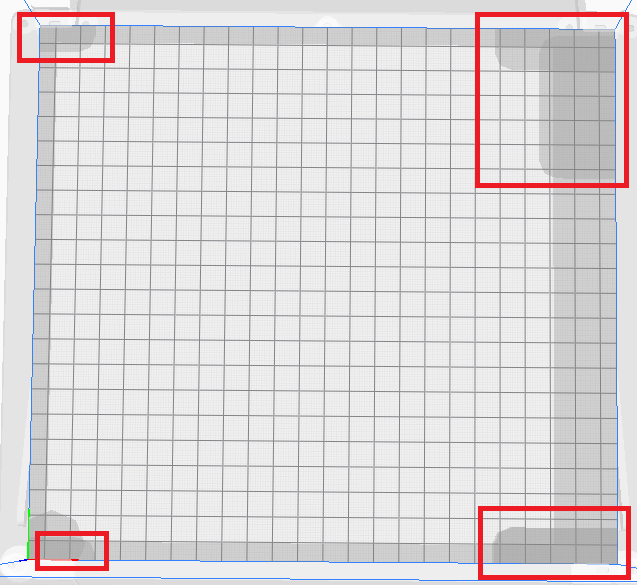
But Cura also does it's own generation of the disallowed areas depending on the settings of your profile:
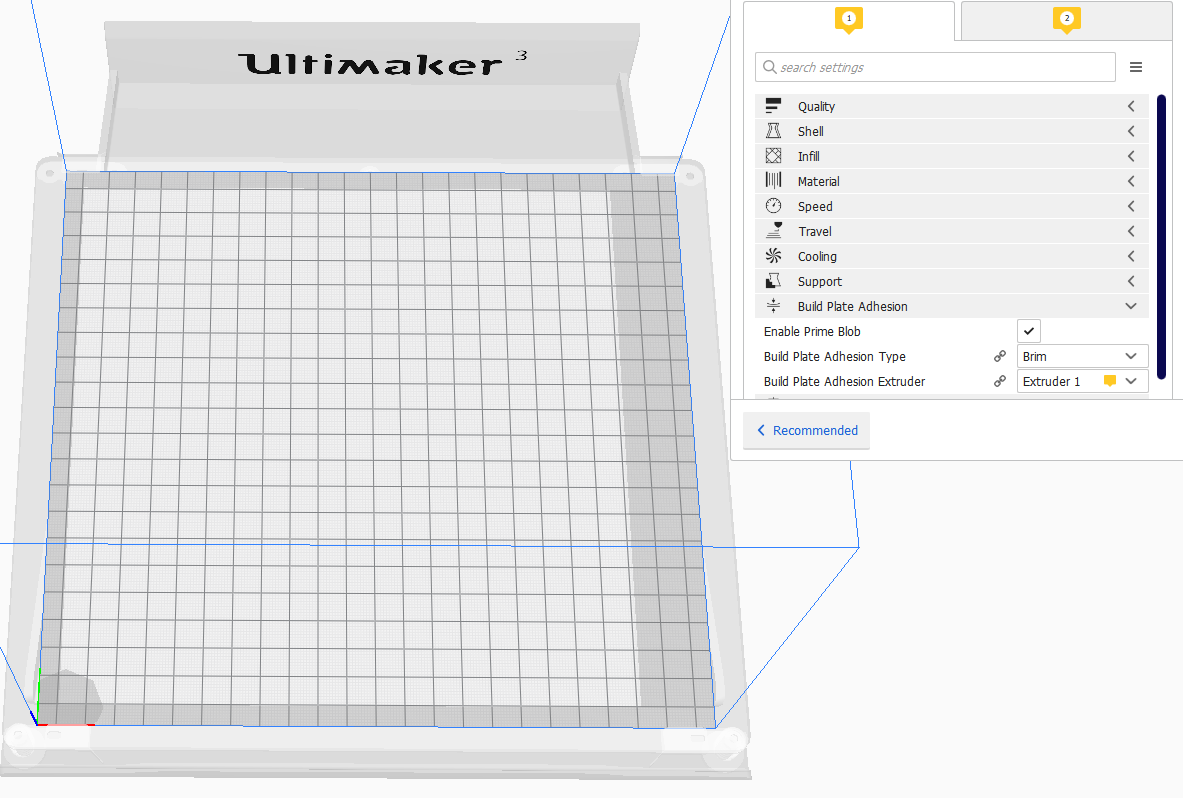
This is with default Prime Blob ON and default Build Plate Adhesion type = Brim.
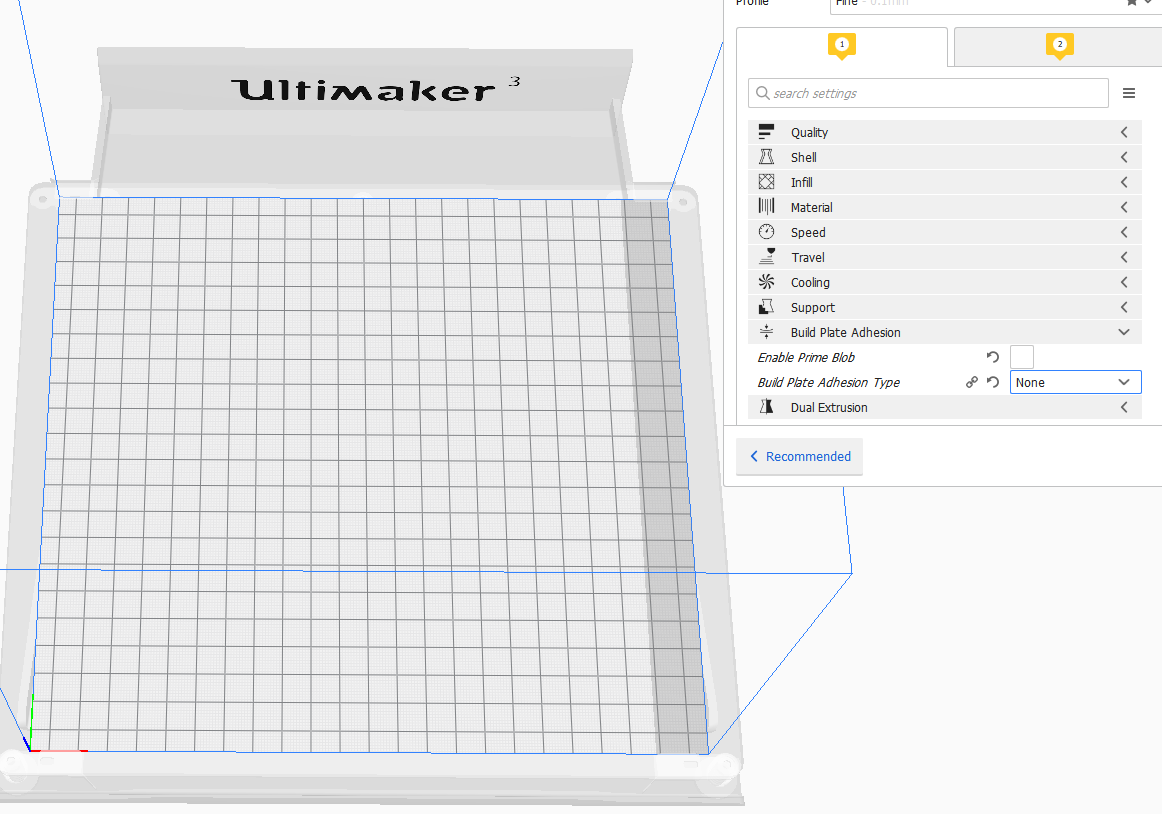
This is with both disabled:
Ellecross
on 31 Dec 2018
This is a complete list of the setting keys that influence the disallowed areas currently (as taken from BuildVolume.py):
machine_width, machine_depth, machine_height, machine_shape, adhesion_type, skirt_gap, skirt_line_count, skirt_brim_line_width, brim_width, brim_line_count, raft_margin, draft_shield_enabled, draft_shield_dist, initial_layer_line_width_factor, extruder_prime_pos_x, extruder_prime_pos_y, extruder_prime_pos_z, prime_blob_enable, prime_tower_enable, prime_tower_circular, prime_tower_size, prime_tower_position_x, prime_tower_position_y, ooze_shield_enabled, ooze_shield_dist, infill_wipe_dist, travel_avoid_distance, support_offset, support_enable, travel_avoid_other_parts, travel_avoid_supports, support_bottom_enable, support_roof_enable, support_infill_extruder_nr, support_extruder_nr_layer_0, support_bottom_extruder_nr, support_roof_extruder_nr, adhesion_extruder_nr, wall_extruder_nr, wall_0_extruder_nr, wall_x_extruder_nr, top_bottom_extruder_nr, infill_extruder_nr, support_infill_extruder_nr, support_extruder_nr_layer_0, support_bottom_extruder_nr, support_roof_extruder_nr, adhesion_extruder_nr
 Ghostkeeper
on 31 Dec 2018
Ghostkeeper
on 31 Dec 2018
Related issues
 ferociousdiablo
·
3Comments
ferociousdiablo
·
3Comments
 Nemernemer
·
3Comments
Nemernemer
·
3Comments
 rudowinger
·
3Comments
rudowinger
·
3Comments
 JRRN
·
3Comments
JRRN
·
3Comments
 dstulken
·
3Comments
dstulken
·
3Comments
Most helpful comment
Yes, there are settings, but Cura also does its own generation of the disallowed areas based on the settings of the profile.
It's possible to have the "machine_disallowed_areas" setting in the machine definition files. For example, look at Ultimaker 3's (ultimaker3.def.json). The settings are for setting the disallowed areas for the UM3's bed clips, switching bay and for the camera.
But Cura also does it's own generation of the disallowed areas depending on the settings of your profile:
This is with default Prime Blob ON and default Build Plate Adhesion type = Brim.

This is with both disabled:
