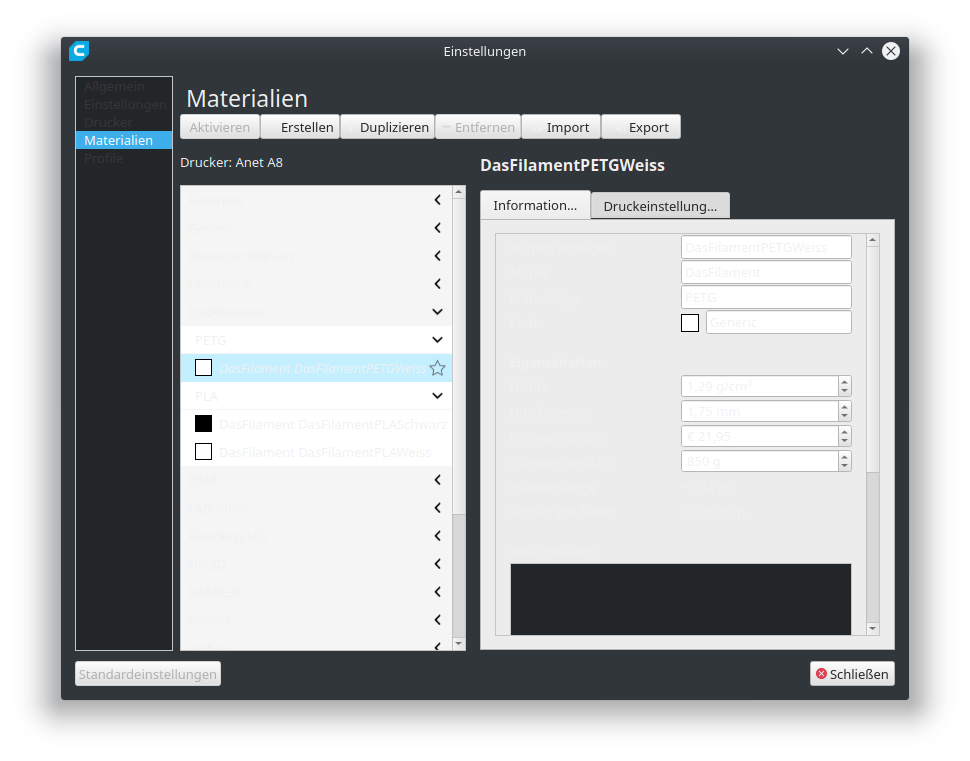
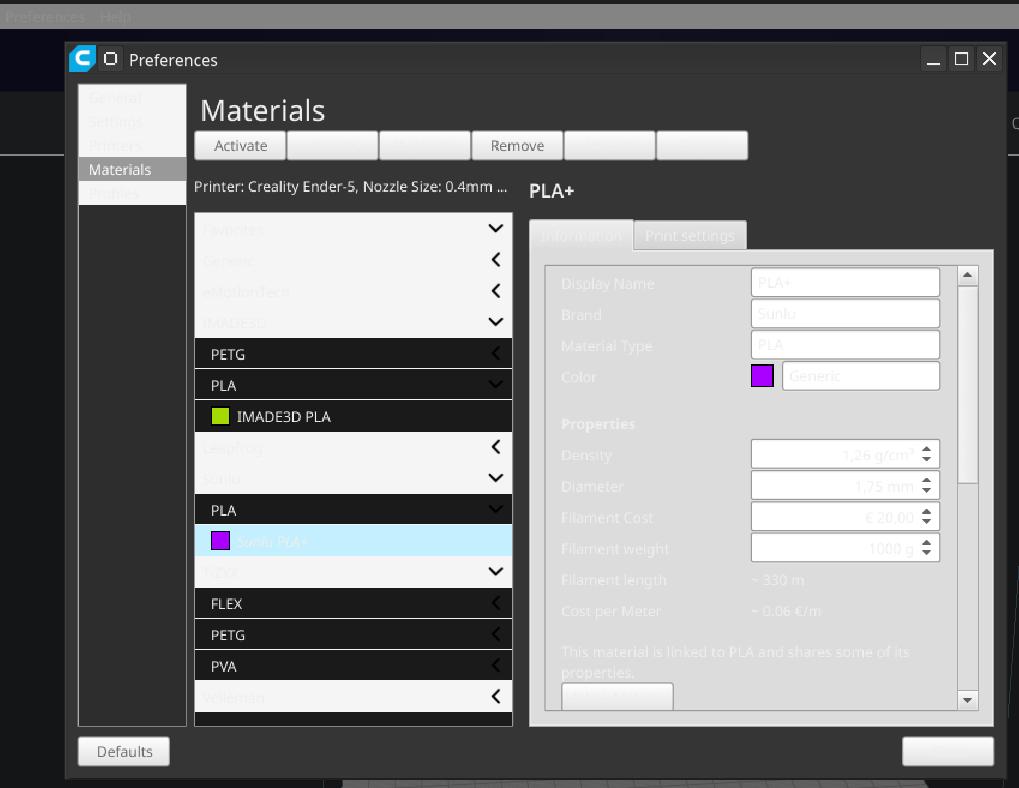
Cura: Material settings - Cannot read anything in darkmode
Application Version
3.6.0
Platform
Ubuntu 18.10
Printer
Anet A8
Steps to Reproduce
- Change color theme to "Ultimater Dark"
- Open Material settings
Actual Results
The color font color is nearly the same than the background color
Expected results
The background color should be dark, as in all other dialogs
Additional Information
 OliverWieland
All 9 comments
It is very strange. I checked on Win10 and Ubuntu 18.10, and I have proper dark theme style in Materials settings.
I do not know what to suggest to do. I can say it works well on my computer.
 alekseisasin
on 19 Nov 2018
alekseisasin
on 19 Nov 2018
This may happen, because this dialog uses the system palette instead of our internal dark theme. This is an example how it looks like in my Windows laptop:
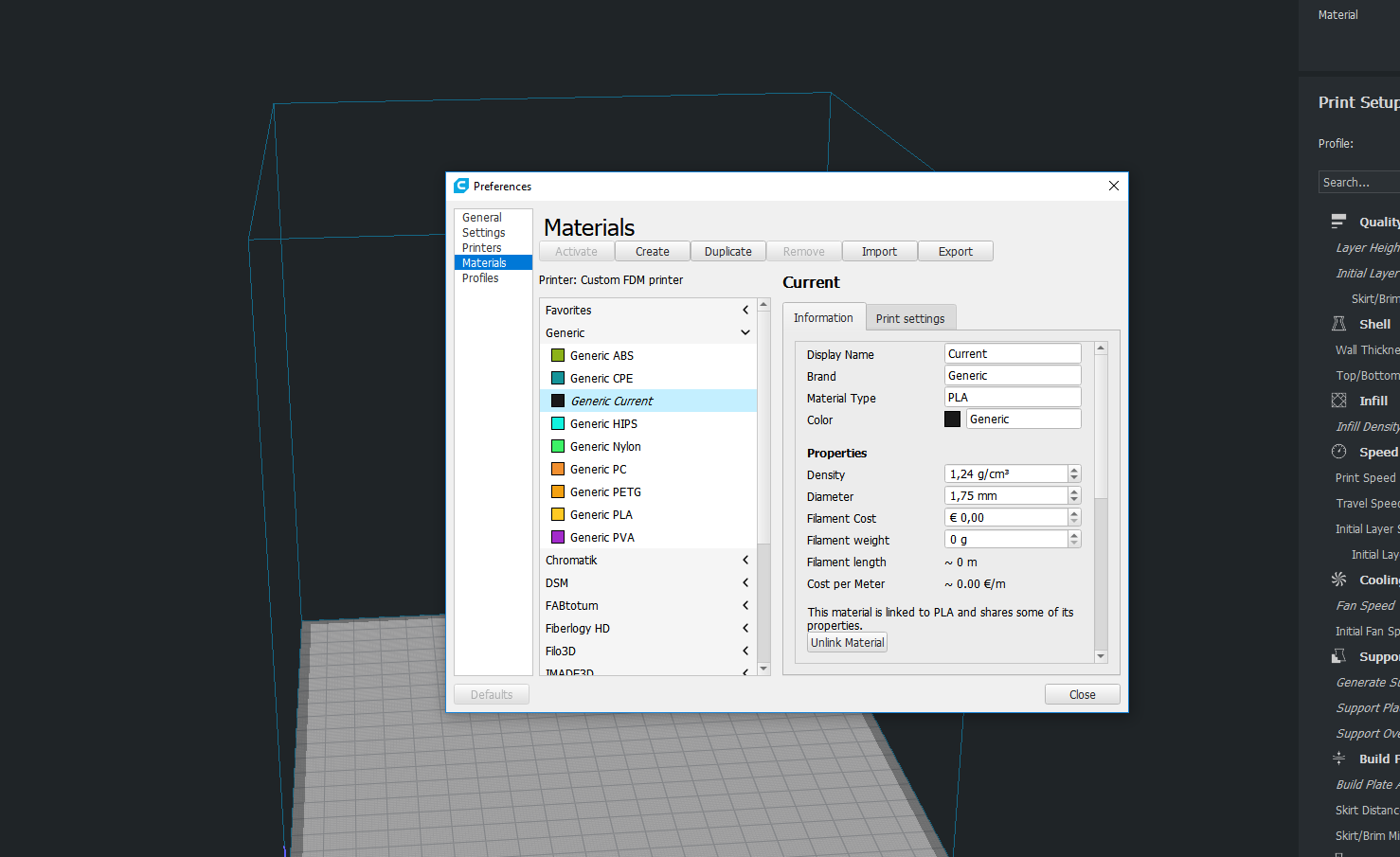
That being said, if system palette indicates to use black background and we use black text (or the other way around), this will happen.
 diegopradogesto
on 20 Nov 2018
diegopradogesto
on 20 Nov 2018
Developers, look at internal ticket CURA-5955
diegopradogesto
on 21 Nov 2018
Have the same issue
 yodor
on 22 Nov 2018
yodor
on 22 Nov 2018
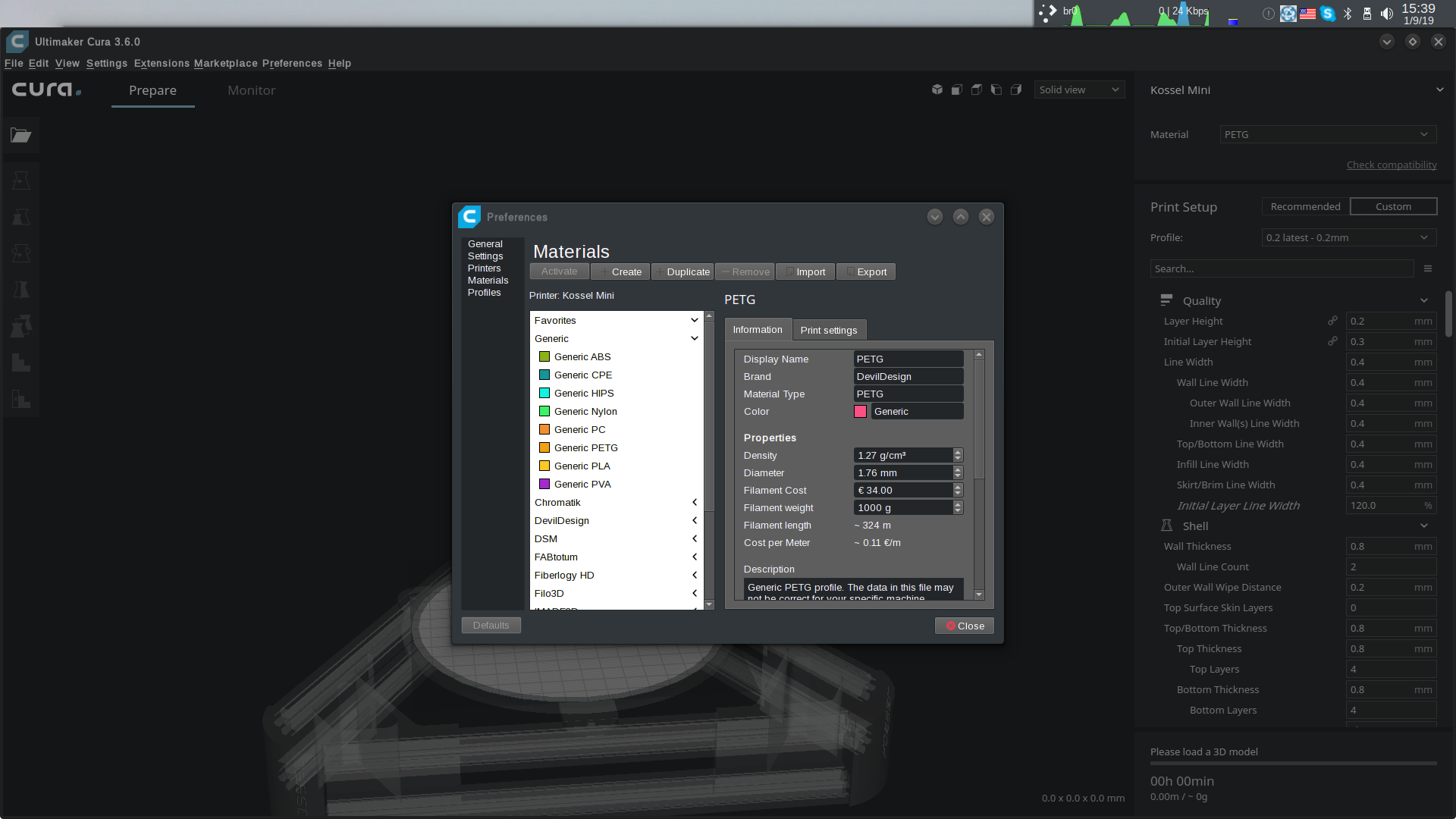
I was able to partially mitigate this using environment variable QT_QUICK_CONTROLS_STYLE=Desktop
After using this variable my menus and other elements are rendered mostly correctly but still the materials List/View is using incorrect palette.
yodor
on 9 Jan 2019
Yes, the materials list there was custom made without the palette since the system-styled elements were not powerful enough for what we needed it to do.
 Ghostkeeper
on 5 Feb 2019
Ghostkeeper
on 5 Feb 2019
Thanks yodor for the prompt.
Used the command "QT_QUICK_CONTROLS_STYLE=Desktop /home/User/Cura/AppRun".
It helped me.
 bliser3d
on 19 Mar 2019
bliser3d
on 19 Mar 2019
Same here. Using the last AppImage in KDE Neon, dark theme.
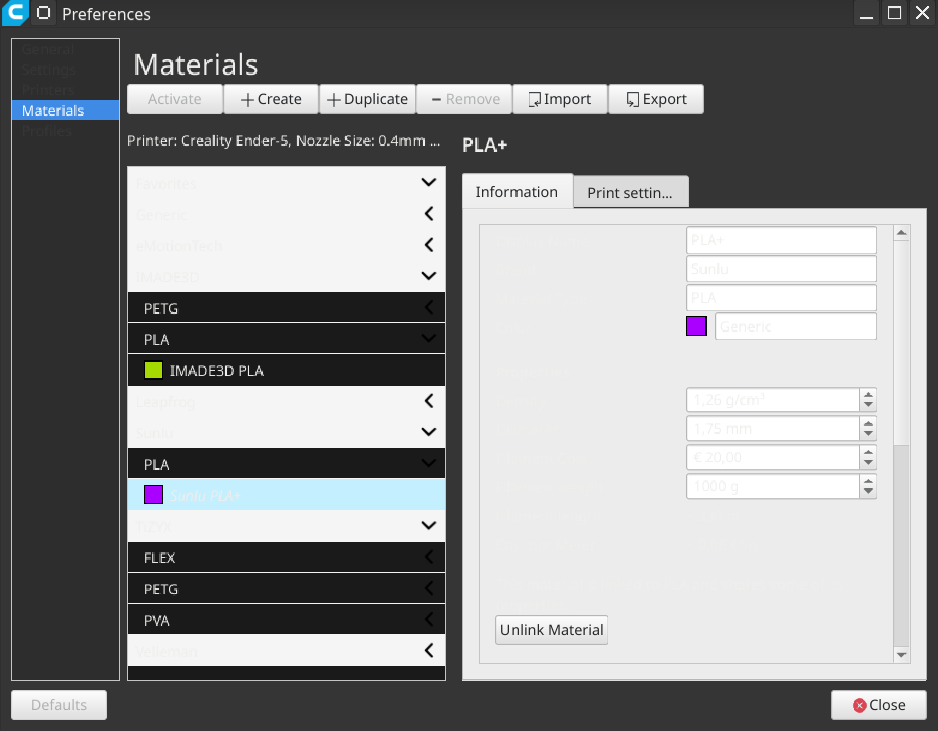
And with "QT_QUICK_CONTROLS_STYLE=Desktop" it looks not much better, even main menu have become unreadable:
 LightTemplar
on 25 Dec 2019
LightTemplar
on 25 Dec 2019
We have some duplicates going on here. Please continue the conversation here: https://github.com/Ultimaker/Cura/issues/5490
Ghostkeeper
on 6 Jul 2020
Related issues
 rudowinger
·
3Comments
rudowinger
·
3Comments
 jellewie
·
3Comments
jellewie
·
3Comments
 DamianSepczuk
·
3Comments
DamianSepczuk
·
3Comments
 Liger0
·
3Comments
Liger0
·
3Comments
 probonopd
·
3Comments
probonopd
·
3Comments