Cura: when QT_SCREEN_SCALE_FACTORS is set CURA UI is messed up
Cura v3.4.1
Arch linux
my QT_SCREEN_SCALE_FACTORS is set as follows for 1.4 scaling
QT_SCREEN_SCALE_FACTORS='DisplayPort-0=1.4;DisplayPort-1=1.4;DisplayPort-2=1.4;HDMI-A-0=1.4;DVI-D-0=1.4;'
and this is how it looks

if I run cura as
QT_SCREEN_SCALE_FACTORS="" cura
everything looks fine
 gbil
gbil
All 13 comments
Hmm, I changed my scale factor to 1.4 and Cura works fine. I am not sure can we do something with that.
 alekseisasin
on 2 Oct 2018
alekseisasin
on 2 Oct 2018
@alekseisasin on what OS did you test this? Could by Arch Linux only.
 fieldOfView
on 2 Oct 2018
fieldOfView
on 2 Oct 2018
I have tested on Ubuntu.
If it is related to Arch, then probably we need change this code:
def _screenScaleFactor(self) -> float:
# OSX handles sizes of dialogs behind our backs, but other platforms need
# to know about the device pixel ratio
if sys.platform == "darwin":
return 1.0
else:
# determine a device pixel ratio from font metrics, using the same logic as UM.Theme
fontPixelRatio = QFontMetrics(QCoreApplication.instance().font()).ascent() / 11
# round the font pixel ratio to quarters
fontPixelRatio = int(fontPixelRatio * 4)/4
return fontPixelRatio
alekseisasin
on 2 Oct 2018
Sorry for the delayed reply. Not sure what the underlining issue might be but Arch is very up to date while I've noticed Ubuntu is a few QT versions behind so it might be the behavior of QT_SCREEN_SCALE_FACTORS has changed in between.
Current QT5 is 5.11.2 in Arch
What else can I provide to help you troubleshoot this?
gbil
on 14 Oct 2018
Cura uses QT 5.10.0 version
alekseisasin
on 14 Oct 2018
Ok didn't check to be honest if it uses its own libs or not. In any case, any other way to provide more info for troubleshooting this?
gbil
on 14 Oct 2018
Maybe try to use different Graphical User Interface, like GNOME.
alekseisasin
on 15 Oct 2018
@alekseisasin as QT_SCREEN_SCALE_FACTORS is set by KDE how testing with another DE would help troubleshooting ?
gbil
on 15 Oct 2018
I just guess. You can try.
alekseisasin
on 16 Oct 2018
I can reproduce this issue using Qt 5.11, but I think it's more dependent on the actual resolution of your screen than on the difference between 5.11 and 5.10. I have two screens, one having small pixels (1.25 pixel scale) and one having larger pixels (1.0 pixel scale). I then ran Cura using QT_SCREEN_SCALE_FACTORS set to 1.4 and got this on my small-pixel screen:

But when I move the Cura window to my large-pixel screen I get this:
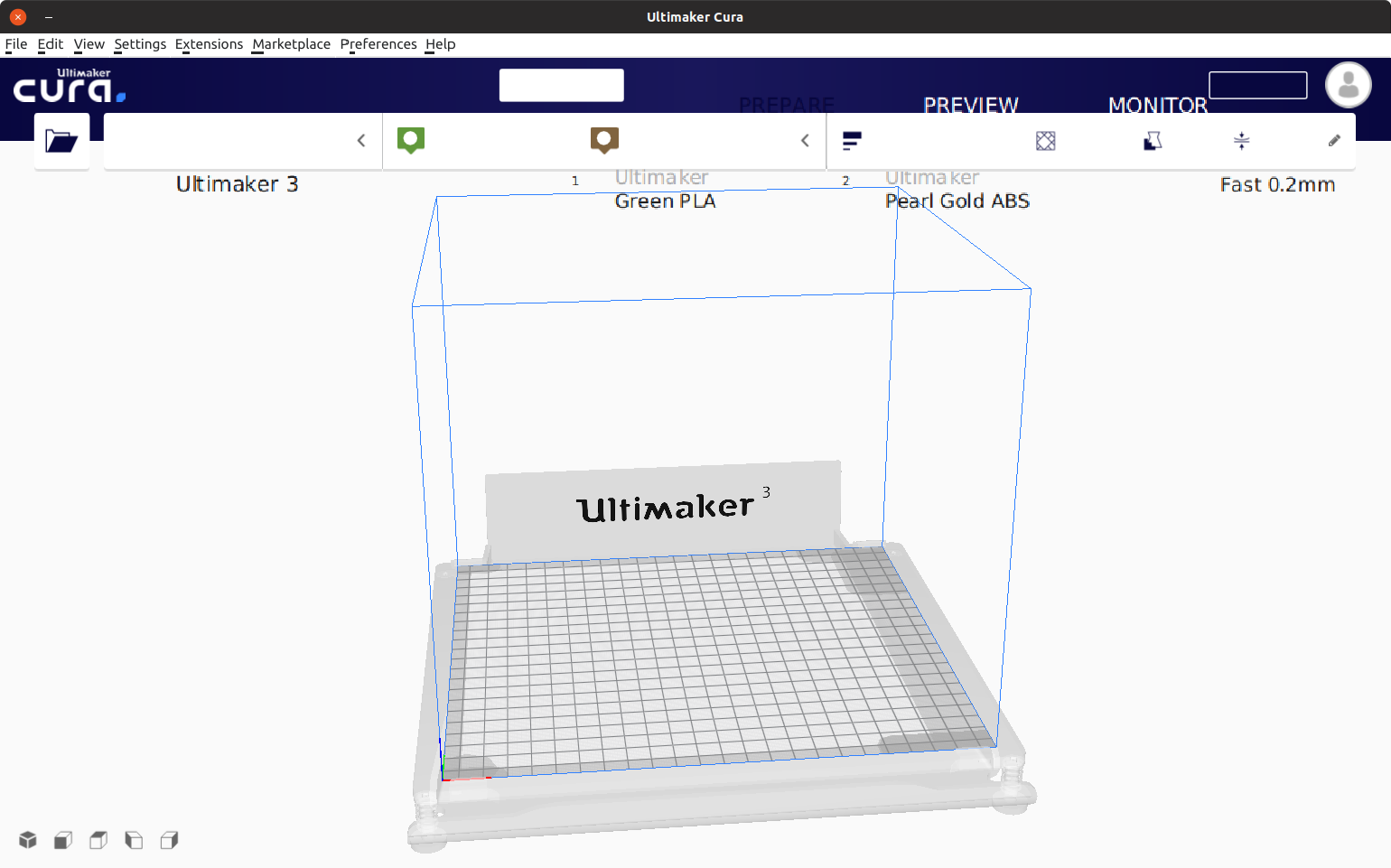
I think it's more of a bug in Qt than in Cura, by the look of the symptoms. You can see that the text in these buttons is drawn way lower than the background of the buttons, but in Cura's source code the text and background are anchored to the button's rectangular area regardless of how large that area is. It just looks like it renders text in the wrong location if we use native rendering.
 Ghostkeeper
on 21 Dec 2018
Ghostkeeper
on 21 Dec 2018
Talking this over with a colleague, we don't think this is a common enough use case to spend time on to fix. Let's hope that a future release of Qt fixes it. I couldn't find a bug report for it yet though.
(I should report it, I know, but it's kind of a lot of work to make a small application that reproduces the problem...)
Ghostkeeper
on 21 Dec 2018
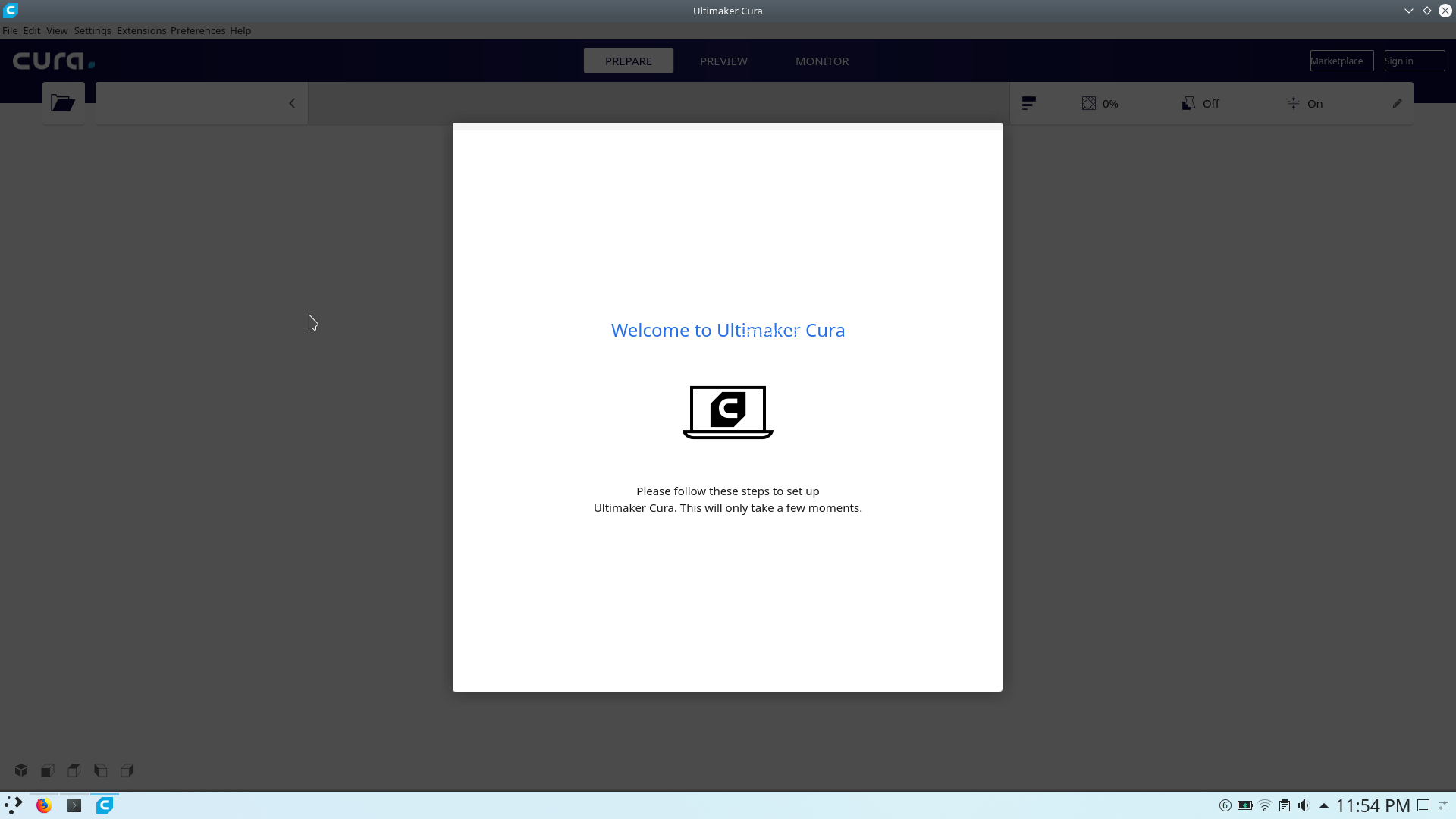
For me, Cura in arch linux (in contrast to windows) always has been a pain in the ass, the menus are too much distorted, only appimage works. So I guess this is a "not common" issue also happening to me.
 G-Pereira
on 24 Aug 2019
G-Pereira
on 24 Aug 2019
I can confirm this has also been plaguing me. Can't actually use the software in this state. Running Manjaro.
 CJ1169
on 24 Aug 2019
CJ1169
on 24 Aug 2019
Related issues
 timherrm
·
3Comments
timherrm
·
3Comments
 rudowinger
·
3Comments
rudowinger
·
3Comments
 Nemernemer
·
3Comments
Nemernemer
·
3Comments
 thopiekar
·
3Comments
thopiekar
·
3Comments
 wi1k1n
·
3Comments
wi1k1n
·
3Comments
Most helpful comment
I can confirm this has also been plaguing me. Can't actually use the software in this state. Running Manjaro.