Cura Inserting a gap in solid top/bottom layers
Application Version
3.4.1
Platform
Don't think it's related, but Windows 10.
Printer
Doesn't apply, but CR-10S (standard profile that comes with Cura latest version).
Steps to Reproduce
When I bring in a new STL design file, Cura is automatically inserting a gap in the center of the top and bottom layers (yes, the gaps end up getting included in the print). Simply import the STL I've attached into Cura v3.4.1, and look at the bottom layer as well as the top side of that horizontal segment and notice it's inserted a gap right down the center. This has happened on other files as well. I tried turning on and off horizontal expansion, and that does help a little with shrinking gaps in top layers, but makes the bottom gap much worse. Also tried changing wall and layer thickness to no avail.
Actual Results
It obviously inserted a big gap in my layers.
Expected results
It obviously SHOULDN'T insert gaps when those gaps didn't exist in the original file.
Additional Information
I already included a screenshot of Cura in the zipped file.
 raiyneofgailin
All 6 comments
That's possible when you use the concentric line skin pattern as the area may not be exactly an integer multiple of line widths wide. Try using Lines or Zig-Zag, patterns, they don't leave a gap.
 smartavionics
on 1 Aug 2018
smartavionics
on 1 Aug 2018
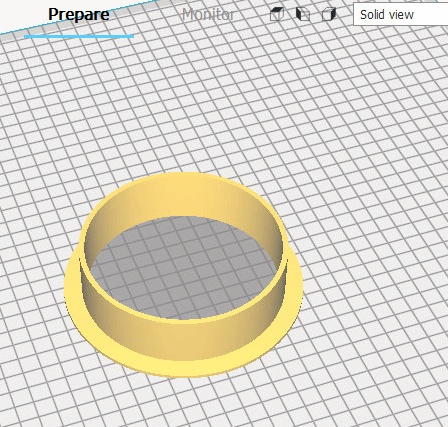
This gap is a bug. Cura adds some gapping in circular plates. Print is useless.

 breign
on 1 Aug 2018
breign
on 1 Aug 2018
That's possible when you use the concentric line skin pattern as the area may not be exactly an integer multiple of line widths wide. Try using Lines or Zig-Zag, patterns, they don't leave a gap.
smartavionics
on 1 Aug 2018
To get rid of the gap, slightly increase/decrease the skin line width so that an integer multiple of lines fit into the width of the skin area.
smartavionics
on 1 Aug 2018
@smartavionics changing the concentric pattern to lines or zig-zag is the solution that works for me.
breign
on 1 Aug 2018
@breign and @smartavionics THANK YOU! Changing the pattern to lines solved the issue. Not sure why that wasn't set as the default pattern...
raiyneofgailin
on 1 Aug 2018
Related issues
 Liger0
·
3Comments
Liger0
·
3Comments
 StanislavJochman
·
3Comments
StanislavJochman
·
3Comments
 thopiekar
·
3Comments
thopiekar
·
3Comments
 dstulken
·
3Comments
dstulken
·
3Comments
 rudowinger
·
3Comments
rudowinger
·
3Comments
Most helpful comment
To get rid of the gap, slightly increase/decrease the skin line width so that an integer multiple of lines fit into the width of the skin area.