

All 11 comments
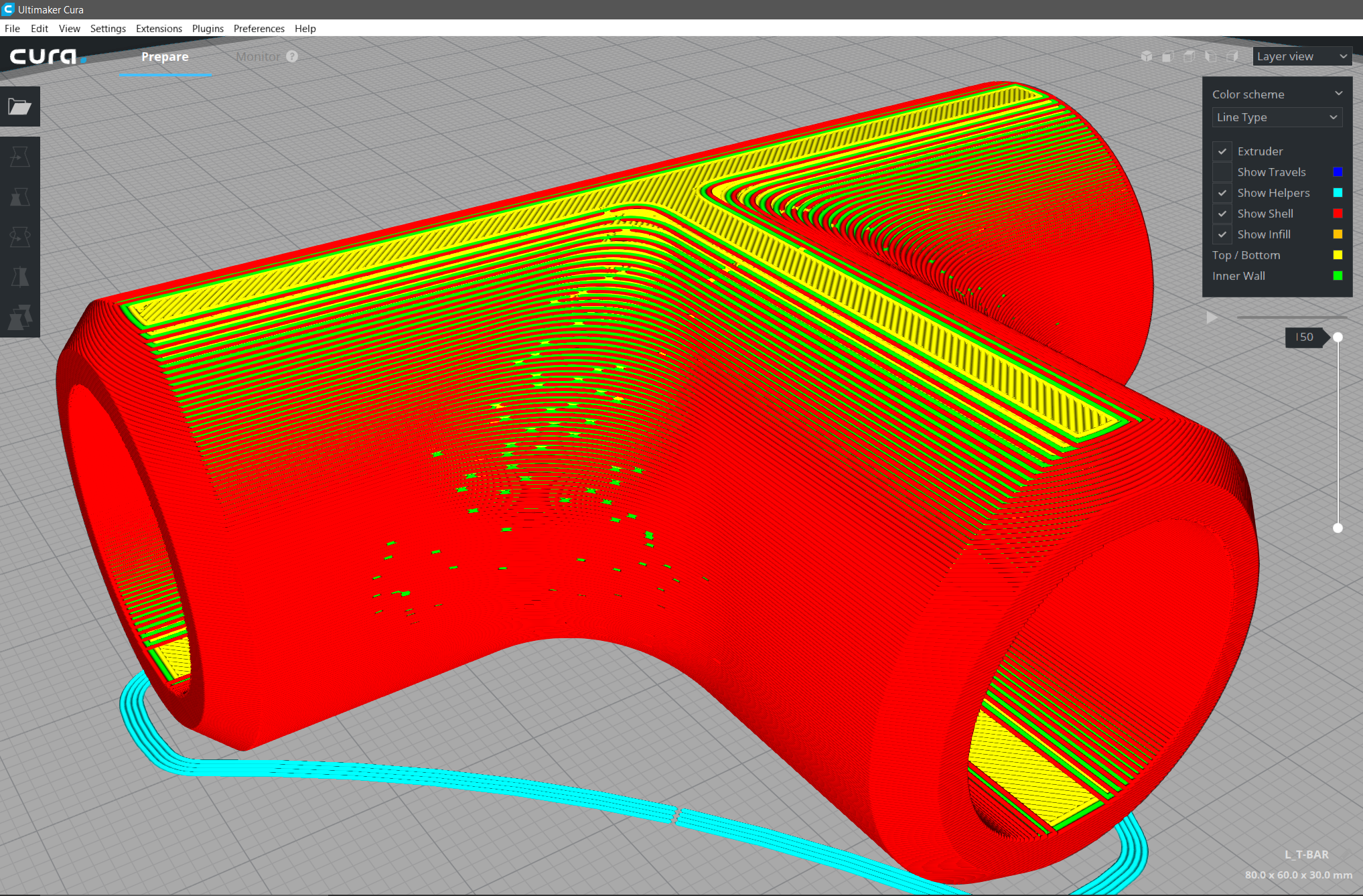
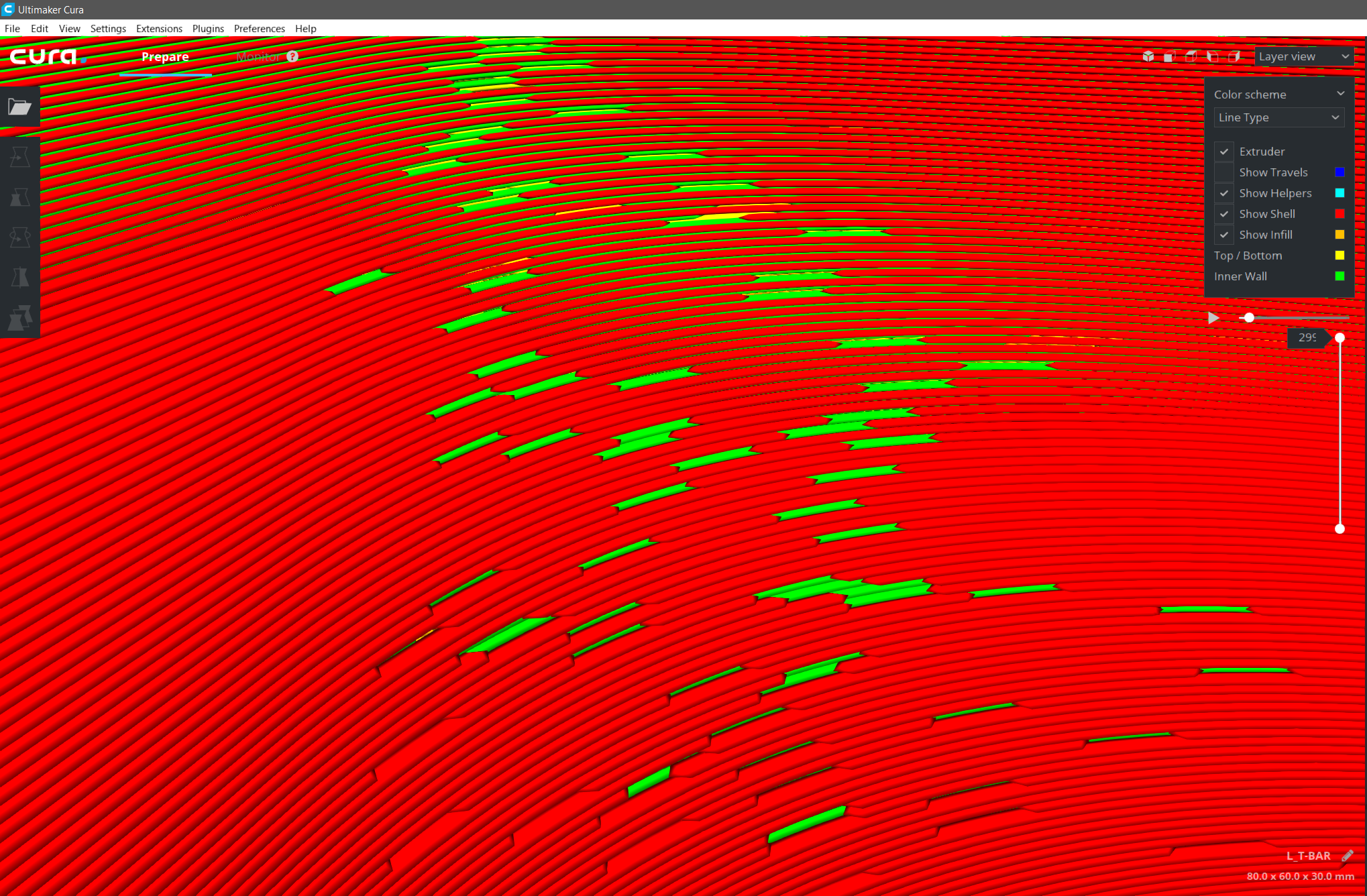
At a guess, I would say you are using coasting and those are the ends of each of the outer walls. Can you share your model so I can investigate?
 smartavionics
on 13 Mar 2018
smartavionics
on 13 Mar 2018
You are so right. I did not even know it was on. turning it off fixed it.
What does this Coasting do other than breaking lines? :) If Coasting should not break lines on such models I will attach the file for you to test.
 Thisismydigitalself
on 13 Mar 2018
Thisismydigitalself
on 13 Mar 2018
File T-BAR attached to first post. change .txt to .stl
Thisismydigitalself
on 13 Mar 2018
What does this Coasting do other than breaking lines?
The idea behind it is that at the end of a wall, the plastic will keep coming out of the nozzle for a little while even when the extruder has stops turning. The pressure in the hot end will keep it flowing. So coasting stops the extruder a little before the end of the line. Personally, I don't use it. However, the new code I have contributed recently for printing bridges does use coasting to drop the nozzle pressure immediately before the bridge wall is extruded.
If you are using the wall line order optimization, it does a different thing at the end of the outer wall to help avoid leaving a blob on the wall. It moves the nozzle away from the wall, into the model a little bit before doing the retract and travel.
smartavionics
on 13 Mar 2018
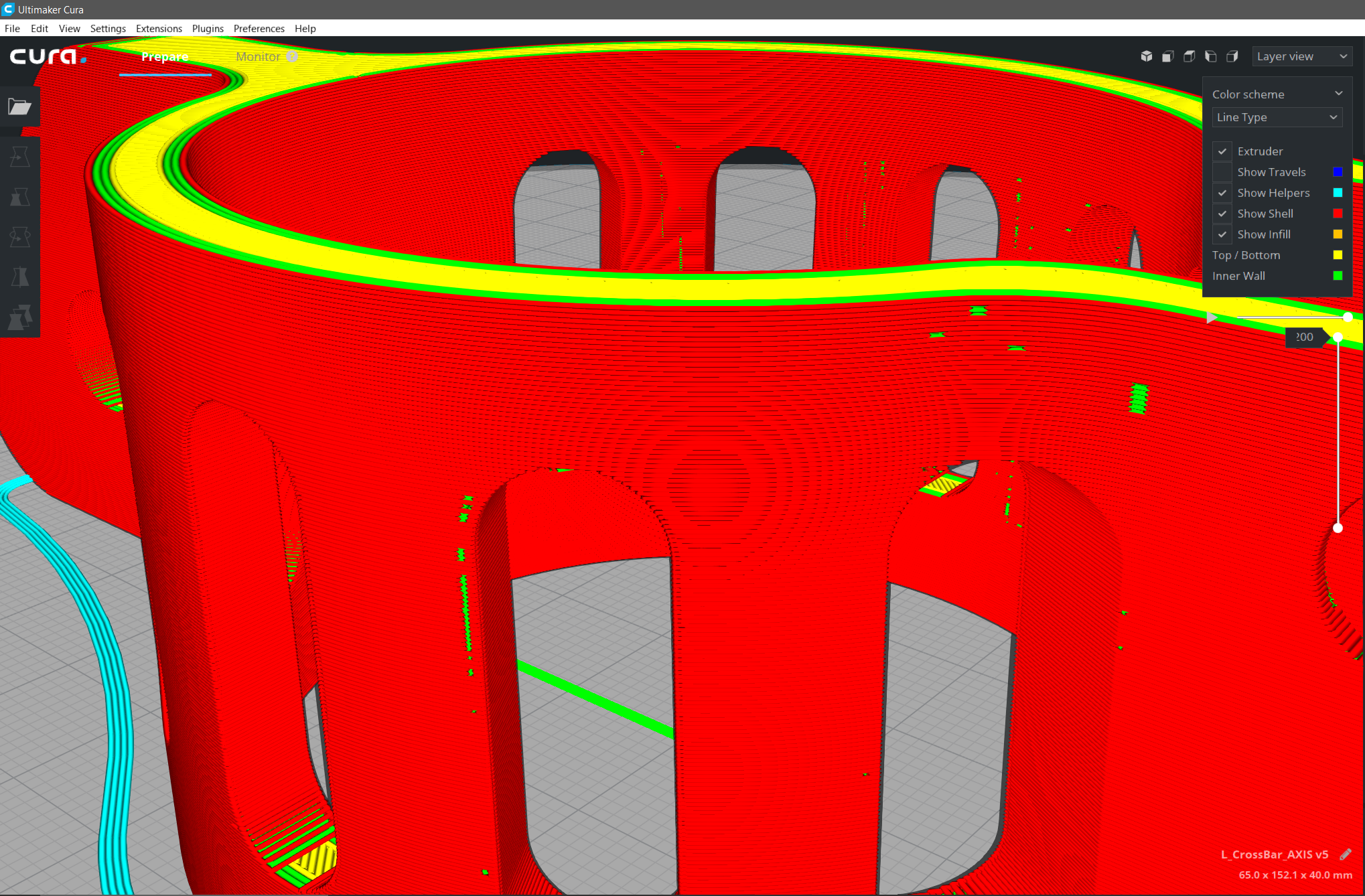
Ok. in retrospective analysis I checked a previous print i made just before this one cause i did notice during the 4 hours print that the nozzle is not moving smoothly on curves / fillets and mistakenly thought it was due to mcu cpu bottleneck but now i know why. I reopened the project and it's clearly due to Coasting feature turned on. obviously and wrongly Coasting treats a curve as with end of line.
Thisismydigitalself
on 14 Mar 2018
@Thisismydigitalself Obviously and wrongly? Are you actually getting issues in your print? This behavior doesn't seem that crazy to me.
@Vandrasc Is this related to the problems you found in the test prints in CURA-4956?
 ianpaschal
on 15 Mar 2018
ianpaschal
on 15 Mar 2018
Of course i was getting issues. Otherwise I wouldn't have bothered you guys.
i wish I could show you how not smooth the nozzle was extruding while moving along the fillet's curves and I've already sanded my part and covered it with Epoxy resin so i can't show it to you guys but Coasting defiantly had a negative impact on my three last prints. I can start a new print with Coasting on and show you how nozzle looks like jerking along the fillets exactly where Cura is showing broken lines. Anyways I did not even know coasting was on - I might have turned it on by mistake but no recollection of doing that. i do like the idea behind this feature but it should not stop extruding on curves.
CURA-4956?..
Thisismydigitalself
on 15 Mar 2018
CURA-4956
Vandrasc is one of the Cura team's testers. She created a ticket on our internal system (CURA-4956) about prints with little holes in them. May be related to coasting.
ianpaschal
on 15 Mar 2018
Sounds like the wall overlap compensation bug to me..
 BagelOrb
on 16 Mar 2018
BagelOrb
on 16 Mar 2018
We know that coasting has a negative impact on print quality. It often does more harm than good with PLA. That's why it's in the experimental category. Apparently it works well enough for some materials though.
What happens there is obvious but not "wrong" as in how it should work according to the expected behaviour of coasting.
If it's an overlap compensation bug should be easy to see if the g-code is available, because:
- the bug can then occur at any point along the perimeter, not just at the end of the outer wall, and
- the lines will (as far as I've seen) not reduce to 0mm width, but to some very small width.
 Ghostkeeper
on 19 Mar 2018
Ghostkeeper
on 19 Mar 2018
Our internal ticket was marked as Done on 19 March 2018, but we never closed this issue. If I'm not correct and this is still happening, please feel free to reopen.
 diegopradogesto
on 10 Sep 2019
diegopradogesto
on 10 Sep 2019
Related issues
 DamianSepczuk
·
3Comments
DamianSepczuk
·
3Comments
 StanislavJochman
·
3Comments
StanislavJochman
·
3Comments
 Liger0
·
3Comments
Liger0
·
3Comments
 probonopd
·
3Comments
probonopd
·
3Comments
 JRRN
·
3Comments
JRRN
·
3Comments
Most helpful comment
At a guess, I would say you are using coasting and those are the ends of each of the outer walls. Can you share your model so I can investigate?