Hello All,
I am having issues with printing, however these issues might be independant or not.
Happening on Windows 10, with all versions of Cura 3.
1/ X AND Y SHIFTING :
I've been facing X and Y layer shift on one part for about a week now .
For information I have an ANET A6 the build volume is 22x22x25cm, to simplify, I am pritning a rectangle that is 22.5x22.5x4, so I have to print it vertical and in diagonal on the bed.
I tried to troubleshoot and the issue is not coming from the hardware as the part got printed in several others printers with the same issue. The bending is coming at about 12-14cm everytime.
Actually facing same issue than this person : https://makerware.thingiverse.com/groups/creality-cr-10/forums/general/topic:24922
Just in case, I repaired the STL files with Netfabb + Slic3r in a row, but same issue.
By the way I printed with Slic3r and same issue as well.
2/ GCODE WEIGHTS :
That's an interesting one.
No matter the Cura 3 version, I have different gcode file weights after I slice some parts.
Step to reproduce :
Open a Cura 3 version - Load a STL - Resize it pretty big - Slice it and close Cura. Note the gcode weight
Open Cura again - Load same STL - Same resize - Slice it and close Cura. Compare both gcodes weights
I tried with 3 parts:
- Benchy for Thingiverse : Same weight
- A high tower that I created : Sometimes same, sometimes different weights
- The part I have X and Y shifts : Different weights no matter what
To me, if two same parts have been sliced with same sizes + positions + same parameters, the gcodes should be the same, however, if I compare the two of them, one file has deleted lines than the other...
Please find some pictures attached, keep in mind that the shifting issue is not coming from the hardware.
Thank you for your help/comments.
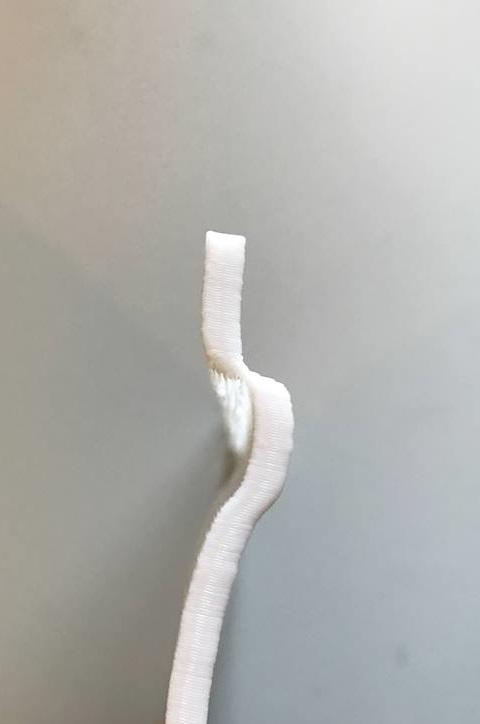
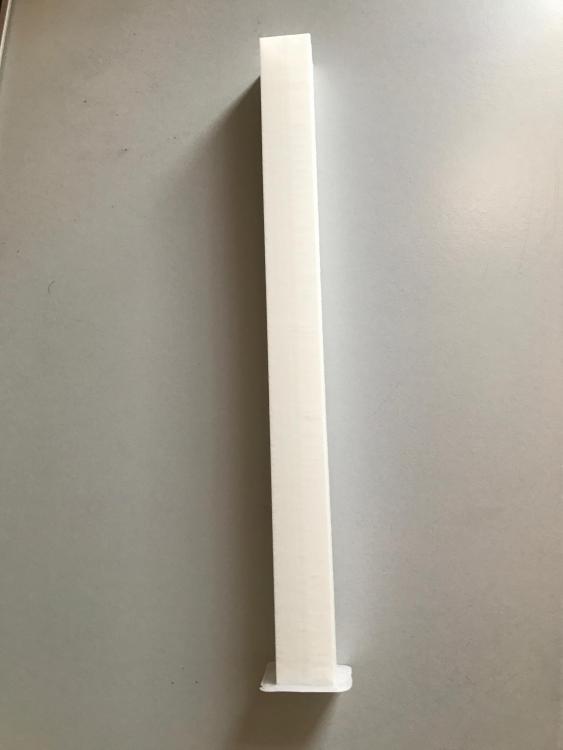
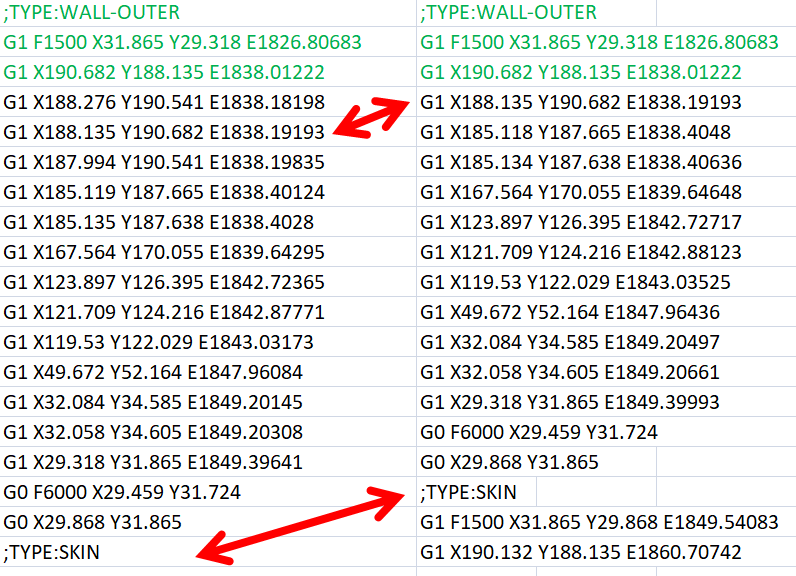
 CupraPower
All 21 comments
Hi, could you please post the model for the part that has x/y shifts so that I can try to replicate the issue. Thanks.
 smartavionics
on 28 Feb 2018
smartavionics
on 28 Feb 2018
Hello,
Sure, I tried actually to attached the file, but file type not accepted.
Please find the link to download the STL : https://www.grosfichiers.com/ANDdm3Q6xCGOW
(to be printed at 225x225x4 mm in diagonal)
CupraPower
on 28 Feb 2018
Thanks for the stl. I've sliced it and it looks OK, there's no obvious problems in the gcode. I am not going to print it because of the size/time. Actually, I would worry that it would fall over being only 4mm thick at the base.
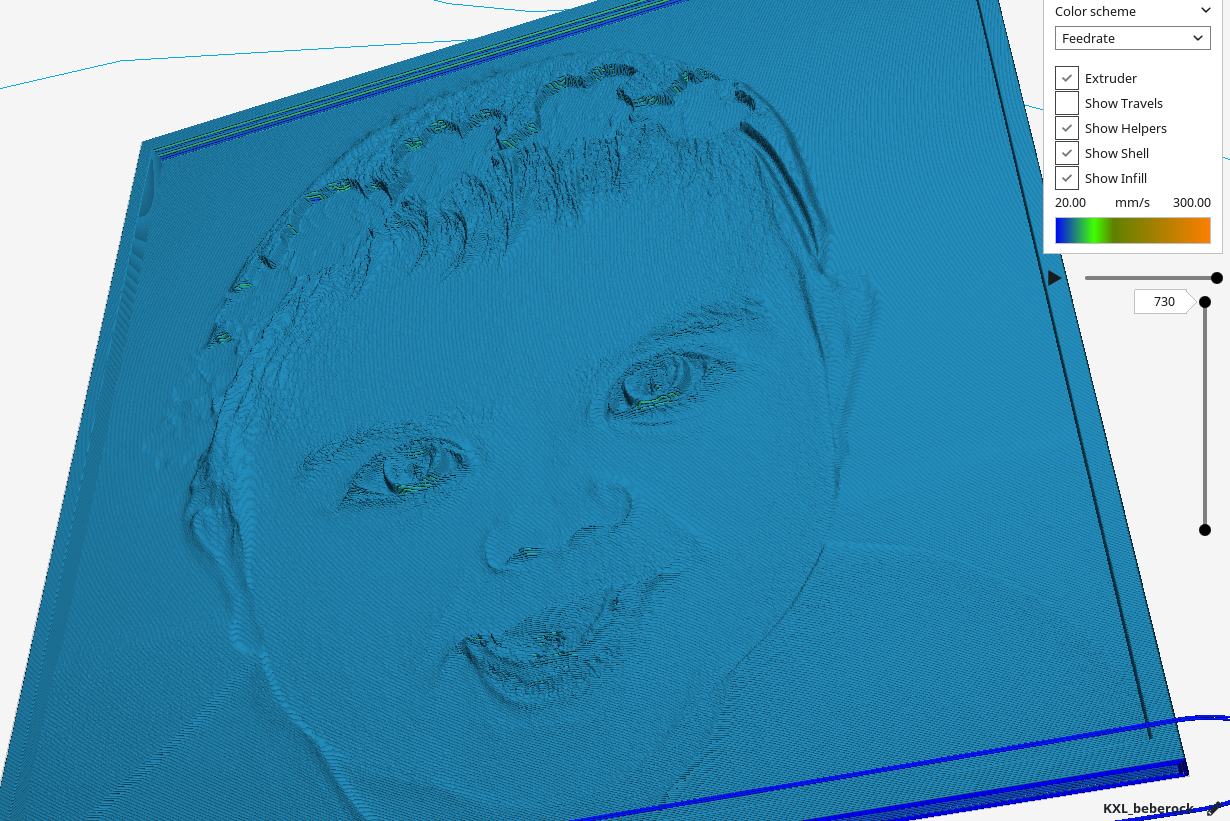
smartavionics
on 28 Feb 2018
I've also taken a look. I can't seem to recreate any of the differently sized gcode problems either. Mine are the same down to the byte.
 ianpaschal
on 28 Feb 2018
ianpaschal
on 28 Feb 2018
Hey.
thank you for taking the time to print it.
A brim is mandatory for this type of part (5mm is fine), speed 40 is good too.
ianpaschal, that's strange, do you follow the steps by closing Cura everytime?
Because I can do the procedure like 10 times and I will get 10 times a different weight, I am talking about hundreds/thousands bytes off...)
CupraPower
on 28 Feb 2018
Today I really really thought I fixed the issue, but actually no...
Because after reaching 12 cm no shift, after 14 cm same, but when reaching 15.5 cm here we go, layer shift, from the opposite side, meaning from S-E to N-O, which normally is from N-O to S-E.
You'll find a picture of today's defect as well as all the types of shifts that I've been facing so far as they are different : Rough shift from N-O to S-E, fluent shift from N-O to S-E and Rough shift from S-E to N-O.
So what I did different today is that I directly sized the STL file to the good dimensions (225x225x4) and not in Cura as used to.
I'll keep you posted whenever
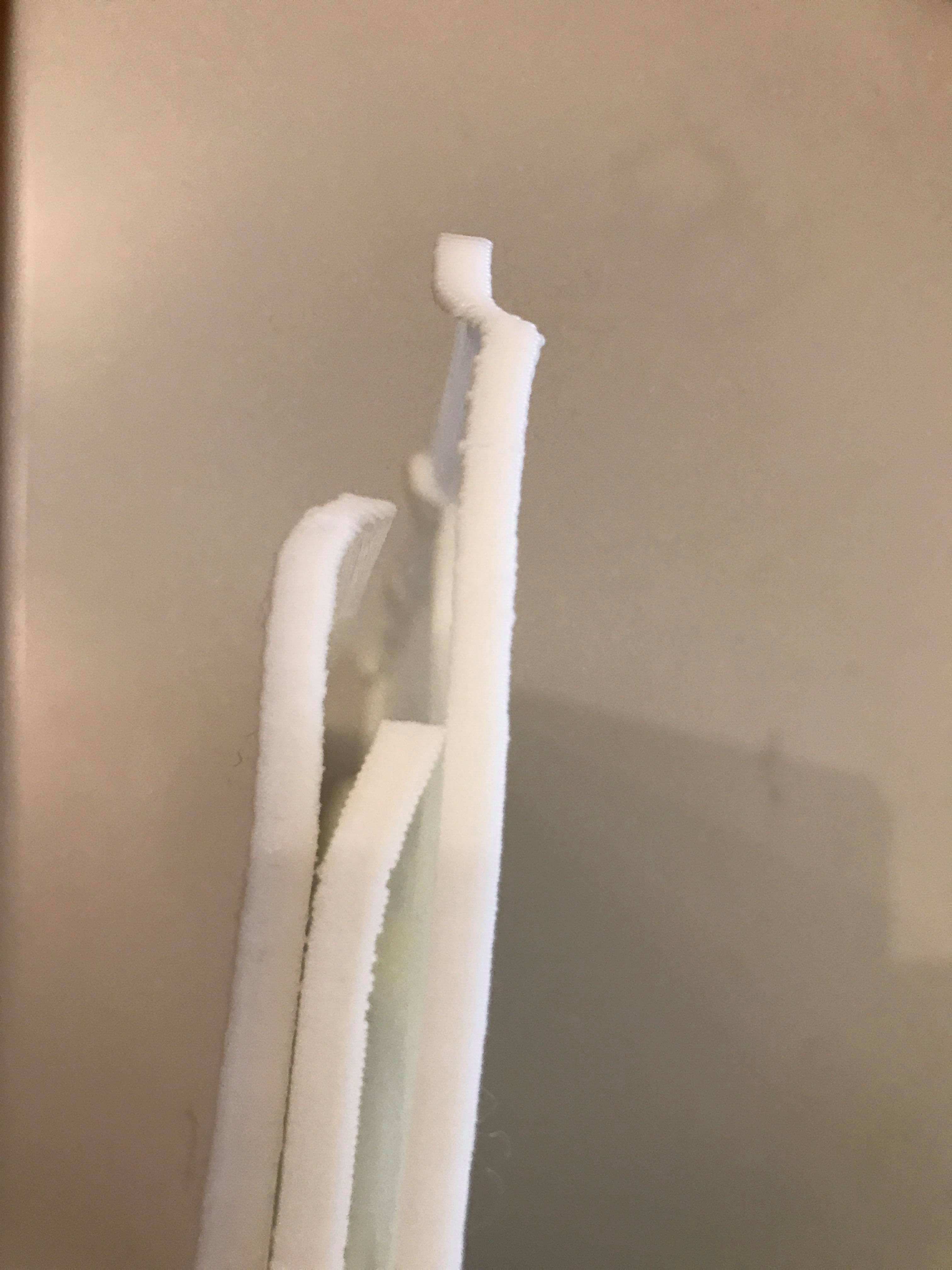
I have more information.
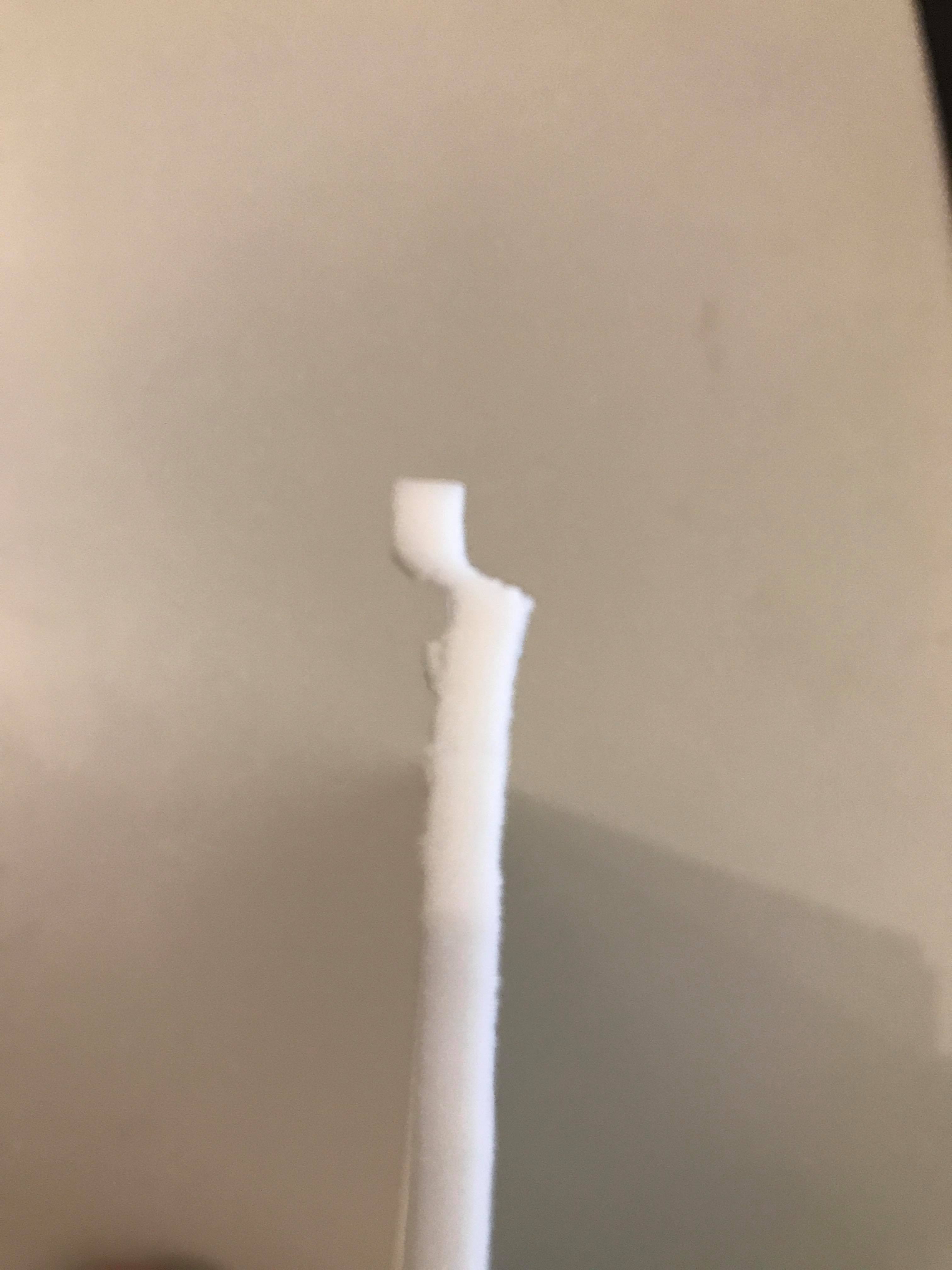
CupraPower
on 28 Feb 2018
Honestly, if you don't see this shift in the layer view in Cura, it's probably not happening in Cura. Cura is pretty reliable when it comes to exporting gcode, and when it's not, it usually isn't getting worse around a certain height for all models.
This looks like a mechanical issue with your printer. What kind of printer are you using?
For example, just thinking out loud: Your build plate getting shifted when it reaches a certain level by some obstruction.
ianpaschal
on 28 Feb 2018
Hey.
I have an ANET A6. The problem is tyhat Cura is not able to check for STL errors so it generates a gcode which might be the reality (there is even this message sometimes in Cura), so there could be a difference between what we see on the screen and what we just printed.
No, it is not a hardware issue as I already checked everything + try on another printer + successfully print a 24cm tower without issue. (see the pic I posted earlier)
Also, please note that yesterday I printed the model from right below the location where the defect occurs (by shifting the model down the plate in Cura), and no problem on the part where I am having the shfiting, however still facing the shift at about 12 cm...
CupraPower
on 28 Feb 2018
Regarding the gcode files weight, no clue so far.
I uninstalled like 10 times reinstall the by trying the 3 last version 3 and same issue + manually deleted the hidden files in the AppData folder as well as CCleaning the registry everytime between every install...
That's not normal, I tried what I could so far, but I really need help on that one, I might also be the cause of the shifting issue...
CupraPower
on 28 Feb 2018
Those pictures really seem to indicate a mechanical problem with the printer imo.
 ChrisTerBeke
on 28 Feb 2018
ChrisTerBeke
on 28 Feb 2018
Well, the big problem here is that if we can't reproduce the issue, we can't even start to try and fix it. We also don't have any ANET A6 printers to test with and we can't provide technical support on customer by customer basis.
When I'm into work (around 9:00 CET) I will create a test STL, export gcode, print it, and send you the same stl as well as a Cura project for you to slice, generate gcode, and print. We'll see what happens and compare gcode files.
If we're not able to detect something going wrong in that process I'm afraid we'll have to close this issue due to impossibility to diagnose.
ianpaschal
on 1 Mar 2018
Hello,
New fail today... The 12th so far... What a waste of time and filament...
So today I tried to print the part directly from Cura instead of creating the STL on a 3D software like Fusion 360.
As the source is a jpg image, Cura is able to create the solid from 2D to 3D, which by the way is a great feature.
However it is a fail, a shift occured at exactly 14.5 cm, morevover the shift is opposite direction from the one yesterday.
I am desperate at this point.
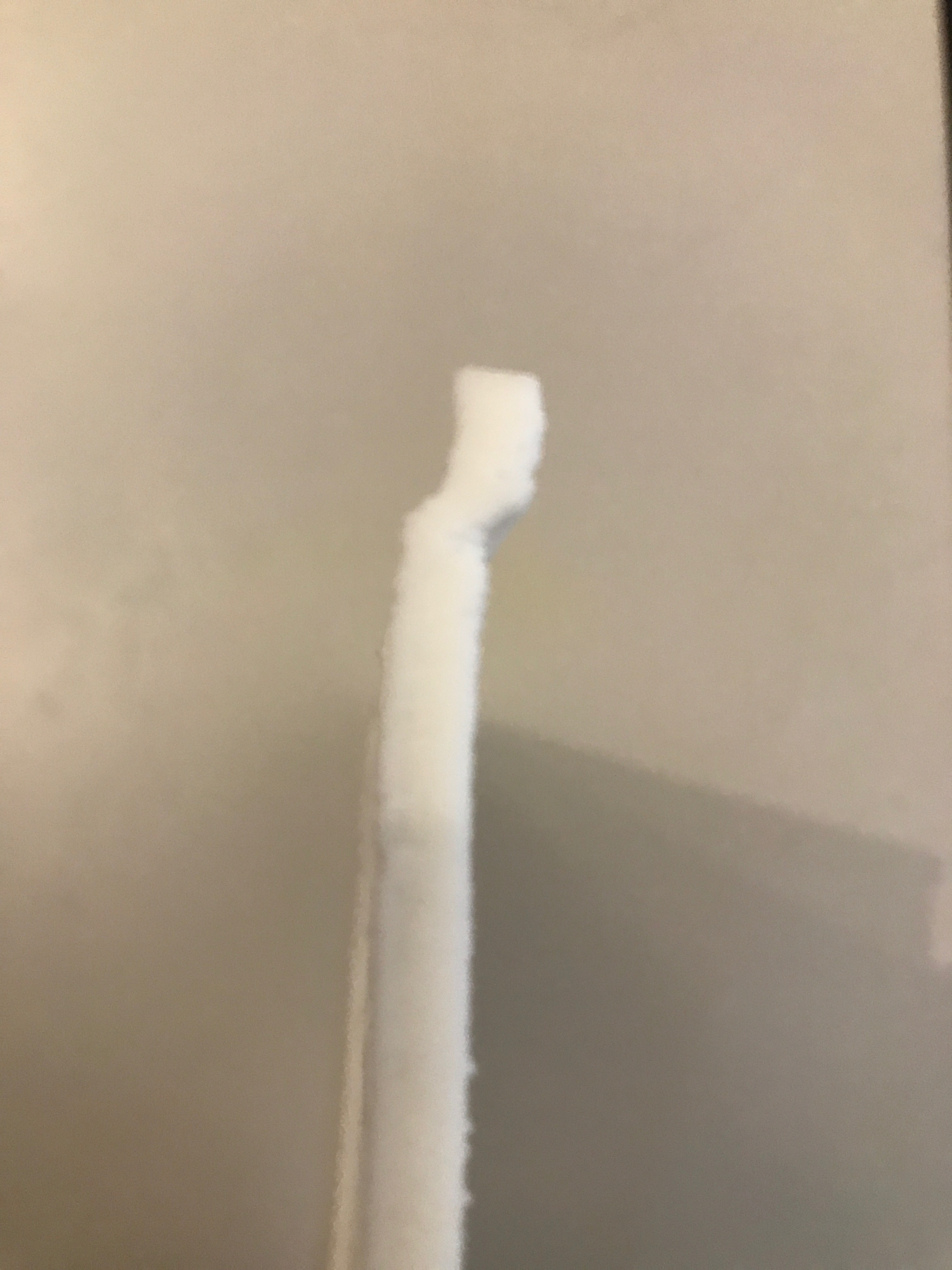
CupraPower
on 1 Mar 2018
To me, it looks like either the printer has a mechanical problem or the steppers/controller are unhappy. What temperature are the steppers/controller running at?
smartavionics
on 1 Mar 2018
Hey smartavionics,
I don't know the temperature, but I have a big fan blowing all the time directly on the motherboard.
Also, I changed the motherboard just in case, but same issue.
I printer the model on another printer and it was the same, so the probability to have 2 same issues on 2 different printers is pretty low. Morevover, why would it have the shifting on this specific part and not the high tower that I created and printed successfully?
That's the kind of thing that get the trouble even harder to solve, nothing is logical...
Look, the direction of the shifting has changed for the 3 last parts, how come??
I'm so frustrated about it and it prevents me from thinking efficiently to narrow down the root causes.
CupraPower
on 1 Mar 2018
I printer the model on another printer and it was the same, so the probability to have 2 same issues on 2 different printers is pretty low. Morevover, why would it have the shifting on this specific part and not the high tower that I created and printed successfully?
How long did it take to print the tower (which was OK) and how long does it take to reach the part that fails again and again? If the tower prints much quicker, perhaps print time has an influence?
smartavionics
on 1 Mar 2018
How hot are the steppers? Can you burn your fingers on them?
smartavionics
on 1 Mar 2018
This is what I thought at the beginning and you are right because it is a cause of missed steps.
The tower is only like 1h30 long, not even, and the defective part is like 10-12h.
So I took the printing time in consideration and I totally killed this hypothesis by putting a big fan blowing all the time directly on the motherboard as I said and the dissipators are cold! Not even at ambient temp, but cold!
I also changed the motherboard as the drivers could have "burnt" but no, same issue.
It should take like 6-8h to get the shifting, so tomorrow I will print very slowly to see if I get the shifting and where!
CupraPower
on 1 Mar 2018
But what about the stepper motors? Are they running hot?
smartavionics
on 1 Mar 2018
Good question, I don't know I will check tomorrow during the long print.
CupraPower
on 1 Mar 2018
Maybe you could try to reduce the acceleration and jerk settings? That could help from a software point of view if your motors are unable to handle large velocity changes after having run for a few hours.
 Ghostkeeper
on 23 Mar 2018
Ghostkeeper
on 23 Mar 2018
Almost certainly a mechanical issue, and went cold 2+ months ago.
ianpaschal
on 28 May 2018
Related issues
 thopiekar
·
3Comments
thopiekar
·
3Comments
 DamianSepczuk
·
3Comments
DamianSepczuk
·
3Comments
 konvoj
·
3Comments
konvoj
·
3Comments
 wi1k1n
·
3Comments
wi1k1n
·
3Comments
 Nemernemer
·
3Comments
Nemernemer
·
3Comments
Most helpful comment
Those pictures really seem to indicate a mechanical problem with the printer imo.