Cura: 3.1.0 does not take over Printers and Profiles (?) from 3.0.4, Kubuntu 17.10
Today I followed curas advice to update to 3.1.0, so I downloaded it from ultimaker.com.
Upon opening 3.1 asks me to set up a printer, although I have it all set up in 3.0.4 (which still works, just opening the old appimage), so no printer settings are take over from the previous version.
Clicking Settings -> Profiles shows a blank window [-> Screenshot] and cura closes itself upon closing the window.
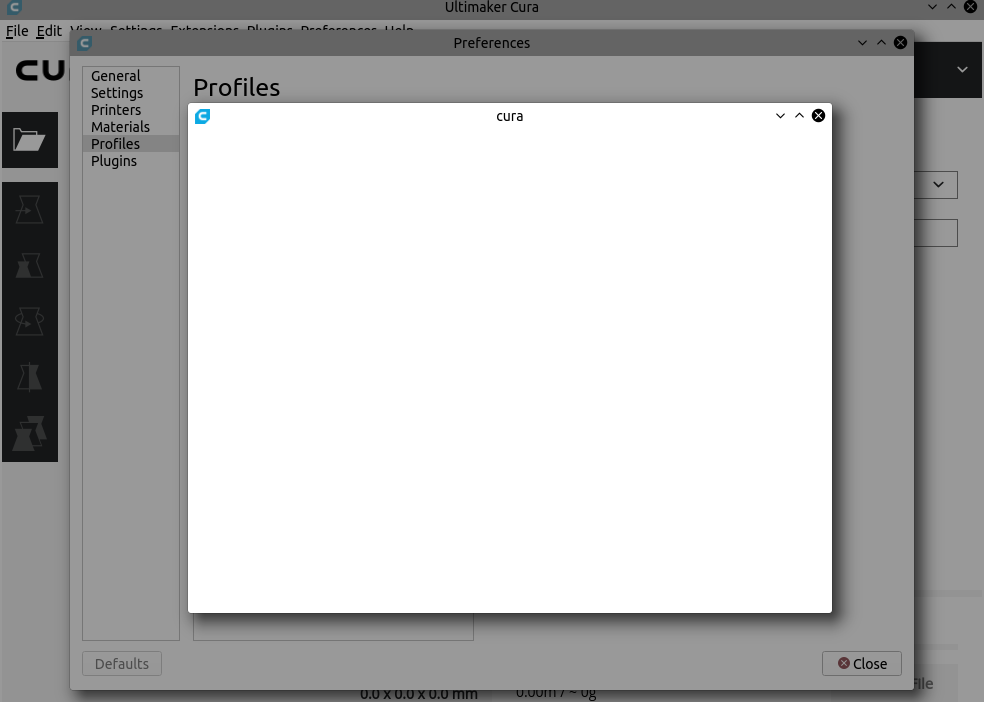
The same behavior occurs on my other machine, also Kubuntu 17.10.
Starting cura from bash does not seem to produce interesting output:
~/Desktop$ ./Cura-3.1.0.AppImage
Fontconfig error: "/etc/fonts/conf.d/10-scale-bitmap-fonts.conf", line 72: non-double matrix element
Fontconfig error: "/etc/fonts/conf.d/10-scale-bitmap-fonts.conf", line 72: non-double matrix element
Fontconfig warning: "/etc/fonts/conf.d/10-scale-bitmap-fonts.conf", line 80: saw unknown, expected number
WARNING: Cannot find style "org.kde.desktop" - fallback: "/tmp/.mount_1RCFz8/usr/bin/qt/qml/QtQuick/Controls/Styles/Desktop"
QObject::connect: Parentheses expected, signal MainWindow::
QObject::connect: Parentheses expected, signal MainWindow::
QObject::connect: Parentheses expected, signal MainWindow::
QObject::connect: Parentheses expected, signal MainWindow::
file:///tmp/.mount_1RCFz8/usr/bin/resources/themes/cura-light/styles.qml:197:17: QML Item: Binding loop detected for property "width"
qml: TableViewSelection: index out of range
qml: TableViewSelection: index out of range
qml: TableViewSelection: index out of range
file:///tmp/.mount_1RCFz8/usr/bin/resources/qml/Preferences/ProfilesPage.qml:217:27: Unable to assign [undefined] to QString
Attached my ~/.local/share/cura settings folder from before the update:
cura.BU.zip
Thanks for any help with this problem
Kubuntu 17.10, Appimage Cura 3.1.0 from ultimaker.com
- [x] I have searched open and closed issues for duplicates
 mpsdskd
All 18 comments
Hi @mpsdskd, thanks for the zip file! I think this is enough for us to investigate. We will let you know when it is fixed.
 LipuFei
on 6 Dec 2017
LipuFei
on 6 Dec 2017
I tried to solve the problem myself in a rather low tech way:
- remove: /home/username/.local/share/cura/3.1/
- copy /home/username/.local/share/cura/3.0/ to /home/username/.local/share/cura/3.1/
Looks like everything works for now....?
mpsdskd
on 6 Dec 2017
Hi @mpsdskd I have fixed this problem in the master branch. For now you can use this workaround : make sure that you have a machine activated (selected) before going to the "Preferences -> Profile" dialog.
Sorry for the inconvenience.
LipuFei
on 6 Dec 2017
Okay, I have my other machine to try, but upon opening 3.1 I have no printer to select (which is the main problem).
So you want me to create a new printer?
I did that and now there is no problem opening the profile settings.
But my main problem is, that my old printer is gone in the new version.
mpsdskd
on 6 Dec 2017
Ah ok. I will have a look. I used your cura directory to upgrade and I could find all the printers in the top-right list, although none is selected when Cura first starts, so I thought it was just a problem with opening that dialog.
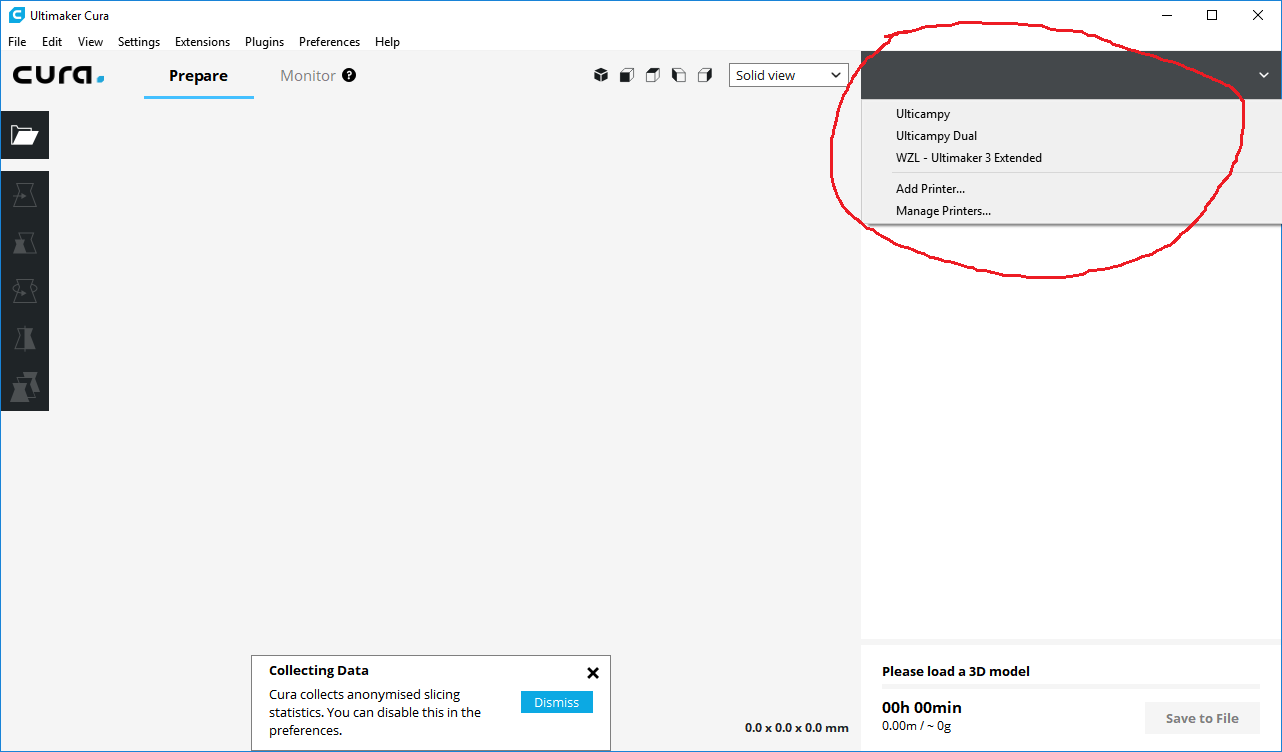
LipuFei
on 6 Dec 2017
Interesting, for me there is only the newly created ultimaker 3.
Did you try it on Linux?
mpsdskd
on 6 Dec 2017
On Windows 10. Good point, I will try it on Linux.
LipuFei
on 6 Dec 2017
You are right. It's not working on Linux somehow.
LipuFei
on 6 Dec 2017
Can you confirm that my work around works for you as well?
- remove: /home/username/.local/share/cura/3.1/
- copy /home/username/.local/share/cura/3.0/ to /home/username/.local/share/cura/3.1/
mpsdskd
on 6 Dec 2017
@mpsdskd There is a problem in copying files over during the upgrade. I suggest to do the following two steps and it should work just fine:
- remove
~/.config/cura/3.1 - remove
~/.local/share/cura/3.1
In case you are interested, I have made a fix: https://github.com/Ultimaker/Uranium/commit/0fbb3a147a6f13ff32920079c48f260d8fe7679d
LipuFei
on 6 Dec 2017
Does not fix my problem:
I removed ~/.config/cura/3.1 and ~/.local/share/cura/3.1 and started 3.1 again.
I get asked to create a new printer and my old printers and profiles are gone.
mpsdskd
on 6 Dec 2017
Have you also removed ~/.config/cura/3.1?
LipuFei
on 6 Dec 2017
Yes
mpsdskd
on 6 Dec 2017
However I did not copy ~/.local/share/cura/3.0 to 3.1 as you did not tell me to.
Did you want me to do this as well?
mpsdskd
on 6 Dec 2017
That's weird then... I will check later. Thanks
LipuFei
on 6 Dec 2017
Slightly different symptom, so this may or may not help debug:
I converted from 3.0.4 to 3.1.0, via the "Ultimaker Cura-3.1.0-win64.exe" installer downloaded 12/10/2017.
All printers came forward. All materials came forward. All customized print profiles did not.
Windows 10 Home, V1703, Build 15063.726.
 DanalEstes
on 11 Dec 2017
DanalEstes
on 11 Dec 2017
Hi @mpsdskd , I will close this issue if you don't mind since it's working for you now.
LipuFei
on 13 Dec 2017
Okay, I hope the next update will be easier
mpsdskd
on 13 Dec 2017
Related issues
 mubarak111nsu
·
3Comments
mubarak111nsu
·
3Comments
 StanislavJochman
·
3Comments
StanislavJochman
·
3Comments
 konvoj
·
3Comments
konvoj
·
3Comments
 rudowinger
·
3Comments
rudowinger
·
3Comments
 DamianSepczuk
·
3Comments
DamianSepczuk
·
3Comments