Cura: Travels when changing extruder/colors
I am having strange travels when using two extruder changing colors with the same hotend.
If the project has two colors but the first layer only has one, the hotend always travel to (x0,y0) no changes on z, on every extruder/color change, no matter if it has prime tower or not.
If the project has 100+ extruder changes, it goes 100+ times (x0,y0). It afects outer shell finish, and color oozing.
If the objet has two color but they start from first layer, first layer has two colors, I don`t get these travels from X and y to 0, on every extruder/color change.
Are these thavels a default feature, if they are, why ? How to disable them ?
It happens on all objects that do not have two colors in first layer, no matter what extruder or printer configuration I have.
Best regards
 maaspt
All 18 comments
I suspect it's the extruder switch start/end position.
The author of the printer definition you're using should set the setting machine_extruder_start_pos_abs to false. This way the start/end position gets interpreted as a relative coordinate and moves to relative coordinate 0,0 are left out.
 Ghostkeeper
on 20 Sep 2017
Ghostkeeper
on 20 Sep 2017
What printer are you using?
Ghostkeeper
on 20 Sep 2017
I have my own build cartasian printers with marlin 1.1.5 , working with two extruders one nozzle.
I don´t think it is printer definition on marlin, because without any extruder start/end gcode in cura, travels to x0,y0 are visible in Cura, any version.
If you dowload a project from thingiverse with two colors, open it in cura merge them, and you can see travels I am talking about.
The project you select, second color can not start in first layer.
maaspt
on 21 Sep 2017
I didn't mean a printer definition on Marlin, but a printer definition in Cura.
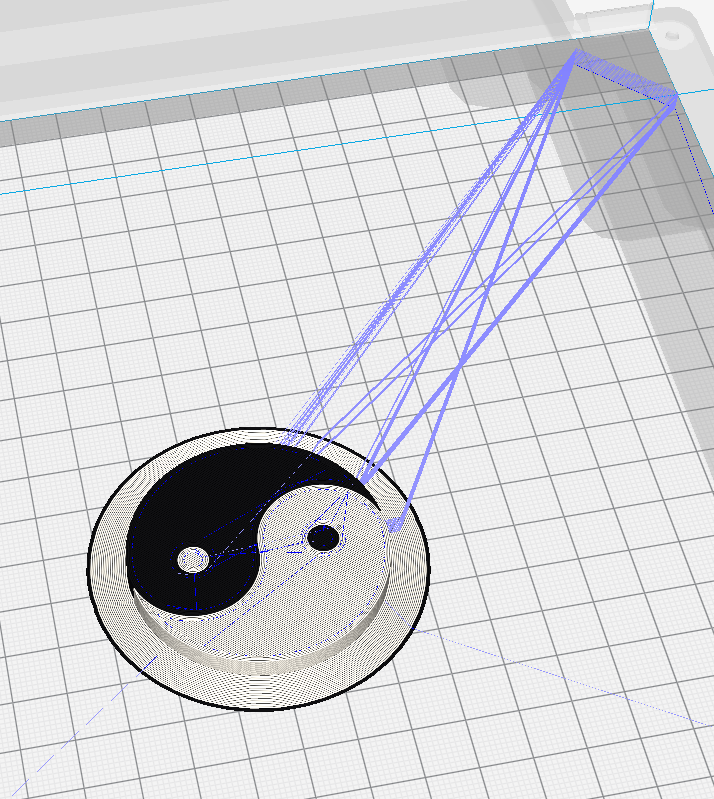
This is what I get with a proper printer definition in Cura: It moves to the switching bay in the top-right.
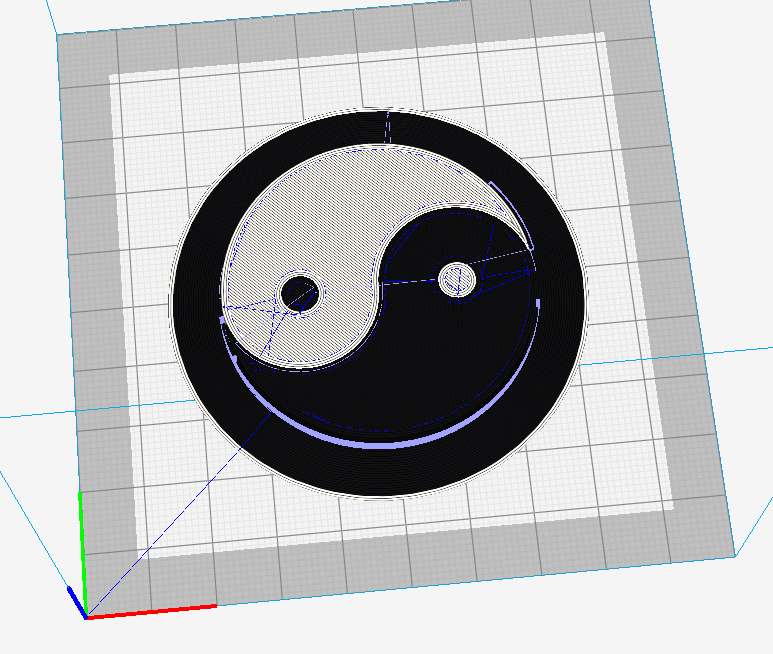
And this is what I get with Custom FDM Printer: In this case, the extruder's start and end positions are 0 and the machine_extruder_start_pos_abs is also False, so there are no strange movements to 0 (only the one from the starting location on the first layer):
Ghostkeeper
on 26 Sep 2017
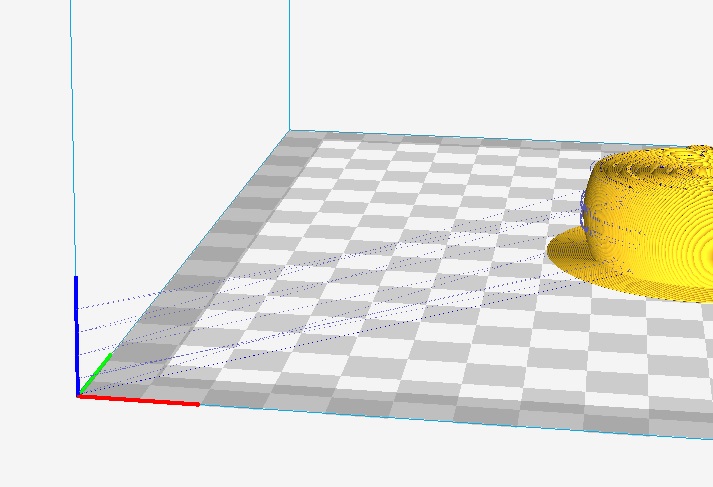
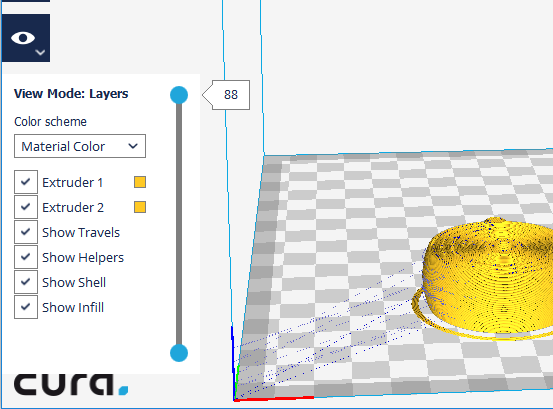
Select a project that does not start with two color in first layer.
second color starts after first layer.
maaspt
on 1 Oct 2017
please get this project
https://www.thingiverse.com/thing:2524765
Select objects and extruders to start two colors in first layer, I get no travels to (0,0)
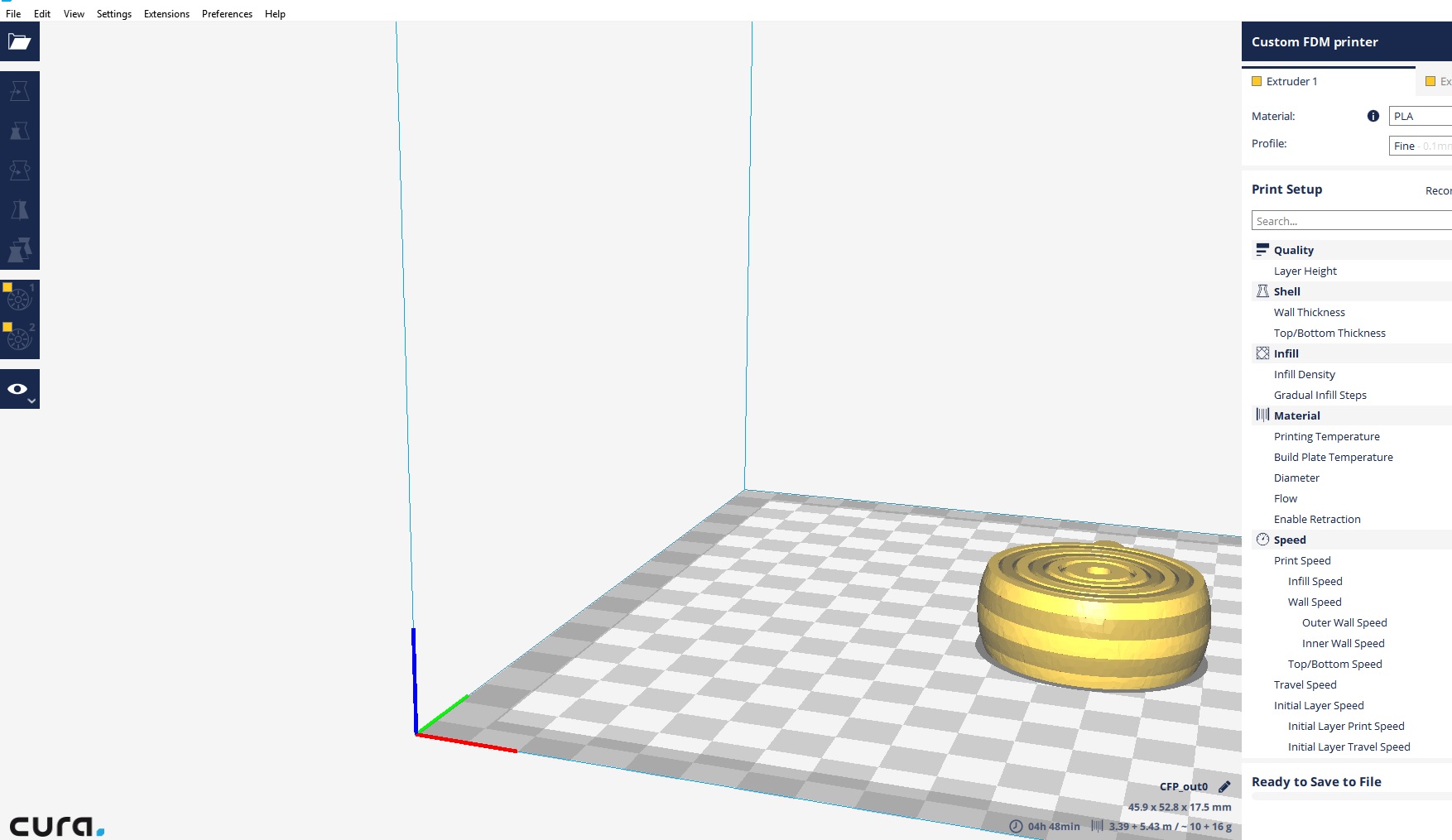
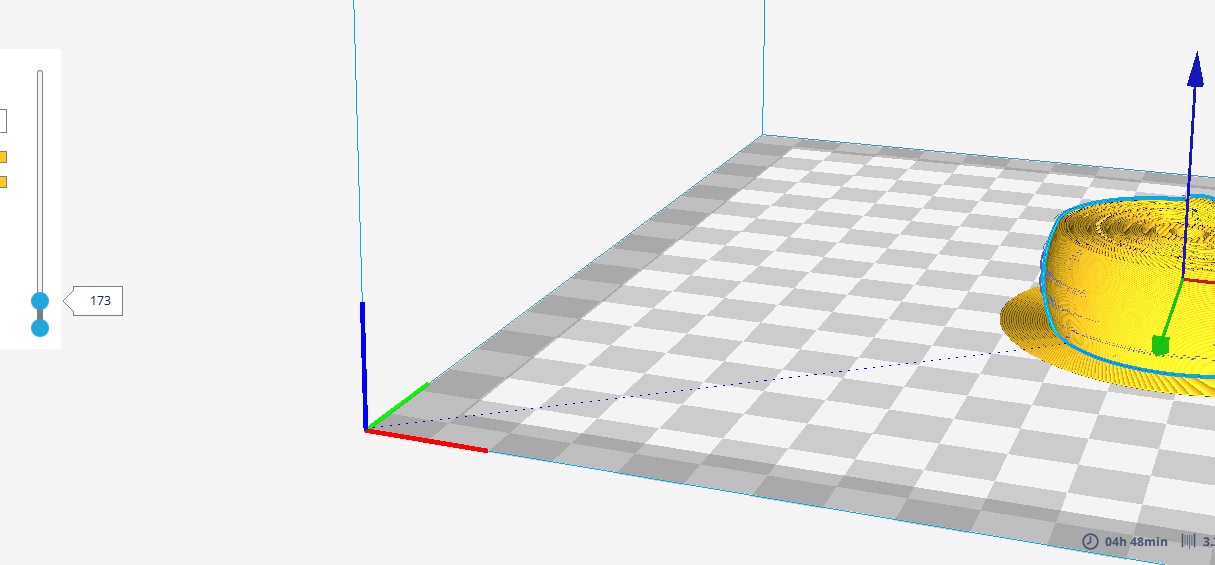
If you select objects and colors that you get object with same color in first layer, I get travels to (0,0)
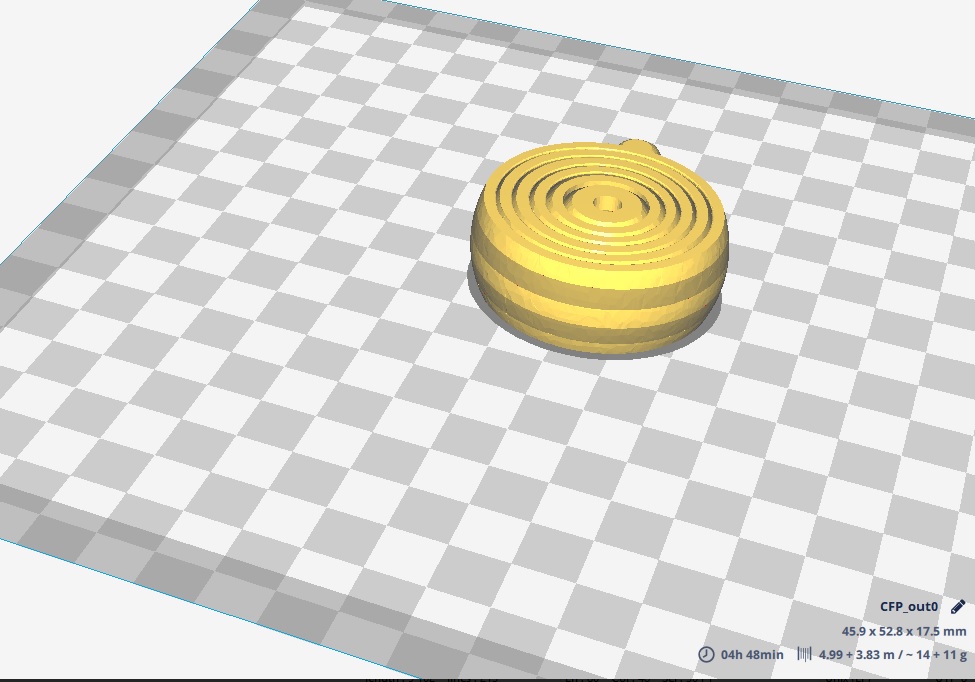
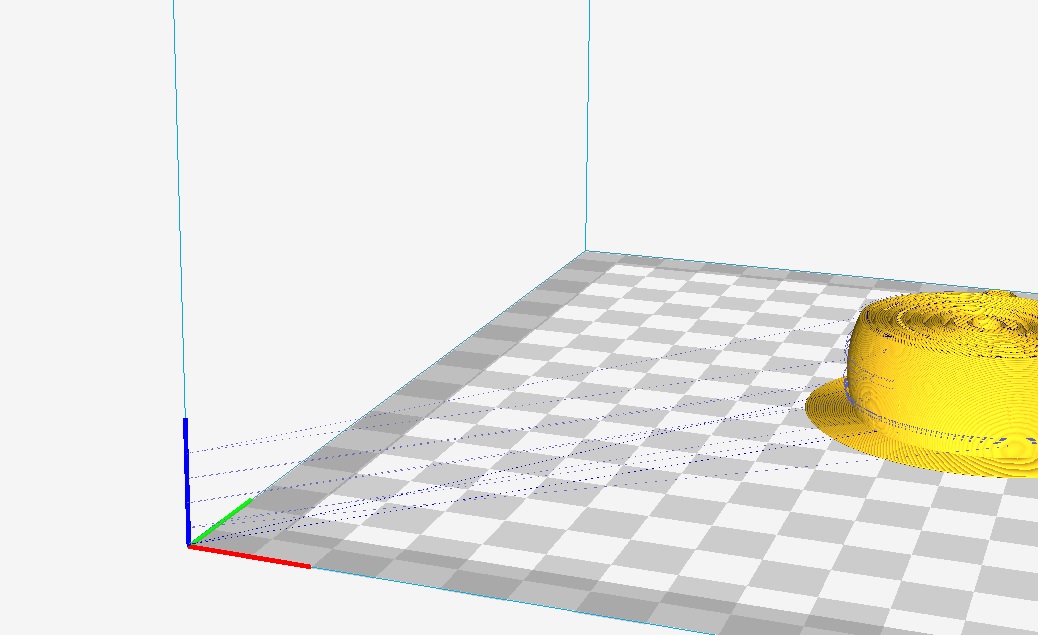
Same project, just changing colors configuraction, and getting Cura travels I can not disable.
This is my own remix, but if I get other project with second color starting after first layer I am getting these travels.
maaspt
on 1 Oct 2017
I am on Custom FDM Printer
Already changed machine_extruder_start_pos_abs to false, in fdmextruder.json but getting same travels, maybe I am not changing in the right file.
"machine_extruder_start_pos_abs":
{
"label": "Extruder Start Position Absolute",
"description": "Make the extruder starting position absolute rather than relative to the last-known location of the head.",
"type": "bool",
"default_value": false,
"settable_per_mesh": false,
"settable_per_extruder": false,
"settable_per_meshgroup": false,
"settable_globally": false
},
maaspt
on 1 Oct 2017
I'm getting the same result using a similar model that I made:
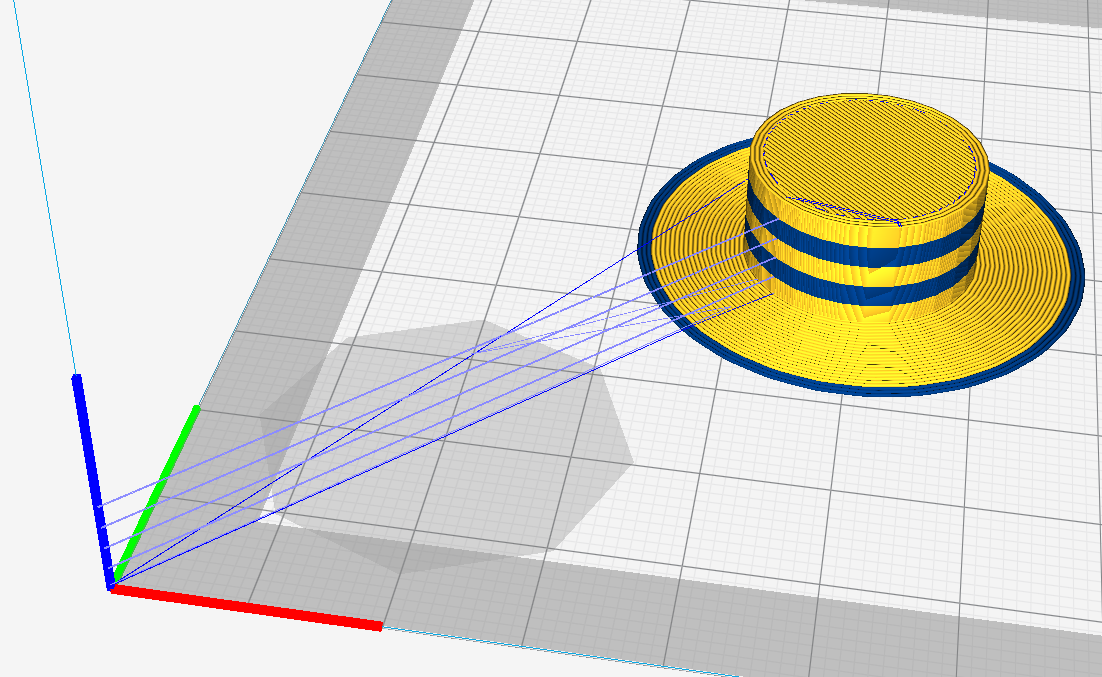
I tried modifying the prime position (hence the giant disallowed area that you see there) but it still happened. I suspect it might be a bug in the engine because I get some supposedly empty layers which aren't in the model.
Ghostkeeper
on 11 Oct 2017
I was able to move them using Layer Start X and Layer Start Y.
This is unfortunate, but the result of us calculating multiple layers at a time so the position on the previous layer isn't always known yet and then it defaults to Layer Start X and Layer Start Y.
So the bug is that in those cases we probably shouldn't insert any travel move at all.
Ghostkeeper
on 11 Oct 2017
Our project manager removed this from our planning because it was not deemed important enough.
Ghostkeeper
on 21 Feb 2018
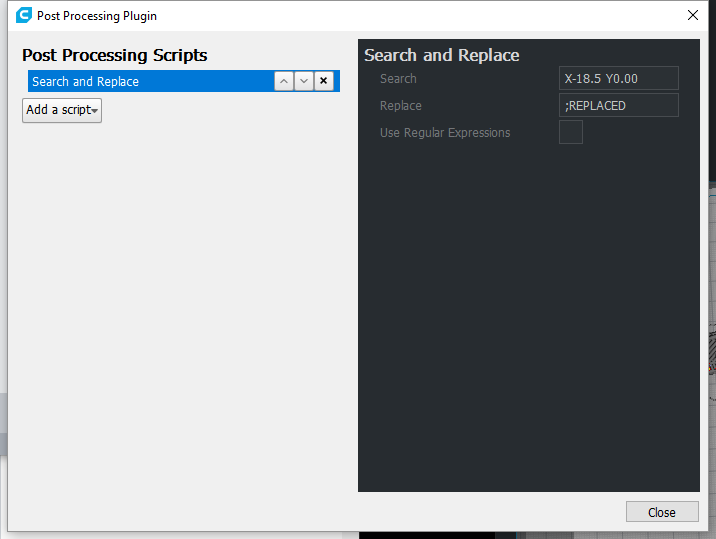
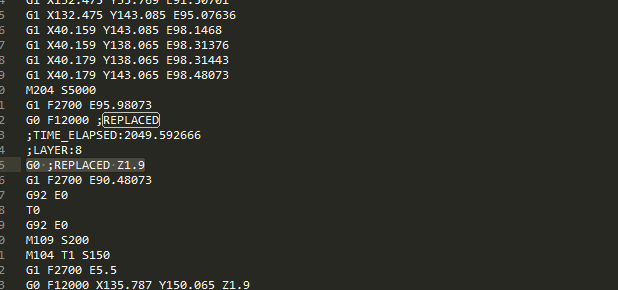
@maaspt and others, you can solve this with Extenions > Post Processing script.
Add a find and replace for the negative position moves. See below.
 epsalmond
on 30 Jun 2018
epsalmond
on 30 Jun 2018
so any news on this Bug?
 TimoErdmann
on 24 Sep 2018
TimoErdmann
on 24 Sep 2018
Yes, I believe we fixed this in version 3.6 (or was it 3.5?). Could you try again?
Ghostkeeper
on 21 Nov 2018
This problem has not been fix in 3.6
I just ran into it today. Really sucks because it rams the hotend into a bed clip.
Any thing to fix this? besides the replace code?
 xile6
on 24 Dec 2018
xile6
on 24 Dec 2018
Just came across this issue. I am interested in the solution. I am running cura 3.6 .Thanks!
 jonno292
on 30 Dec 2018
jonno292
on 30 Dec 2018
Still unfixed and really dangerous Bug, please, please fix!
 com9
on 4 Feb 2019
com9
on 4 Feb 2019
Agreed that this is dangerous. This is still in CuraEngine 4.0 (current master).
 paukstelis
on 9 Mar 2019
paukstelis
on 9 Mar 2019
This is a duplicate of https://github.com/Ultimaker/Cura/issues/5383. This issue is older but that issue has some good reproduction steps that will help debug this. Let's move the discussion over there.
Ghostkeeper
on 11 Mar 2019
Related issues
 rudowinger
·
3Comments
rudowinger
·
3Comments
 tomoinn
·
3Comments
tomoinn
·
3Comments
 Liger0
·
3Comments
Liger0
·
3Comments
 mnswamp1
·
3Comments
mnswamp1
·
3Comments
 probonopd
·
3Comments
probonopd
·
3Comments