Cudatext: Autocomplete in HTML: suggest recently used listbox items first
from @eltonfabricio10
I know it can be a difficult implementation...
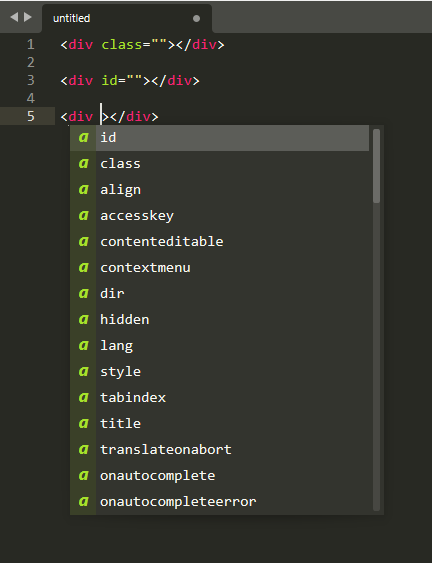
- Display last used attribute in HTML first on autocompletion
For example: When you type the attr 'class' in a div, then in the next tag show the attr 'class' first.
ST4 does that:
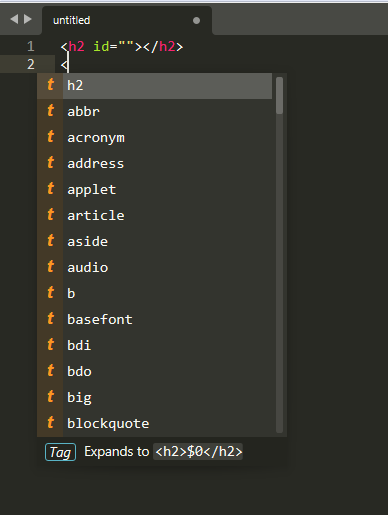
the last tag name is also shown first:
 Alexey-T
All 13 comments
Thanks @Alexey-T
 eltonfabricio10
on 2 Jul 2021
eltonfabricio10
on 2 Jul 2021
Another suggestion:
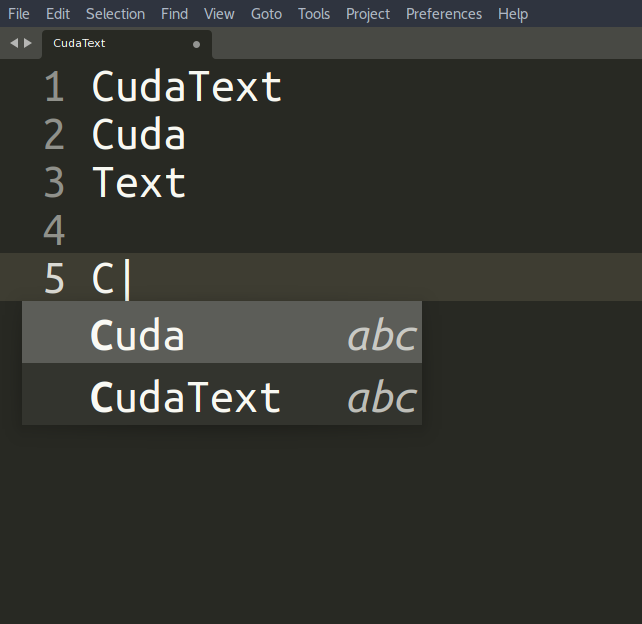
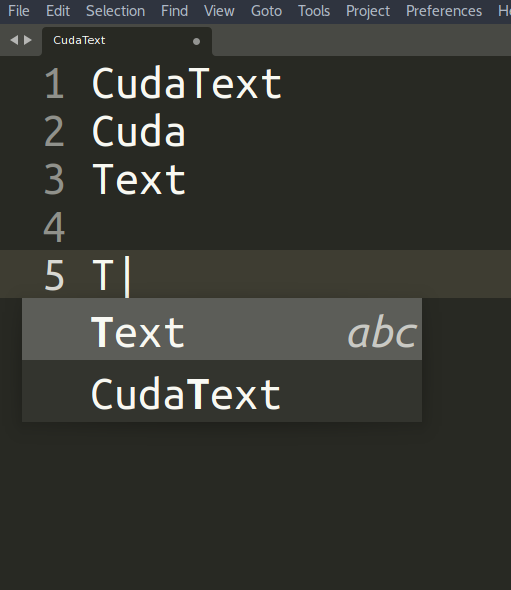
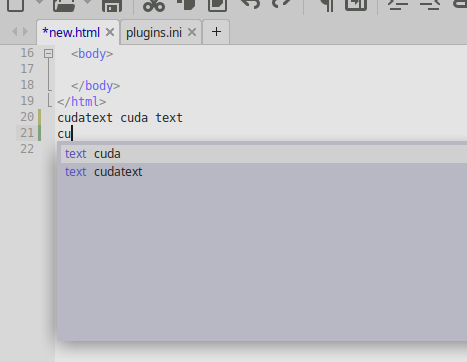
- When you press the TAB key it shows the words corresponding to the typed letter (ST4)
Words: from the current document or from opened documents
In this case it is only for lexer html that the plugin "Complete From Text" does not work.
eltonfabricio10
on 3 Jul 2021
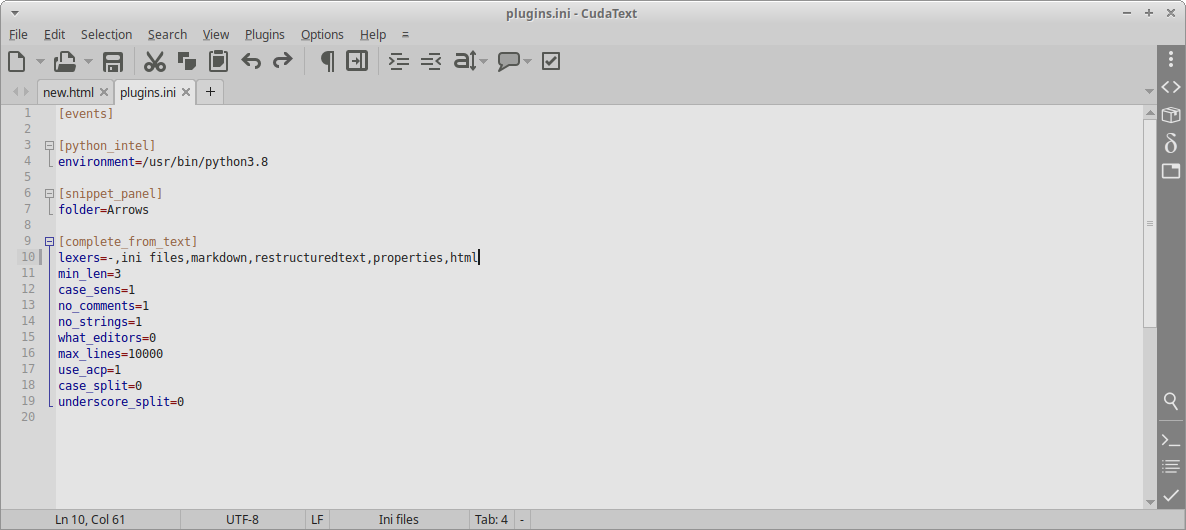
'Complete from text' works in all lexers after you configure it!
'Options / settings-plugins / complete from text' menu.
e.g. tested in HTML now:
Alexey-T
on 3 Jul 2021
for HTML plugin options no_comments/no_strings must be configured to '0'.
Alexey-T
on 3 Jul 2021
I will test... Thanks @Alexey-T
eltonfabricio10
on 3 Jul 2021
for HTML plugin options no_comments/no_strings must be configured to '0'.
I tested it and the "complete from text" plugin overrides CudaText autocomplete. So I left it disabled...
Really CudaText autocomplete and the "complete from text" plugin together they fight hahaha
Maybe one day you'll make them live together hahaha...
eltonfabricio10
on 3 Jul 2021
Maybe one day I will work on it...
Alexey-T
on 3 Jul 2021
One way it might work is to put the html suggestions in the "data/autocomplete" folder
for the "complete from text" plugin to suggest("use_acp" option). I will try...
eltonfabricio10
on 3 Jul 2021
it will not work the same good, as built-in HTML completion. but yes, plugin can be changed somehow. 'use_acp' is to use .acp files from https://wiki.freepascal.org/CudaText#Static_auto-completion_files
Alexey-T
on 3 Jul 2021
CudaText shows autocomplete for HTML and CSS, but is missing for JavaScript.
eltonfabricio10
on 3 Jul 2021
but is missing for JavaScript.
See here: https://wiki.freepascal.org/CudaText#IntelliSense
I made the beta 1.136.1.4 ,
http://www.uvviewsoft.com/c/
- add: auto-completion in HTML: recently chosen items are shown on top
Pls test.
@halfbrained @Miroslavmatas
Alexey-T
on 3 Jul 2021
Thanks!
I made the beta 1.136.1.4 ,
http://www.uvviewsoft.com/c/
- add: auto-completion in HTML: recently chosen items are shown on top
You are very good! Congratulations @Alexey-T
CudaText is amazing and wonderful
eltonfabricio10
on 4 Jul 2021
Played with this a bit - no issues.
 halfbrained
on 4 Jul 2021
halfbrained
on 4 Jul 2021
Related issues
 JairoMartinezA
·
5Comments
JairoMartinezA
·
7Comments
Alexey-T
·
3Comments
Alexey-T
·
7Comments
JairoMartinezA
·
5Comments
JairoMartinezA
·
7Comments
Alexey-T
·
3Comments
Alexey-T
·
7Comments
 GHNewbiee
·
7Comments
GHNewbiee
·
7Comments
Most helpful comment
See here: https://wiki.freepascal.org/CudaText#IntelliSense
I made the beta 1.136.1.4 ,
http://www.uvviewsoft.com/c/
Pls test.
@halfbrained @Miroslavmatas