Cudatext: Font size of themed main menu is too small on high DPI displays
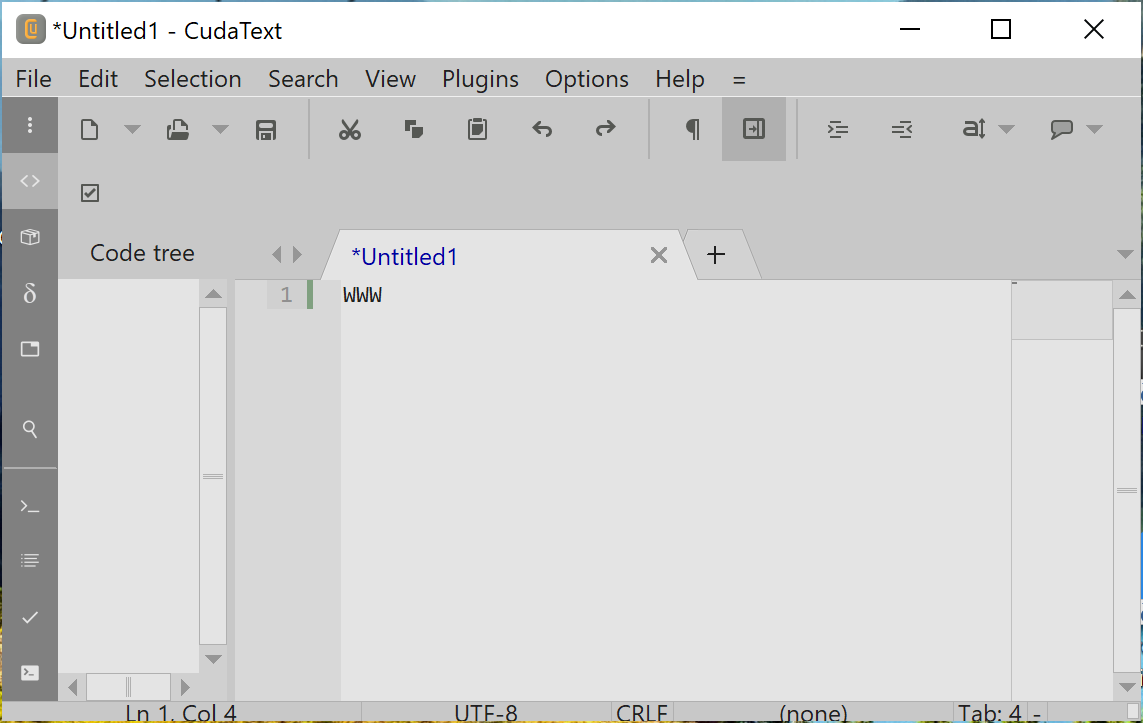
When themed main menu is activated (option ui_menu_themed is true) its font size is too small on high DPI displays. It seems like the default system font size for main menus is used to set the font size.
Under Windows it is possible to customize the font size of main menus in various ways (it even depends on the version of Windows). So I understand that it may be difficult (not to say impossible for a multi platform application like _CudaText_) to take into account all these possible customizations to set the correct font size automatically.
Thus I would like to ask for providing an option to set themed menu font size to a user defined value. The default of this option should be for example _-1_ or _0_ which means _"system defined main menu font size"_ (the same like the current size). All other values (with a minimum of e.g. 6 or 8) should be interpreted as the user defined font size in _pt_ (points).
 dinkumoil
All 11 comments
It is easy to fix (I know how to detect hi-dpi scale). to fix. new option is not needed.
 Alexey-T
on 9 Nov 2020
Alexey-T
on 9 Nov 2020
@Alexey-T said:
It is easy to fix
I'm in doubt about that.
Various ways in Windows 7 to customize font size:
Available since XP
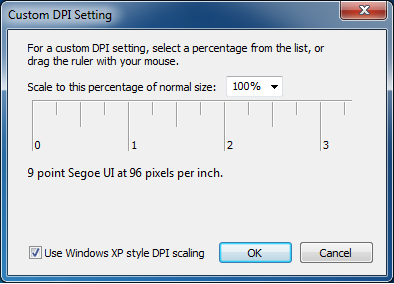
The simple way (introduced in Windows 7 or Vista (not sure), scales up whole display content)
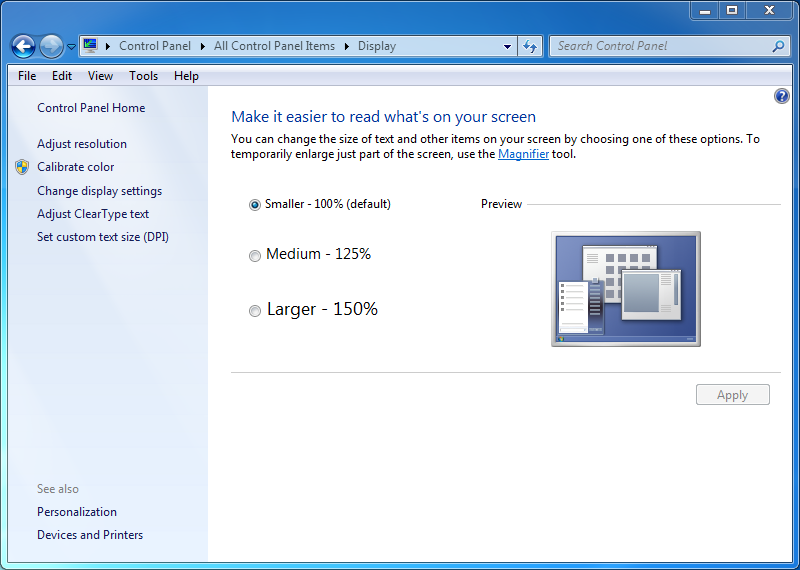
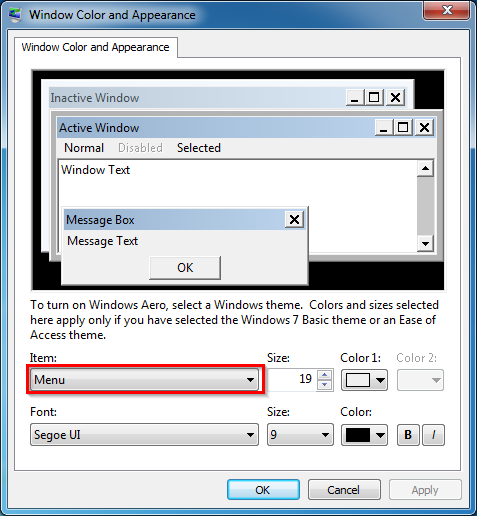
The better way, element specific (available at least since Windows 2000, removed in Windows 10):
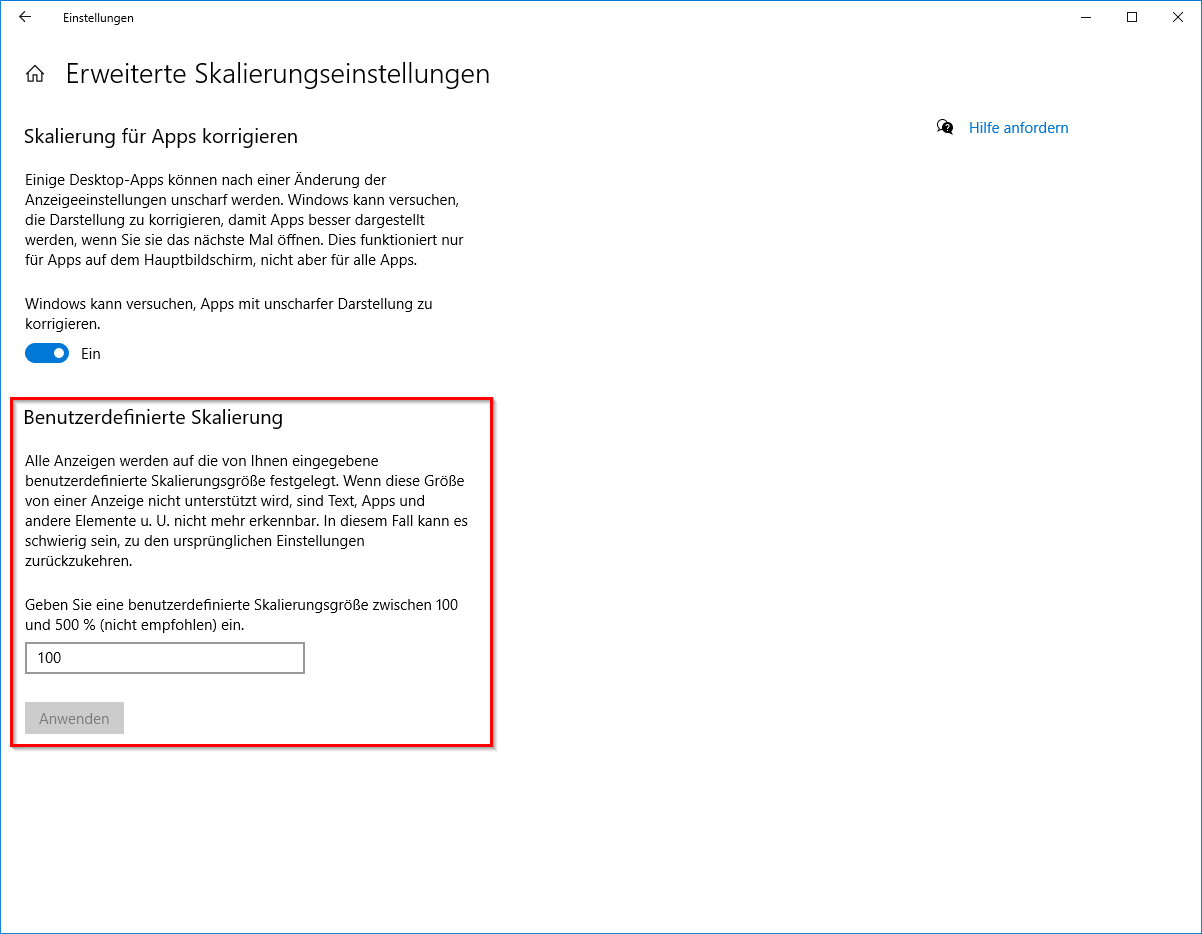
Various ways in Windows 10 to customize font size:
Setting in upper box only scales up text elements (introduced in v1809), setting in lower box scales up whole display content

Scales up whole display content
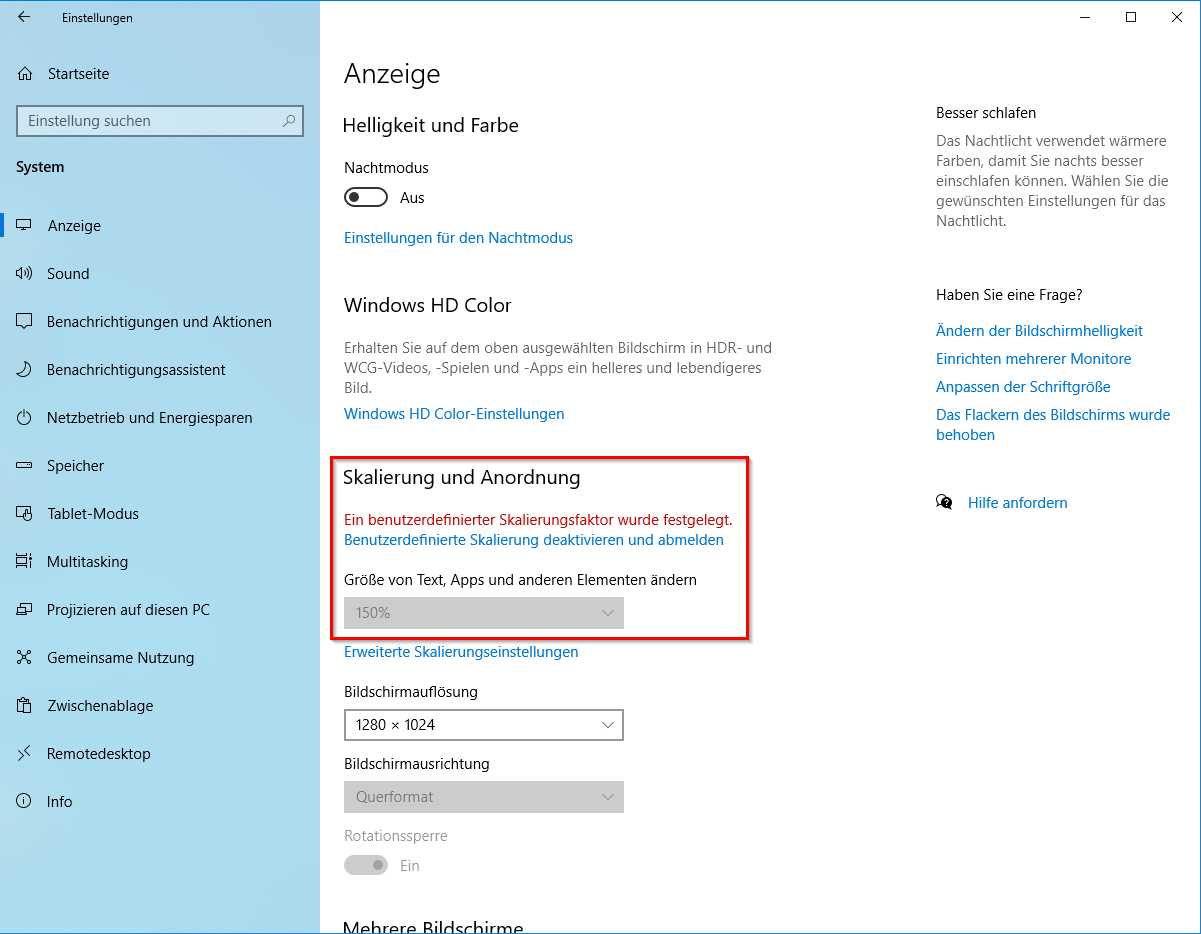
Also scales up whole display content, but note different values in this screen shot and the one before
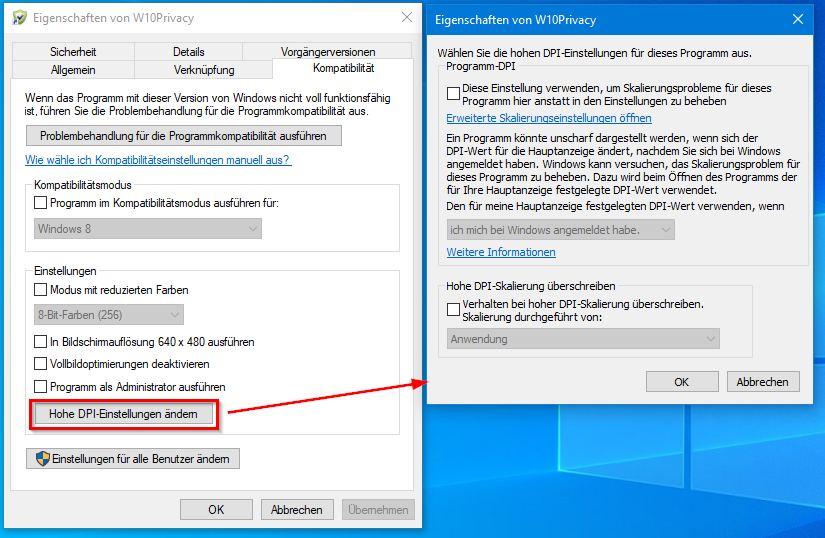
Application specific (also available in Windows 7 but with reduced functionality):
dinkumoil
on 10 Nov 2020
i set scale in context menu/ 'display settings' dialog. to 150% and 200. and Cud already shows ok big font in main menu. so i cannot see and fix it.
Alexey-T
on 22 Nov 2020
That's what I wanted to point out: Windows provides two different mechanisms to enlarge font size.
- Settings that scale up the whole display content, including textual elements, icons and other graphic-only stuff.
- Settings that scale up only textual content.
Your setting in context menu/ 'display settings' dialog is of type 1. I use a setting of type 2. On my Windows 10 notebook screen resolution is 130 dpi and I used the setting in the upper red box of screenshot 4 to scale up textual elements to 125%. On my Windows 7 desktop machine screen resolution is 110 dpi and I used the dialog in screenshot 3 to scale up textual elements by 2 pts.
The disadvantage of a type 1. setting is that it effectively reduces the available space on your screen. For example scaling up screen content to 200% means that an Explorer windows takes double the space than in default scaling of 100%. When scaling up textual screen elements only, you can read them better but you will not loose so much space on your screen.
Because I was aware of these different scaling mechanisms (whose way of how they work depend on the version of Windows) I suggested to provide an option in CudaText to simplify things.
dinkumoil
on 23 Nov 2020
okay, i will test the scaling by method 2 too.
Alexey-T
on 23 Nov 2020
I dont know how to detect the scale which is set my method 2, sorry..
Alexey-T
on 25 Nov 2020
That's what I expected. So, would you mind to add an option to set the font size of themed menus manually?
dinkumoil
on 25 Nov 2020
not sure. @kvichans wanted minor option too. about confirmation on closing the empty tab. 2 micro options.. :( slower config read..
Alexey-T
on 25 Nov 2020
Confirmation on closing the empty tab is an arguable option. But being able to read better themed menus is highly useful in these times, where the DPI of computer monitors is increasing constantly. Actually, I can not use themed menus on my notebook because they are so difficult to read. And 130 dpi is not that much in these days...
dinkumoil
on 25 Nov 2020
agree, so added the option. tested value 15, menu is bigger. it works. default is 9.
Alexey-T
on 23 Dec 2020
Thanks a lot, much appreciated!
dinkumoil
on 24 Dec 2020
Related issues
 junguler
·
5Comments
Alexey-T
·
7Comments
junguler
·
5Comments
Alexey-T
·
7Comments
 JairoMartinezA
·
7Comments
JairoMartinezA
·
7Comments
Alexey-T
·
4Comments
JairoMartinezA
·
7Comments
JairoMartinezA
·
7Comments
Alexey-T
·
4Comments
Most helpful comment
agree, so added the option. tested value 15, menu is bigger. it works. default is 9.