Cudatext: hide the cursor in input while it is not focused.
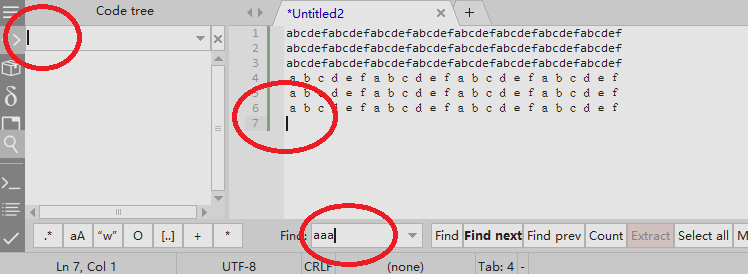
Where am I??
 akizuha
All 37 comments
We have option ui_active_border
to help with that.
 Alexey-T
on 22 May 2020
Alexey-T
on 22 May 2020
I believe CudaText is the only program still shows cursor after lost focus?
It will be nice to have something like ui_active_cursor.
akizuha
on 22 May 2020
Hi @Alexey-T
If I enter to Plugins->Options Editor... the carets remains but when I close the Dialog, the only caret that remains is the Editor one.
 JairoMartinezA
on 22 May 2020
JairoMartinezA
on 22 May 2020
interesting. I will look at this issue and maybe at how to hide the cursor..
Alexey-T
on 22 May 2020
tried to hide the caret, did changes. not succeed. not easy to solve.
Alexey-T
on 26 May 2020
Several changes have been made for Find dialog and logic last days. Might this issue be fixed as well?
 xcme
on 19 Oct 2020
xcme
on 19 Oct 2020
Nope, it must be changed in the core, and it's hard.
Alexey-T
on 19 Oct 2020
Some ideas on this:
- Could the Status bar contain information about the active panel? I may have a new field "Active windows: XYZ".
- I think the main issue with the Find dialog. Can it have bold font? (Find when the focus is on it). Or may we have an opportunity to increase border width and color for this field? See the picture.
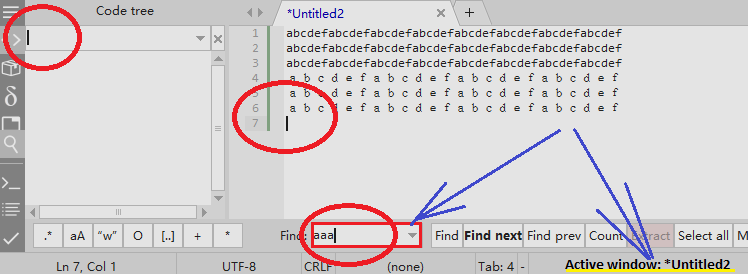
xcme
on 3 Jan 2021
we have the opt "ui_active_border" which highlights the active input with a dark-navy. it works for Find-what field. and for replace-with field. etc. (but not for main editor).
so why do we need an additional statusbar cell? it will be irritating.
Alexey-T
on 3 Jan 2021
Honestly, I don't know the right answer but for me it related to #2988. It now contains hotkey Alt+H for 'highlight all' but the same hotkey brings up Help menu while pressing in main editor. I've had such wrong pressing several times and realized it sometimes not obvious where I am, so I remember about this issue. Yes, we have a border here but it didn't help me :)
Is it easy to add 'ui_active_border_thickness=2' and 'ui_active_border_theme_param=SeparLine' for instance to have some control on it? I'm not insisting, just asking.
xcme
on 3 Jan 2021
Alt+H for 'highlight all' but the same hotkey brings up Help menu
okay, I cleared the default hotkeys for Alt+H "Hi" and for "Syntax elements" too.
Alexey-T
on 3 Jan 2021
Is it easy to add 'ui_active_border_thickness=2'
I will write the new issue in GH about it.
Alexey-T
on 3 Jan 2021
@Alexey-T could you change cursor's color to bg_color when control doesn't have focus?
 OlehL
on 11 Jan 2021
OlehL
on 11 Jan 2021
added OlehL's idea, it's better now!
let's test beta
http://www.uvviewsoft.com/c/
@akizuha @OlehL @kvichans @MiroslavMatas @Jairo-Martinez @xcme
Alexey-T
on 11 Jan 2021
Каретка в диалоге Поиск/Замена действительно изменила цвет в неактивном контроле
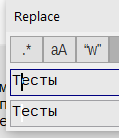
Но при этом в активном каретка стала мигающей. Как вернуть немигающую? (В табе осталась немигающая)
 kvichans
on 11 Jan 2021
kvichans
on 11 Jan 2021
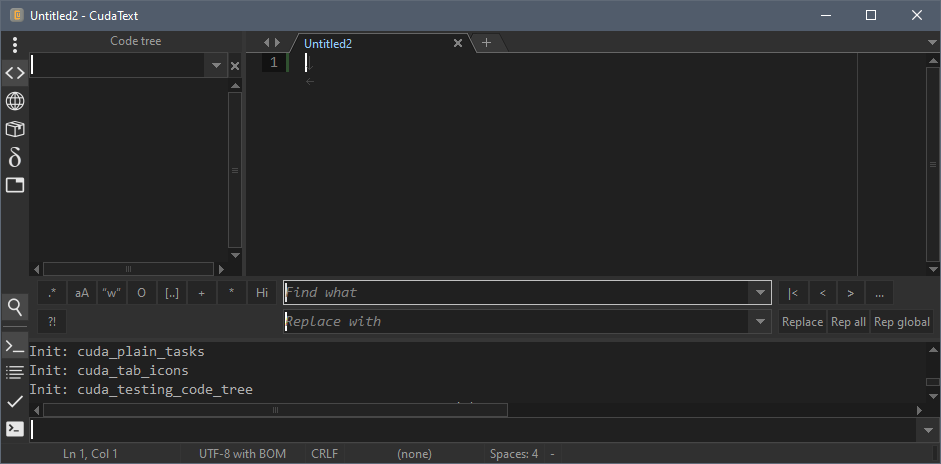
I downloaded last beta, but everything looks the same.
OlehL
on 11 Jan 2021
works fine here…
appreciate this feature
 MiroslavMatas
on 11 Jan 2021
MiroslavMatas
on 11 Jan 2021
@OlehL adjusted the color of unfocused caret; now it's better for 'ebony' and 'cobalt' themes.
Alexey-T
on 11 Jan 2021
@kvichans Opt 'caret_blink_en':false? I see it ignores controls others than main editor. and before it was so! do we need to apply this option to all editors?
Alexey-T
on 11 Jan 2021

До внесения последних (за полгода!) изменений в edit-контролах диалогов каретка не мигала (так же как в табе)
kvichans
on 11 Jan 2021
До внесения последних изменений в edit-контролах диалогов каретка не мигала (так же как в табе)
I didn't download latest beta and it blinks in my 1.120.3 and 1.117.6.
xcme
on 11 Jan 2021
@xcme What is your option caret_blink_en?
kvichans
on 11 Jan 2021
@Alexey-T I like this feature but it doesn't look good for all themes I have. I think the color of inactive caret shouldn't be a constant but something that is related with background or other color. For example, if there's a light background it darkens the caret color a bit and vice versa. There are some algorithms to calculate if the color dark or light in the google and there should be a way to 'darken a bit' I think.
If you point me out where is the caret color stored I can do some tests.
xcme
on 11 Jan 2021
@xcme What is your option
caret_blink_en?
Default value - true. Should I change it and try with false?
xcme
on 11 Jan 2021
@xcme No, you should not.
I like "not blincked" caret and set the option to "false" a long time ago
kvichans
on 11 Jan 2021
@xcme I failed to calc proper color for unfocused caret. my code comment
  if _IsFocused then
    NCaretColor:= Colors.Caret
  else
    //I cannot find proper color of NCaretColor, to make unfocused carets invisible,
    //tried several combinations of Colors.TextBG / Colors.TextFont,
    //tried 'xor', 'xor $ffffff' with some values, but it didn't help.
    //at least value 'Colors.TextBG xor Colors.TextFont' gives PALE caret color
    //on many CudaText themes (default and dark themes).
    NCaretColor:= Colors.TextBG xor Colors.TextFont;
I tried with this options ("caret_blink_en": false) and see an interesting behavior:
- It doesn't blink for main window only (it still blinks in search and code-tree windows
- In new version the caret disappears after pressing Ctrl+F and make a hole in the nearest symbol:
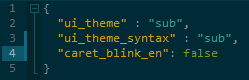
(Look at the last "a" character in the line 4)
xcme
on 11 Jan 2021
@xcme
- it is #3028. fixed
- it is normal
Alexey-T
on 11 Jan 2021
@Alexey-T I don't think we have to completely hide it (btw, it was hided on my screen above). I think it should just change the color. Loot at my next picture:
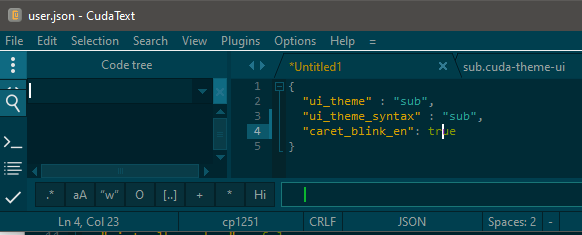
The active caret (with valid color) is in the Find dialog but inactive carets are much more lighter. It would be great to have it the other way around. I mean that inactive carets should have pale color.
xcme
on 11 Jan 2021
with last build (not public) I see
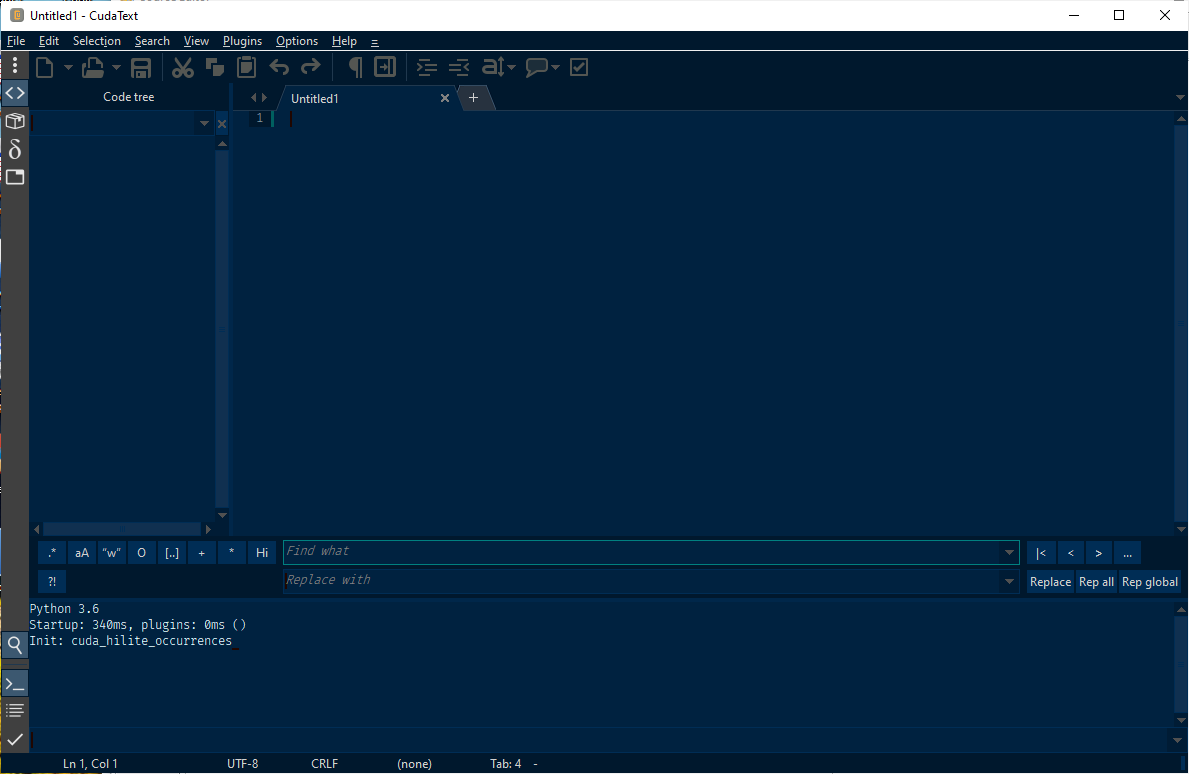
Alexey-T
on 11 Jan 2021
@xcme Pls test on last beta?
Alexey-T
on 12 Jan 2021
Sure, but give me some time. I will test.
xcme
on 12 Jan 2021
Next iteration of fixes!! beta updated. now I tried to totally ignore caret paint code. seems better now? no even ramaining light block?
@kvichans @Jairo-Martinez @xcme @tmsg-gh
Alexey-T
on 12 Jan 2021
@Alexey-T, it looks fine except the cases with completely dark caret. But it only from my perspective, because I consider completely dark caret as a kind of "hole" (as on your screen, for example). It may look better with grey caret in that case but I'm not sure. What is the logic for the current behavior?
xcme
on 12 Jan 2021
We replied with 3 sec interval. My comment was related with previous beta. Let me test the new one :)
xcme
on 12 Jan 2021
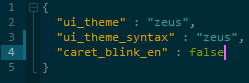
Yeeeah! Now it's perfect. Now I agree with this solution when t completely hides the caret. Looks great!
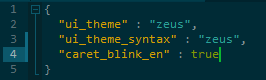
The only question why does it have different caret color with caret_blink_en in different states?
xcme
on 12 Jan 2021
pls post this color-issue to a new topic? this is overheated. I am closing it
Alexey-T
on 12 Jan 2021
Related issues
Alexey-T
·
4Comments
Alexey-T
·
4Comments
Alexey-T
·
5Comments
JairoMartinezA
·
7Comments
 GHNewbiee
·
7Comments
GHNewbiee
·
7Comments
Most helpful comment
Next iteration of fixes!! beta updated. now I tried to totally ignore caret paint code. seems better now? no even ramaining light block?
@kvichans @Jairo-Martinez @xcme @tmsg-gh