Crud: laravel backpack upload field is not moving image to my path, but its storing path to database
controller
 $this->crud->addField([   // Upload
    'name' => 'image',
    'label' => 'Image',
    'type' => 'upload',
    'upload' => true,
    'disk' => 'uploads' // if you store files in the /public folder, please ommit this; if you store them in /storage or S3, please specify it;
]);
model
public function setImageAttribute($value)
    {
        $attribute_name = "image";
        $disk = "public";
        $destination_path = "/uploads";
        $this->uploadFileToDisk($value, $attribute_name, $disk, $destination_path);
    }
config/filesystem.php
'uploads' => [
                    'driver' => 'local',
                    'root' => public_path().'/uploads',
                    // 'url' => '/photos/',
                    // 'visibility' => 'public',
                ],
 Himani-Bhatt
All 30 comments
I'm not convinced this is a bug yet.
Do:
public function setImageAttribute($value)
    {
        $attribute_name = "image";
      if (request()->hasFile($attribute_name) && request()->file($attribute_name)->isValid()) {
   throw new \Exception('IT SHOULD WORK'); }

        $disk = "public";
        $destination_path = "/uploads";
        $this->uploadFileToDisk($value, $attribute_name, $disk, $destination_path);
}
(the check from source)
(i.e. check to see if the attribute is there and is a valid file).
 lloy0076
on 2 Feb 2018
lloy0076
on 2 Feb 2018

yes its valid
& also stored file path in database
issue is just not moving image :(
Himani-Bhatt
on 2 Feb 2018
you have a mistyped issue ^_^
in your config/filesystem.php ( disk name is "uploads" )
but inside your mutator function in model you set $disk = "public"; I think your issue will be fixed if you replace it with $disk = "uploads";
 iMokhles
on 2 Feb 2018
iMokhles
on 2 Feb 2018
GET http://localhost/admin_app/public/uploads/f9cc798d300b80b9553f7305d1ae7e8f.jpg 404 (Not Found)
error got in console as usual
:(
storing path in database but not moving file :'(
Himani-Bhatt
on 2 Feb 2018
replace your uploads disk code
FROM
'uploads' => [
                    'driver' => 'local',
                    'root' => public_path().'/uploads',
                    // 'url' => '/photos/',
                    // 'visibility' => 'public',
                ],
TO
'uploads' => [
            'driver' => 'local',
            'root' => public_path('uploads'),
        ],
i tried it but failed
Himani-Bhatt
on 2 Feb 2018
if this fails to save to database and fails to save the image to the uploads folder under public folder means there are something wrong with your setup, i have tried it over 20times for my projects and it works well ( if your project is open source ) i can check it for you otherwise i cannot figure out why it doesn't work ( maybe permission issue or something else ) IDK
iMokhles
on 2 Feb 2018
i can share only my controller & model file of product module
Himani-Bhatt
on 2 Feb 2018
okey no problem let's try to fix it ;)
and share if you can the trace or the fails log after you changed disk to
'uploads' => [
            'driver' => 'local',
            'root' => public_path('uploads'),
        ],
i have already tied it :(
failed
i just dont understand that if path is storing into database then why don't image save!!!!!!!
Himani-Bhatt
on 2 Feb 2018
`
namespace App\Models;
use Illuminate\Database\Eloquent\Model;
use Backpack\CRUD\CrudTrait;
use Illuminate\Database\Eloquent\SoftDeletes;
class Product extends Model
{
use CrudTrait;
use SoftDeletes;
/*
|--------------------------------------------------------------------------
| GLOBAL VARIABLES
|--------------------------------------------------------------------------
*/
protected $table = 'products';
protected $primaryKey = 'id';
// public $timestamps = false;
// protected $guarded = ['id'];
protected $fillable = ['name','description','image','category_id','price'];
// protected $hidden = [];
protected $dates = ['deleted_at'];


public function category() {
    return $this->hasOne('App\Models\Category', 'id', 'category_id')->withTrashed();;
}

public function cat() {
    return $this->category->name;
}

// public function setImageAttribute($value)
// {
//     $attribute_name = "image";
//     $disk = "public";
//     $destination_path = "/uploads";
//     $this->uploadFileToDisk($value, $attribute_name, $disk, $destination_path);
// }

public function setImageAttribute($value)
{
    $attribute_name = "image";
// if (request()->hasFile($attribute_name) && request()->file($attribute_name)->isValid()) {
// // throw new \Exception('IT SHOULD WORK');
// }
    $disk = "uploads";
    $destination_path = "/uploads";
    $this->uploadFileToDisk($value, $attribute_name, $disk, $destination_path);
}
/* public static function boot()
{
parent::boot();
static::deleting(function($obj) {
\Storage::disk('public')->delete($obj->image);
});
}*/
/*
|--------------------------------------------------------------------------
| FUNCTIONS
|--------------------------------------------------------------------------
*/

/*
|--------------------------------------------------------------------------
| RELATIONS
|--------------------------------------------------------------------------
*/

/*
|--------------------------------------------------------------------------
| SCOPES
|--------------------------------------------------------------------------
*/

/*
|--------------------------------------------------------------------------
| ACCESORS
|--------------------------------------------------------------------------
*/

/*
|--------------------------------------------------------------------------
| MUTATORS
|--------------------------------------------------------------------------
*/
}
`
Himani-Bhatt
on 2 Feb 2018
`
namespace App\Http\ControllersAdmin;
use Backpack\CRUD\app\Http\Controllers\CrudController;
// VALIDATION: change the requests to match your own file names if you need form validation
use App\Http\Requests\ProductRequest as StoreRequest;
use App\Http\Requests\ProductRequest as UpdateRequest;
class ProductCrudController extends CrudController
{
public function setup()
{
    /*
    |--------------------------------------------------------------------------
    | BASIC CRUD INFORMATION
    |--------------------------------------------------------------------------
    */
    $this->crud->setModel('App\Models\Product');
    $this->crud->setRoute(config('backpack.base.route_prefix') . '/product');
    $this->crud->setEntityNameStrings('product', 'products');

    /*
    |--------------------------------------------------------------------------
    | BASIC CRUD INFORMATION
    |--------------------------------------------------------------------------
    */

    // $this->crud->setFromDb();

    $this->crud->addColumn([
        'name' => 'image', // The db column name
        'label' => "Product image", // Table column heading
        'type' => 'image',
        // 'prefix' => 'folder/subfolder/',
        // optional width/height if 25px is not ok with you
        'height' => '70px',
        'width' => '70px',
    ]);
    $this->crud->addColumn(['name' => 'name', 'label' => 'Product Name']);
    $this->crud->addColumn(['name' => 'description', 'label' => 'Description']);
    $this->crud->addColumn(['name' => 'category_id', 'label' => 'Product Category','type' => "model_function",'function_name' => 'cat']);
    $this->crud->addColumn(['name' => 'price', 'label' => 'Product Price']);


    $this->crud->addField(
        [
            'name' => 'name',
            'label' => 'Product Name',
            'type' => 'text',
        ]
    );

    $this->crud->addField(
        [
            'name' => 'description',
            'label' => 'Product description',
            'type' => 'textarea',
        ]
    );

    $this->crud->addField([  // Select
       'label' => "Category",
       'type' => 'select',
       'name' => 'category_id', // the db column for the foreign key
       'entity' => 'category', // the method that defines the relationship in your Model
       'attribute' => 'name', // foreign key attribute that is shown to user
       'model' => "App\Models\Category" // foreign key model
    ]);

    $this->crud->addField([   // Number
        'name' => 'price',
        'label' => 'Price',
        'type' => 'number',
        // optionals
        // 'attributes' => ["step" => "any"], // allow decimals
        'prefix' => "₹",
        // 'suffix' => ".00",
    ]);

    // $this->crud->addField([ // image
    //     'name' => 'image',
    //     'label' => 'Image',
    //     'type' => 'browse',
    // ]);

    $this->crud->addField([   // Upload
'name' => 'image',
'label' => 'Image',
'type' => 'upload',
'upload' => true,
'disk' => 'uploads' // if you store files in the /public folder, please ommit this; if you store them in /storage or S3, please specify it;
]);
    // ------ CRUD FIELDS
    // $this->crud->addField($options, 'update/create/both');
    // $this->crud->addFields($array_of_arrays, 'update/create/both');
    // $this->crud->removeField('name', 'update/create/both');
    // $this->crud->removeFields($array_of_names, 'update/create/both');

    // ------ CRUD COLUMNS
    // $this->crud->addColumn(); // add a single column, at the end of the stack
    // $this->crud->addColumns(); // add multiple columns, at the end of the stack
    // $this->crud->removeColumn('column_name'); // remove a column from the stack
    // $this->crud->removeColumns(['column_name_1', 'column_name_2']); // remove an array of columns from the stack
    // $this->crud->setColumnDetails('column_name', ['attribute' => 'value']); // adjusts the properties of the passed in column (by name)
    // $this->crud->setColumnsDetails(['column_1', 'column_2'], ['attribute' => 'value']);

    // ------ CRUD BUTTONS
    // possible positions: 'beginning' and 'end'; defaults to 'beginning' for the 'line' stack, 'end' for the others;
    // $this->crud->addButton($stack, $name, $type, $content, $position); // add a button; possible types are: view, model_function
    // $this->crud->addButtonFromModelFunction($stack, $name, $model_function_name, $position); // add a button whose HTML is returned by a method in the CRUD model
    // $this->crud->addButtonFromView($stack, $name, $view, $position); // add a button whose HTML is in a view placed at resources\views\vendor\backpack\crud\buttons
    // $this->crud->removeButton($name);
    // $this->crud->removeButtonFromStack($name, $stack);
    // $this->crud->removeAllButtons();
    // $this->crud->removeAllButtonsFromStack('line');

    // ------ CRUD ACCESS
    // $this->crud->allowAccess(['list', 'create', 'update', 'reorder', 'delete']);
    // $this->crud->denyAccess(['list', 'create', 'update', 'reorder', 'delete']);

    // ------ CRUD REORDER
    // $this->crud->enableReorder('label_name', MAX_TREE_LEVEL);
    // NOTE: you also need to do allow access to the right users: $this->crud->allowAccess('reorder');

    // ------ CRUD DETAILS ROW
    // $this->crud->enableDetailsRow();
    // NOTE: you also need to do allow access to the right users: $this->crud->allowAccess('details_row');
    // NOTE: you also need to do overwrite the showDetailsRow($id) method in your EntityCrudController to show whatever you'd like in the details row OR overwrite the views/backpack/crud/details_row.blade.php

    // ------ REVISIONS
    // You also need to use \Venturecraft\Revisionable\RevisionableTrait;
    // Please check out: https://laravel-backpack.readme.io/docs/crud#revisions
    // $this->crud->allowAccess('revisions');

    // ------ AJAX TABLE VIEW
    // Please note the drawbacks of this though:
    // - 1-n and n-n columns are not searchable
    // - date and datetime columns won't be sortable anymore
    // $this->crud->enableAjaxTable();

    // ------ DATATABLE EXPORT BUTTONS
    // Show export to PDF, CSV, XLS and Print buttons on the table view.
    // Does not work well with AJAX datatables.
    // $this->crud->enableExportButtons();

    // ------ ADVANCED QUERIES
    // $this->crud->addClause('active');
    // $this->crud->addClause('type', 'car');
    $this->crud->addClause('orderBy','id','desc');
    // $this->crud->addClause('whereName', 'car');
    // $this->crud->addClause('whereHas', 'posts', function($query) {
    //     $query->activePosts();
    // });
    // $this->crud->addClause('withoutGlobalScopes');
    // $this->crud->addClause('withoutGlobalScope', VisibleScope::class);
    // $this->crud->with(); // eager load relationships
    // $this->crud->orderBy();
    // $this->crud->groupBy();
    // $this->crud->limit();
}

public function store(StoreRequest $request)
{
    // your additional operations before save here
    $redirect_location = parent::storeCrud($request);
    // your additional operations after save here
    // use $this->data['entry'] or $this->crud->entry
    return $redirect_location;
}

public function update(UpdateRequest $request)
{
    // your additional operations before save here
    $redirect_location = parent::updateCrud($request);
    // your additional operations after save here
    // use $this->data['entry'] or $this->crud->entry
    return $redirect_location;
}
}
`
Himani-Bhatt
on 2 Feb 2018
FIRST MAKE SURE THAT THE DISK IS LIKE THIS
'uploads' => [
            'driver' => 'local',
            'root' => public_path('uploads'),
        ],
and your model like that
namespace App\Models;

use Illuminate\Database\Eloquent\Model;
use Backpack\CRUD\CrudTrait;
use Illuminate\Database\Eloquent\SoftDeletes;

class Product extends Model
{
use CrudTrait;
use SoftDeletes;
/*
|--------------------------------------------------------------------------
| GLOBAL VARIABLES
|--------------------------------------------------------------------------
*/

protected $table = 'products';
protected $primaryKey = 'id';
// public $timestamps = false;
// protected $guarded = ['id'];
protected $fillable = ['name','description','image','category_id','price'];
// protected $hidden = [];
protected $dates = ['deleted_at'];


public function category() {
    return $this->hasOne('App\Models\Category', 'id', 'category_id')->withTrashed();;
}

public function cat() {
    return $this->category->name;
}

public function setImageAttribute($value)
{

    $attribute_name = 'image';
    $disk = 'uploads';
    $destination_path = 'images';

if (starts_with($value, 'data:image')) {
                    // 0. Get image extension
                    preg_match("/^data:image\/(.*);base64/i", $value, $match);
                    $extension = $match[1];
                    // 1. Make the image
                    $image = Image::make($value);
                    if (!is_null($image)) {
                        // 2. Generate a filename.
                        $filename = md5($value.time()).'.'.$extension;

                        try {
                            // 3. Store the image on disk.
                            Storage::disk($disk)->put($destination_path.'/'.$filename, $image->stream());
                            // 4. Save the path to the database
                            $this->attributes[$attribute_name] = $destination_path.'/'.$filename;
                        } catch (\InvalidArgumentException $argumentException) {
                            // 3. failed to save file
                            Alert::error($argumentException->getMessage())->flash();
                            // 4. set as null when fail to save the image to disk
                            $this->attributes[$attribute_name] = null;
                        }
                    }
                } else {
                    $this->uploadFileToDisk($value, $attribute_name, $disk, $destination_path);
                }
}

/* public static function boot()
{
parent::boot();
static::deleting(function($obj) {
\Storage::disk('uploads')->delete($obj->image);
});
}*/

/*
|--------------------------------------------------------------------------
| FUNCTIONS
|--------------------------------------------------------------------------
*/

/*
|--------------------------------------------------------------------------
| RELATIONS
|--------------------------------------------------------------------------
*/

/*
|--------------------------------------------------------------------------
| SCOPES
|--------------------------------------------------------------------------
*/

/*
|--------------------------------------------------------------------------
| ACCESORS
|--------------------------------------------------------------------------
*/

/*
|--------------------------------------------------------------------------
| MUTATORS
|--------------------------------------------------------------------------
*/
}
same problem :(

Himani-Bhatt
on 2 Feb 2018
remove /public/ from your url ( the file should be saved )
iMokhles
on 2 Feb 2018
from where should i remove?
Himani-Bhatt
on 2 Feb 2018
from the url you access to check if the image available or not
iMokhles
on 2 Feb 2018
and check the public folder then uploads then images to see if the image there or not
iMokhles
on 2 Feb 2018
yes now image is saved in the folder
thanks a lot :)
Himani-Bhatt
on 2 Feb 2018
you are welcome :)
iMokhles
on 2 Feb 2018
Closed as solved; please reopen if I'm wrong 😸
lloy0076
on 2 Feb 2018
only you can reopen bcz you closed it so
Himani-Bhatt
on 3 Feb 2018
can anyone plzz let me know that what changes should i have to do to make my disk as s3
Himani-Bhatt
on 6 Feb 2018
I have same issue.
Here is my Model:
```
namespace App\Models;
use Illuminate\Database\Eloquent\Model;
use Backpack\CRUD\CrudTrait;
use Illuminate\Database\Eloquent\SoftDeletes;
class Card extends Model
{
use CrudTrait;
use SoftDeletes;

protected $fillable = ['number', 'type', 'category_id', 'bg_color', 'image','created_at', 'updated_at'];

protected $table = "cards";
protected $primaryKey = 'id';
protected $dates = ['deleted_at'];

public function category()
{
    return $this->belongsTo('App\Models\Category');

}

public function setImageAttribute($value)
{
    $attribute_name = "image";
    $disk = "public";
    $destination_path = "img";

    // if the image was erased
    if ($value==null) {
        // delete the image from disk
        \Storage::disk($disk)->delete($this->{$attribute_name});

        // set null in the database column
        $this->attributes[$attribute_name] = null;
    }

    // if a base64 was sent, store it in the db
    if (starts_with($value, 'data:image'))
    {
        // 0. Make the image
        $image = \Image::make($value);
        // 1. Generate a filename.
        $filename = md5($value.time()).'.jpg';
        // 2. Store the image on disk.
        \Storage::disk($disk)->put($destination_path.'/'.$filename, $image->stream());
        // 3. Save the path to the database
        $this->attributes[$attribute_name] = $destination_path.'/'.$filename;
    }
}
}
my controller
use Backpack\CRUD\app\Http\Controllers\CrudController;
// VALIDATION: change the requests to match your own file names if you need form validation
use App\Http\Requests\CardCrudRequest as StoreRequest;
use App\Http\Requests\CardCrudRequest as UpdateRequest;
class CardCrudController extends CrudController {
public function setup() {
    $this->crud->setModel('App\Models\Card');
    $this->crud->setRoute(config('backpack.base.route_prefix')  . '/card');
    $this->crud->setEntityNameStrings('card', 'cards');

    $this->crud->setColumns([
        [
        'name' => 'number',
        'label' => 'Порядковый номер',
        'type' => 'number'

        ],
        [
        'name' => 'type',
        'label' => 'Тип поля',
        'type' => 'enum'

        ],
        [
            'label' => 'Категория',
            'type' => 'select',
            'name' => 'category_id',
            'entity' => 'category',
            'attribute' => 'name',
            'model' => "App\Models\Category"
        ],
        [
        'name' => 'bg_color',
        'label' => 'Цвет фона',
        'type' => 'enum'

        ],
        [
           'name' => 'image', // The db column name
           'label' => "Изображение", // Table column heading
           'type' => 'image',
            // 'prefix' => 'folder/subfolder/',
            // optional width/height if 25px is not ok with you
            // 'height' => '30px',
            // 'width' => '30px',
        ]
    ]);


    $this->crud->addField([
        'name' => 'number',
        'label' => 'Порядковый номер',
        'type' => 'number'

        ]);
    $this->crud->addField([
        'name' => 'type',
        'label' => 'Тип поля',
        'type' => 'enum'

        ]);
    $this->crud->addField([
        'label' => 'Категория',
        'type' => 'select',
        'name' => 'category_id',
        'entity' => 'category',
        'attribute' => 'name',
        'model' => "App\Models\Category"
        ]);
    $this->crud->addField([
        'name' => 'bg_color',
        'label' => 'Цвет фона',
        'type' => 'enum'

        ]);
    $this->crud->addField([ // image
        'label' => "Изображение",
        'name' => "image",
        'type' => 'image',
        'upload' => true,

        'crop' => true, // set to true to allow cropping, false to disable
        'aspect_ratio' => 0, // ommit or set to 0 to allow any aspect ratio
        // 'prefix' => 'uploads/images/profile_pictures/' // in case you only store the filename in the database, this text will be prepended to the database value
    ]);

}

public function store(StoreRequest $request)
{
    return parent::storeCrud();
}

public function update(UpdateRequest $request)
{
    return parent::updateCrud();
}
}
My fylesystems.php
'disks' => [

    'local' => [
        'driver' => 'local',
        'root' => storage_path('app'),
    ],

    'public' => [
        'driver' => 'local',
        'root' => storage_path('app/public'),
        'url' => env('APP_URL').'/storage',
        'visibility' => 'public',
    ],

    's3' => [
        'driver' => 's3',
        'key' => env('AWS_ACCESS_KEY_ID'),
        'secret' => env('AWS_SECRET_ACCESS_KEY'),
        'region' => env('AWS_DEFAULT_REGION'),
        'bucket' => env('AWS_BUCKET'),
    ],
    'uploads' => [
        'driver' => 'local',
        'root' => public_path('uploads'),
    ],
    'public_folder' => [
        'driver' => 'local',
        'root' => public_path('uploads'),
    ],

],
```
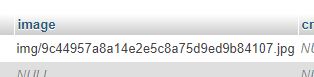
screenshot from phpmyadmin mysql
screenshot from chrome

 aleebek
on 13 Feb 2018
aleebek
on 13 Feb 2018
@aleebek that's normal because your disk is pointing to the storage/app/public folder which isn't accessible directly so you have two choices
1- to change your public disk to point to the public folder
2- make a GET route to point to load files from the from the img folder under storage/app/public
iMokhles
on 13 Feb 2018
@iMokhles when I write $disk = "uploads"; where
'uploads' => [
            'driver' => 'local',
            'root' => public_path('uploads'),
        ]
I have Driver [] is not supported. InvalidArgumentException
And default File Manager from Backpack works well
aleebek
on 14 Feb 2018
@iMokhles I've made some changes in my Model and it works, but I don't know if it safe
$disk = "public";
$destination_path = "storage";
// 2. Store the image on disk.
//\Storage::disk($disk)->put($destination_path.'/'.$filename, $image->stream());
\Storage::disk($disk)->put($filename, $image->stream());
and now I can access to my images with url:
http://127.0.0.1:8000/storage/710854dcf098cd7d5a95a1d06701e98d.jpg
but this is not very good, because I want to see these images in the backpack File Manager
aleebek
on 14 Feb 2018
@iMokhles I can't get how File Manager works, when I change 'root' value for 'uploads' in filesystems.php nothing changes. I mean I will access same folder from File Manager. How can I change default folder for FIle Manger?
Now: C:/wamp64/www/blog/public/uploads/
I want: C:/wamp64/www/blog/public/storage/
aleebek
on 14 Feb 2018
here is my setting which can successfully access uploaded image:
`
'uploads' => [ // used for Backpack/CRUD (in elFinder)
'driver' => 'local',
'root' => public_path('/'),
],
$this->crud->addField([
'label' => 'image',
'type' => 'upload',
'name' => 'filename',
'upload' => true,
]);
public function setFilenameAttribute($value)
{
$attribute_name = "filename";
$disk = "uploads";
$destination_path = "frames_part";
$this->uploadFileToDisk($value, $attribute_name, $disk, $destination_path);
}
`
Hope it helps
 ccyeh0901
on 22 Feb 2018
ccyeh0901
on 22 Feb 2018
Hi,
I am trying to save using browse type but it is not saving.
Please help me to solve this issue.
 ShekharKokate
on 25 Sep 2020
ShekharKokate
on 25 Sep 2020
Related issues
 voidstate
·
3Comments
voidstate
·
3Comments
 bastos71
·
3Comments
bastos71
·
3Comments
 mklahorst
·
3Comments
mklahorst
·
3Comments
 lotarbo
·
3Comments
lotarbo
·
3Comments
 jorgepires
·
3Comments
jorgepires
·
3Comments
Most helpful comment
here is my setting which can successfully access uploaded image:
`
'uploads' => [ // used for Backpack/CRUD (in elFinder)
'driver' => 'local',
'root' => public_path('/'),
],
$this->crud->addField([
'label' => 'image',
'type' => 'upload',
'name' => 'filename',
'upload' => true,
]);
public function setFilenameAttribute($value)
{
$attribute_name = "filename";
$disk = "uploads";
$destination_path = "frames_part";
}
`
Hope it helps