Crud: Customizing the User form and "row level security"
Hi,
I am building a P.O.C of a multi tenant app.
In general, I have Office entity, each user belongs to one Office (each office has Many Users).
- When adding a new user, I need to add another field combo box for office selection. this user will be added with a permission add-users-to-my-office (office-manager role)
how can I tweak the User entity? or do i need third part entity to connect user to office?
- After I achieve this, I want to allow all office managers to add users to their office only. and list only their office users, is that possible? do you have an example for that? (kind of row level security)
Thanks
 avifatal
All 16 comments
I have done something similar.
You can override UserCrudController by copying it in your /app crud controllers directory. This way you can add a field and use a select for editing and adding.
You can handle the office-manager role in the store and update function of your new controller.
Now for the second part, there are a few options you can choose.
select documentation mentions that you can use the entity option to customize the results but it is not taken into account. Or at least it didn't some time ago. Perhaps the new ajax select fields work better in that regard. Haven't tried it yet.
Another option is to create a custom select field option (check the documentation) and put some logic in the blade template so it only brings the relevant office.
Another option is to create a separate Office Model with a global scope (you can set the global scope dynamically). Then in your setup() function you can use that model using the setModel().
Please bear in mind that I'm a laravel newbie so the above might not be good practices.
 automat64
on 15 Feb 2017
automat64
on 15 Feb 2017
Thank you.
What I did is take the code from vendor UserCrudController and created a new one instead.
Thanks
avifatal
on 16 Feb 2017
How did you publish UserCrudController? I tried doing the same, and still the one from vendors folder is loaded?
 marko89kv
on 9 Sep 2017
marko89kv
on 9 Sep 2017
You can simply copy/paste it and then replace it in the config/auth.php.
 lloy0076
on 9 Sep 2017
lloy0076
on 9 Sep 2017
Thank you!
marko89kv
on 10 Sep 2017
@lloy0076 Sorry, after taking a look in config/auth.php I can't see where I would reference the location of UserCrudController. This is how my config/auth.php looks
marko89kv
on 10 Sep 2017
it's under PermissionManager package
 iMokhles
on 10 Sep 2017
iMokhles
on 10 Sep 2017
Yes, I know, but I would like to "publish" it, and customize it, so in case PermissionManager gets updated, I don't lose my customizations.
marko89kv
on 10 Sep 2017
you can create UserCrudController.phpunder your App\Http\Controllers\Admin and copy/paste the contains to the new file, then in your admin route file add CRUD::resource('user', 'UserCrudController'); that's all
iMokhles
on 10 Sep 2017
https://github.com/Laravel-Backpack/CRUD/issues/455#issuecomment-328335843 explains this - sorry I must have missed you wanted the controller and not just to replace/modify the underlying (and default) user model.
lloy0076
on 10 Sep 2017
Got it, thanks.
marko89kv
on 10 Sep 2017
Ok, not good :)
I've copied UserCrudController.php, put it under App\HttpControllersAdmin, and in the under the admin group in routes, I've added CRUD::resource('user', 'UserCrudController');
I'm getting this:
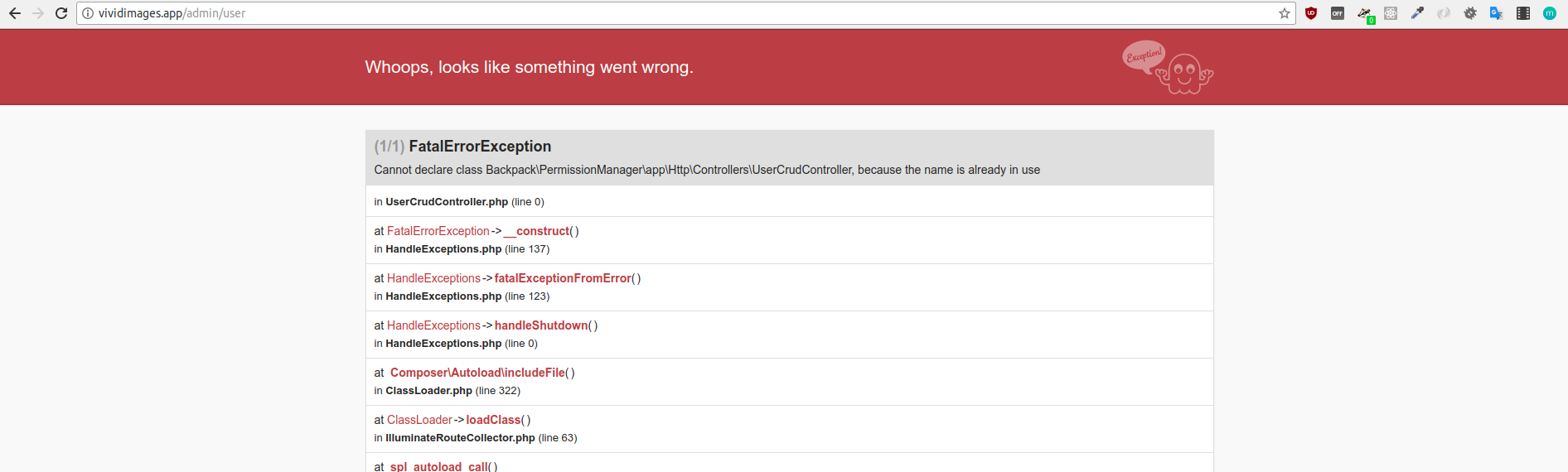
Basically, why I want to override UserCrudController is because I want to add the Impersonate feature from that view, adding custom buttons and such.
marko89kv
on 11 Sep 2017

You need to modify and rename the class.
If you read the error "cannot redeclare class" - means your using the name of an existing class.
 OwenMelbz
on 11 Sep 2017
OwenMelbz
on 11 Sep 2017
Same thing... Renamed it into CustomUserCrudController
CRUD::resource('user', 'CustomUserCrudController');
<?php

namespace Backpack\PermissionManager\app\Http\Controllers;

use Backpack\CRUD\app\Http\Controllers\CrudController;
use Backpack\CRUD\app\Http\Requests\CrudRequest;
use Backpack\PermissionManager\app\Http\Requests\UserStoreCrudRequest as StoreRequest;
use Backpack\PermissionManager\app\Http\Requests\UserUpdateCrudRequest as UpdateRequest;
use Illuminate\Support\Facades\Auth;

class CustomUserCrudController extends CrudController
{
    public function setup()
    {
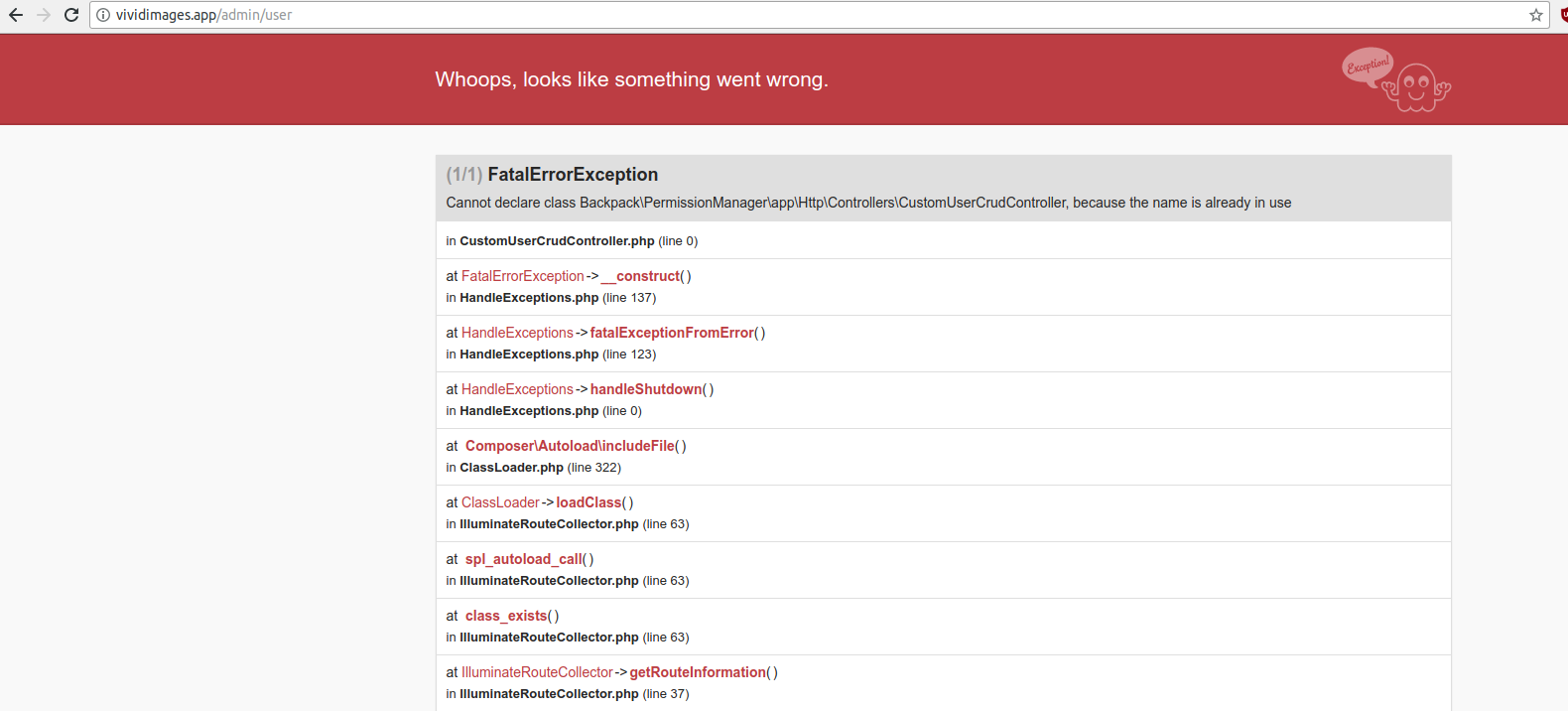
EDIT: maybe it's a problem that the route is the same?
marko89kv
on 11 Sep 2017
I'd read up on how PHP Namespaces work -> https://daylerees.com/php-namespaces-explained/
Might help you spot your problem - but again read the error carefully and check your code for duplication to see what the clash might be.
Hint: Its nothing to do with the routes.
OwenMelbz
on 11 Sep 2017
Got it... I'm gonna go cry now a little bit
namespace App\Http\Controllers\Admin;
Thanks a lot :+1:
marko89kv
on 11 Sep 2017
Related issues
 gotrecillo
·
3Comments
gotrecillo
·
3Comments
 mklahorst
·
3Comments
mklahorst
·
3Comments
 M0H3N
·
3Comments
M0H3N
·
3Comments
 bastos71
·
3Comments
bastos71
·
3Comments
 dividy
·
3Comments
dividy
·
3Comments
Most helpful comment
Got it... I'm gonna go cry now a little bit
namespace App\Http\Controllers\Admin;Thanks a lot :+1: