Crouton: Glitches & slowdown on applications using direct rendering / composing
Please paste the output of the following command here: sudo edit-chroot -all

name: throw
encrypted: no
Entering /mnt/stateful_partition/crouton/chroots/throw...
WARNING: Unable to register core dump handler.
crouton: version 1-20190902190258~master:9a594a66
release: xenial
architecture: amd64
xmethod: xorg
targets: xfce,chrome,xorg,audio,keyboard,touch,xfce-desktop
host: version 12607.58.0 (Official Build) stable-channel cave
kernel: Linux localhost 3.18.0-19838-gc647e70c954a #1 SMP PREEMPT Thu Dec 12 22:46:10 PST 2019 x86_64 x86_64 x86_64 GNU/Linux
freon: yes
Please describe your issue:
Since the last chrome update (79.0.3945.86) for my Asus C302 (Cave), I have glitches all around on applications using GPU rendering (I suppose) like Google Chrome, Firefox or Steam.
I did a fresh install (that's the "throw" chroot below) to verify it wasn't related to my Bionic chroot, but I have the issue on both chroots.
Direct rendering seems enabled
[imself@localhost ~]$ glxinfo |grep -i "direct rendering"
direct rendering: Yes
[imself@localhost ~]$
I can see some error in Xorg log, but maybe it was already there before
[imself@localhost ~]$ grep EE /tmp/Xorg.crouton.1.log
[  2910.271] Current Operating System: Linux localhost 3.18.0-19838-gc647e70c954a #1 SMP PREEMPT Thu Dec 12 22:46:10 PST 2019 x86_64
    (WW) warning, (EE) error, (NI) not implemented, (??) unknown.
[  2910.283] (EE) /dev/dri/card0: failed to set DRM interface version 1.4: Permission denied
[  2912.098] (EE) /dev/dri/card0: failed to set DRM interface version 1.4: Permission denied
[  2912.253] (EE) intel(0): Failed to submit rendering commands (Invalid argument), disabling acceleration.
[  2914.870] (EE) intel(0): Failed to set backlight intel_backlight for output eDP1, disabling
[imself@localhost ~]$
Video of the glitches (at the end) :
https://photos.app.goo.gl/M5KjvjACavzyVNfr7
If known, describe the steps to reproduce the issue:
Just run one of those thee programs : Google Chrome, Firefox or Steam.
 Alain-DEPUILLE-WDFR
All 13 comments
output of sudo edit-chroot -all
chronos@localhost / $ sudo edit-chroot -all
name: xenial
encrypted: no
Entering /mnt/stateful_partition/crouton/chroots/xenial...
WARNING: Unable to register core dump handler.
crouton: version 1-20190902190258~master:9a594a66
release: xenial
architecture: amd64
xmethod: xorg
targets: xfce
host: version 12607.58.0 (Official Build) stable-channel cave
kernel: Linux localhost 3.18.0-19838-gc647e70c954a #1 SMP PREEMPT Thu Dec 12 22:46:10 PST 2019 x86_64 x86_64 x86_64 GNU/Linux
freon: yes
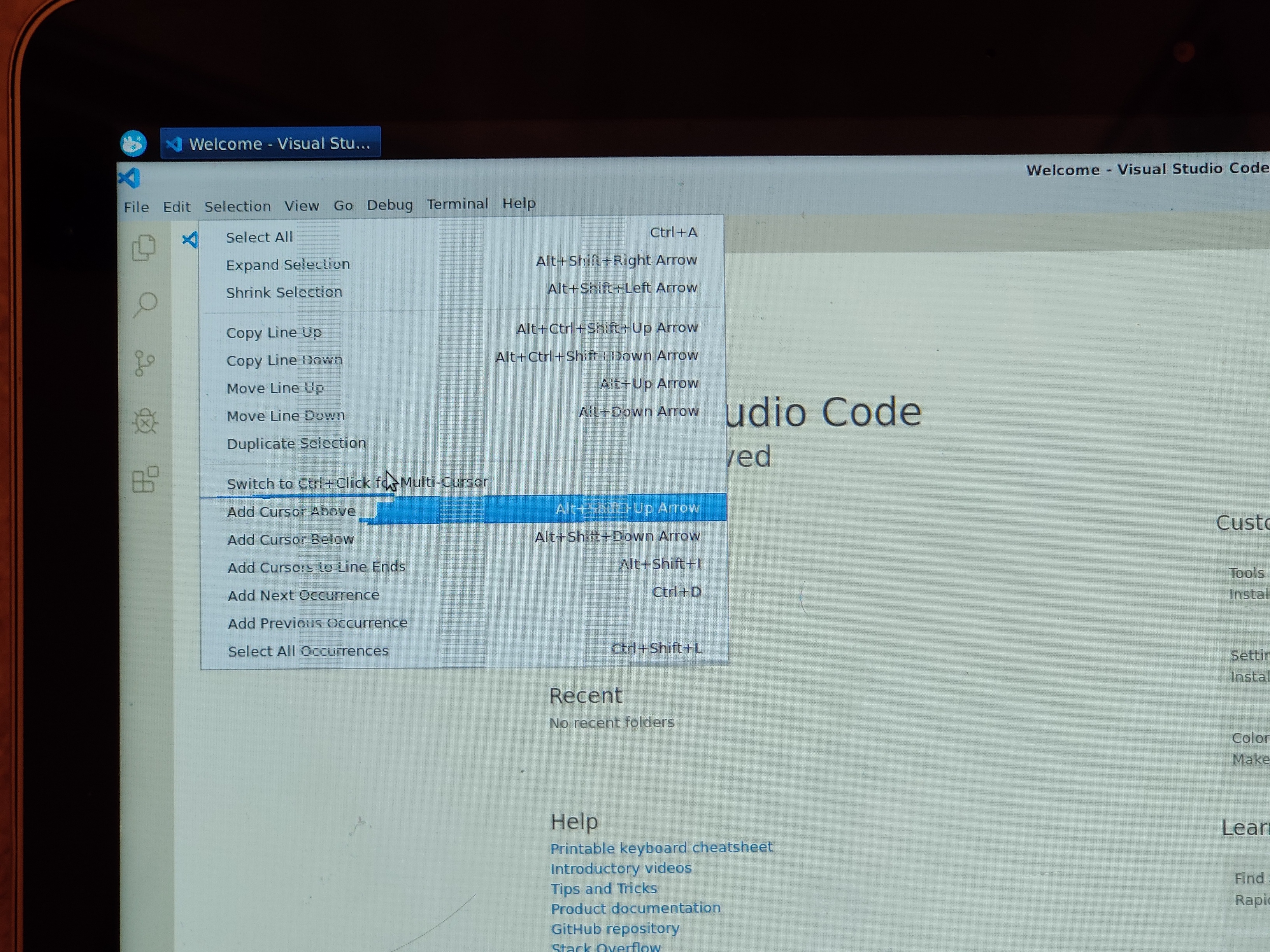
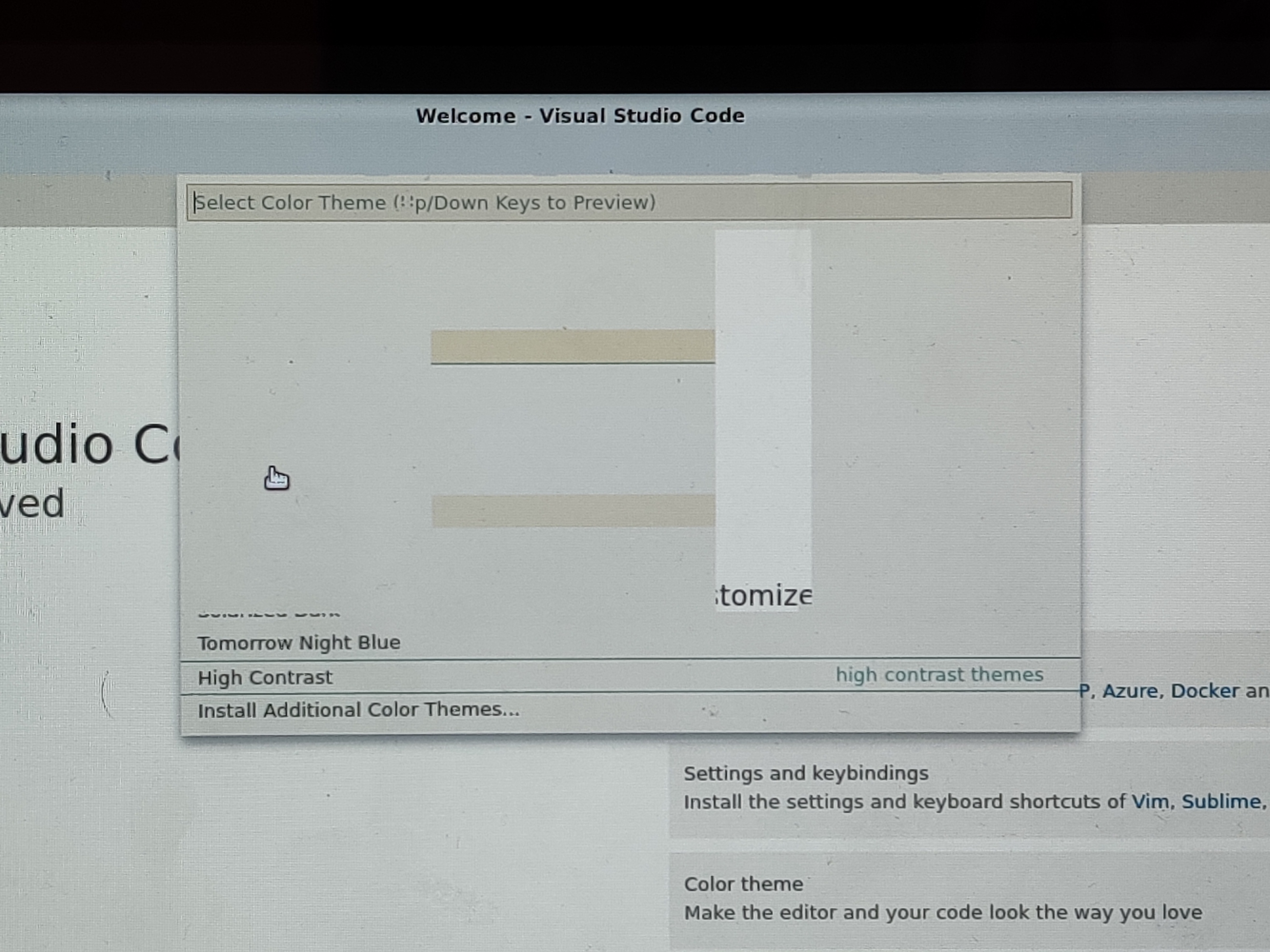
Having exactly the same rendering glitches as you ever since the latest stable chrome update (79.0.3945.86) on my Asus C302 (Cave). Seemingly every program has these graphical glitches, for example opera browser, visual studio code, spyder ide. Only exception I've seen so far is Inkscape.
A fresh install didn't fix the issues neither did a powerwash (wanted to powerwash for a while so used this as my excuse to do so).
I can see some error in Xorg log, but maybe it was already there before
I have the same errors in my Xorg log plus a few others:
chronos@localhost / $ grep EE /tmp/Xorg.crouton.1.log
[   655.530] Current Operating System: Linux localhost 3.18.0-19838-gc647e70c954a #1 SMP PREEMPT Thu Dec 12 22:46:10 PST 2019 x86_64
        (WW) warning, (EE) error, (NI) not implemented, (??) unknown.
[   655.532] (EE) /dev/dri/card0: failed to set DRM interface version 1.4: Permission denied
[   656.118] (EE) Failed to load module "fbdev" (module does not exist, 0)
[   656.118] (EE) Failed to load module "vesa" (module does not exist, 0)
[   656.121] (EE) Failed to load module "fbdev" (module does not exist, 0)
[   656.122] (EE) Failed to load module "vesa" (module does not exist, 0)
[   657.534] (EE) /dev/dri/card0: failed to set DRM interface version 1.4: Permission denied
[   657.535] (II) XINPUT: Adding extended input device "Elan Touchscreen" (type: TOUCHSCREEN, id 8)
[   657.576] (EE) intel(0): Failed to submit rendering commands (Invalid argument), disabling acceleration.
[   659.932] (EE) intel(0): Failed to set backlight intel_backlight for output eDP1, disabling
Experiencing the same graphical glitches:
 RedWizard22
on 23 Dec 2019
RedWizard22
on 23 Dec 2019
Having same issue after recent update. I'm on stable channel on Samsung Chromebook Pro (Caroline), using xenial.
 pairwiserr
on 23 Dec 2019
pairwiserr
on 23 Dec 2019
Same issue, also after the most recent stable ChromeOS update. Using Xenial with xfce.
 ZycroNeXuS
on 23 Dec 2019
ZycroNeXuS
on 23 Dec 2019
Could it be related to the Skylake platform ?
@ZycroNeXuS : Which chromebook do you have ?
Alain-DEPUILLE-WDFR
on 23 Dec 2019
@ZycroNeXuS : Which chromebook do you have ?
I've got an HP Chromebook 11 G4. Not all that powerful in the first place, but I'm definitely experiencing a lot worse performance now than I did before the update, can't run anything I used to be able to, and experiencing frequent visual glitches like tearing and all that I wasn't before.
ZycroNeXuS
on 23 Dec 2019
I'm also having the same issue on my Asus Flip C213 using Xfce Xenial. Chrome 79 caused the instability to occur. When I'm looking through my files, the icons glitch out and turn black. I'm able to use Xiwi just fine just not Xorg. Though xiwi can be annoying since it disappears from the task bar when I put the chromebook to sleep and wake it. Xorg was working fine before the chromeos update.
 MattKimura
on 30 Dec 2019
MattKimura
on 30 Dec 2019
I have a Acer Chromebook R11 CB5-132T with the same issue. It has an Intel Celeron N3060 Dual-core 1.60 GHz, and HD Graphics 400.
name: xenial
encrypted: no
Entering /mnt/stateful_partition/crouton/chroots/xenial...
WARNING: Unable to register core dump handler.
crouton: version 1-20190902190258~master:9a594a66
release: xenial
architecture: amd64
xmethod: xorg
targets: xfce,keyboard,touch,extension,audio
host: version 12607.58.0 (Official Build) stable-channel cyan
kernel: Linux localhost 3.18.0-19838-gc647e70c954a #1 SMP PREEMPT Thu Dec 12 22:50:16 PST 2019 x86_64 x86_64 x86_64 GNU/Linux
freon: yes
Until ChromeOS updated to 79 everything was working really well. Running Retroarch and some low spec Steam games with no problem using Crouton to run Xenial with xfce4.
Since ChromeOS 79 programs such as Chrome, Retroarch, and Steam run incredibly slowly using Crouton. I always update Crouton after a ChromeOS update, but to no avail. I really hope this issue can be resolved because the joy of using my Chromebook has quickly evaporated with this issue.
 av1277
on 30 Dec 2019
av1277
on 30 Dec 2019
Over on the crouton subreddit, people are talking about activating some kind of TearFree driver fixing the graphical glitches. Upon testing it myself (again, Xenial Xfce) I can confirm that it does, indeed fix the tearing - but now that which previously was at least _runnable_ even if massively slowed down, now does not boot at all, so at least in my case, this is markedly worse, though it's possible I also just don't know what I'm doing. Results may vary, apparently, so maybe this'll help one of you out.
For the instructions given:
[https://www.reddit.com/r/Crouton/comments/eh2lw1/c302_graphics_errors/fcjyw1y?utm_source=share&utm_medium=web2x]
If the file doesn't exist, create it, fill it with the stuff in one of the child comments, restart.
ZycroNeXuS
on 1 Jan 2020
@ZycroNeXuS I've tried your solution from the subreddit with both sna and uxa methods. The former causes a segmentation fault and the latter hits a known bug. This is on dev channel on Samsung Chromebook Pro (Caroline). Chrome OS version 80.0.3987.18
Interestingly, if you have a video open -for me, I opened a .mkv video in vlc- and shift+ctrl+alt+F1 out to ChromeOS and then back into crouton, the tearing disappears. The lag, however, persists.
pairwiserr
on 2 Jan 2020
I'm having these same problems on an Asus Chromebook flip c302 (Stable Channel)
 JackTheWebDev
on 11 Jan 2020
JackTheWebDev
on 11 Jan 2020
No improvement with the new 79.0.3945.123 + crouton -u (Asus C302, Stable Channel. Previous was 79.0.3945.86)
Alain-DEPUILLE-WDFR
on 15 Jan 2020
Having the same issue but on Dell 7486, Beta 81.0.4044.25
 kathelynn
on 23 Feb 2020
kathelynn
on 23 Feb 2020
Still having the issue with version 80.0.3987.158
Alain-DEPUILLE-WDFR
on 22 Mar 2020
Related issues
 anonymouseprogrammer
·
4Comments
anonymouseprogrammer
·
4Comments
 rossjrw
·
5Comments
rossjrw
·
5Comments
 jimmybungalo
·
4Comments
jimmybungalo
·
4Comments
 kiorpesc
·
4Comments
kiorpesc
·
4Comments
 tedm
·
3Comments
tedm
·
3Comments
Most helpful comment
output of sudo edit-chroot -all
Having exactly the same rendering glitches as you ever since the latest stable chrome update (79.0.3945.86) on my Asus C302 (Cave). Seemingly every program has these graphical glitches, for example opera browser, visual studio code, spyder ide. Only exception I've seen so far is Inkscape.
A fresh install didn't fix the issues neither did a powerwash (wanted to powerwash for a while so used this as my excuse to do so).
I have the same errors in my Xorg log plus a few others:
Experiencing the same graphical glitches:

