Croppie: Improve cropping quality after scale down
I found this solution http://stackoverflow.com/a/19223362/1252528 can improve image quality of canvas.drawImage.
Here is a demo http://jsfiddle.net/07jfxiao/otmgrmwp/3/
 bammoo
All 21 comments
I'm starting to wonder if it'd be a good idea to expose the canvas object through the result method (somehow). Letting the user do whatever they'd like to the cropped image.
 thedustinsmith
on 8 Mar 2016
thedustinsmith
on 8 Mar 2016
Is there an easy way of integrating the solution provided above into croppie or any other algorithm like the one described here?:
http://stackoverflow.com/questions/18922880/html5-canvas-resize-downscale-image-high-quality
http://jsfiddle.net/gamealchemist/r6aVp/
Photos look pixelated after been scaled down, particularly with face close ups.
 galoram
on 1 Jun 2016
galoram
on 1 Jun 2016
@galoram - Short Answer: no. You're free to modify the source of croppie's _getCanvasResult (https://github.com/Foliotek/Croppie/blob/master/croppie.js#L840).
Or you can just call croppie's get method. That will give you the points on the image that the end-user has selected. Then you can basically write your own _getCanvasResult.
I'd like to expose a method that you can call to modify the canvas before returning the base64 image, but without any help, it's not going to happen anytime soon. Sorry about that.
thedustinsmith
on 6 Jun 2016
We badly need this thing resolved for https://yooocan.com.
I know very little about image processing, so I probably won't be able to help too much.
@bammoo maybe you can handle this?
@thedustinsmith Thanks for the awesome library! It greatly helps us in improving the lives of people with disabilities!
 gdoron
on 20 Sep 2016
gdoron
on 20 Sep 2016
@gdoron - Feel free to grab the latest from master and play around with it. I've changed the API to allow us to return just the canvas with the image drawn to it, by passing in type: 'rawcanvas' into the result method.
You can see this being done in demo.js: https://github.com/Foliotek/Croppie/blob/master/demo/demo.js#L53
I'd love it if you can try out the latest version of master combined with @bammoo 's stackoverflow link to see if you can get image quality improved.
Beware, this code isn't really fully tested at this point and there were quite a few larger changes, so if you can report any bugs I'd be happy to fix them or happy to accept PR's.
thedustinsmith
on 20 Sep 2016
Thanks man!
I saw now @abuisine 's #204 issue.
I might go with his library if it's good.
I hope I'll have time to fiddle with it in the next day or two.
Thanks again!
gdoron
on 20 Sep 2016
Image after croppie:

After Stackoverflow code used with croppie:

So it seems like it works 👍 👍 👍
Can I use the code from master or is there something not quite stable there?
Many thanks!
p.s. for future me (or someone else): don't forget to remove
size: {
width: 100,
height: 100
},
As if it's being used the image quality was already damaged when returned by the promise.
gdoron
on 20 Sep 2016
Thanks for the info.
Here are the changes that are in master that I wouldn't yet consider stable: https://github.com/Foliotek/Croppie/compare/v2.3.0...master
Whether or not you want to use them is entirely up to you. The only way we really find bugs is if other people report them, so you could be our guinea pig.
I could probably release a pre-v2.4.0, but in my experience, people usually don't report problems for pre-releases, just regular releases.
These changes will make it into the next release, I just don't know when I'll have time to do that release.
thedustinsmith
on 20 Sep 2016
I think I'll take the risk and use it.
I'll let you know when our website crashes and I'm looking for a new job. 🙈
BTW, both of the images were generated using quality: 0.9.
gdoron
on 20 Sep 2016
@gdoron could you provide an example of how you have used pica to handle scaling? I have been doing some tests but have been unable to reproduce a similar increase in image quality. Thanks!
 ghost
on 30 Dec 2016
ghost
on 30 Dec 2016
@gdoron can you please supply a quick example how you corrected your issue with this library/approach. I would very much appreciate the help here. Thanks!
 toddca
on 12 Dec 2017
toddca
on 12 Dec 2017
@toddca I'm afraid I no longer work where I wrote that feature so I don't have access to the source code.
But if I'm not mistaken I used it somewhere on https://yoocanfind.com it was in the profile image or story telling image.
I hope it helps 🤐
gdoron
on 13 Dec 2017
Anybody tried improving quality using rawcanvas ? Please share if you have any example code with
croppie
 tomalex0
on 25 Jun 2018
tomalex0
on 25 Jun 2018
Im getting the same problem.
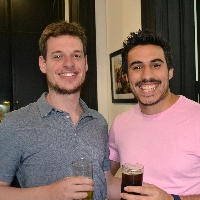
when they should look like this
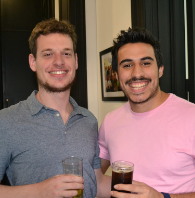
Im not sure how to implement the first solution.
 pabloleban
on 27 Jun 2018
pabloleban
on 27 Jun 2018
When cropping the image, I can see that the CSS property of the preview image is in my case transform: translate3d(-2104px, -1335.9px, 0px) scale(0.0651);
By changing the translate3d to translate (and removing the Z point), the image is shown fine because the antialiasing of the browser is triggered. However, this change is only for the cropping image preview phase of course, and not for the final result.
pabloleban
on 28 Jun 2018
@pabloleban did you tried changing to jpeg? any difference you see ?
tomalex0
on 30 Jun 2018
@tomalex0 nope, but I found a similar solution like the one @bammoo posted, manipulating the rawcanvas.
pabloleban
on 30 Jun 2018
@pabloleban do you have sample code which works with croppie?
tomalex0
on 1 Jul 2018
@tomalex0
Sure, I did this:
uploadCrop.croppie('result',{circle: false, size: "original", type:"rawcanvas"}).then(function (rawcanv) {
  resample_single(rawcanv, 200, 200, true);
  var canvasBase64 = rawcanv.toDataURL();
  $.ajax({
    type:"post",
    url: base_url+"save_pic",
    data:{"pic":canvasBase64.substring(22)},
  });
}
And the resample_single function is this:
function resample_single(canvas, width, height, resize_canvas) {
  var width_source = canvas.width;
  var height_source = canvas.height;
  width = Math.round(width);
  height = Math.round(height);

  var ratio_w = width_source / width;
  var ratio_h = height_source / height;
  var ratio_w_half = Math.ceil(ratio_w / 2);
  var ratio_h_half = Math.ceil(ratio_h / 2);

  var ctx = canvas.getContext("2d");
  var img = ctx.getImageData(0, 0, width_source, height_source);
  var img2 = ctx.createImageData(width, height);
  var data = img.data;
  var data2 = img2.data;

  for (var j = 0; j < height; j++) {
    for (var i = 0; i < width; i++) {
      var x2 = (i + j * width) * 4;
      var weight = 0;
      var weights = 0;
      var weights_alpha = 0;
      var gx_r = 0;
      var gx_g = 0;
      var gx_b = 0;
      var gx_a = 0;
      var center_y = (j + 0.5) * ratio_h;
      var yy_start = Math.floor(j * ratio_h);
      var yy_stop = Math.ceil((j + 1) * ratio_h);
      for (var yy = yy_start; yy < yy_stop; yy++) {
        var dy = Math.abs(center_y - (yy + 0.5)) / ratio_h_half;
        var center_x = (i + 0.5) * ratio_w;
        var w0 = dy * dy; //pre-calc part of w
    var xx_start = Math.floor(i * ratio_w);
    var xx_stop = Math.ceil((i + 1) * ratio_w);
    for (var xx = xx_start; xx < xx_stop; xx++) {
      var dx = Math.abs(center_x - (xx + 0.5)) / ratio_w_half;
      var w = Math.sqrt(w0 + dx * dx);
      if (w >= 1) {
        //pixel too far
        continue;
      }
      //hermite filter
      weight = 2 * w * w * w - 3 * w * w + 1;
      var pos_x = 4 * (xx + yy * width_source);
      //alpha
      gx_a += weight * data[pos_x + 3];
      weights_alpha += weight;
      //colors
          if (data[pos_x + 3] < 255)
            weight = weight * data[pos_x + 3] / 250;
          gx_r += weight * data[pos_x];
          gx_g += weight * data[pos_x + 1];
          gx_b += weight * data[pos_x + 2];
          weights += weight;
        }
      }
      data2[x2] = gx_r / weights;
      data2[x2 + 1] = gx_g / weights;
      data2[x2 + 2] = gx_b / weights;
      data2[x2 + 3] = gx_a / weights_alpha;
    }
  }
  //clear and resize canvas
  if (resize_canvas === true) {
    canvas.width = width;
    canvas.height = height;
  } else {
    ctx.clearRect(0, 0, width_source, height_source);
  }

  //draw
  ctx.putImageData(img2, 0, 0);
}
A very sound solution to the problem would be to get the result as original size and use Pica (https://github.com/nodeca/pica)
 agusterodin
on 30 Aug 2018
agusterodin
on 30 Aug 2018
Perfect response from @pabloleban with his rawcanvas and resample_single function. Works great.
 killemth
on 4 Apr 2019
killemth
on 4 Apr 2019
Related issues
 powerbuoy
·
5Comments
powerbuoy
·
5Comments
 nicolacardi
·
4Comments
nicolacardi
·
4Comments
 cannond13
·
6Comments
cannond13
·
6Comments
 bmalets
·
6Comments
bmalets
·
6Comments
 iLearnAndCode
·
3Comments
iLearnAndCode
·
3Comments
Most helpful comment
@tomalex0
Sure, I did this:
And the
resample_singlefunction is this: