Create-react-native-app: getting error while scanning the QR code, something went wrong
READ THIS FIRST, PLEASE!
The App Store version of the Expo iOS client recently had to remove the QR code scanner from the app. If you intend to load your app on a physical iOS device, please install the latest version of react-native-scripts to your app (yarn add react-native-scripts@latest or npm install react-native-scripts@latest). It adds the "s" key to the interactive prompt, which asks you to enter an email address or phone number and then sends the URL to your device.
Read more at https://blog.expo.io/upcoming-limitations-to-ios-expo-client-8076d01aee1a. We apologize for any inconvenience this may cause you!
Required format for issues
Please make our job easier by filling this template out to completion. If you're requesting a feature instead of reporting a bug, please feel free to skip the Environment and Reproducible Demo sections.
Description
1-2 sentences describing the problem you're having or the feature you'd like to request
I was able to create the folder react native project but I am facing issue while scanning the QR code.
Expected Behavior
What action did you perform, and what did you expect to happen?
I scanned the QR code by using the EXPO app on the phone I expected something to happen like opening an app with some random information
Observed Behavior
What actually happened when you performed the above actions?
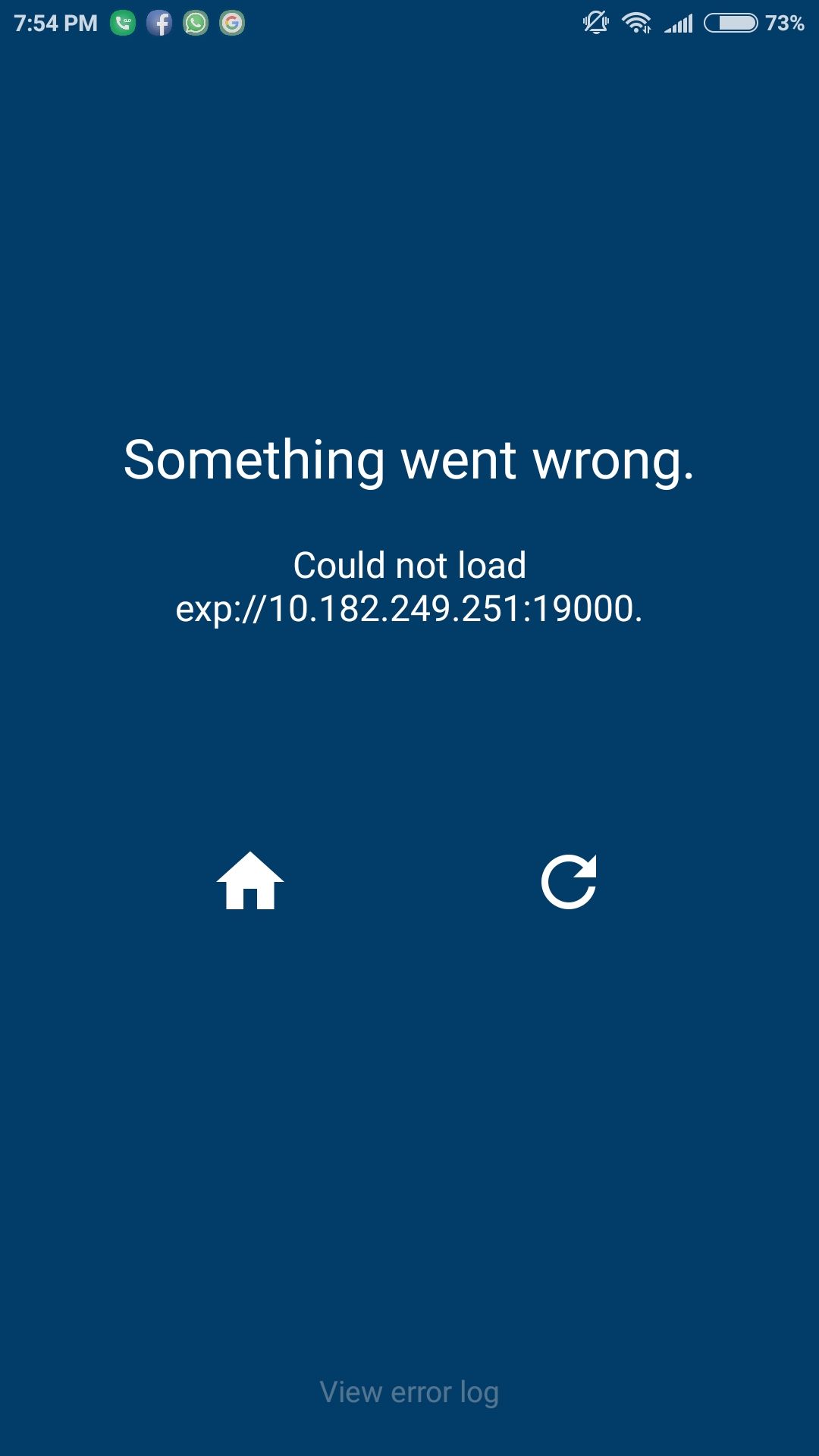
But it said instead that something went wrong and didn't open any thing
If there's an error message, please paste the full terminal output and error message in this code block:
Something went wrong.

Could not load
exp://10.182.249.251:19000.
Environment
Please run these commands in the project folder and fill in their results:
npm ls react-native-scripts:`-- (empty)npm ls react-native:`-- (empty)npm ls expo:`-- (empty)node -v:v8.11.1npm -v:5.6.0yarn --version:'yarn' is not recognized as an internal or external command,
operable program or batch file.watchman version:'watchman' is not recognized as an internal or external command,
operable program or batch file.
Also specify:
- Operating system: Windows 10, 64 bit operating system
- Phone/emulator/simulator & version: Phone Xiomi redme note 4
Reproducible Demo
Please provide a minimized reproducible demonstration of the problem you're reporting.
Something went wrong.
Could not load
exp:/10.182.249.251:19000.
There is home button and replay button.
And when I click on the error log I am seeing this message

uncaught error: java.net.NoRouteToHostException: No route to host
Issues that come with minimal repro's are resolved much more quickly than issues where a maintainer has to reproduce themselves.
 KrishnaJoshii
All 2 comments
Temporary solution
Step 1 : Get the local IPv4 address of your computer
(windows) Type ipconfig in Command Prompt
(Mac) Type ifconfig -a in Terminal
Step 2 : Create a QR code with text exp://YOUR_LOCAL_IP_ADDRESS:19000
You can create QR code on websites like these
Step 3 : Scan the QR Code
 adhik97
on 29 Jun 2018
adhik97
on 29 Jun 2018
your local network may not support accessing other machines over LAN.
you can solve this by doing what @adhik97 said, or the solution here: https://forums.expo.io/t/expo-not-working-on-home-network/5664
 quinlanj
on 30 Jun 2018
quinlanj
on 30 Jun 2018
Related issues
 scf4
·
5Comments
scf4
·
5Comments
 iRoachie
·
5Comments
iRoachie
·
5Comments
 kinergy
·
4Comments
kinergy
·
4Comments
 noelweichbrodt
·
3Comments
noelweichbrodt
·
3Comments
 Jawadgee
·
3Comments
Jawadgee
·
3Comments
Most helpful comment
Temporary solution
Step 1 : Get the local IPv4 address of your computer
(windows) Type
ipconfigin Command Prompt(Mac) Type
ifconfig -ain TerminalStep 2 : Create a QR code with text exp://YOUR_LOCAL_IP_ADDRESS:19000
You can create QR code on websites like these
Step 3 : Scan the QR Code