Create-react-native-app: How do you enable Geolocation?
Description
I'm currently trying to add Geolocation as described in the React Native docs. However with CRNA neither the Xcode nor Android projects are exposed like with react-native init. So how does one go about enabling this when using CRNA?
Expected Behavior
Some method of editing _Info.plist_ (for iOS) or _AndroidManifest.xml_ (for Android).
Observed Behavior
You cannot use Geolocation.
The only workarounds I've figured out are:
- eject the project which defeats the purpose of using CRNA, or
- use the Expo SDK to explicitly ask for permissions in your code (not ideal if you want to avoid using Expo).
Environment
Please run these commands in the project folder and fill in their results:
npm ls react-native-scripts: [email protected]npm ls react-native: [email protected]npm ls expo: [email protected]node -v: v7.7.4npm -v: 4.1.2yarn --version: zsh: command not found: yarnwatchman version: "version": "4.7.0"
Also specify:
- Operating system: macOS 10.12.4
- Phone/emulator/simulator & version:
- Android: Various emulators + Nexus 5X running Android 7.1.1
- iOS: iPhone 6 emulator
Reproducible Demo
Attempt to follow the instructions here: https://facebook.github.io/react-native/docs/geolocation.html
 hysan
hysan
All 9 comments
Hi!
This is one of a couple of areas where CRNA doesn't yet have complete parity with a plain React Native project, but in the near future we should have a polyfill for the geolocation API (cc @brentvatne).
Because the Expo client is already compiled and distributed through the app and play stores, there's no way to edit Info.plist or the Android manifest files, unfortunately. But there should be a path soon to using the React Native geolocation API. I'll leave this open as a tracking issue for that support.
 anp
on 30 Mar 2017
anp
on 30 Mar 2017
Hi @dikaiosune
Thanks for the quick reply. What do you suggest in the meantime for people who want to use Geolocation in conjunction with CRNA?
hysan
on 30 Mar 2017
Until we support the polyfill (I believe it's been built, just not fully tested or released yet) the options you listed under observed behavior are accurate. In addition to the Expo permissions, you'd probably use the Location API.
anp
on 30 Mar 2017
@dikaiosune: is it possible to edit native files if you eject?
 lucasbento
on 3 Apr 2017
lucasbento
on 3 Apr 2017
@lucasbento yeah -- ejecting gives you a project very similar to one created by react-native init.
anp
on 3 Apr 2017
The new template project (RN 0.43, Expo SDK 16) includes a polyfill of the Geolocation API that uses the Expo API under the hood.
anp
on 21 Apr 2017
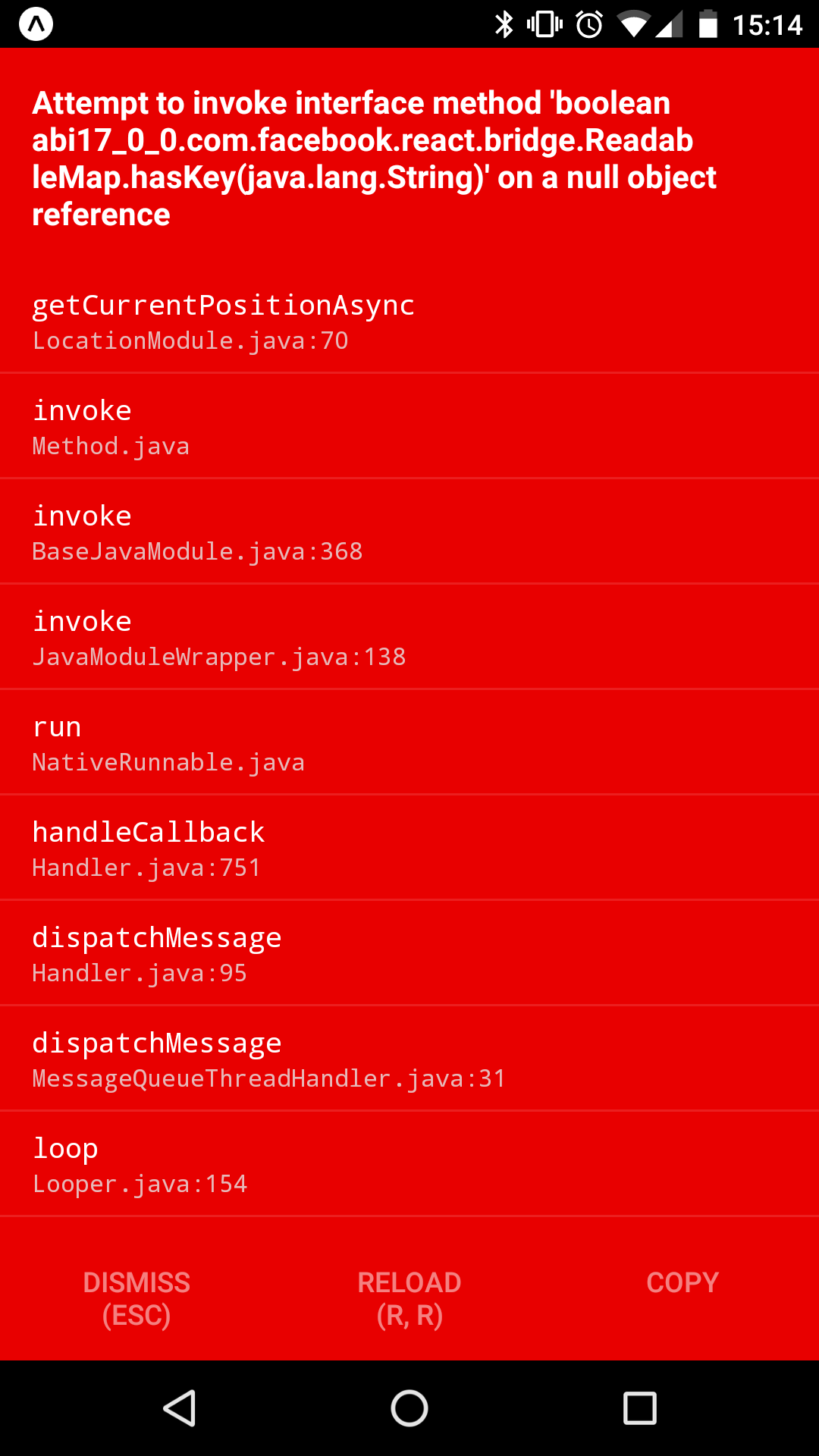
Apologies for the thread necro, but I wasn't sure where to go with this. I recently started a project with create-react-native-app. I'm using expo 17.0.0 and react-native 0.44.3. I have code like:
  function success(pos) {
    var crd = pos.coords;

    console.log('Your current position is:');
    console.log(`Latitude : ${crd.latitude}`);
    console.log(`Longitude: ${crd.longitude}`);
    console.log(`More or less ${crd.accuracy} meters.`);
  };

  function error(err) {
    console.warn(`ERROR(${err.code}): ${err.message}`);
  };

  navigator.geolocation.getCurrentPosition(success, error);
which always results in:
Any ideas on where to go with this?
 joshcartme
on 20 Jun 2017
joshcartme
on 20 Jun 2017
@joshcartme - it looks like on android the third option, arguments, is required right now: navigator.geolocation.getCurrentPosition(success, error, {}); will work (tested it). will fix this in our next release
 brentvatne
on 20 Jun 2017
brentvatne
on 20 Jun 2017
@brentvatne brilliant, the error message actually makes sense to me now!
joshcartme
on 20 Jun 2017
Related issues
 liyanxi
·
3Comments
liyanxi
·
3Comments
 tonyhb
·
5Comments
tonyhb
·
5Comments
 witbybit
·
4Comments
witbybit
·
4Comments
 iRoachie
·
5Comments
iRoachie
·
5Comments
 liujb
·
5Comments
liujb
·
5Comments
Most helpful comment
@brentvatne brilliant, the error message actually makes sense to me now!